

Architecture students use Revit, Lumion, and AutoCAD every day. With heavy software, large files, and tight deadlines, you need a mobile workstation that is powerful enough, not just an ordinary office laptop. Ranging from 16 to 55 million VND, the market offers various options: multi-core CPUs, GPUs with 6-8GB VRAM, and screens with sufficient sRGB coverage for accurate color representation. Hung Phat summarizes 5 real-world models currently on sale with clear specs, helping you choose the right machine based on your budget and current academic year.
What configuration do architecture students need?
Revit and Lumion are two software programs with very different hardware requirements in architecture projects. Revit prioritizes strong single-core CPU performance and large RAM; a complex BIM file with many views and sheets can consume 20-24GB of RAM. Lumion, on the other hand, requires a powerful GPU with sufficient VRAM, especially when rendering exterior scenes with trees and real-time lighting. A machine that is only strong in one area will create frustrating bottlenecks midway through a project.
| Model | Price | CPU | RAM / GPU | Display | Why choose this? |
|---|---|---|---|---|---|
| Dell Precision 3571 (2022) | ~16-20 million | Core i5-12500H | 32GB DDR5 / RTX T600 4GB | 15.6" FHD 250 nits | Ready with 32GB RAM, low price, good for Revit/CAD |
| Lenovo LOQ Essential 15IAX9E (2024) | ~20-30 million | Core i5-12450HX | 16GB DDR5 / RTX 3050 6GB | 15.6" FHD 100% sRGB 300 nits | 6GB VRAM GPU, sRGB screen, decent for Lumion |
| Dell Pro Max 14 MC14250 (2025) | ~30-39 million | Core Ultra 5 225H | 16-64GB LPCAMM2 / RTX PRO 500 6GB | 14" FHD+ 300 nits | Most compact, pro drivers, powerful multi-core CPU |
| Alienware 16 Aurora (2025) | ~45-50 million | Core 5 210H / Core 7 240H | 16-32GB DDR5 / RTX 5060/5070 8GB | 16" depending on config | Strongest GPU in the list, can handle heavy Lumion |
| Dell Pro Max 16 MC16250 (2025) | ~45-55 million | Intel Core Ultra 200H | LPCAMM2 LPDDR5x / Pro GPU | Large 16" screen, great for drafting | Complete 16" Workstation, pro drivers |
Regarding the CPU, a reasonable minimum for 2026 is an 8-core chip or higher with a TDP of 45W+. Starting RAM should be 32GB, as 16GB will quickly reach its limit when Revit files become complex. An SSD of at least 512GB is necessary, but 1TB is more practical because projects typically include original files, Lumion textures, and exported PDF/DWG files. A GPU with 6GB VRAM or more helps the Revit viewport run smoothly and prevents Lumion from crashing when loading medium-sized scenes.
The screen directly affects portfolio creation and presentations. 100% sRGB is the minimum requirement to ensure colors in Lumion renders or perspective drawings are displayed correctly. A brightness of 300 nits or higher helps with visibility when working during the day. If you only use pure Revit/AutoCAD, the requirements are lower, but when you need to export a portfolio, a poor screen will cause significant color inaccuracies.
Top 5 laptops for architecture students running Revit
Hung Phat has selected 5 machines in increasing order of budget for architecture students. Each machine has a clear reason for selection as well as real weaknesses, because knowing a machine's limits helps you avoid a wrong purchase rather than just hearing about its advantages.
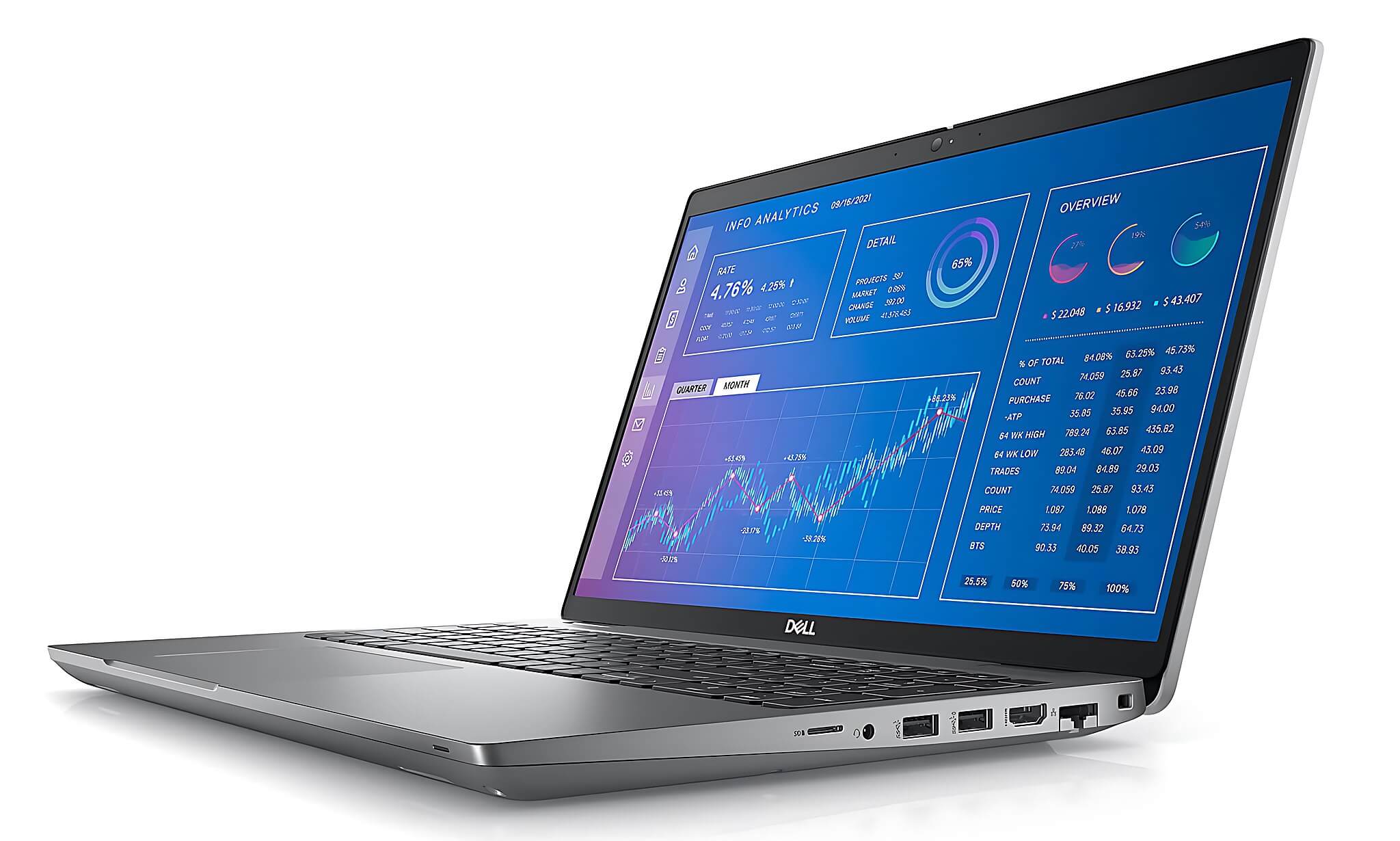
1. Dell Precision 3571 Mobile Workstation (2022), ~16-20 million
This is the cheapest mobile workstation on the list, but it is not a weak machine. It features an Intel Core i5-12500H CPU with 12 cores/16 threads and comes with 32GB DDR5-4800 RAM out of the box, which is a major advantage compared to most laptops in this price range that only offer 16GB. Revit runs stably, AutoCAD is smooth, and the SketchUp viewport does not lag. The NVIDIA RTX T600 4GB GPU has workstation drivers, making it more stable than standard gaming GPUs in a CAD environment.
Weakness to note: The RTX T600 4GB will struggle with heavy Lumion rendering, especially scenes with many trees and complex lighting. The 256GB SSD is too small, so you should upgrade to at least 1TB after purchase. The 15.6-inch FHD 250 nits, 45% NTSC screen is not ideal for checking render colors; you will need an external monitor if you frequently work on portfolios.
Best suited for 1st-3rd year students with a budget under 20 million who prioritize Revit and AutoCAD over Lumion. If you mainly do technical drawing, BIM modeling, and do not yet need heavy real-time rendering, this is a practical choice. See details for Dell Precision 3571 Mobile Workstation.
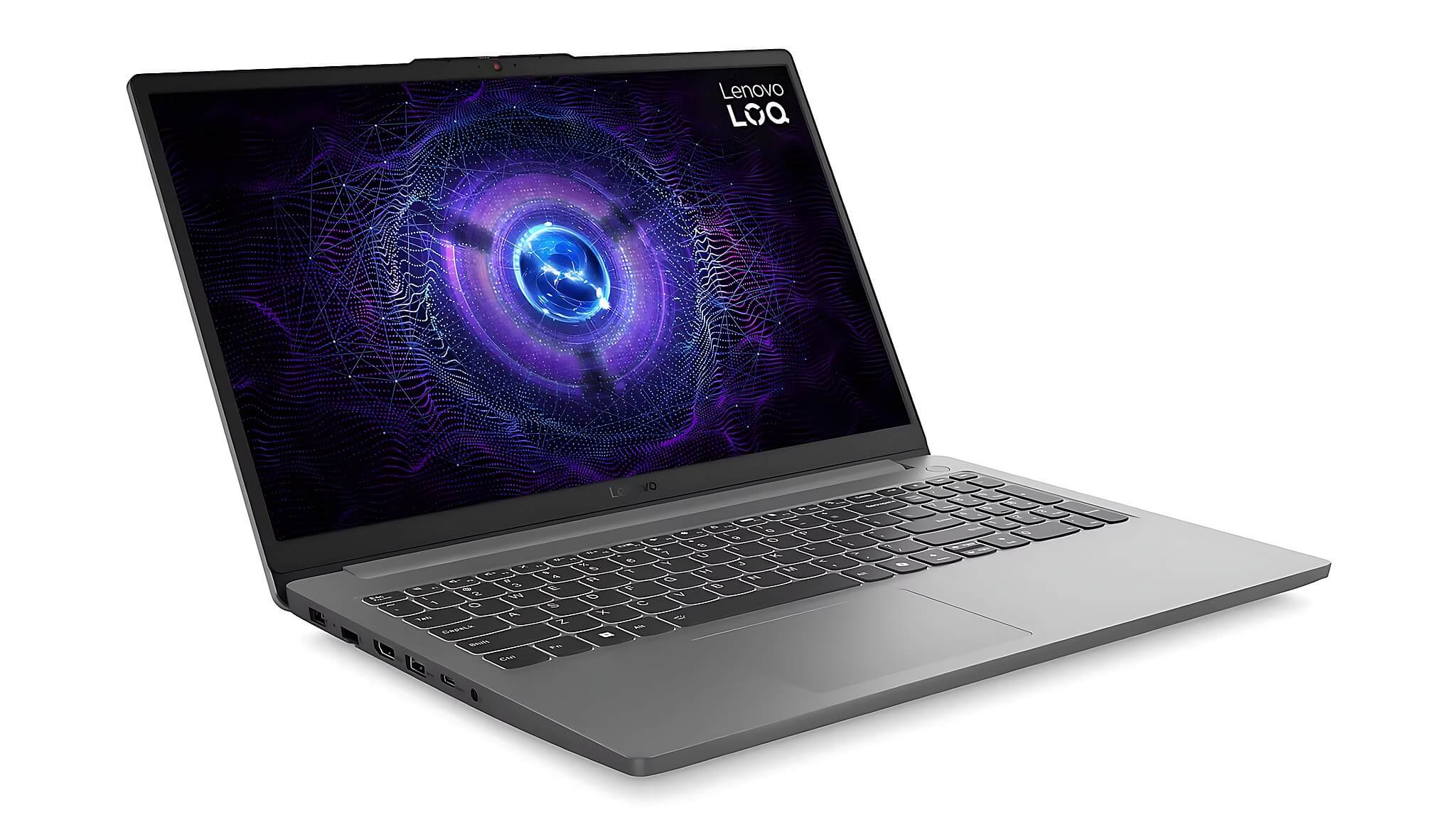
2. Lenovo LOQ Essential 15IAX9E (2024), ~20-30 million
Stepping up to the 20-30 million range, the Lenovo LOQ Essential 15IAX9E brings an RTX 3050 6GB VRAM GPU, a significant leap from the Precision 3571's RTX T600 4GB. This Ada Lovelace GPU has 1,792 CUDA cores and achieves 5,386 in Time Spy. It can handle light to medium Lumion scenes, and the Revit viewport is much smoother. The Core i5-12450HX CPU with 8 cores/12 threads and a 55W TDP achieves 11,390 in Cinebench R23 multi-core, which is sufficient for student-level BIM files.
The 15.6-inch FHD 144Hz 300 nits, 100% sRGB screen is a significant upgrade over the previous machine in the list. You can view render colors more accurately, and your portfolio will look better during presentations. The 16GB DDR5-4800 RAM is something to watch; you should upgrade to 32GB early if Revit files start getting heavy, fortunately, the machine has SODIMM slots for upgrades.
Not suitable if you need to render large Lumion scenes with many 3D objects, as 6GB VRAM is still a limitation at this level. Connectivity is limited to USB-C data, without Thunderbolt or Power Delivery. However, in the 20-30 million range, this is a reasonable machine for balancing Revit and moderate Lumion needs. See details for Lenovo LOQ Essential 15IAX9E.
3. Dell Pro Max 14 MC14250 Mobile Workstation (2025), ~30-39 million
The most compact 14-inch machine on the list, offering a clear advantage when carrying it to class, the studio, or field trips every day. The Intel Core Ultra 5 225H CPU uses the Arrow Lake-H platform with 14 cores/14 threads and a 28W TDP, achieving 14,629.5 in Cinebench R23 multi-core-significantly higher than the Core i5-12450HX despite the lower TDP. It scores 2,733 in Geekbench 6 single-core, which is very strong for Revit, which requires high single-core performance. The chip also integrates an NPU with 13 TOPS to support AI features in creative applications.
The NVIDIA RTX PRO 500 Blackwell 6GB GDDR7 GPU features professional workstation drivers, ensuring stability in CAD/BIM environments and moderate rendering in Lumion. RAM options go up to 64GB LPCAMM2 LPDDR5x, which has higher memory bandwidth than standard DDR5, making it suitable for BIM files with many views. SSD options range from 512GB to 2TB depending on the configuration.
A real weakness: the 14-inch screen is a bit small for meticulous technical drafting; many students will need an external monitor when at home. Avoid the 45% NTSC version; choose the 100% sRGB version. The PRO 500 6GB GPU is still not enough for truly heavy Lumion scenes; if that is your primary need, consider the next machine. See details for Dell Pro Max 14 MC14250.
4. Alienware 16 Aurora (2025), ~45-50 million
The Alienware 16 Aurora 2025 is a gaming machine, but its GPU is the reason it is on this list. Depending on the configuration, it features either an RTX 5060 Laptop (3,328 CUDA, 8GB GDDR7, 448 GB/s bandwidth, Time Spy 11,755) or an RTX 5070 Laptop (4,608 CUDA, 8GB GDDR7, 448 GB/s bandwidth, Time Spy 13,535.5). Both are Blackwell GPUs with 8GB VRAM, allowing large Lumion scenes with many trees and real-time lighting to run much smoother than the previous machines.
CPU options include the Core 5 210H (8 cores/12 threads, Cinebench R23 multi-core 11,830) or the Core 7 240H (10 cores/16 threads, Cinebench R23 multi-core 15,764). If your budget allows, choose the Core 7 240H + RTX 5070 version for better multi-core performance for Revit. RAM is 16-32GB DDR5-5600, and SSD is 512GB-1TB PCIe 4.0.
A practical reality: this is a gaming machine and does not have workstation drivers like the Dell Precision or Dell Pro Max; CAD stability depends heavily on GeForce drivers. The machine is heavy and battery life is not a strength, making it better suited as a fixed station at home or in a studio rather than carrying to class daily. However, if heavy Lumion rendering is your main requirement and your budget is in this range, this machine offers the strongest GPU on the list. See details for Alienware 16 Aurora.
5. Dell Pro Max 16 MC16250 Mobile Workstation (2025), ~45-55 million
While the Alienware 16 leans towards gaming, the Dell Pro Max 16 MC16250 is a true mobile workstation, featuring pro drivers, a larger 16-inch screen for drafting, and standardization for professional environments. The larger screen directly addresses the drawback of the 14-inch version, allowing you to see more when working with AutoCAD, multi-story Revit models, or complex perspective layouts.
It uses the same Intel Core Ultra 200H/Arrow Lake-H platform as the Pro Max 14, but the 16-inch form factor allows for better cooling and typically offers a more powerful GPU configuration within the same line. Workstation drivers provide longer-term CAD viewport stability compared to gaming GPUs with similar VRAM levels. High-bandwidth LPCAMM2 LPDDR5x RAM is a common advantage of the 2025 Pro Max line.
A practical downside: the 16-inch model is heavier and less convenient for daily travel. If you can keep the machine in one place most of the time and only carry it when necessary, this is a complete mobile workstation for both Revit and Lumion at this price point. Final-year students who need to render portfolios or intern at design offices will find this machine exceptionally worthwhile. See details for Dell Pro Max 16 MC16250.
Are you torn between a thin-and-light machine and a high-GPU machine? You can read our article on choosing a laptop by profession to better visualize the appropriate configuration before deciding.
Comparing 5 mobile workstations for students
Each machine has a different budget range and strength. The table at the beginning of the article summarizes the key specifications of all 5 machines for quick comparison before you decide.
Buying a mobile workstation for architecture students
In 2026, the workstation laptop market has many sellers, but not all carry genuine stock, especially for machines like Dell Precision or Dell Pro Max, which are not as common as standard laptops. Hung Phat has a showroom in Ho Chi Minh City, selling all 5 machines in this list directly with clear warranties; you can inspect the machines on-site before making a decision.
When buying a mobile workstation, you should request a real-world check: try opening Revit with a sample file, check the screen with standard color images, and ask clearly about the hardware and GPU warranty policies. In the 30-55 million VND range, these details are much more important than when buying a standard office laptop.
If you are undecided between a mobile workstation and a gaming laptop at the same price, the main difference is the GPU driver and long-term stability in a CAD environment, not pure benchmark performance. Hung Phat is ready to provide further consultation when you visit us in person or message us online.
Who should choose which machine from this list?
If your budget is under 20 million and you prioritize Revit and AutoCAD: the Dell Precision 3571 with 32GB RAM pre-installed is the most practical choice; upgrade the SSD before use. For 20-30 million, you need to balance both Lumion: the Lenovo LOQ Essential 15IAX9E offers a 6GB VRAM GPU and a 100% sRGB screen in this price range. From 30-39 million, if you prioritize a compact machine for travel: the Dell Pro Max 14 MC14250 with a powerful Arrow Lake-H CPU and a 14-inch form factor is a reasonable choice.
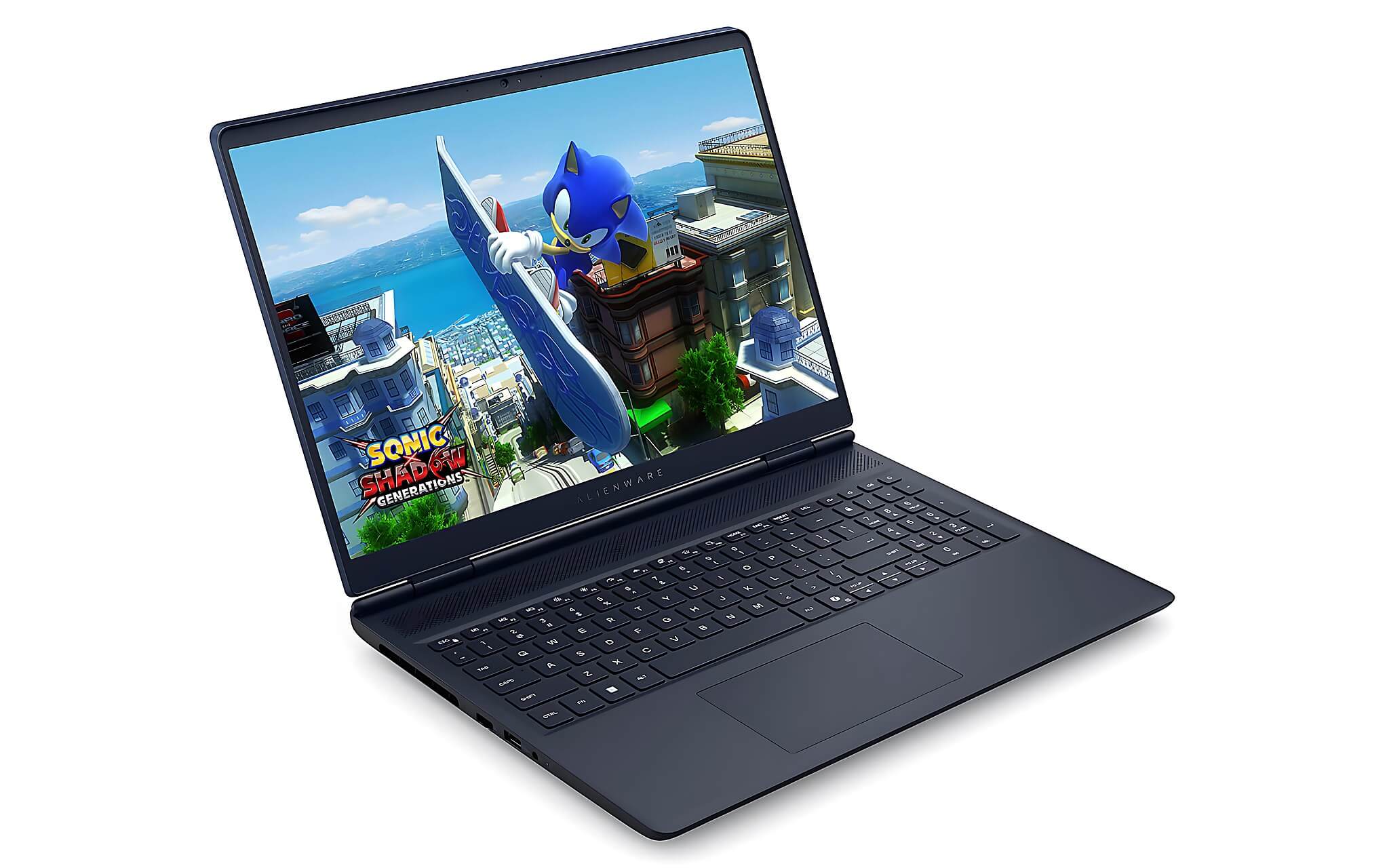
For 45-50 million, if you need heavy Lumion scenes and real-time rendering: the Alienware 16 Aurora with RTX 5060/5070 8GB GDDR7 is the strongest GPU in the list. For the same price range but requiring a complete workstation for both design and professional portfolio presentation: the Dell Pro Max 16 MC16250 with a 16-inch screen and workstation drivers is a more durable choice in the long run.
Frequently Asked Questions (FAQ)
What budget is appropriate to run both Revit and Lumion?
If you only need Revit and AutoCAD, 16-20 million is sufficient with a machine having 32GB RAM and a 12-core CPU like the Dell Precision 3571. If you need moderate Lumion performance, you should go up to 20-30 million to get a GPU with 6GB VRAM. For smooth performance in large scenes, you will need around 45 million or more with an 8GB VRAM GPU.
Should architecture students choose macOS instead of Windows?
Not if you need Revit and Lumion. These two software programs perform best on Windows; running them through virtual machines or workaround solutions will lack stability. macOS is better suited for 2D graphics, photo editing, and video editing.
Which machine is both lightweight and powerful enough to carry daily?
The Dell Pro Max 14 MC14250 (2025) is the clearest choice thanks to its 14-inch chassis, powerful Core Ultra 5 225H CPU, and stable workstation drivers. The trade-off is a slightly small screen, so you should use an external monitor when working at home.
Which machine is most suitable for final-year students?
The Alienware 16 Aurora 2025 is suitable for heavy Lumion needs thanks to the RTX 5060/5070 8GB GPU. The Dell Pro Max 16 MC16250 is better if you need a durable workstation with a large screen and pro drivers for a long-term CAD/BIM environment.











