Với dân thiết kế, một chiếc laptop màn đẹp quyết định phần lớn chất lượng sản phẩm giao đi, bởi màu sai trên màn thì file xuất ra cũng lệch theo. Bài viết này giúp bạn khoanh vùng những mẫu có tấm nền chuẩn màu, độ phủ dải màu rộng và cấu hình đủ mạnh cho dựng hình, chỉnh ảnh, biên tập video, tất cả đều là hàng đang bán tại Hưng Phát và đời 2025 trở lên.
Vì sao dân thiết kế cần laptop màn đẹp chuẩn màu
Công việc thiết kế lấy màu làm nền tảng, nên một chiếc laptop màn đẹp không phải thứ trang trí mà là công cụ sản xuất. Khi tấm nền tái tạo màu sai lệch, bản in hoặc video xuất ra sẽ ám tông, buộc bạn phải sửa đi sửa lại nhiều lần. Trải nghiệm chỉnh ảnh trên màn kém còn khiến mắt phán đoán sai độ tương phản, ảnh hưởng trực tiếp tới giá trị thực tế của thành phẩm. Đây là lý do đối tượng làm sáng tạo luôn ưu tiên độ chuẩn màu của một chiếc laptop màn đẹp trước khi bàn tới yếu tố khác.
Ba thông số cốt lõi cần xác minh gồm độ phủ dải màu, độ sáng và sai lệch màu Delta-E. Một chiếc laptop màn OLED thường phủ trọn 100% dải DCI-P3, cho màu bão hòa và đen sâu mà tấm nền phổ thông khó đáp ứng. Độ sáng từ 400 nit trở lên giúp bạn nhìn rõ chi tiết vùng tối khi ngồi cạnh cửa sổ, còn Delta-E dưới 2 xác nhận màu hiển thị sát với màu chuẩn. Ba yếu tố này cộng lại mới tạo nên trải nghiệm màu đáng tin của một chiếc laptop màn đẹp cho phân khúc chuyên nghiệp.
Hướng dẫn dưới đây dành cho người dựng phim, chỉnh ảnh, vẽ minh họa và làm nội dung số muốn một chiếc laptop màn đẹp gọn nhẹ, mang đi gặp khách vẫn tiện. Mỗi phương án đều nêu rõ cấu hình, loại tấm nền và mức giá để bạn cân đối ngân sách. Danh sách chỉ gồm máy còn hàng, tránh trường hợp ưng mẫu nào lại hết biến thể phù hợp. Bạn có thể tận dụng bảng thông số trong từng mục để đối chiếu nhanh nhu cầu công việc.
Phân biệt tấm nền OLED AMOLED với IPS phổ thông
Tấm nền quyết định độ chuẩn màu nhiều hơn thương hiệu in trên vỏ. Một chiếc laptop màn OLED cho từng điểm ảnh tự phát sáng, nên vùng đen tắt hẳn, độ tương phản gần như vô hạn và màu tách bạch rõ ràng. AMOLED của Samsung là biến thể OLED tinh chỉnh thêm về độ sáng và tiết kiệm điện. Tấm nền IPS phổ thông vẫn cho góc nhìn tốt nhưng độ phủ màu và độ sâu vùng tối thường thấp hơn, phù hợp giải trí hơn là công việc đòi hỏi màu chuẩn. Đây là khác biệt cốt lõi khi bạn chọn một chiếc laptop màn đẹp để làm việc.
| Tiêu chí | OLED / AMOLED | IPS phổ thông |
|---|---|---|
| Độ phủ màu | 100% DCI-P3 phổ biến | Thường 45% tới 100% sRGB |
| Độ tương phản | Gần vô hạn, đen sâu | Khoảng 1000:1 tới 1500:1 |
| Điểm mạnh | Chỉnh ảnh, dựng phim, màu chuẩn | Văn phòng, giải trí, giá tốt |
Đọc thông số màu đúng cách là điểm mấu chốt trước khi chọn một chiếc laptop màn đẹp, vì cùng ghi OLED nhưng mỗi hãng lại cân màu ở cường độ khác nhau. Nếu bạn muốn nắm nguyên lý đằng sau các con số sRGB, DCI-P3 và Delta-E để tự đánh giá tấm nền, hãy đọc Độ chính xác màu trên laptop – Từ sRGB DCI-P3 đến chỉ số Delta-E. Bài đó phân tích kỹ cách quy đổi từng chỉ số, giúp bạn tránh mua theo quảng cáo mà không hiểu bản chất.
Số liệu tấm nền nên được xác nhận bằng phép đo độc lập thay vì chỉ tin thông cáo của hãng. Các bài đánh giá đo màn theo máy đo chuyên dụng trên bảng đo tấm nền của Notebookcheck thường bộc lộ chênh lệch giữa quảng cáo và thực tế. Với một chiếc laptop màn OLED, phép đo giúp bạn biết độ sáng thật, độ phủ màu thật và mức Delta-E khi máy xuất xưởng, ba con số nhạy cảm nhất với công việc thiết kế.
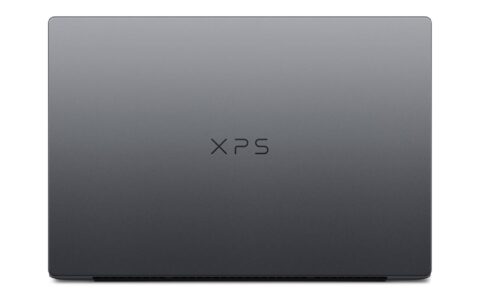
DELL 14 Premium màn OLED chuẩn màu cho chỉnh ảnh
DELL 14 Premium DA14250 là phương án gọn nhẹ mà vẫn giữ trọn chất lượng màu cho dân chỉnh ảnh. Bản đang bán chạy Core Ultra 7 255H, RAM 32GB, ổ 1TB và card Intel Arc tích hợp, đủ sức cho Lightroom và Photoshop nhiều lớp. Điểm cuốn hút nhất là màn 14.5 inch 3.2K OLED 120Hz phủ 100% DCI-P3, kèm chứng nhận Eyesafe giảm ánh sáng xanh. Đây là một chiếc laptop màn đẹp cân bằng giữa kích thước nhỏ và độ chuẩn màu cao trong tầm giá 39 triệu đồng.
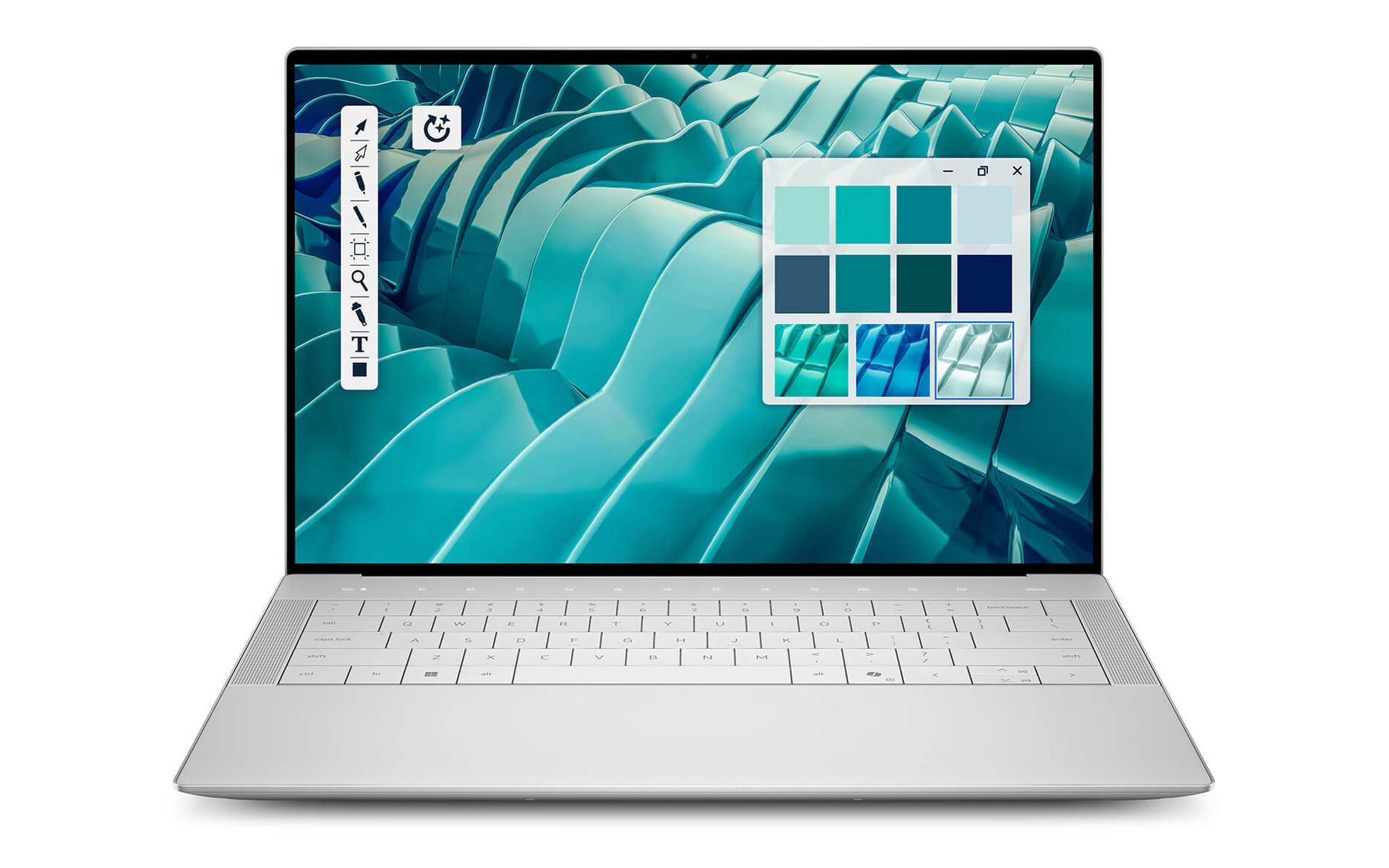
Nếu bạn cần một máy mang đi gặp khách rồi ngồi chỉnh ảnh tại quán mà màu vẫn chuẩn, DELL 14 Premium DA14250 (2025) đáp ứng đúng mô tả nhờ tấm nền 3.2K OLED và trọng lượng chỉ quanh 1,7kg. Màn cảm ứng hỗ trợ thao tác vuốt chọn vùng nhanh khi retouch, còn dải màu rộng duy trì độ chính xác lúc bạn kéo sáng vùng tối. Mức 39 triệu đồng đặt máy vào nhóm laptop màn đẹp cao cấp nhưng chưa chạm ngưỡng workstation đắt đỏ.
Bù lại sự nhỏ gọn, card tích hợp Intel Arc chỉ kham tốt đồ họa 2D và video 1080p, chưa phải lựa chọn cho dựng 3D nặng. Với nhiếp ảnh gia, biên tập viên ảnh và người làm nội dung mạng xã hội, cấu hình này vừa vặn nhu cầu mà không dư thừa. Thời lượng pin dài giúp bạn xử lý cả buổi chụp ngoài trời trước khi cần sạc. Đây là điểm cân bằng hợp lý của một chiếc laptop màn đẹp cho ai đặt tính di động ngang hàng với độ chuẩn màu.
Samsung Galaxy Book6 Pro khung hình rộng cho dựng phim
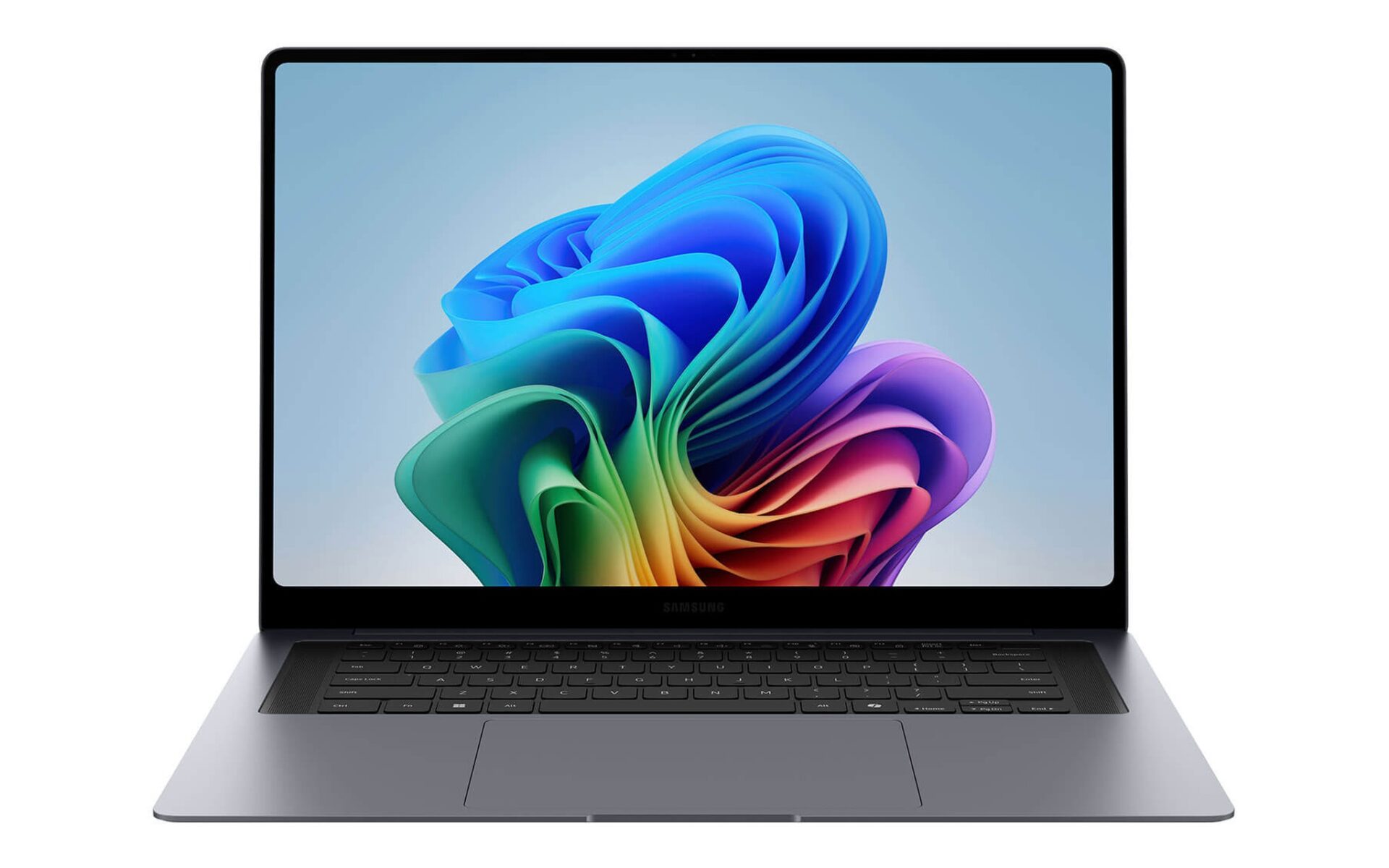
Samsung Galaxy Book6 Pro 16 mở ra không gian làm việc lớn cho người dựng phim và biên tập chuỗi ảnh. Màn 16 inch Dynamic AMOLED 2X phủ vượt 100% dải sRGB, sai lệch màu Delta-E chỉ 0,20 và độ sáng khoảng 570 nit ở nội dung HDR. Một chiếc laptop màn OLED cỡ lớn như vậy cho bạn xếp nhiều bảng công cụ mà vẫn còn chỗ cho khung hình xem trước. Máy chạy chip Core Ultra thế hệ mới, RAM 32GB và ổ 1TB ở bản cao, biến đây thành một chiếc laptop màn đẹp tối ưu cho luồng biên tập video.
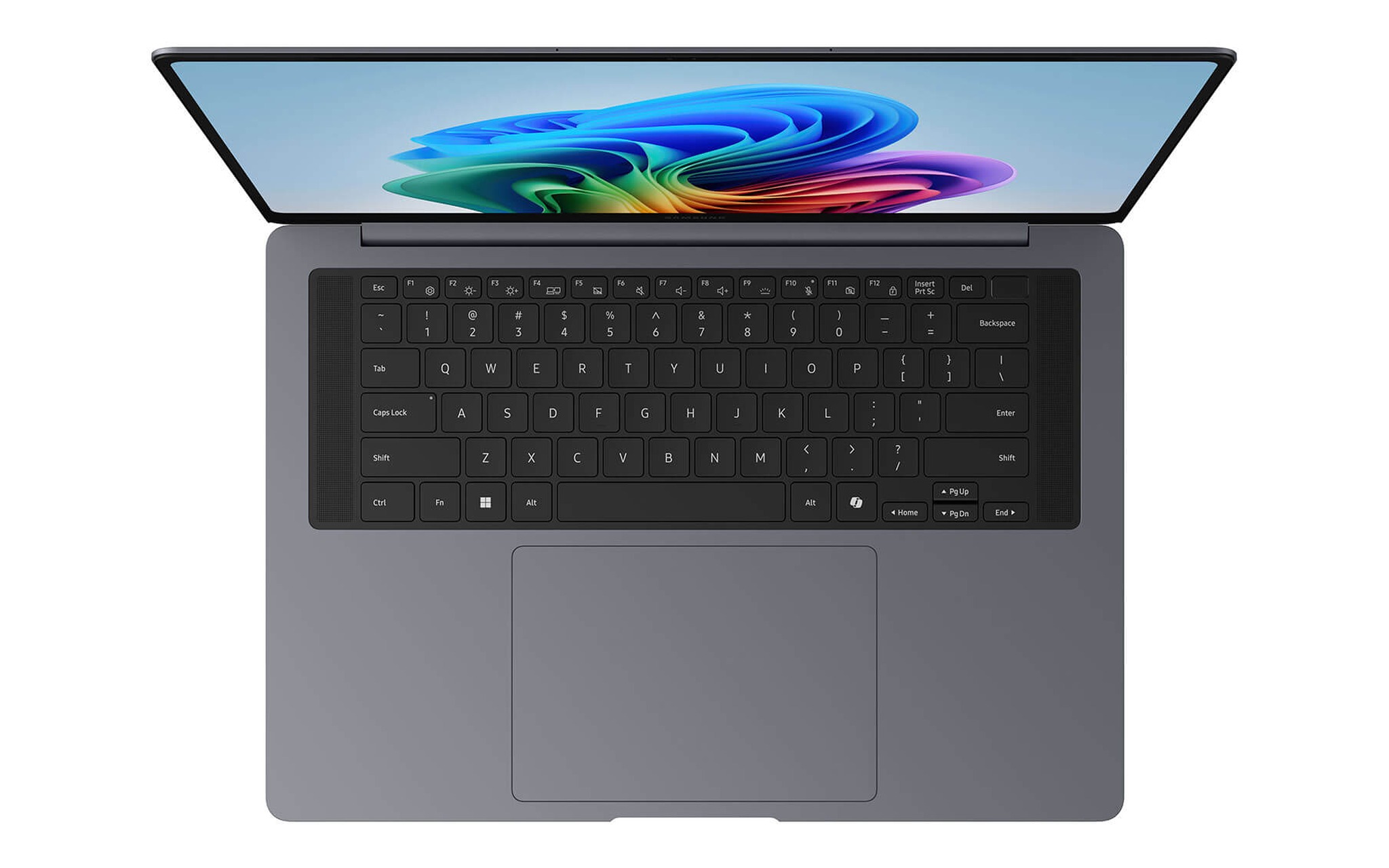
Dòng này có ba biến thể còn hàng, khởi điểm từ bản Core Ultra 7 356H, RAM 16GB, ổ 1TB giá 42,5 triệu đồng, lên tới bản Core Ultra X7 358H kèm card Intel Arc B390 giá 51 triệu đồng. Bản card rời B390 giúp kết xuất video và dựng cảnh nhẹ mượt hơn hẳn đồ họa tích hợp. Khi chọn một chiếc laptop màn đẹp cho công việc video, bạn nên ưu tiên bản RAM 32GB để mở nhiều lớp mà máy không đuối. Chênh lệch giá giữa các bản phản ánh đúng sức mạnh phần cứng, và mỗi bản đều là một chiếc laptop màn OLED cỡ lớn với chất màu đồng nhất.
Nếu ưu tiên tính di động, bản Galaxy Book6 Pro 14 với màn 3K Dynamic AMOLED 2X, chip Core Ultra 7 356H, RAM 32GB và ổ 1TB có giá 45 triệu đồng, nhẹ và mỏng hơn để mang theo cả ngày. Cùng chất màu AMOLED, một chiếc laptop màn OLED 14 inch phù hợp với người thường di chuyển giữa các buổi quay. Bạn đánh đổi diện tích hiển thị lấy sự gọn nhẹ, còn độ chuẩn màu vẫn được Samsung duy trì đồng đều trên cả hai kích thước.
IdeaPad Pro 5 và Yoga 7 cho vẽ dựng 3D
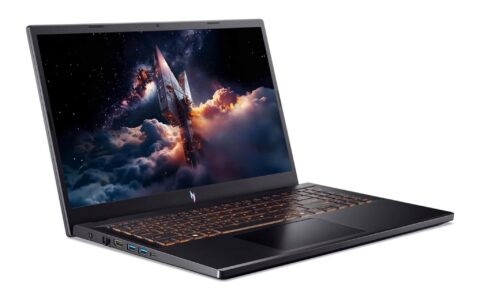
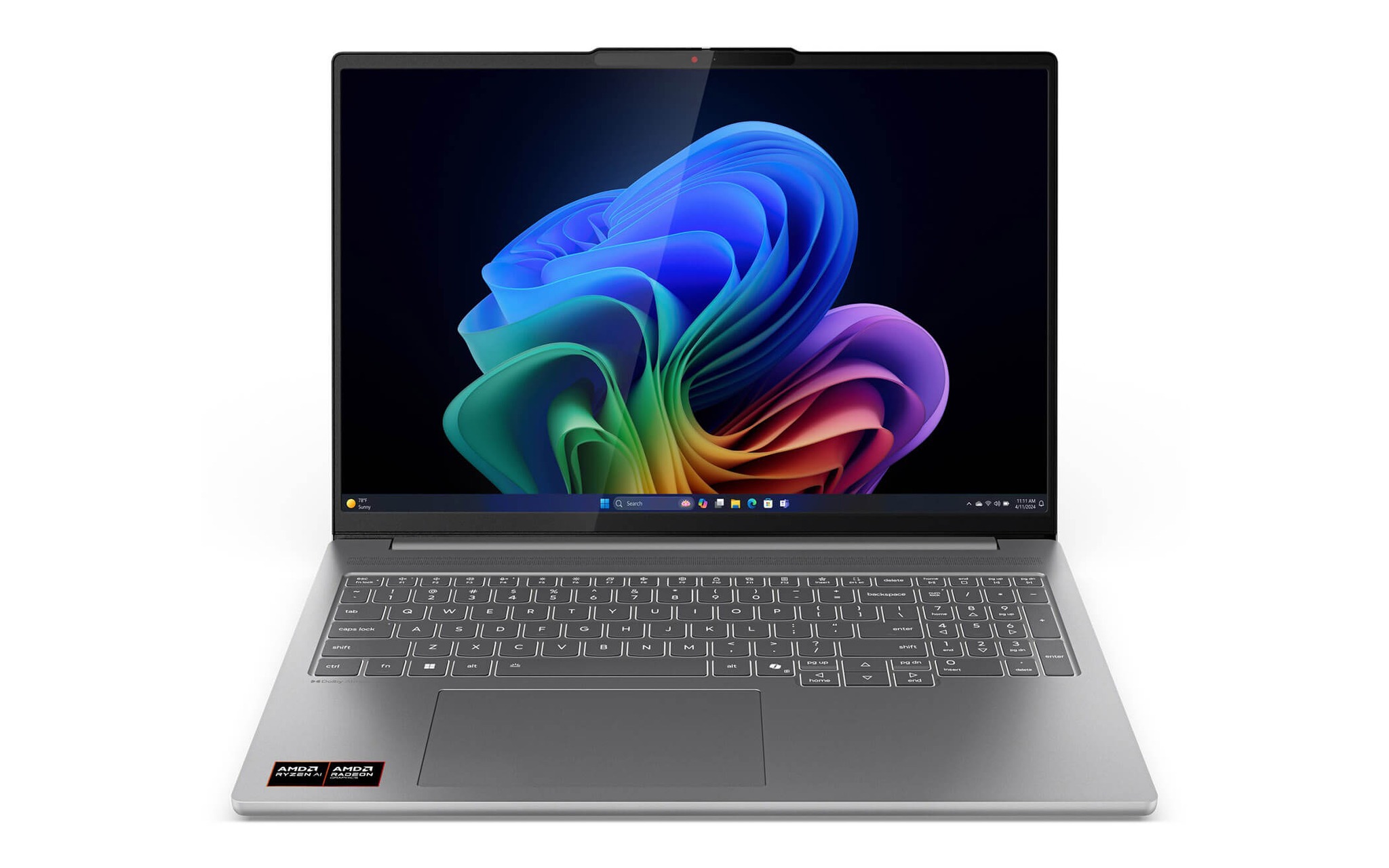
Lenovo IdeaPad Pro 5 16AKP10 là mẫu hiếm hoi gộp cả màn đẹp lẫn card rời trong tầm giá dễ chịu. Máy dùng chip Ryzen AI 7 350, RAM 16GB, ổ 1TB và card RTX 5050 8GB, đủ cho dựng 3D vừa và kết xuất cảnh không quá phức tạp. Màn 16 inch 2.8K OLED 120Hz phủ 100% DCI-P3, được cân màu sẵn tại nhà máy và đạt HDR True Black 1000. Một chiếc laptop màn đẹp có GPU rời ở mức 33,5 triệu đồng là mức giá cạnh tranh hiếm thấy.
| Mẫu máy | Tấm nền | Đồ họa | Giá |
|---|---|---|---|
| IdeaPad Pro 5 16AKP10 | 2.8K OLED, 100% DCI-P3 | RTX 5050 8GB | 33,5 triệu |
| Yoga 7 2 in 1 14IPH11 | WUXGA OLED, 100% DCI-P3 | Intel tích hợp | Từ 37,99 triệu |
| Galaxy Book6 Pro 14 | 3K AMOLED 2X | Intel tích hợp | 45 triệu |
Với người vẽ dựng cần sức mạnh đồ họa mà chưa muốn lên workstation, Lenovo IdeaPad Pro 5 16AKP10 (2025) là điểm khởi đầu hợp lý nhờ card RTX 5050 và tấm nền cân màu sẵn. Một chiếc laptop màn OLED được hiệu chỉnh từ nhà máy giúp bạn bỏ qua bước cân màu thủ công lúc mới mở hộp. GPU rời gánh phần kết xuất, còn màn 2.8K duy trì độ chính xác khi bạn kiểm tra vật liệu và ánh sáng trong cảnh 3D.
Lenovo Yoga 7 2 in 1 14IPH11 hướng tới người vẽ minh họa và ký họa số nhờ thiết kế gập 360 độ. Màn OLED 14 inch cảm ứng phủ 100% dải DCI-P3 và 100% sRGB, độ sáng 400 nit, kèm bút Yoga Pen thế hệ mới cho nét vẽ nhạy lực. Bản khởi điểm Core Ultra 5 322, RAM 16GB, ổ 512GB có giá 37,99 triệu đồng, còn bản Core Ultra 7 355 nâng RAM lên 32GB. Đây là một chiếc laptop màn đẹp linh hoạt cho ai vừa vẽ tay vừa dàn trang.
Chọn cấu hình RAM GPU và pin cho đồ hoạ
Sau khi chốt tấm nền, bạn nên cân cấu hình theo đúng khối lượng công việc để không trả tiền thừa. Một chiếc laptop màn đẹp cho chỉnh ảnh và dàn trang chạy tốt với RAM 16GB, nhưng dựng phim và mở nhiều lớp cần RAM 32GB để tránh giật khi kết xuất. Trên một chiếc laptop màn OLED, dung lượng ổ 1TB là ngưỡng khả dụng cho thư viện ảnh RAW và dự án video, giúp bạn khỏi dọn ổ liên tục. Bộ xử lý Core Ultra hoặc Ryzen AI đời mới trên một chiếc laptop màn đẹp đều đáp ứng tốt phần lớn tác vụ sáng tạo.
| Nhu cầu chính | RAM đề xuất | Đồ họa đề xuất |
|---|---|---|
| Chỉnh ảnh, dàn trang | 16GB tới 32GB | Đồ họa tích hợp |
| Dựng phim 4K | 32GB | Card rời hoặc Arc B390 |
| Dựng hình 3D | 32GB | RTX 5050 trở lên |
Card đồ họa rời tạo chênh lệch lớn khi bạn kết xuất video hoặc dàn cảnh 3D, vì phần việc nặng được chuyển khỏi bộ xử lý trung tâm. Một chiếc laptop màn OLED kèm RTX 5050 như IdeaPad Pro 5 rút ngắn đáng kể thời gian render so với bản chỉ có đồ họa tích hợp. Nếu công việc thiên về ảnh tĩnh và dàn trang, card tích hợp Intel Arc vẫn thừa sức, giúp bạn bù đắp ngân sách cho tấm nền tốt hơn thay vì trả cho GPU ít dùng.
Yếu tố cuối cần lưu tâm là độ sáng và thời lượng pin, hai thứ hay bị bỏ quên khi chọn laptop màn đẹp. Màn từ 400 nit trở lên giúp bạn kiểm tra chi tiết vùng tối ngay cả khi làm việc gần cửa sổ, còn pin bền hỗ trợ những buổi chỉnh sửa dài ngoài văn phòng. Cân bằng giữa tấm nền, cấu hình và pin mới cho bạn một cỗ máy sáng tạo trọn vẹn. Mọi mẫu kể trên đều còn hàng tại Hưng Phát và thuộc đời 2025 trở lên.
Câu hỏi thường gặp khi mua laptop màn đẹp
Màn OLED có bị lưu ảnh khi làm thiết kế lâu không?
Nguy cơ lưu ảnh trên một chiếc laptop màn OLED đời mới đã giảm nhiều nhờ cơ chế dịch điểm ảnh và làm mới tấm nền. Với thao tác thiết kế thay đổi giao diện liên tục, hiện tượng này gần như không bộc lộ trong vòng đời sử dụng thông thường. Bạn chỉ cần bật chế độ ẩn thanh tác vụ và hạ độ sáng khi nghỉ để duy trì tấm nền bền lâu.
Độ phủ 100% DCI-P3 có thực sự cần cho người mới không?
Nếu bạn giao sản phẩm cho khách hoặc in ấn, độ phủ màu rộng giúp màu hiển thị sát kết quả cuối, tránh phải sửa lại. Người mới học vẫn hưởng lợi vì hình thành thói quen phán đoán màu chuẩn từ đầu. Một chiếc laptop màn đẹp phủ trọn DCI-P3 là khoản đầu tư đáng giá cho lộ trình lâu dài.
Nên chọn card rời hay card tích hợp cho đồ họa?
Câu trả lời phụ thuộc khối lượng công việc của bạn. Chỉnh ảnh và dàn trang chạy mượt với đồ họa tích hợp, còn dựng phim 4K và dựng hình 3D cần card rời để kết xuất nhanh. IdeaPad Pro 5 với RTX 5050 là phương án hợp lý khi bạn muốn một chiếc laptop màn đẹp có cả màn chuẩn màu lẫn sức mạnh đồ họa.
Máy màn đẹp trong bài có bảo hành chính hãng không?
Chính sách bảo hành thay đổi theo từng lô và từng hãng, nên bạn hãy xác nhận trực tiếp thời hạn cùng hình thức bảo hành khi đặt mua. Hàng nhập khẩu và hàng chính hãng có điều kiện khác nhau về nơi tiếp nhận. Đội ngũ tư vấn sẽ nêu rõ từng phương án để bạn chọn mẫu laptop màn đẹp phù hợp ngân sách và nhu cầu.