

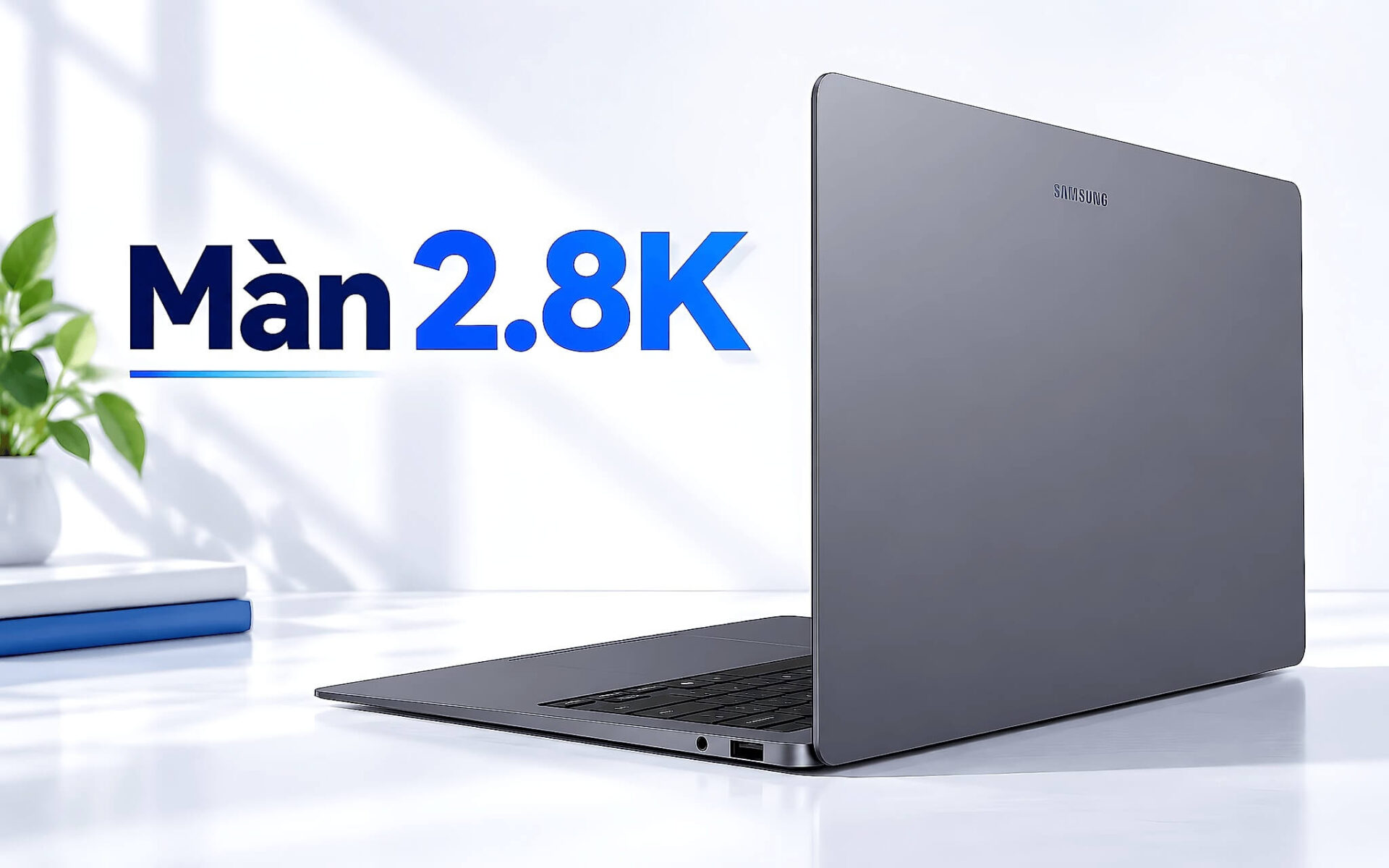
Một chiếc laptop màn hình 2.8K hiển thị 2880×1800 điểm ảnh, nhiều gấp 2,25 lần màn FHD+ 1920×1200, nên chữ nhỏ trong bảng tính hay trang hợp đồng hiện ra sắc cạnh hơn hẳn. Con số 2.8K chỉ có ý nghĩa khi đặt cạnh kích thước màn hình, vì cùng độ phân giải nhưng khổ 14 inch và 16 inch cho mật độ điểm ảnh khác nhau. Bài viết tính PPI theo công thức cụ thể, so sánh với FHD+, 2.5K và 4K về độ nét, pin và giá, phân tích OLED với IPS, rồi gợi ý năm mẫu đời 2025 và 2026 còn hàng, giá từ 33,5 triệu đồng.
Màn 2.8K có 2880×1800 điểm ảnh và nét hơn FHD+ bao nhiêu
Thuật ngữ 2.8K chỉ độ phân giải 2880×1800, tức 2880 điểm ảnh theo chiều ngang và 1800 điểm ảnh theo chiều dọc, tỷ lệ khung hình 16:10. Tổng cộng tấm nền có 5.184.000 điểm ảnh, gấp 2,25 lần con số 2.304.000 của màn FHD+. Cách đặt nhãn chưa thống nhất giữa các hãng, Lenovo ghi 2.8K trong khi Samsung ghi 3K hoặc WQXGA+ cho cùng thông số 2880×1800. Vì vậy khi chọn laptop màn hình 2.8K, bạn nên đọc thẳng dòng độ phân giải trong bảng cấu hình thay vì dựa vào chữ K trên nhãn quảng cáo.
Độ nét của màn hình được đo bằng mật độ điểm ảnh, đơn vị PPI, tức số điểm ảnh trên mỗi inch chiều dài. Công thức là lấy căn bậc hai của tổng bình phương hai chiều độ phân giải, rồi chia cho đường chéo màn hình tính bằng inch. Với 2880×1800, căn bậc hai của 2880 bình phương cộng 1800 bình phương xấp xỉ 3.396 điểm ảnh. Chia cho 14 inch được khoảng 242,6 PPI, chia cho 16 inch được khoảng 212,3 PPI. Cùng là laptop màn hình 2.8K nhưng bản 14 inch có mật độ điểm ảnh cao hơn bản 16 inch khoảng 14%.
Để hiểu con số đó, hãy đổi PPI ra kích thước một điểm ảnh. Ở 242,6 PPI, mỗi điểm ảnh rộng khoảng 0,105 mm, còn ở 212,3 PPI là khoảng 0,12 mm. Mắt có thị lực chuẩn 20/20 phân biệt được chi tiết cỡ 1 phút góc, tương đương khoảng 0,145 mm khi bạn ngồi cách màn hình 50 cm. Ở cả hai khổ, laptop màn hình 2.8K đều cho điểm ảnh nhỏ hơn ngưỡng này nên viền chữ trông liền mạch. Màn FHD+ 14 inch có điểm ảnh khoảng 0,157 mm, vượt ngưỡng, vì thế chữ cỡ nhỏ dễ lộ răng cưa khi bạn nhìn gần.
So sánh độ nét, thời lượng pin và giá từ FHD+ đến 4K
Bảng dưới tính mật độ điểm ảnh cho năm mức độ phân giải phổ biến trên laptop tỷ lệ 16:10, áp dụng cùng công thức ở phần trên. Mốc cần nhớ là khoảng 175 PPI, mức mà ở khoảng cách 50 cm mắt thị lực chuẩn bắt đầu không phân biệt được từng điểm ảnh. FHD+ nằm dưới mốc này ở cả hai kích thước, 2.5K vượt mốc sát sao, còn laptop màn hình 2.8K vượt mốc với khoảng dư rộng hơn, đủ để chữ vẫn mịn khi bạn ngồi gần hơn một chút.
| Độ phân giải | Số điểm ảnh (so với FHD+) | PPI khổ 14 inch | PPI khổ 16 inch | Kích thước điểm ảnh 14 inch |
|---|---|---|---|---|
| FHD+ 1920×1200 | 2,30 triệu (1x) | 161,7 | 141,5 | 0,157 mm |
| 2.5K 2560×1600 | 4,10 triệu (1,78x) | 215,6 | 188,7 | 0,118 mm |
| 2.8K 2880×1800 | 5,18 triệu (2,25x) | 242,6 | 212,3 | 0,105 mm |
| 3.2K 3200×2000 | 6,40 triệu (2,78x) | 269,5 | 235,8 | 0,094 mm |
| 4K 3840×2400 | 9,22 triệu (4x) | 323,5 | 283,0 | 0,079 mm |
Nhiều điểm ảnh hơn đồng nghĩa chip đồ họa phải kết xuất nhiều dữ liệu hơn cho mỗi khung hình, nên thời lượng pin thường giảm. Bảng thông số PSREF của ThinkPad X1 Carbon Gen 14 Aura Edition ghi bản màn WUXGA đạt tới 19,2 giờ MobileMark 30, còn bản màn 2.8K cảm ứng đạt 11,4 giờ, cùng viên pin 58 Wh. Hai cấu hình này khác cả chip, RAM lẫn chế độ nguồn, nên khoảng chênh lệch không chỉ do màn hình, nhưng nó cho thấy hướng đánh đổi mà bạn nên tính trước khi chọn laptop màn hình 2.8K.
Về giá, phép so sánh công bằng nhất là cùng dòng laptop, cùng chip, RAM và SSD, chỉ khác màn hình. Kho hàng hiện có một mẫu ThinkPad 14 inch bán hai phiên bản Ryzen AI 9 HX PRO 370, 64GB, 1TB, bản WUXGA giá 52,8 triệu và bản 2.8K OLED cảm ứng giá 56,5 triệu, chênh lệch 3,7 triệu đồng. Màn 4K 16 inch đạt 283 PPI với số điểm ảnh gấp khoảng 1,78 lần màn 2.8K, nhưng ở 50 cm cả hai đều vượt ngưỡng của mắt, nên phần nét thêm khó nhận ra trong khi pin và GPU gánh nặng hơn.
OLED hay IPS ở cùng độ phân giải 2.8K và ai nên mua
Cùng độ phân giải 2880×1800, tấm OLED và tấm IPS khác nhau chủ yếu ở độ tương phản và dải màu. Theo PSREF, màn 2.8K OLED của ThinkPad X1 Carbon Gen 14 Aura Edition có tương phản 100.000:1 và phủ 100% DCI-P3, trong khi màn WUXGA IPS cùng dòng dừng ở 1500:1 và 100% sRGB. Màn OLED của IdeaPad Pro 5 16AKP10 ghi tương phản 1.000.000:1 kèm chứng nhận DisplayHDR True Black 1000. Bản chất khác biệt nằm ở nguyên lý phát sáng, OLED tắt hẳn điểm ảnh để hiển thị màu đen, còn IPS luôn có đèn nền phía sau.
Tần số quét 120Hz là điểm chung của các laptop màn hình 2.8K OLED trong bài, giúp cuộn trang và kéo cửa sổ mượt hơn mức 60Hz của màn WUXGA IPS trên X1 Carbon Gen 14. Dòng Galaxy Book6 dùng dải 30 đến 120Hz, tự hạ tần số khi nội dung đứng yên để tối ưu thời lượng pin. Về hiện tượng nhấp nháy PWM ở độ sáng thấp, PSREF của Lenovo và trang thông số của Samsung đều không ghi tần số điều chế, nên nếu mắt bạn dễ mỏi khi nhìn màn OLED lâu, hãy thử laptop trực tiếp ở mức sáng thấp trước khi mua.
Nhóm hưởng lợi rõ nhất từ laptop màn hình 2.8K là dân văn phòng đọc chữ nhiều giờ mỗi ngày, vì chữ có viền mịn giúp việc rà hợp đồng hay bảng tính dày số liệu dễ chịu hơn. Người làm thiết kế và chỉnh ảnh cần độ nét để soi chi tiết ở tỷ lệ 100% mà không phải phóng to liên tục. Người xem phim được lợi ở màu đen sâu của OLED nhiều hơn ở số điểm ảnh. Nếu bạn chủ yếu lướt web, học trực tuyến và ưu tiên pin dài với ngân sách thấp, màn FHD+ hoặc WUXGA vẫn là phương án hợp lý.
Hai laptop màn hình 2.8K khổ 14 inch cho người đọc chữ nhiều
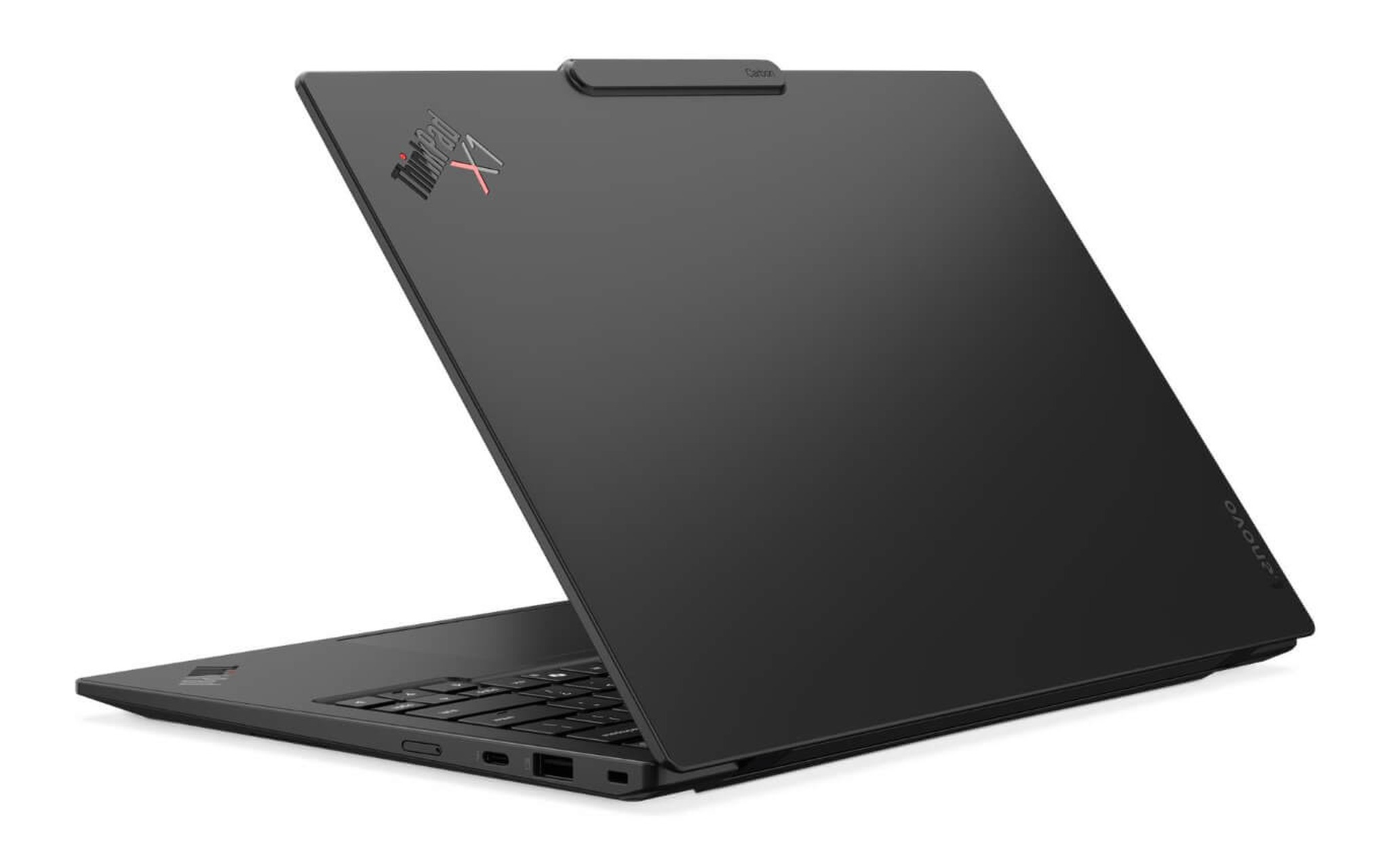
Với đối tượng đi công tác cần laptop màn hình 2.8K nhẹ nhất, ThinkPad X1 Carbon Gen 14 Aura Edition nặng từ 0,977 kg theo PSREF, pin 58 Wh hỗ trợ sạc nhanh 80% trong một giờ. Màn 2.8K OLED 14 inch đạt 242,6 PPI, sáng 500 nits, phủ 100% DCI-P3, 120Hz VRR và có lớp chống chói. Trang Lenovo ThinkPad X1 Carbon Gen 14 | Aura Edition (2026) có ba phiên bản đang bán, gồm Core Ultra 7 365, 32GB, 512GB giá 64,9 triệu, Core Ultra 7 356H, 32GB, 1TB kèm LTE 4G giá 75,5 triệu và Core Ultra X7 368H, 32GB, 512GB giá 78,5 triệu.
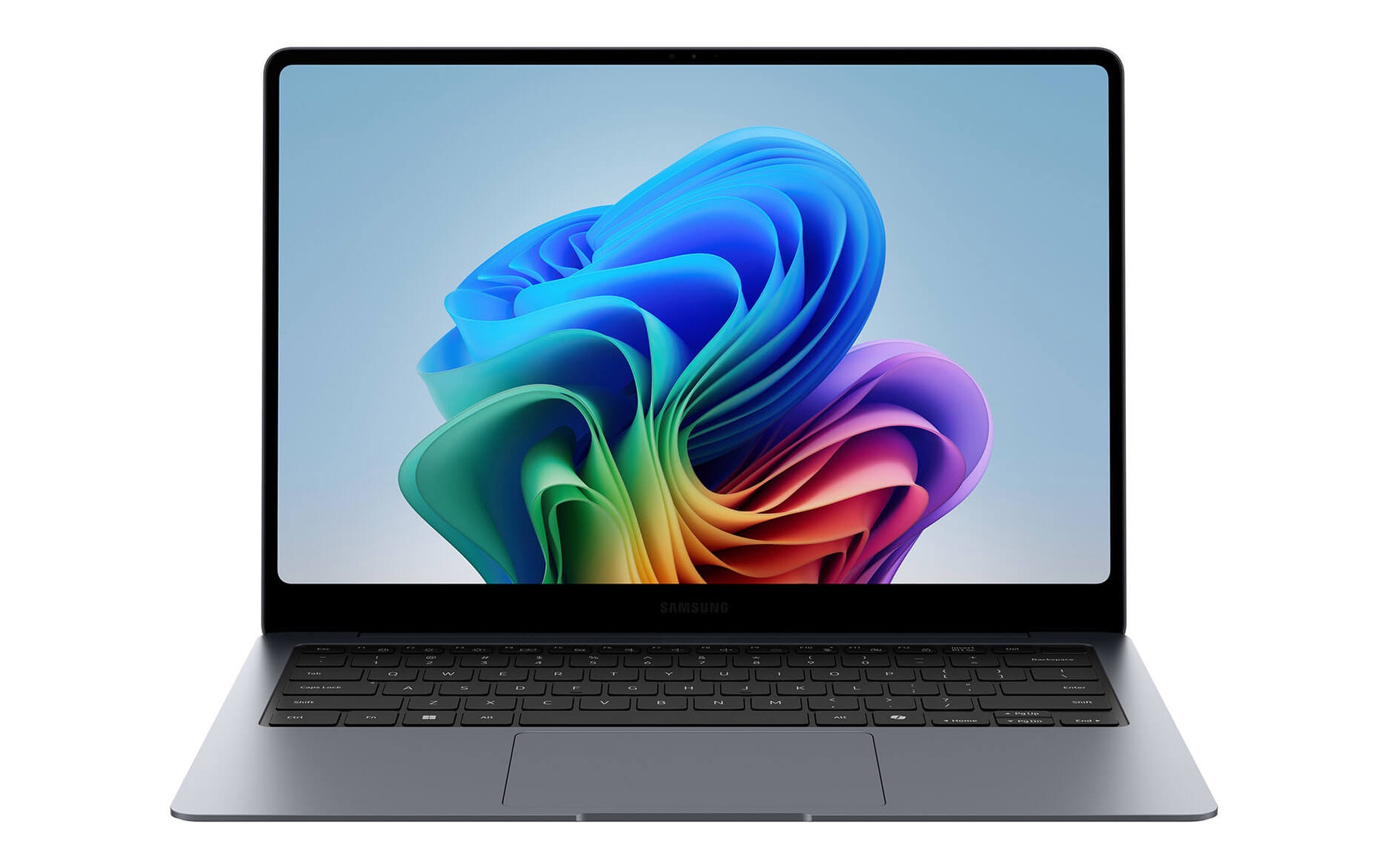
Nếu bạn muốn laptop màn hình 2.8K cảm ứng khổ 14 inch với ngân sách thấp hơn khoảng 20 triệu, trang Samsung Galaxy Book6 Pro 14 inch (2026) bán bản Core Ultra 7 356H, 32GB, 1TB giá 45 triệu. Samsung ghi màn Dynamic AMOLED 2X 2880×1800, sáng 500 nits ở nội dung SDR và 1.000 nits đỉnh HDR, dải 30 đến 120Hz, phủ kính Gorilla Glass DXC giảm tới 75% phản chiếu. Laptop nặng 1,24 kg, dày 11,6 mm, pin 67,18 Wh, dung lượng lớn hơn X1 Carbon Gen 14 khoảng 9 Wh để bù đắp phần điện năng tấm nền tiêu thụ.
Ở khổ 14 inch, mật độ điểm ảnh 242,6 PPI khiến chữ quá nhỏ nếu để tỷ lệ hiển thị 100%, nên bạn thường cần phóng lên 150% đến 200% trong Windows. Ở mức 150%, không gian làm việc tương đương một màn 1920×1200, còn ở 200% tương đương 1440×900 nhưng mỗi nét chữ được vẽ bằng gấp đôi số điểm ảnh theo mỗi chiều. Nếu bạn cần mở hai cửa sổ song song để đối chiếu văn bản, mức 150% trên màn 2.8K 14 inch là phương án cân bằng giữa độ nét và diện tích làm việc.
Ba mẫu 16 inch 2.8K cho xem phim, thiết kế và dựng hình
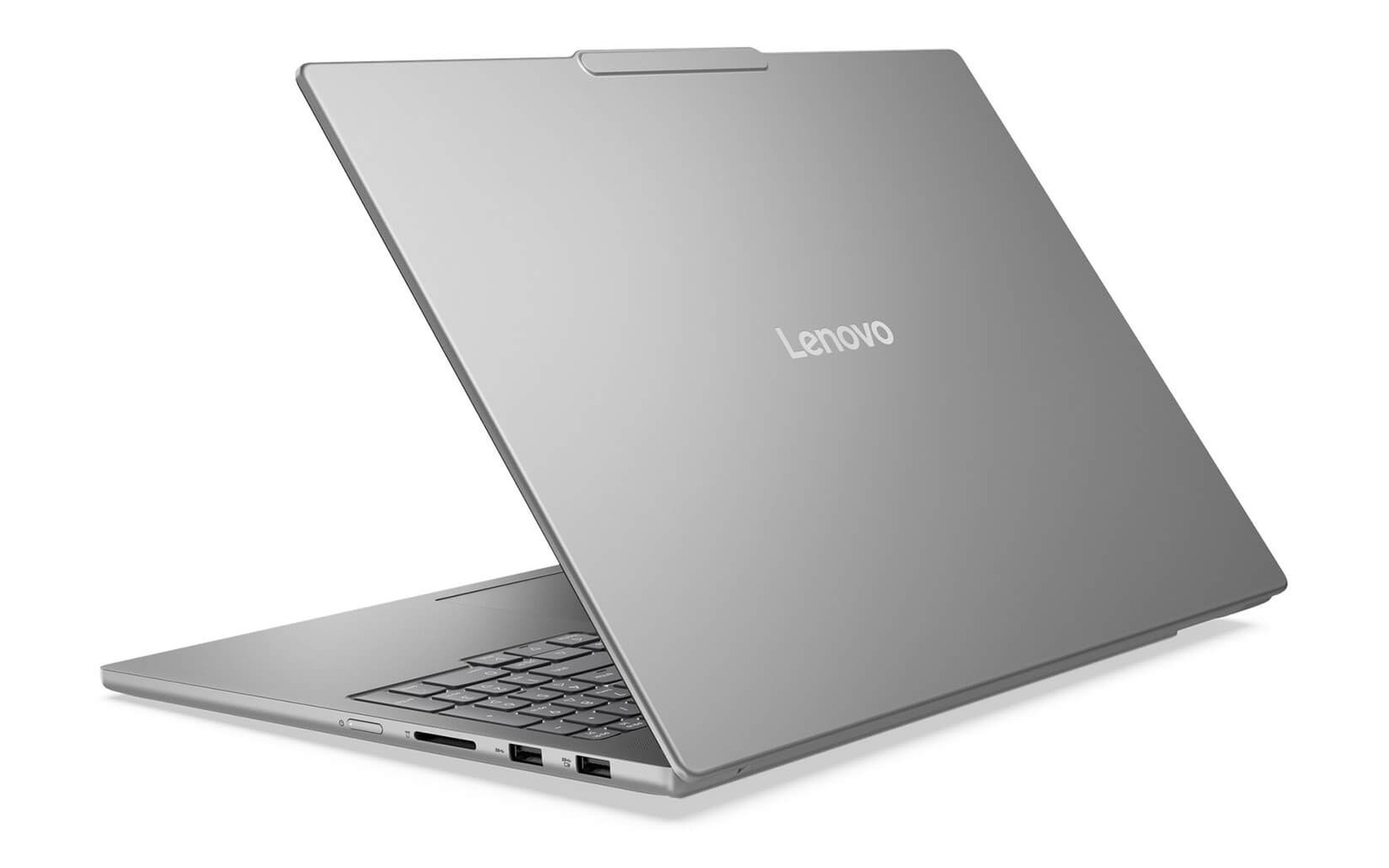
Ở khổ 16 inch, laptop màn hình 2.8K đạt mật độ điểm ảnh 212,3 PPI, vẫn vượt ngưỡng 175 PPI ở khoảng cách 50 cm. Mẫu có giá dễ tiếp cận nhất là Lenovo IdeaPad Pro 5 16AKP10 (2025), bản Ryzen AI 7 350, 16GB, 1TB, RTX 5050 8GB giá 33,5 triệu. PSREF ghi màn 2.8K OLED không cảm ứng, bề mặt bóng, sáng 500 nits thường và 1100 nits đỉnh, phủ 100% DCI-P3, 120Hz VRR, pin 84 Wh. Khi chơi game, bạn nên giữ độ phân giải gốc và bật DLSS, vì đặt thẳng 1920×1200 trên tấm 2880×1800 là tỷ lệ 1,5 không chia đều, làm chữ và cạnh vật thể nhòe.
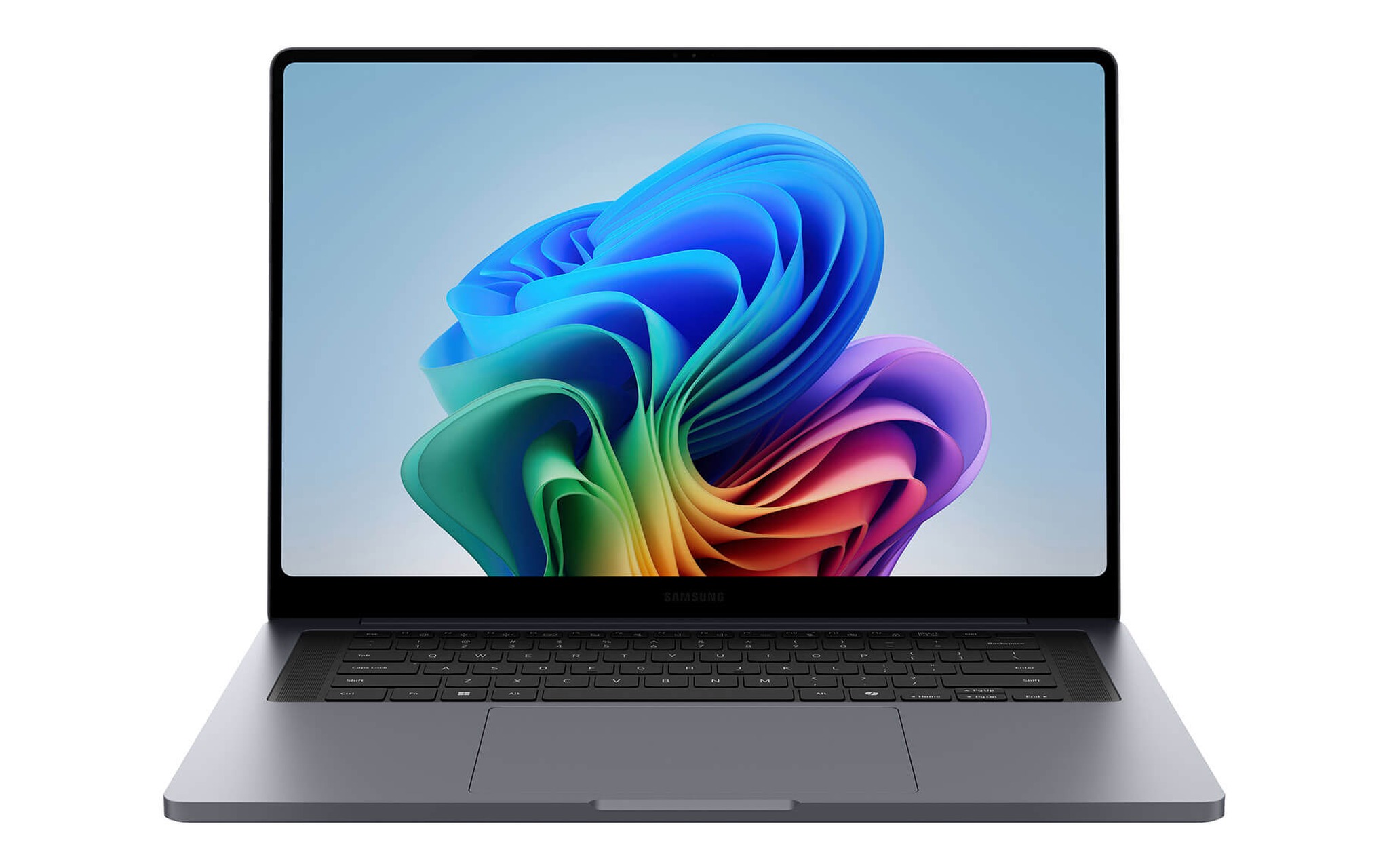
Nếu bạn cần laptop màn hình 2.8K khổ lớn nhưng vẫn giữ tính di động, Samsung Galaxy Book6 Pro 16 inch (2026) nặng 1,59 kg, dày 11,9 mm, pin 78,07 Wh theo Samsung. Màn Dynamic AMOLED 2X 2880×1800 cảm ứng có dải 30 đến 120Hz, và bài đo của Tom’s Guide được trang sản phẩm dẫn lại ghi 457 nits ở nội dung SDR, hơn 100% sRGB, Delta-E 0,20. Ba phiên bản đang bán gồm Core Ultra 7 356H, 16GB, 1TB giá 42,5 triệu, bản 32GB giá 48,8 triệu và Core Ultra X7 358H, 32GB, 1TB kèm Arc B390 giá 51 triệu.
Với người dựng video hoặc dựng hình 3D, Samsung Galaxy Book6 Ultra 16 inch (2026) là laptop màn hình 2.8K có tùy chọn card rời RTX 50. Theo Samsung, màn đạt 1000 nits đỉnh HDR, kính Gorilla Glass DXC giảm tới 75% phản chiếu, pin 80,20 Wh, nặng 1,79 kg bản đồ họa tích hợp và 1,89 kg bản card rời. Ba phiên bản đang bán là Core Ultra X7 358H kèm Arc B390 giá 58,9 triệu, Core Ultra 7 356H kèm RTX 5060 8GB giá 62 triệu và RTX 5070 12GB giá 67,9 triệu, cùng 32GB RAM và SSD 1TB.
Bảng chốt năm mẫu theo mật độ điểm ảnh, pin và giá
Bảng dưới đặt năm mẫu laptop màn hình 2.8K cạnh nhau theo mật độ điểm ảnh, loại tấm nền, pin và giá khởi điểm của biến thể đang bán. Thông số màn hình và pin lấy từ PSREF của Lenovo, trang thông số và thông cáo ra mắt Galaxy Book6 của Samsung, còn giá lấy từ danh sách biến thể còn hàng tại Hưng Phát ngày 27/09/2026. Mọi mẫu trong bảng đều là hàng mới 100%, đời 2025 hoặc 2026.
| Mẫu laptop | Màn hình (PPI) | Độ sáng, tần số quét (nguồn) | Pin, trọng lượng | Giá từ |
|---|---|---|---|---|
| ThinkPad X1 Carbon Gen 14 Aura Edition | 14 inch 2.8K OLED (242,6) | 500 nits, 120Hz VRR (PSREF) | 58 Wh, từ 0,977 kg | 64,9 triệu |
| Galaxy Book6 Pro 14 inch | 14 inch AMOLED cảm ứng (242,6) | 500 nits SDR, 1000 nits HDR, 30 đến 120Hz (Samsung) | 67,18 Wh, 1,24 kg | 45 triệu |
| IdeaPad Pro 5 16AKP10 | 16 inch 2.8K OLED bóng (212,3) | 500 nits, 1100 nits đỉnh, 120Hz VRR (PSREF) | 84 Wh, từ 1,79 kg | 33,5 triệu |
| Galaxy Book6 Pro 16 inch | 16 inch AMOLED cảm ứng (212,3) | 500 nits SDR, 1000 nits HDR, 30 đến 120Hz (Samsung) | 78,07 Wh, 1,59 kg | 42,5 triệu |
| Galaxy Book6 Ultra 16 inch | 16 inch AMOLED cảm ứng (212,3) | 1000 nits HDR, 30 đến 120Hz (Samsung) | 80,20 Wh, 1,79 đến 1,89 kg | 58,9 triệu |
Nếu ưu tiên độ nét cho chữ và mang theo cả ngày, hai mẫu 14 inch đạt 242,6 PPI là phương án đúng hướng, trong đó X1 Carbon Gen 14 nhẹ hơn khoảng 0,26 kg còn Galaxy Book6 Pro 14 rẻ hơn gần 20 triệu và có cảm ứng. Nếu cần màn rộng để chia đôi cửa sổ hoặc dựng timeline, ba mẫu 16 inch cho diện tích hiển thị lớn hơn khoảng 31% với mật độ điểm ảnh 212,3 PPI. IdeaPad Pro 5 16AKP10 là điểm vào rẻ nhất có card rời, Galaxy Book6 Ultra đáp ứng nhu cầu đồ họa nặng.
Trước khi chốt một laptop màn hình 2.8K, bạn nên kiểm ba điểm. Thứ nhất, đọc đúng dòng 2880×1800 trong cấu hình, vì Samsung ghi là 3K. Thứ hai, xác định bề mặt bóng hay chống chói theo nơi làm việc, vì IdeaPad Pro 5 16AKP10 dùng mặt bóng dễ lóa dưới đèn mạnh. Thứ ba, đặt tỷ lệ hiển thị 150% hoặc 175% ngay khi nhận laptop để chữ vừa mắt mà vẫn giữ trọn độ mịn của màn 2.8K.
Câu hỏi thường gặp về laptop màn hình 2.8K
Độ phân giải 2.8K và 3K trên laptop có giống nhau không? Không phải lúc nào cũng giống. Samsung gọi 2880×1800 là 3K hoặc WQXGA+, trùng với 2.8K của Lenovo, trong khi nhãn 3K hay 3.2K ở vài mẫu khác có thể là 3200×2000. Cách chắc chắn nhất là đọc dòng độ phân giải cụ thể trong bảng cấu hình.
Độ phân giải 2880×1800 có tốn pin hơn FHD+ không? Thường là có, vì chip đồ họa phải xử lý gấp 2,25 lần số điểm ảnh. PSREF của X1 Carbon Gen 14 Aura Edition ghi 19,2 giờ MobileMark 30 cho bản WUXGA và 11,4 giờ cho bản màn 2.8K, dù hai cấu hình còn khác chip và RAM.
Nên đặt tỷ lệ hiển thị bao nhiêu trên màn 2880×1800? Với khổ 14 inch, mức 150% cho không gian tương đương 1920×1200 và chữ vừa mắt. Với khổ 16 inch, bạn có thể đặt 150% đến 175%. Mức 200% cho chữ to và mịn nhất nhưng thu hẹp diện tích làm việc về tương đương 1440×900.
Chơi game ở độ phân giải gốc 2880×1800 có cần card mạnh không? Có, vì số điểm ảnh gấp 2,25 lần FHD+ đòi hỏi hiệu năng GPU cao hơn đáng kể. Với RTX 5050 trên IdeaPad Pro 5 16AKP10, game nặng nên bật DLSS để GPU kết xuất ở độ phân giải thấp rồi nâng lên, thay vì hạ độ phân giải Windows xuống 1920×1200 vốn không chia đều với 2880×1800.











