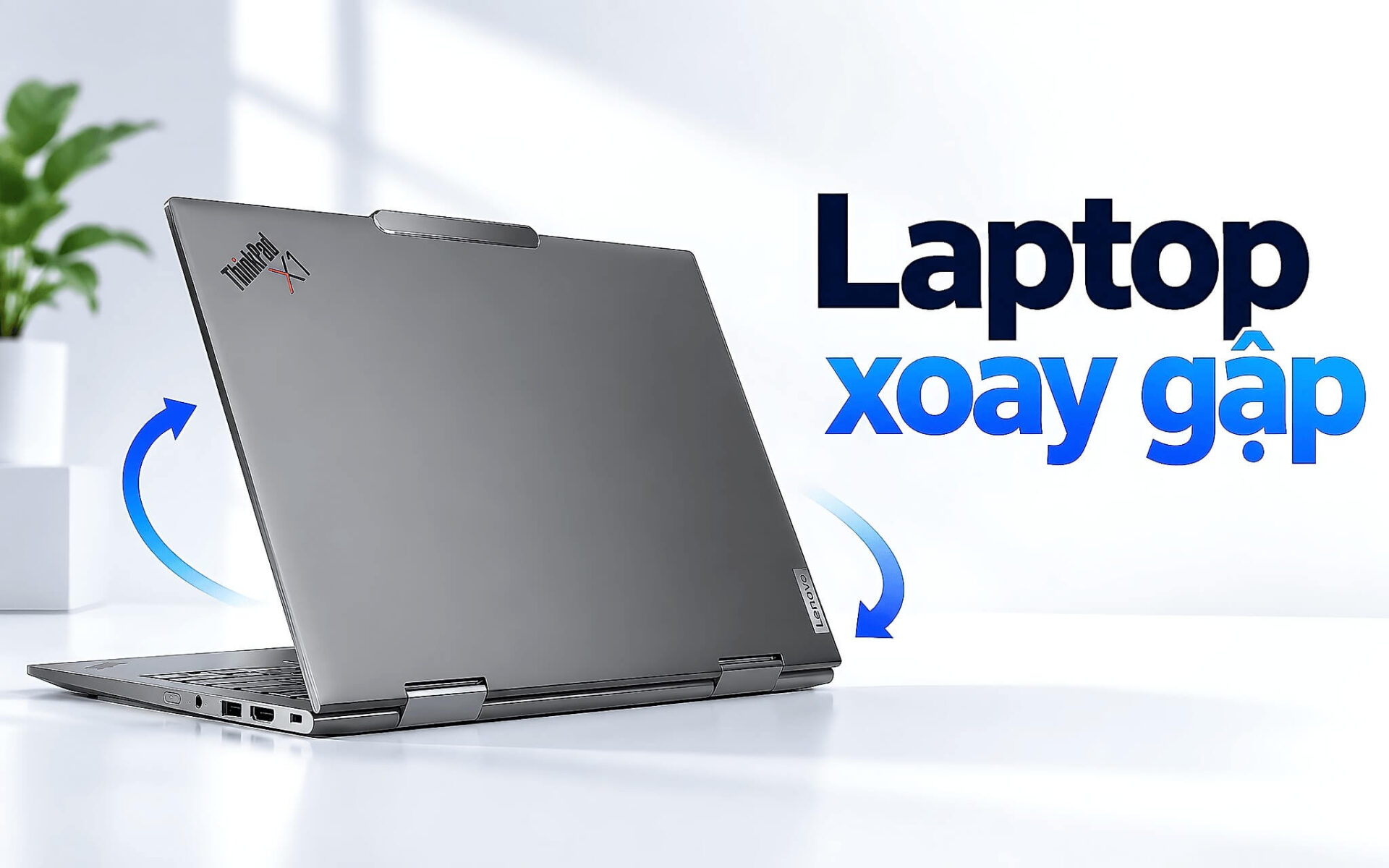
Một chiếc laptop xoay gập chỉ đáng tiền khi bạn dùng tới màn hình lật ngược mỗi tuần, từ ghi chú bằng bút, dựng chế độ lều để thuyết trình tới gập thành máy tính bảng để đọc tài liệu. Đổi lại, bạn gánh thêm trọng lượng, thêm một bản lề 360 độ chịu lực mỗi ngày và phải kiểm kỹ bút đi kèm. Bài viết chỉ ra ai nên mua, những đánh đổi cần chấp nhận và năm mẫu còn hàng đời 2025, 2026 giá từ 22,5 triệu đồng, kèm nguồn của từng thông số.
Laptop xoay gập hợp với ai qua bốn tình huống dùng hằng ngày
Tình huống đầu tiên là ghi chép bằng tay. Sinh viên chép công thức, vẽ sơ đồ hay đánh dấu slide bài giảng sẽ thấy màn cảm ứng kèm bút nhanh hơn gõ phím, nhất là với các môn có nhiều ký hiệu toán học. Tình huống thứ hai là ký và sửa văn bản, khi nhân viên văn phòng hoặc kế toán cần ký thẳng lên file PDF, khoanh vùng lỗi trong hợp đồng rồi gửi lại ngay mà không phải in ra giấy. Với hai đối tượng này, một laptop xoay gập thay được cả cuốn sổ tay lẫn chiếc máy tính bảng thứ hai.
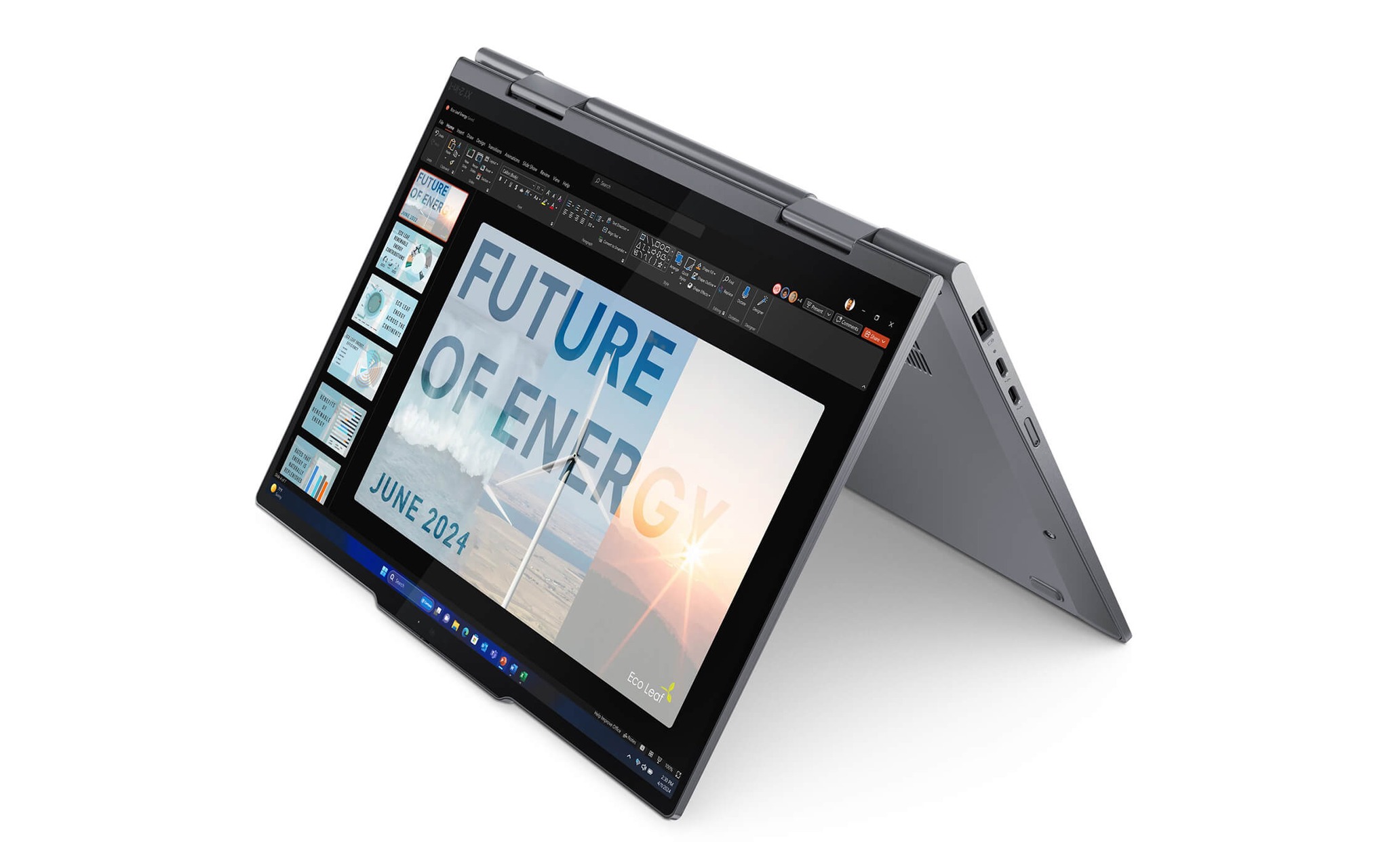
Tình huống thứ ba là thuyết trình ở chế độ lều. Bạn dựng laptop thành hình chữ A trên bàn họp như ThinkPad X1 2-in-1 Gen 10 trong ảnh, màn hình quay về phía khách hàng, bàn phím úp xuống mặt bàn nên không vướng tầm nhìn. Tình huống thứ tư là giải trí, khi chế độ lều giữ màn hình đứng vững trên bàn gấp máy bay, trên giường hay trong bếp, chiếm ít diện tích hơn tư thế mở laptop thông thường. Cả hai kiểu dùng đều dựa vào một bản lề 360 độ giữ chắc màn hình ở mọi góc mở.
Ngược lại, laptop xoay gập không phải phương án tối ưu cho mọi đối tượng. Năm mẫu trong bài đều dùng đồ họa tích hợp theo chuỗi cấu hình đang bán, nên người chơi game nặng hoặc dựng 3D nên tìm laptop có card rời. Nếu bạn gõ văn bản là chính và hiếm khi chạm vào màn hình, khoản tiền trả cho bản lề và lớp kính cảm ứng sẽ ít được tận dụng. Về ngân sách, laptop xoay gập đời 2025 trở lên còn hàng trong kho hiện khởi điểm từ 22,5 triệu đồng.
Trọng lượng và bản lề 360 độ là hai đánh đổi lớn nhất
Trọng lượng là đánh đổi đầu tiên của laptop xoay gập, vì ở tư thế máy tính bảng toàn bộ thân máy nằm trên một bàn tay. Các mẫu 14 inch trong bài nặng từ 1,2 kg đến 1,39 kg theo trang sản phẩm, đủ nhẹ để cầm ghi chú vài phút. HP OmniBook X Flip 16 nặng khoảng 1,88 kg, và chính trang sản phẩm ghi nhận mức này hơi nặng nếu dùng lâu ở chế độ tablet. Bảng dưới tổng hợp thông số cầm, viết và giá khởi điểm của năm mẫu.
| Mẫu máy | Màn hình cảm ứng | Trọng lượng | Bút | Giá từ |
|---|---|---|---|---|
| HP OmniBook X Flip Next Gen AI 14 (2025) | 14 inch, 1920 x 1200, 400 nits | 1,39 kg | Hỗ trợ bút, trang không ghi kèm sẵn | 22,5 triệu |
| HP OmniBook X Flip Next Gen AI 16 (2025) | 16 inch, 1920 x 1200, 400 nits | Khoảng 1,88 kg | Bút là tùy chọn | 24,5 triệu |
| Lenovo Yoga 7 2-in-1 14IPH11 (2026) | 14 inch OLED WUXGA, 400 nits, 60Hz | Khoảng 1,38 kg | Kèm Yoga Pen Gen 2 | 37,99 triệu |
| ThinkPad X1 2-in-1 Gen 10 (2025) | 14 inch WUXGA | Khoảng 1,35 kg | Hỗ trợ bút stylus | 46,9 triệu |
| ThinkPad X1 2-in-1 Gen 11 (2026) | 14 inch WUXGA | Từ 1,2 kg | Kèm Slim Pen sạc trong thân máy | 49,99 triệu |
Bản lề 360 độ là điểm chịu lực nhiều nhất trên một laptop xoay gập, vì mỗi lần chuyển sang chế độ lều hay gập thành tablet, hai trục bản lề phải xoay gần trọn vòng rồi giữ màn hình ở góc bạn chọn. Khi chạm tay vào màn hình ở tư thế laptop thông thường, bản lề cần duy trì đủ lực giữ để màn không bật ngửa ra sau, nhưng vẫn phải mở ra dễ dàng bằng một tay. Bạn nên thử cả hai điều này ngay khi nhận máy, phần kiểm tra chi tiết nằm ở mục cuối bài.
Đánh đổi còn lại nằm ở chỗ cất bút. ThinkPad X1 2-in-1 Gen 11 có Slim Pen gắn vào thân máy để sạc, Lenovo Yoga 7 2-in-1 kèm bút Yoga Pen Gen 2 cùng hộp đựng riêng, còn trang của HP OmniBook X Flip 16 ghi bút là tùy chọn mua thêm. Bút không có chỗ gắn rất dễ bị bỏ quên trong ngăn bàn, nên nếu bạn ghi chú hằng ngày, chi tiết nhỏ này quan trọng không kém cấu hình. Khi gập thành tablet, bàn phím lộ ra mặt sau và thường bị khóa tạm thời để tránh gõ nhầm, nhưng tay cầm vẫn chạm vào mặt phím.
HP OmniBook X Flip 14 và 16 cho sinh viên dưới 30 triệu
HP OmniBook X Flip Next Gen AI 14 là laptop xoay gập có giá khởi điểm thấp nhất trong nhóm đời 2025 còn hàng. Trang sản phẩm ghi màn 14 inch cảm ứng 1920 x 1200, 400 nits, kính Gorilla Glass 3, nặng 1,39 kg. Nếu bạn là sinh viên cần vừa gõ bài vừa ghi chú, trang cấu hình HP OmniBook X Flip Next Gen AI 14 (2025) có ba lựa chọn: Ryzen AI 5 340, 16GB, 512GB giá 22,5 triệu; Core Ultra 5 226V, 16GB, 512GB giá 23,5 triệu; Core Ultra 7 256V, 16GB, 1TB giá 28,5 triệu.
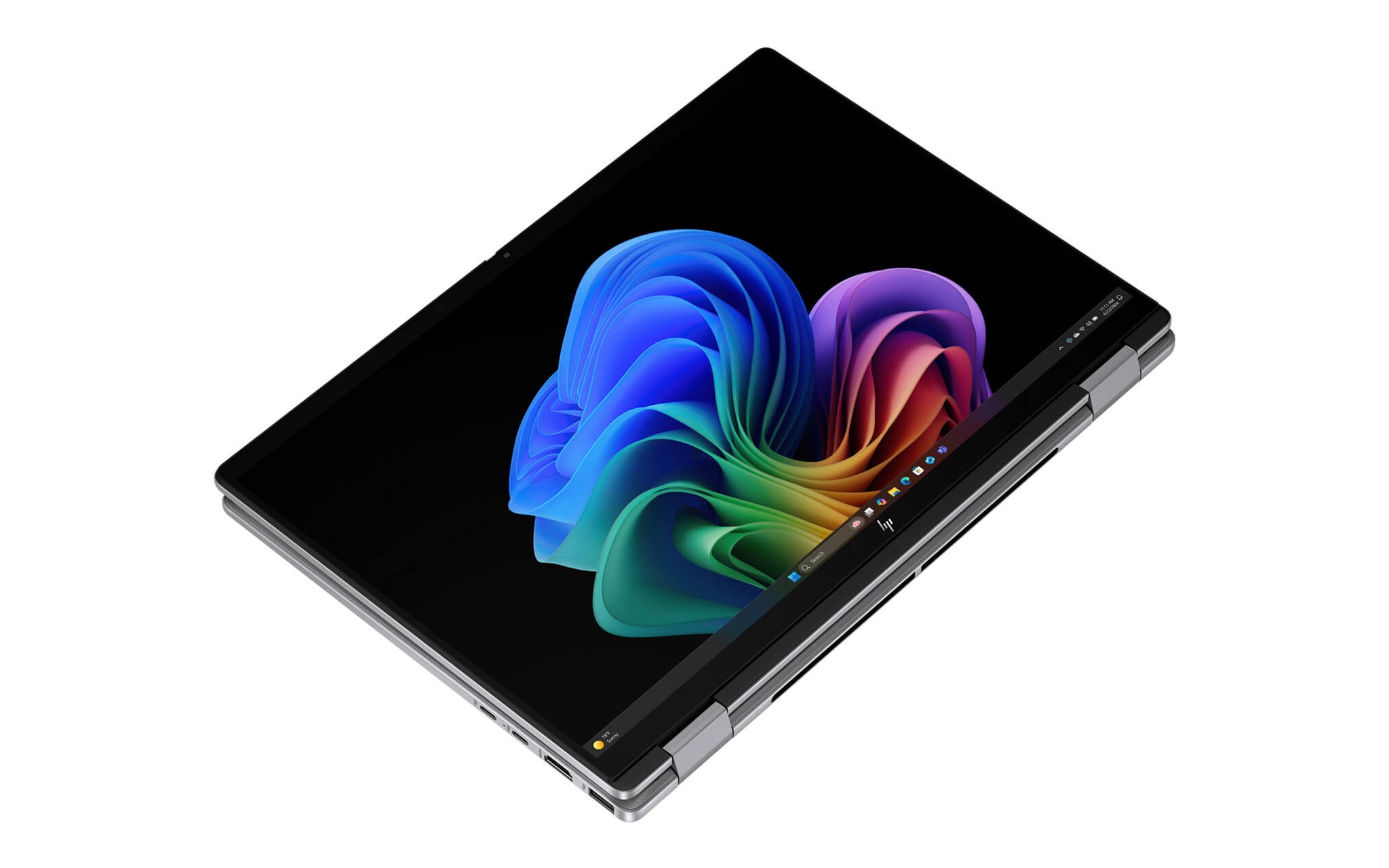
Với người cần màn lớn để chia đôi cửa sổ, HP OmniBook X Flip Next Gen AI 16 (2025) đang bán hai phiên bản cùng Core Ultra 7 256V và 16GB RAM: bản SSD 1TB giá 24,5 triệu và bản 512GB giá 27,8 triệu theo bảng giá hiện tại. Bản dung lượng lớn đang có giá thấp hơn, nên bạn cần xác nhận lại giá khi đặt hàng. Trang sản phẩm ghi màn 16 inch cảm ứng 1920 x 1200, độ sáng 400 nits, pin 68Wh và bút stylus ở dạng tùy chọn.
Chọn 14 hay 16 inch phụ thuộc vào tư thế bạn ưu tiên. Nếu hay cầm máy ghi chú hoặc đọc tài liệu như tablet, bản 14 inch cho tính di động tốt hơn nhờ nhẹ hơn khoảng 0,5 kg. Nếu laptop chủ yếu đặt trên bàn ở chế độ lều để xem phim, trình chiếu hay họp trực tuyến, màn 16 inch cho trải nghiệm hiển thị rộng hơn mà trọng lượng không còn là trở ngại.
Lenovo Yoga 7 2-in-1 cho người ghi chú và vẽ bằng bút
Lenovo Yoga 7 2-in-1 14IPH11 là laptop xoay gập dành cho người vẽ và ghi chú nhiều, vì Lenovo bán kèm sẵn bút Yoga Pen Gen 2 cùng hộp đựng đồng màu với thân máy. Trang sản phẩm ghi màn OLED 14 inch WUXGA cảm ứng, phủ 100% dải màu DCI-P3, độ sáng 400 nits, kính Gorilla Glass 3 và lớp chống bám vân tay. Cùng với các tư thế laptop, lều, dựng đứng và tablet, bản lề 360 độ của Yoga 7 còn có chế độ canvas để phác thảo ý tưởng.
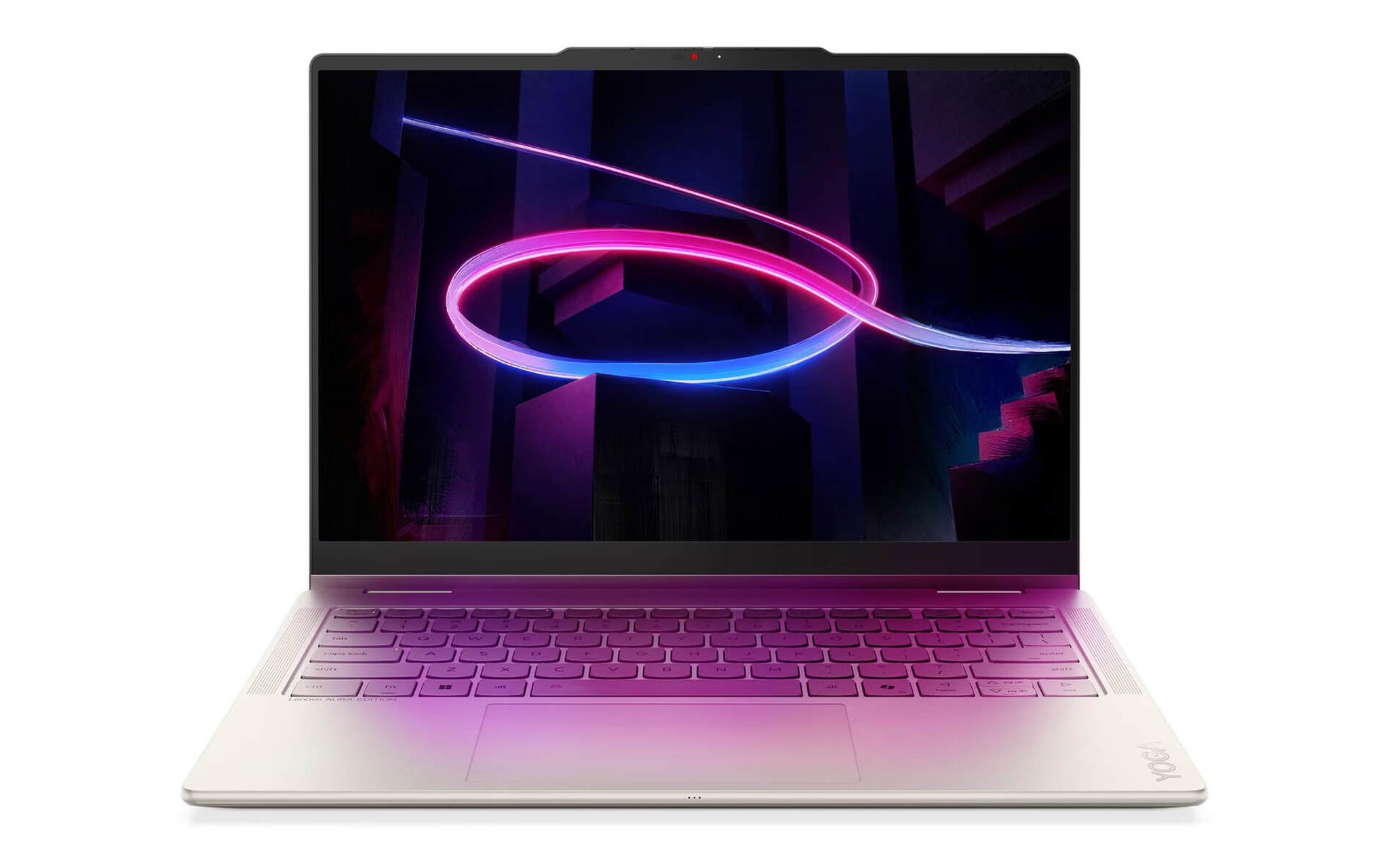
Trang Lenovo Yoga 7 (2 in 1) 14IPH11 (2026) đang bán bốn biến thể theo hai cấu hình và hai màu Luna Grey, Seashell: Core Ultra 5 322, 16GB, 512GB giá 37,99 triệu cho cả hai màu; Core Ultra 7 355, 32GB, 1TB giá 53,99 triệu bản Luna Grey và 54,99 triệu bản Seashell. RAM LPDDR5X được hàn trên bo mạch, không nâng cấp về sau, nên nếu bạn định chạy nhiều ứng dụng sáng tạo cùng lúc, phiên bản 32GB là khoản đầu tư an toàn hơn.
Đổi lại, màn OLED của Yoga 7 2-in-1 chỉ có tần số quét 60Hz, đủ mượt cho ghi chú và xem phim ở chế độ lều nhưng không dành cho game tốc độ cao. Trang sản phẩm ghi thân máy nặng khoảng 1,38 kg, pin 70Wh cho thời lượng tới khoảng 16,5 giờ theo chuẩn MobileMark, có cổng Thunderbolt 4 và bảo hành 36 tháng chính hãng Lenovo Việt Nam, thời hạn dài nhất trong năm mẫu của bài. Với sinh viên thiết kế hoặc người làm nội dung cần màu chuẩn, đây là laptop xoay gập cân bằng giữa màn hình, bút và bảo hành.
ThinkPad X1 2-in-1 Gen 10 hay Gen 11 cho doanh nhân
ThinkPad X1 2-in-1 Gen 11 là laptop xoay gập phục vụ đối tượng doanh nhân phải vừa họp vừa ký duyệt tài liệu. Trang sản phẩm ghi trọng lượng khởi điểm 1,2 kg, pin 58Whr thay được, chuẩn độ bền MIL-STD-810H, bút Lenovo Slim Pen tự sạc khi gắn vào phía trước thân máy. Nếu bạn cần cấu hình mới nhất của dòng X1, trang Lenovo ThinkPad X1 2-in-1 Gen 11 | Aura Edition (2026) đang bán một biến thể Core Ultra 7 365, 32GB, SSD 512GB, màn WUXGA cảm ứng, giá 49,99 triệu.
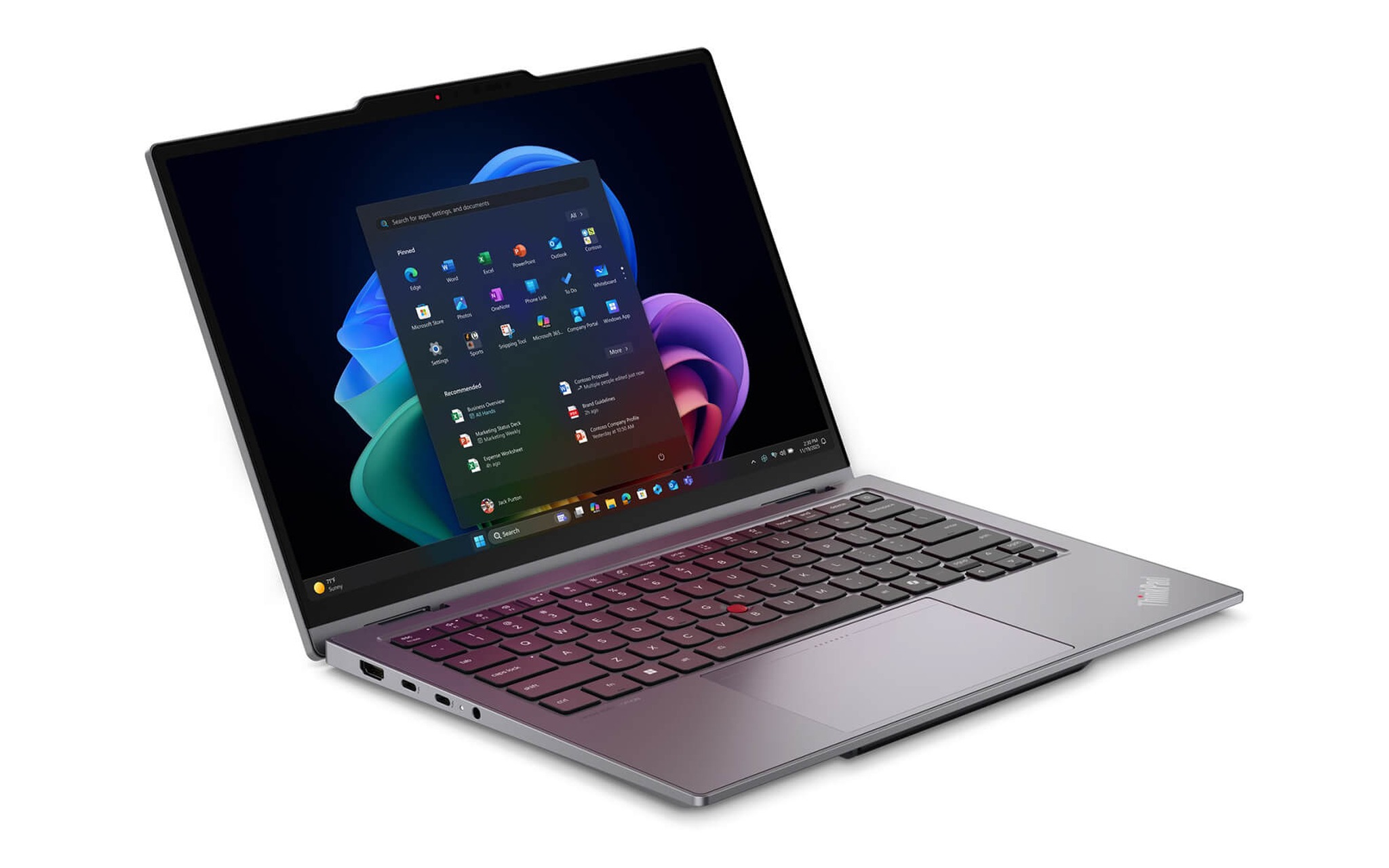
Thế hệ trước vẫn là phương án đáng cân nhắc về giá trị. Trang Lenovo ThinkPad X1 2-in-1 Gen 10 | Aura Edition (2025) bán biến thể Core Ultra 7 265U, 64GB, SSD 1TB, màn WUXGA cảm ứng với giá 46,9 triệu, tức chênh lệch khoảng 3,09 triệu so với Gen 11 nhưng RAM và SSD đều gấp đôi. Trang sản phẩm ghi Gen 10 nặng khoảng 1,35 kg, pin 57Whr và Wi-Fi 6, trong khi Gen 11 được ghi Wi-Fi 7.
Chọn Gen 11 nếu bạn ưu tiên bộ xử lý Core Ultra Series 3 và kết nối Wi-Fi 7 cho vài năm tới. Chọn Gen 10 nếu công việc cần mở nhiều máy ảo, bảng tính lớn hay nhiều tab cùng lúc, nơi 64GB RAM phát huy ưu thế rõ hơn. Nếu bạn còn phân vân giữa laptop xoay gập và bản vỏ sò nhẹ hơn trong cùng dòng X1, bài ThinkPad X1 2-in-1 Gen 11 và X1 Carbon Gen 14: Bạn chọn cảm ứng hay ưu tiên trọng lượng? đặt hai lựa chọn này cạnh nhau theo hai tiêu chí cảm ứng và trọng lượng.
Năm bước kiểm bản lề 360 độ và bút khi nhận máy
Một chiếc laptop xoay gập nên được kiểm tra ngay tại quầy, vì lỗi bản lề hay cảm ứng khó chứng minh sau vài tuần sử dụng. Bạn chỉ cần khoảng mười phút cho năm bước trong bảng dưới, bắt đầu từ bản lề 360 độ rồi tới chế độ lều, tư thế tablet, cảm ứng và bút, mỗi bước kèm dấu hiệu cụ thể để quyết định nhận máy hay yêu cầu đổi.
| Bước | Cách kiểm khi nhận máy | Dấu hiệu nên đổi máy |
|---|---|---|
| 1. Bản lề | Mở gập từ 0 tới 360 độ khoảng mười lần, dừng ở góc 90 và 180 độ | Kêu lạch cạch, lỏng, màn tự rơi khỏi góc đã chọn |
| 2. Tư thế lều | Dựng thành hình chữ A trên bàn, chạm vào cạnh màn hình | Thân máy trượt hoặc màn rung kéo dài |
| 3. Tư thế tablet | Gập hẳn ra sau, bấm thử vài phím ở mặt dưới, xoay máy dọc | Bàn phím vẫn nhận ký tự, màn không tự xoay |
| 4. Cảm ứng | Vuốt kín bốn góc màn, thử phóng to bằng hai ngón | Có vùng không nhận chạm, nét bị nhảy |
| 5. Bút | Kẻ đường chéo chậm trong ứng dụng ghi chú, đặt cổ tay lên màn | Nét đứt, lệch khỏi đầu bút, cổ tay vẽ ra nét lạ |
Với bút cảm ứng, Windows 11 gom toàn bộ tùy chỉnh vào Settings, mục Bluetooth & devices, phần Pen & Windows Ink. Trang hướng dẫn dùng bút với Windows của Microsoft mô tả cách ghép nối bút qua Bluetooth, chọn tay thuận khi viết và gán thao tác cho nút tắt trên thân bút. Bạn nên chỉnh tay thuận trước khi thử viết, vì Windows dựa vào thiết lập này để đặt menu về phía không bị bàn tay che.
Cuối cùng, hãy hỏi rõ thời hạn và nơi bảo hành cho từng mẫu vì chúng không giống nhau. Theo trang sản phẩm, Lenovo Yoga 7 2-in-1 14IPH11 được bảo hành 36 tháng chính hãng Lenovo Việt Nam, còn hai mẫu HP OmniBook X Flip và hai mẫu ThinkPad X1 2-in-1 được Hưng Phát bảo hành 12 tháng cho máy mới. Bản lề là bộ phận cơ khí chịu lực nhiều nhất, nên thời hạn bảo hành dài là điểm cộng đáng kể khi chọn laptop xoay gập.
Câu hỏi thường gặp khi mua laptop xoay gập
Có nên mua bản 16 inch nếu hay dùng như máy tính bảng? Không nên nếu bạn cầm tay thường xuyên. HP OmniBook X Flip 16 nặng khoảng 1,88 kg theo trang sản phẩm, nặng hơn các mẫu 14 inch trong bài từ 0,49 đến 0,68 kg. Bản 16 inch hợp hơn khi laptop chủ yếu đặt trên bàn ở chế độ lều hoặc tư thế laptop quen thuộc.
Bút cảm ứng có luôn đi kèm trong hộp không? Không. Trong năm mẫu của bài, trang sản phẩm ghi Yoga 7 2-in-1 kèm Yoga Pen Gen 2 và ThinkPad X1 2-in-1 Gen 11 kèm Slim Pen, còn HP OmniBook X Flip 16 ghi bút là tùy chọn. Với HP OmniBook X Flip 14 và ThinkPad X1 2-in-1 Gen 10, trang chỉ ghi hỗ trợ bút, bạn nên hỏi lại trước khi đặt hàng.
Bản lề xoay trọn vòng có nhanh hỏng hơn bản lề thường không? Chưa có số liệu chung, độ bền phụ thuộc thiết kế của từng hãng. Bản lề 360 độ chịu lực nhiều hơn vì xoay rộng hơn, nên hãy kiểm kỹ khi nhận máy và ưu tiên mẫu có bảo hành dài, ví dụ Yoga 7 2-in-1 được ghi 36 tháng chính hãng. ThinkPad X1 2-in-1 Gen 11 được trang sản phẩm ghi đạt chuẩn MIL-STD-810H.
Các mẫu này có chơi game nặng hay dựng 3D không? Không phù hợp. Chuỗi cấu hình đang bán của cả năm mẫu đều dùng đồ họa tích hợp như Intel Graphics, Arc 130V, Arc 140V hay Radeon 840M. Mức này đáp ứng học tập, văn phòng, chỉnh ảnh nhẹ và xem phim, còn game nặng hoặc dựng 3D nên chọn laptop card rời thay vì laptop xoay gập.