Wi-Fi ngày càng nhanh nhưng một chiếc laptop có cổng LAN vẫn là yêu cầu bắt buộc với dân IT, phòng kế toán chạy phần mềm trên máy chủ nội bộ, phòng máy và game thủ cần đường truyền ổn định. Bài viết giải thích chuẩn Gigabit Ethernet và 2.5GbE theo IEEE, khi nào adapter USB-C sang mạng dây đủ đáp ứng, rồi chọn ra bốn mẫu laptop đời 2025 có cổng LAN RJ45 được hãng xác nhận, giá từ 21,5 triệu đến 69,99 triệu đồng.
Dân IT và kỹ thuật viên mạng vẫn cần cổng LAN mỗi ngày
Với người làm hạ tầng mạng, cổng LAN trên laptop là công cụ làm việc chứ không phải phụ kiện dự phòng. Kỹ thuật viên thường cắm thẳng cáp vào switch hoặc router để cấu hình thiết bị mới, kiểm tra một đường cáp nghi đứt, hay xác minh tốc độ đàm phán của từng cổng trên tủ mạng. Những thao tác này cần kết nối mạng dây ổn định, không phụ thuộc vào sóng Wi-Fi, vốn có thể chưa được thiết lập ở công trình mới hoặc chính là đối tượng đang cần sửa.
Bộ phận IT doanh nghiệp còn dựa vào đường LAN RJ45 cho hai tác vụ quản trị quen thuộc. Thứ nhất là Wake-on-LAN, tính năng đánh thức laptop từ xa bằng một gói tin đặc biệt gọi là Magic Packet, chứa địa chỉ MAC của thiết bị đích lặp lại 16 lần, để cài bản vá ngoài giờ làm việc. Thứ hai là khởi động qua mạng PXE nhằm cài hệ điều hành hàng loạt từ máy chủ. Khả năng PXE nằm trong mục Network Boot của BIOS, nên bạn cần kiểm tra mục này trước khi mua số lượng lớn.
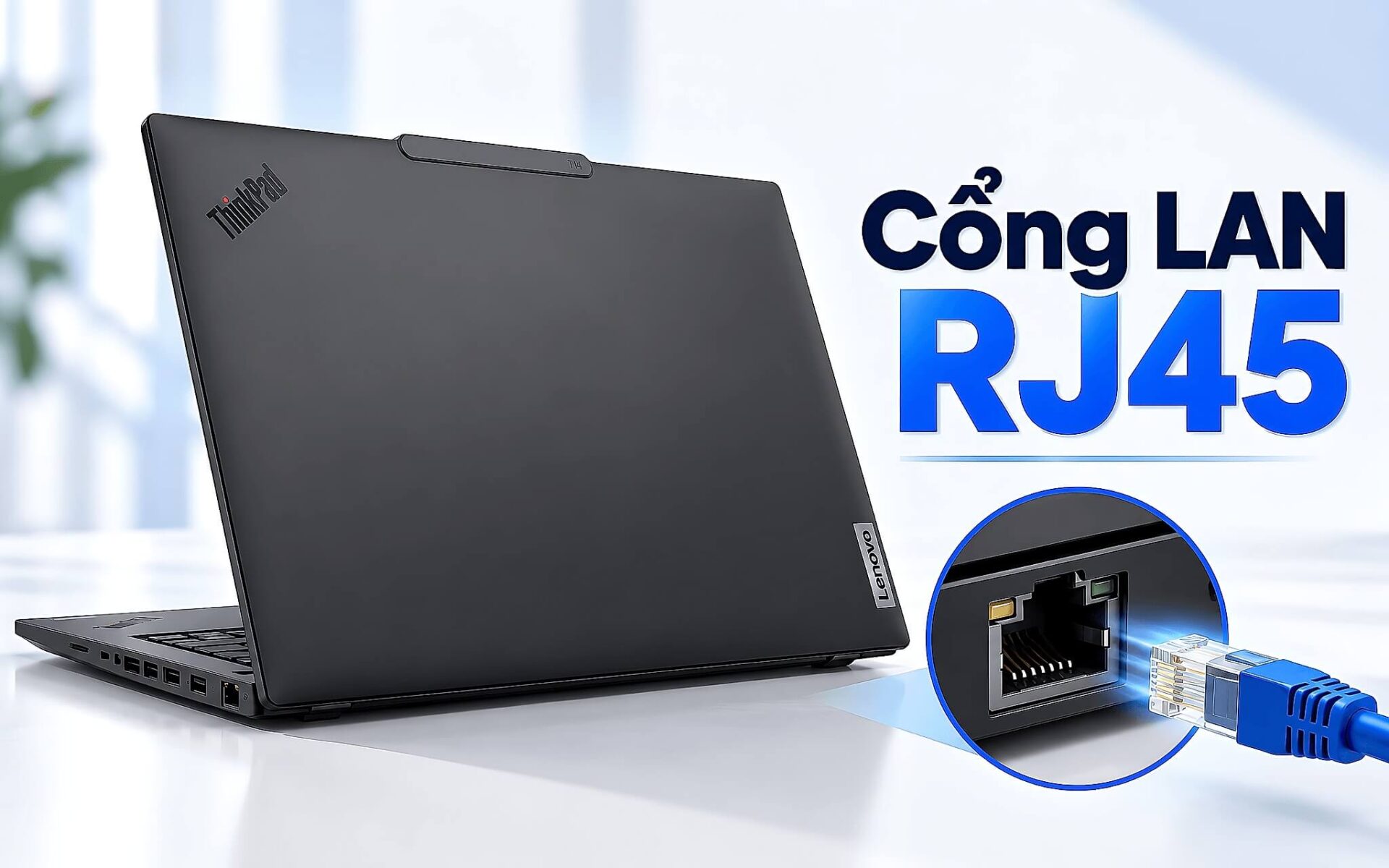
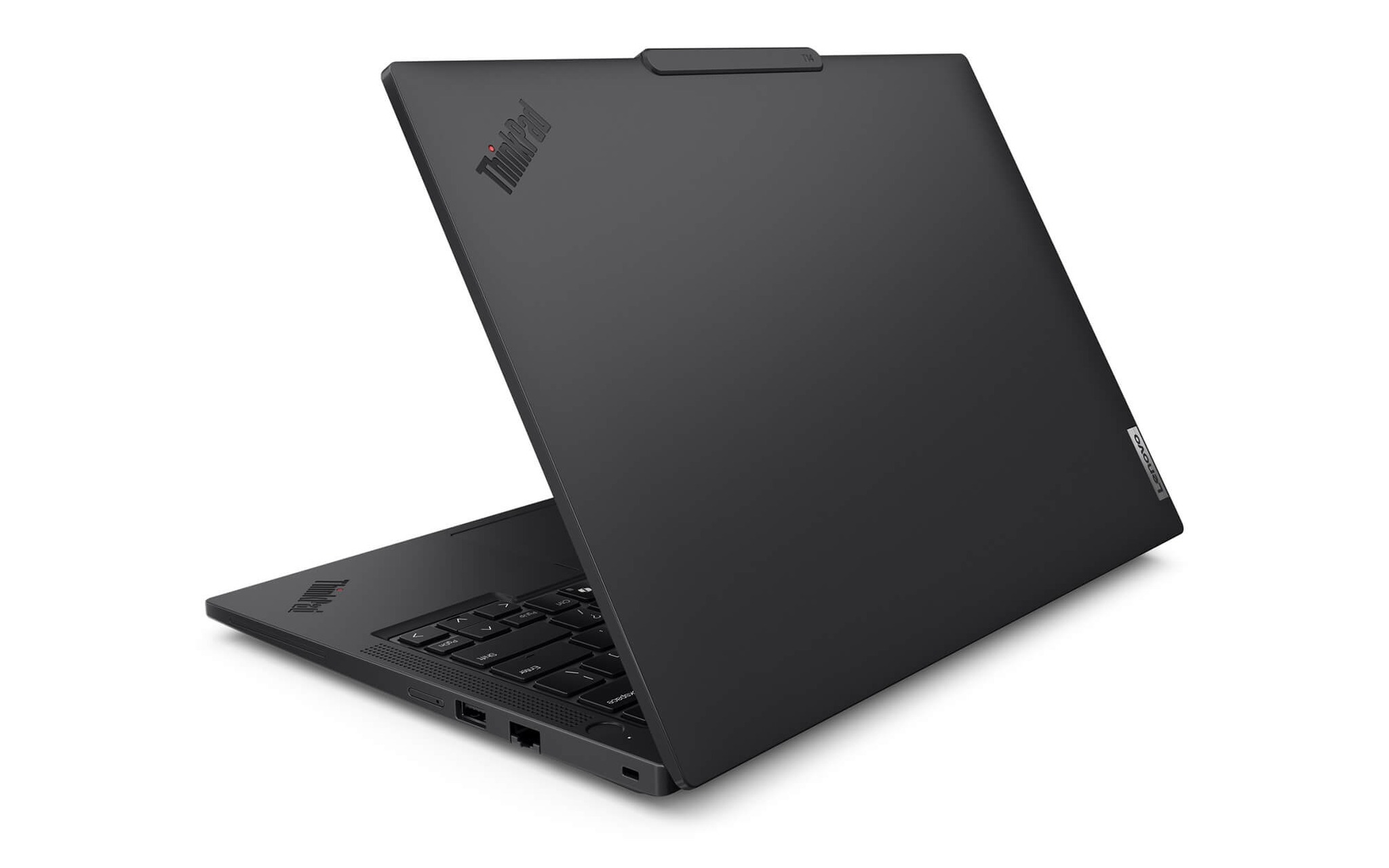
Với nhóm nhu cầu này, Lenovo ThinkPad T14 Gen 6 (2025) là lựa chọn cân bằng giữa hiệu năng và tính di động, giá từ 27,5 triệu đồng cho bản Core Ultra 5 235U, 16GB RAM, SSD 512GB, màn WUXGA, cài sẵn Windows 11. Theo PSREF của Lenovo, laptop có cổng LAN RJ45 chuẩn Gigabit dùng chip Intel I219 (bản vPro là I219-LM, bản thường là I219-V), hỗ trợ Wake-on-LAN, đi kèm hai cổng Thunderbolt 4 và trọng lượng khởi điểm từ 1,38 kg tùy màu vỏ và dung lượng pin. Khung 14 inch đủ gọn để mang theo khi đi xử lý sự cố tại chi nhánh.
Chuẩn 1GbE, 2.5GbE và adapter USB-C khác nhau ở tốc độ nào
Phần lớn laptop văn phòng hiện nay trang bị Gigabit Ethernet theo chuẩn IEEE 802.3ab, ban hành năm 1999 với tên kỹ thuật 1000BASE-T, đạt tốc độ lý thuyết 1.000 Mbps trên cáp xoắn đôi dài tối đa 100 m. Năm 2016, IEEE bổ sung chuẩn 802.3bz cho hai mức 2.5GBASE-T và 5GBASE-T, cho phép tăng băng thông mà vẫn tận dụng hệ thống cáp Cat5e và Cat6 sẵn có trong tòa nhà. Bảng dưới tóm tắt các mức tốc độ bạn sẽ gặp khi chọn laptop có cổng LAN hoặc mua thêm adapter.
| Kiểu kết nối | Chuẩn hoặc bus | Tốc độ lý thuyết (Mbps) | Điều kiện đi kèm |
|---|---|---|---|
| Gigabit Ethernet tích hợp | IEEE 802.3ab (1000BASE-T) | 1.000 | Cáp Cat5e, dài tối đa 100 m |
| 2.5GbE tích hợp | IEEE 802.3bz (2.5GBASE-T) | 2.500 | Cáp Cat5e, dài tối đa 100 m |
| Adapter cắm cổng USB 2.0 | Bus USB 2.0 | Bus 480, thấp hơn mức Gigabit | Chỉ hợp mạng 100 Mbps |
| Adapter USB-C 5 Gbps | Bus USB 3.2 Gen 1 | Đủ cho 1.000 và 2.500 | Cổng USB 5 Gbps trở lên |
| Adapter Thunderbolt 4 hoặc USB4 | Bus 40 Gbps | Đủ cho 5.000 và 10.000 | Cổng Thunderbolt 4 hoặc USB4 |
Adapter USB-C sang LAN RJ45 là giải pháp cho laptop mỏng không còn cổng mạng, nhưng tốc độ thực phụ thuộc cả chip mạng bên trong adapter lẫn cổng USB mà bạn cắm vào. Adapter Gigabit cắm vào cổng USB 2.0 chỉ có băng thông bus 480 Mbps, nên không bao giờ chạm mức 1.000 Mbps. Muốn khai thác trọn 2.5GbE, bạn cần adapter ghi rõ hỗ trợ 2.5GBASE-T và cắm vào cổng USB 5 Gbps trở lên. Các adapter 5GbE hoặc 10GbE thường yêu cầu cổng Thunderbolt hoặc USB4.
Trên một số laptop mỏng, nhà sản xuất dùng cổng RJ45 kiểu hàm gập (drop-jaw), mép dưới của cổng bật xuống khi bạn ấn đầu cáp vào rồi thu lại khi rút ra, nhờ đó thân laptop không cần dày bằng chiều cao của đầu cáp. Kiểu cổng này vẫn duy trì đúng chuẩn Gigabit, chỉ đòi hỏi thao tác nhẹ tay hơn. Khi laptop hoàn toàn không có cổng LAN, hãy ưu tiên adapter dùng bus USB 3.2 trở lên và kiểm tra driver chip mạng đi kèm trên Windows trước khi mang đi công tác.
Văn phòng kế toán và mạng nội bộ nên ưu tiên mạng dây
Ở phòng kế toán và các đơn vị tài chính, phần mềm thường lưu cơ sở dữ liệu trên máy chủ nội bộ, mỗi thao tác ghi sổ là một lượt truy vấn qua mạng. Kết nối mạng dây giữ đường truyền ổn định, hạn chế tình trạng phần mềm treo hoặc mất phiên làm việc khi sóng Wi-Fi chập chờn giữa giờ chốt số liệu. Nhiều ngân hàng và doanh nghiệp còn tách mạng nghiệp vụ khỏi mạng không dây vì lý do bảo mật, nhân viên chỉ truy cập hệ thống lõi qua ổ cắm mạng tại bàn làm việc.
Trong môi trường này, bộ phận IT thường áp dụng chuẩn IEEE 802.1X để xác thực từng thiết bị ngay tại cổng switch trước khi cấp quyền vào mạng. Laptop có cổng LAN RJ45 tích hợp giúp quy trình đó gọn hơn, vì địa chỉ MAC gắn với bo mạch chủ, không đổi khi nhân viên lỡ cầm nhầm adapter của đồng nghiệp. Bạn cũng tránh được cảnh adapter USB bị lỏng, rơi mất hoặc bị mượn đi đúng lúc cần đối soát sổ sách cuối tháng.
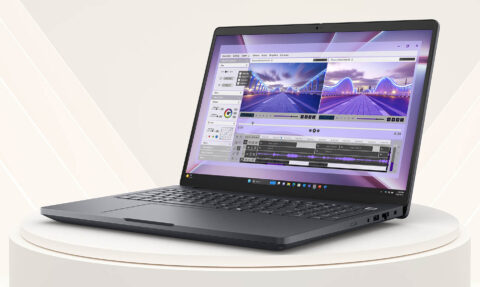
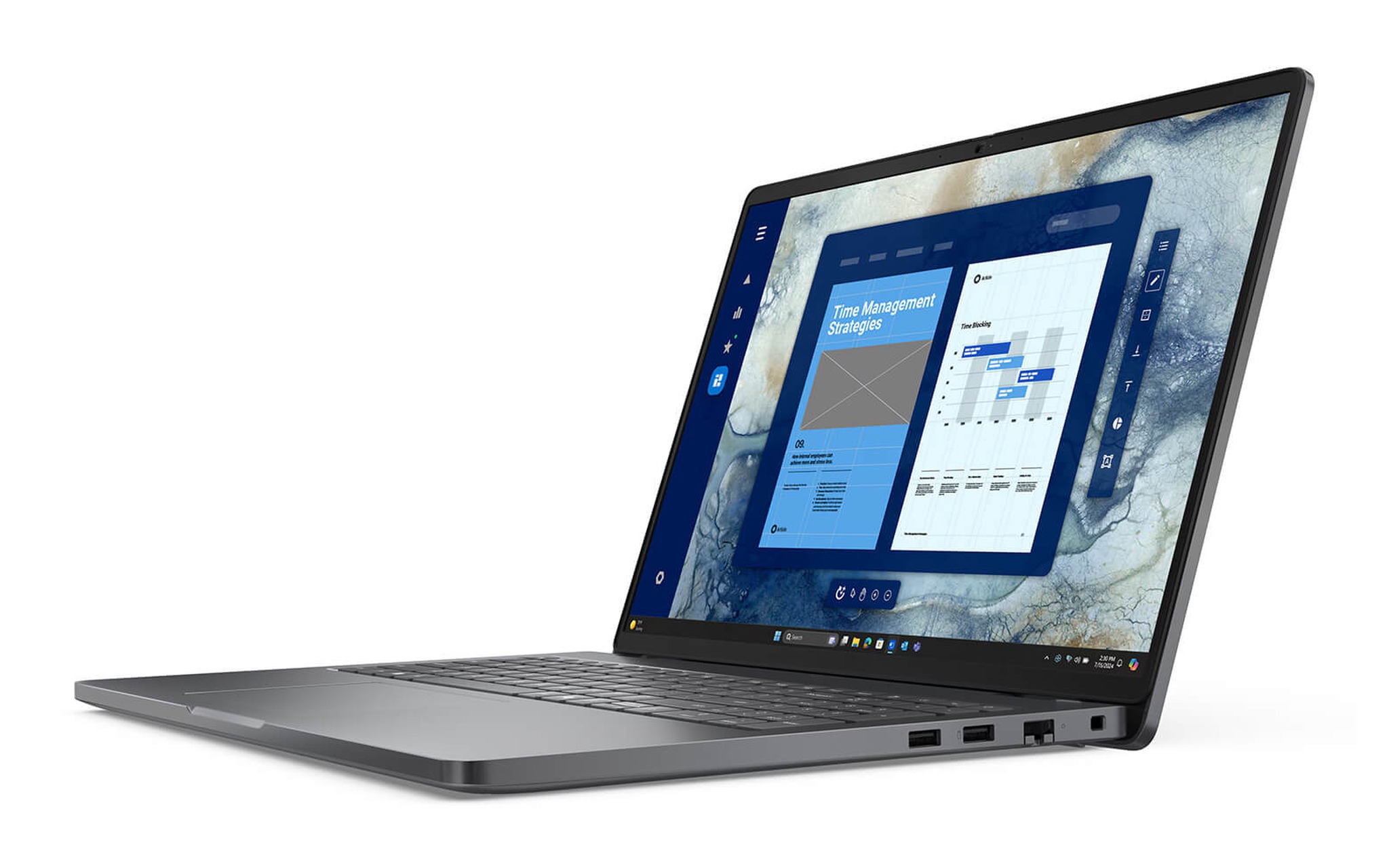
Với ngân sách khoảng 21 đến 24 triệu đồng, DELL Pro 16 PC16250 (2025) là phương án hợp lý cho bàn kế toán. Bản Core 7 150U, 16GB RAM, SSD 512GB, màn FHD+ cảm ứng có giá 21,5 triệu đồng, còn bản Core Ultra 5 235U cùng dung lượng giá 23,89 triệu đồng, mức chênh lệch 2,39 triệu đồng. Theo tài liệu hướng dẫn của Dell, laptop có một cổng RJ45 tốc độ 1 Gbps dùng chip Realtek RTL8111H, tùy chọn Intel I219-LM chỉ có trên bản Core Ultra 5 235U và Core Ultra 7 265U. Màn hình 16 inch giúp bảng tính nhiều cột dễ theo dõi hơn.
Game thủ chơi trực tuyến cần đường truyền ổn định hơn Wi-Fi
Trong game bắn súng hay MOBA, điều khiến người chơi khó chịu nhất thường không phải ping cao cố định mà là ping dao động thất thường, gọi là jitter. Wi-Fi truyền trên môi trường dùng chung, các thiết bị cùng băng tần phải lần lượt chờ kênh trống theo cơ chế CSMA/CA, lại chịu nhiễu từ tường, tầng nhà và mạng của hàng xóm. Đường mạng dây nối thẳng laptop với router theo kiểu song công toàn phần, nên độ trễ thường ổn định hơn dù gói cước không đổi.
Wi-Fi 7 với kỹ thuật MLO cho phép laptop truyền dữ liệu qua nhiều băng tần cùng lúc, giúp giữ độ trễ thấp khi một dải bị nhiễu, như phân tích trong bài Nâng cấp Wi-Fi 7 có đáng tiền - băng thông 320MHz và MLO thực tế. Lợi thế đó chỉ trọn vẹn khi router cũng hỗ trợ Wi-Fi 7 và laptop ở gần điểm phát. Nếu bàn chơi game cách router hai bức tường, kéo một sợi cáp vào cổng LAN vẫn là cách rẻ và chắc chắn nhất để giữ ping ổn định.
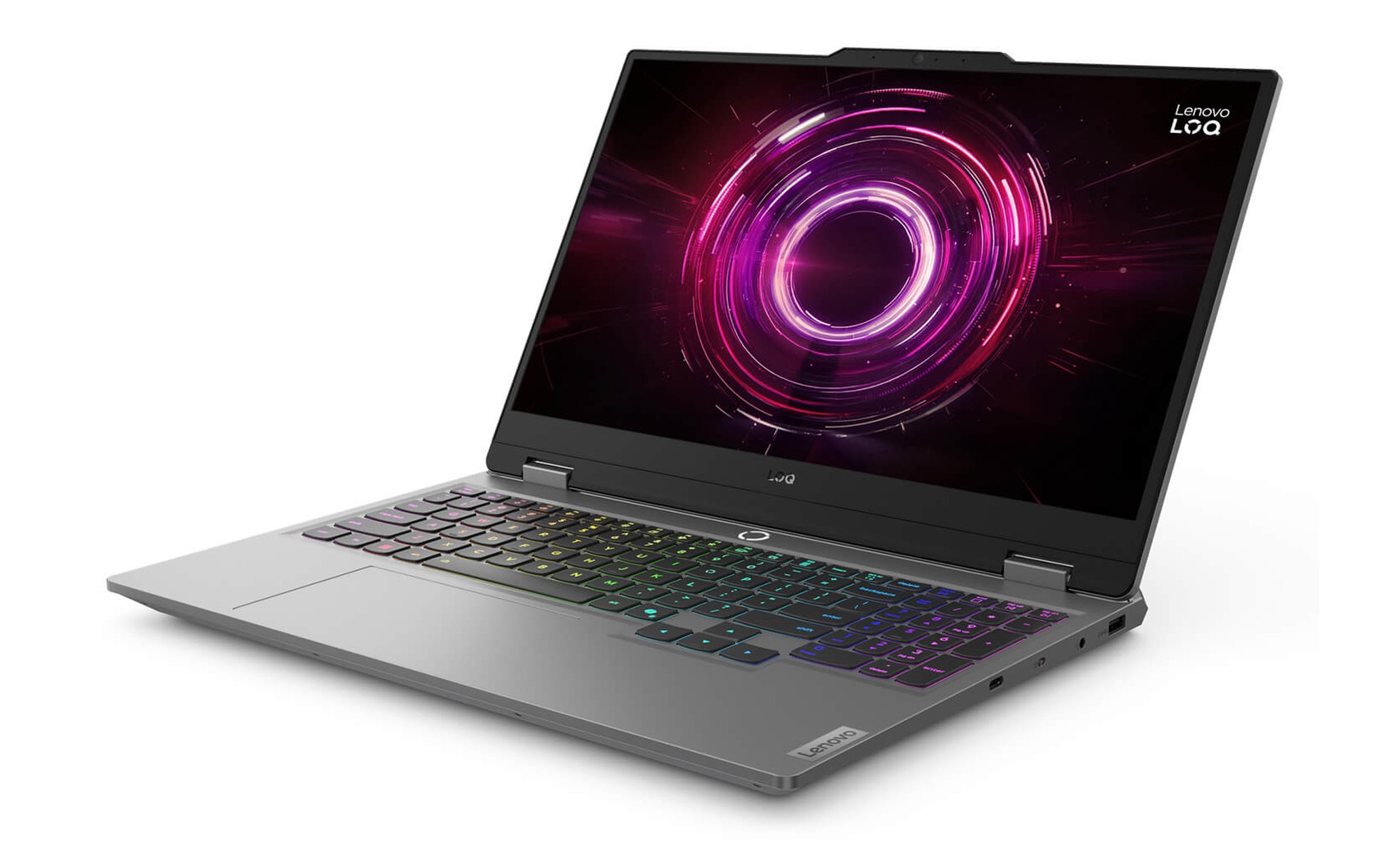
Ở phân khúc gaming phổ thông, Lenovo LOQ 15AHP10 (2025) bản Ryzen 7 250, 16GB RAM, SSD 512GB, RTX 5050 8GB, màn FHD 144Hz có giá 33,99 triệu đồng. PSREF của Lenovo xác nhận laptop có một cổng LAN RJ45 chuẩn Gigabit, cùng HDMI 2.1, ba cổng USB-A và một cổng USB-C 10 Gbps. Tốc độ 1.000 Mbps đáp ứng thoải mái game trực tuyến, vốn chỉ trao đổi lượng dữ liệu nhỏ mỗi giây, còn yếu tố quyết định trải nghiệm là độ ổn định của đường truyền.
Streamer và phòng máy hưởng lợi từ cổng LAN RJ45 2.5GbE
Người phát trực tiếp đẩy luồng video lên nền tảng liên tục hàng giờ, đồng thời tải về bản ghi và tư liệu dung lượng lớn. Khi gói cước cáp quang hoặc ổ NAS trong nhà vượt mức 1 Gbps, cổng Gigabit trở thành điểm nghẽn mỗi lần sao chép tệp lớn qua mạng dây. Chuẩn 2.5GbE nâng tốc độ lý thuyết lên 2.500 Mbps mà vẫn chạy trên cáp Cat5e hiện có, nên bạn không phải đi lại dây trong nhà hay phòng làm việc.
Phòng máy ở trường học, trung tâm đào tạo hay quán game cũng hưởng lợi từ mạng dây khi cần cài lại hệ điều hành hoặc cập nhật trò chơi dung lượng hàng chục GB cho nhiều laptop cùng lúc. Đường truyền có dây giúp máy chủ phân phối bản cài ổn định, không tranh băng thông với điện thoại của học viên như khi dùng Wi-Fi. Khi switch trung tâm đã hỗ trợ 2.5GbE, laptop có LAN RJ45 cùng chuẩn sẽ rút ngắn thời gian chờ của mỗi lượt cập nhật.
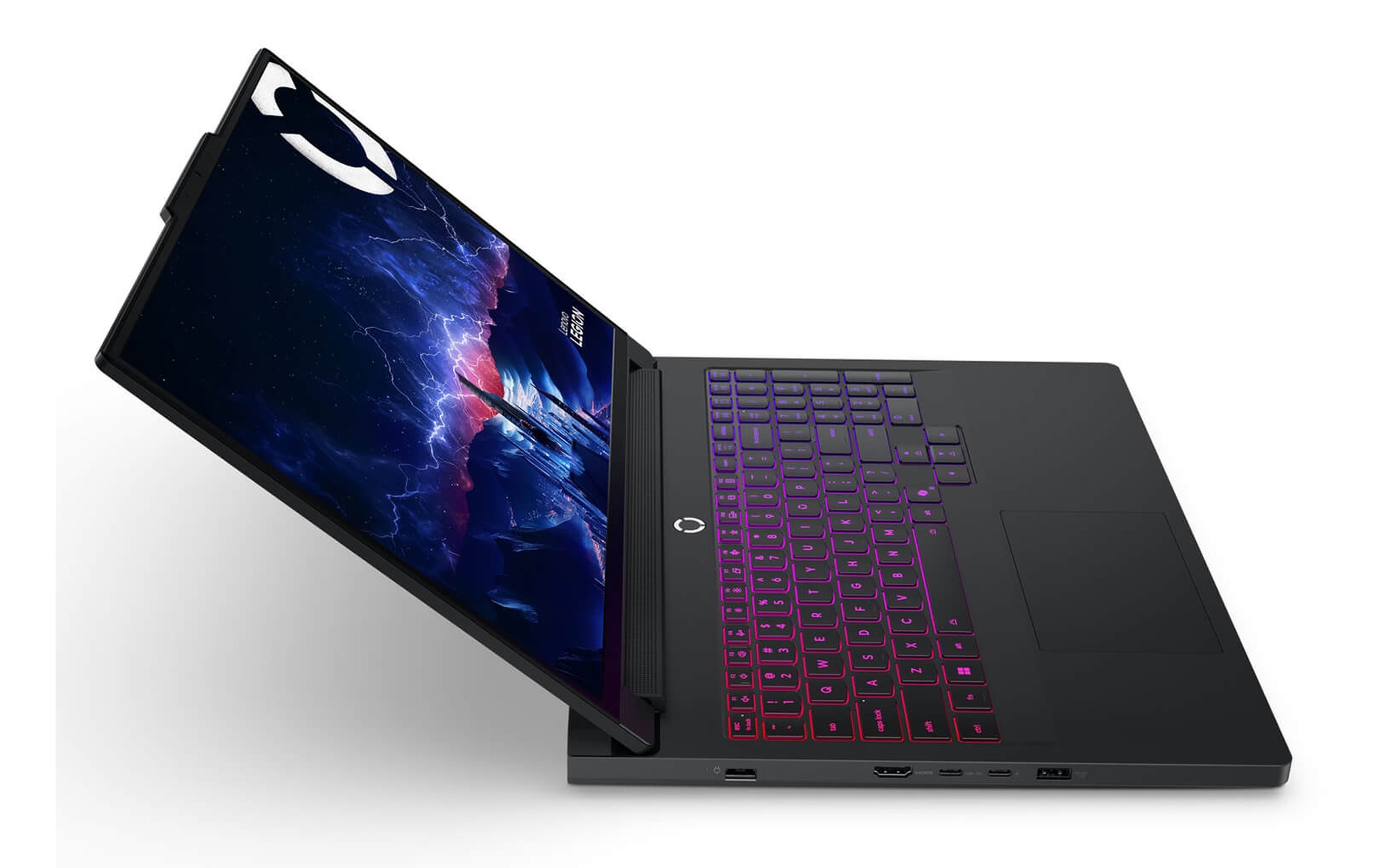
Nếu cần hiệu năng cao để vừa chơi vừa phát trực tiếp, Lenovo Legion Pro 7 16IAX10H-83F5008VVN (2025) là mẫu duy nhất trong bài có cổng 2.5GbE. PSREF ghi laptop dùng chip Intel I226-V, hỗ trợ Wake-on-LAN khi cắm sạc và đang ở chế độ ngủ, kèm một cổng Thunderbolt 4. Bản Core Ultra 9 275HX, 32GB RAM, SSD 1TB, RTX 5070 Ti 12GB, màn WQXGA 240Hz giá 69,99 triệu đồng, bản RTX 5090 24GB giá 94,99 triệu đồng. Trọng lượng khởi điểm 2,57 kg nên laptop này phù hợp đối tượng đặt cố định tại bàn hơn là mang theo hằng ngày.
Bảng so sánh bốn mẫu laptop và những điểm cần kiểm khi mua
Bốn mẫu laptop dưới đây đều là hàng New 100%, đời 2025, có cổng mạng tích hợp được nhà sản xuất xác nhận trong tài liệu kỹ thuật. Giá trong bảng là mức thấp nhất của cấu hình đang bán, cập nhật ngày 02/10/2026. Cột tốc độ ghi đúng chuẩn LAN RJ45 của từng laptop, còn cột Wake-on-LAN chỉ đánh dấu khi tài liệu của hãng ghi rõ, để bạn biết tính năng nào cần tự kiểm tra trong BIOS.
| Mẫu laptop | Tốc độ cổng mạng | Wake-on-LAN theo hãng | Cấu hình giá thấp nhất | From |
|---|---|---|---|---|
| DELL Pro 16 PC16250 (2025) | 1 Gbps | Không ghi trong tài liệu | Core 7 150U, 16GB, SSD 512GB | 21,5 triệu |
| Lenovo ThinkPad T14 Gen 6 (2025) | Gigabit, Intel I219 | Có | Core Ultra 5 235U, 16GB, SSD 512GB | 27,5 triệu |
| Lenovo LOQ 15AHP10 (2025) | Gigabit | Không ghi trong PSREF | Ryzen 7 250, 16GB, SSD 512GB, RTX 5050 | 33,99 triệu |
| Lenovo Legion Pro 7 16IAX10H (2025) | 2.5GbE, Intel I226-V | Có, cần cắm sạc và ở chế độ ngủ | Core Ultra 9 275HX, 32GB, SSD 1TB, RTX 5070 Ti | 69,99 triệu |
Trước khi chốt mua, hãy tra mục Ethernet trong tài liệu chính thức thay vì chỉ nhìn ảnh, vì không phải laptop gaming nào cũng còn cổng mạng. Chẳng hạn, trang PSREF Lenovo Legion 7 16IAX10 ghi rõ dòng này không có Ethernet tích hợp, dù cùng họ Legion với mẫu 2.5GbE ở trên. Với laptop Lenovo, PSREF còn cho biết tên chip mạng cụ thể, giúp bộ phận IT chuẩn bị sẵn driver cho bộ cài Windows.
Sau khi nhận laptop, bạn nên cắm cáp vào cổng LAN rồi mở Settings, mục Network and internet, phần Ethernet để xem tốc độ liên kết đã đạt 1 Gbps hoặc 2,5 Gbps hay chưa. Nếu kết nối chập chờn, các bước kiểm tra driver và chặn Windows tự tắt card mạng được trình bày trong bài Phải làm gì nếu kết nối Ethernet liên tục bị ngắt trên Windows 10/11?. Cáp Cat5e trở lên là đủ cho cả hai mức tốc độ trong bài.
Câu hỏi thường gặp về laptop có cổng LAN
Laptop không có cổng mạng thì dùng adapter có ổn không? Ổn với nhu cầu văn phòng và chơi game, miễn adapter cắm vào cổng USB 5 Gbps trở lên và ghi rõ chuẩn Gigabit hoặc 2.5GbE. Điểm trừ là thêm một món phụ kiện phải mang theo, chiếm một cổng USB-C, và địa chỉ MAC thay đổi theo từng adapter, gây phiền cho mạng doanh nghiệp quản lý thiết bị theo MAC.
Cáp Cat5e có chạy được 2.5GbE không? Có. Chuẩn IEEE 802.3bz thiết kế 2.5GBASE-T để hoạt động trên cáp Cat5e dài tới 100 m, nên phần lớn hệ thống cáp sẵn có trong văn phòng không cần thay khi nâng cấp mạng dây. Chỉ khi lên mức 5GbE, bạn mới nên ưu tiên cáp Cat6 cho quãng dài.
Wake-on-LAN có hoạt động khi laptop tắt hẳn không? Tùy từng mẫu. Với Legion Pro 7 16IAX10H, PSREF ghi Wake-on-LAN cần cắm bộ sạc và laptop ở chế độ ngủ S3. Dòng ThinkPad T14 Gen 6 được Lenovo ghi hỗ trợ Wake-on-LAN, còn điều kiện cụ thể bạn nên kiểm tra trong BIOS. Muốn đánh thức qua LAN RJ45, cáp phải luôn cắm và switch phải bật để giữ liên kết.
Làm sao chắc chắn nhận đúng cấu hình có cổng mạng? Bốn mẫu trong bài đều đang bán tại Hung Phat Laptop với tình trạng New 100%, giá cập nhật ngày 02/10/2026. Khi nhận hàng, bạn kiểm tra cổng LAN trên thân laptop, cắm thử cáp và xem mục Network adapters trong Device Manager để thấy đúng tên chip mạng như tài liệu của hãng.