Many people who power on a new device for the first time are overwhelmed by a pile of promotional software and cluttered default settings. Setting up the system properly from the start keeps the machine running smoothly and lets you get the full performance out of the hardware. Buying a new laptop is the ideal moment to build a clean, secure working environment and get rid of background processes that drain resources.
What to Do When You Buy a New Laptop to Prepare the System
Right after you open the box, the first thing to do is finish the initial Windows 11 setup and run a system update. Checking Windows Update lets the machine pick up all the available security patches as well as compatible hardware drivers. If the device runs into graphics conflicts or a sluggish touchpad, it is worth following the steps to update laptop drivers so every component keeps a stable clock speed.
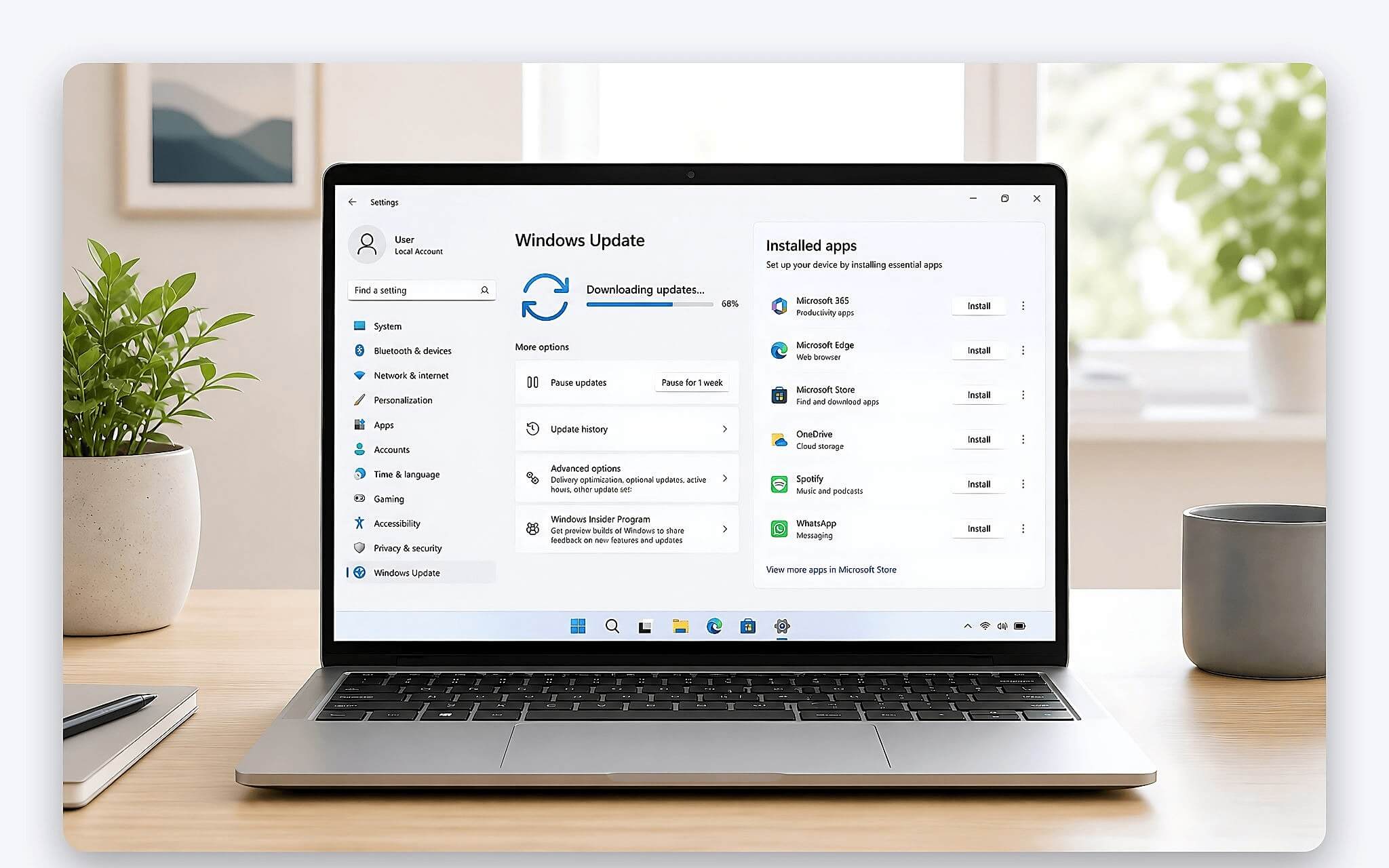
The next step has a big effect on how smooth the machine feels: removing the junk apps (bloatware) the manufacturer preinstalled. Trial packages such as third-party antivirus software or promotional games often launch automatically with Windows, which drags down performance and eats up a noticeable share of RAM. Rather than leaving the system under that load, simply turn on the built-in Windows Defender security solution, which is lightweight and protects the machine continuously in real time.
Once the foundation is tuned, configuring your account and storage partitions will make long-term use more convenient. It's a good idea to divide the drive sensibly between the partition holding the operating system and the one for your personal data, which reduces the risk of system errors. If storage fills up because temporary files pile up after many software updates, figuring out why your C drive is full will help you free up space without touching important system files.
Core Utilities That Answer What to Install on a New Laptop
For everyday word processing and handling compressed files, the first two tools you can't do without are a Vietnamese input method and an archive extractor. Choose the open-source EVKey or OpenKey over older Vietnamese typing tools, since they fix the accent-jumping bug in browser address bars, Excel spreadsheets, and graphics software for good. When you need to extract files, NanaZip or 7-Zip offers optimized LZMA2 compression and blends into the Windows 11 right-click menu without showing any annoying ads.
| No. | Software name | License type | Main use | Alternative |
|---|---|---|---|---|
| 1 | EVKey / OpenKey | Free (FOSS) | Accurate Vietnamese typing, fewer accent errors in browsers | Classic UniKey |
| 2 | NanaZip / 7-Zip | Free (FOSS) | High-speed file compression and extraction, Windows 11 menu support | Paid WinRAR |
| 3 | UniGetUI | Free (FOSS) | Batch installation and automatic updates for software, with no ads | Manual downloads from the web |
| 4 | Microsoft PowerToys | Free (Official) | Window zone layouts, OCR text extraction, color picking | Separate single-purpose tools |
| 5 | Everything | Free | Instant file search using the NTFS index across all drives | Windows Search |
| 6 | Revo Uninstaller | Free / Paid | Thorough bloatware removal, wiping leftover Registry keys and junk folders | Add or Remove Programs |
| 7 | Brave / Chrome / Firefox | Free | Fast web browsing, data syncing, or active ad blocking | Microsoft Edge |
| 8 | Bitwarden | Free / Paid | Cross-platform password management with AES-256 end-to-end encryption | Browser password saving |
| 9 | VLC Media Player | Free (FOSS) | Plays every audio and video format, including HEVC, AV1, and MKV | Windows Media Player |
| 10 | SumatraPDF / Foxit | Free / Paid | Ultra-light document reading, or annotating and digitally signing electronic documents | Adobe Acrobat Reader |
| 11 | ShareX | Free (FOSS) | Scrolling screenshots, short screen recordings, instant annotations | Snipping Tool |
| 12 | Microsoft 365 / Notion | Paid / Free | In-depth office work, project notes, and data management | Free LibreOffice |
Searching your data and managing the system gets a major upgrade once you add Everything and the Microsoft PowerToys utility suite, available directly from Microsoft. Everything indexes the NTFS table at remarkable speed, letting you pull up millions of files almost instantly and fixing the slow search of the default tool. PowerToys, meanwhile, offers FancyZones for intuitive multi-monitor layouts, Color Picker for grabbing color codes quickly, and Text Extractor, which conveniently pulls text out of images.
Managing and cleaning up software becomes more professional with UniGetUI and Revo Uninstaller. UniGetUI provides an intuitive graphical interface that connects to the Winget app repository, so you can download and update clean software in bulk without worrying about malware or junk toolbars. When you need to remove a stubborn application, Revo Uninstaller digs deep into the Registry and hidden folders to wipe out leftover data, keeping the system lean. This is the key cleanup step you should take right after buying a new laptop.
Safe Browsing Combined With Login Credential Management
The web browser you pick shapes most of your online experience on a new computer. If you need seamless syncing of bookmarks, passwords, and work history with your phone, Google Chrome is very convenient thanks to its broad ecosystem. Brave, on the other hand, is the best choice if you want smooth browsing without being bothered by ad banners, while also saving a good deal of memory on your machine.
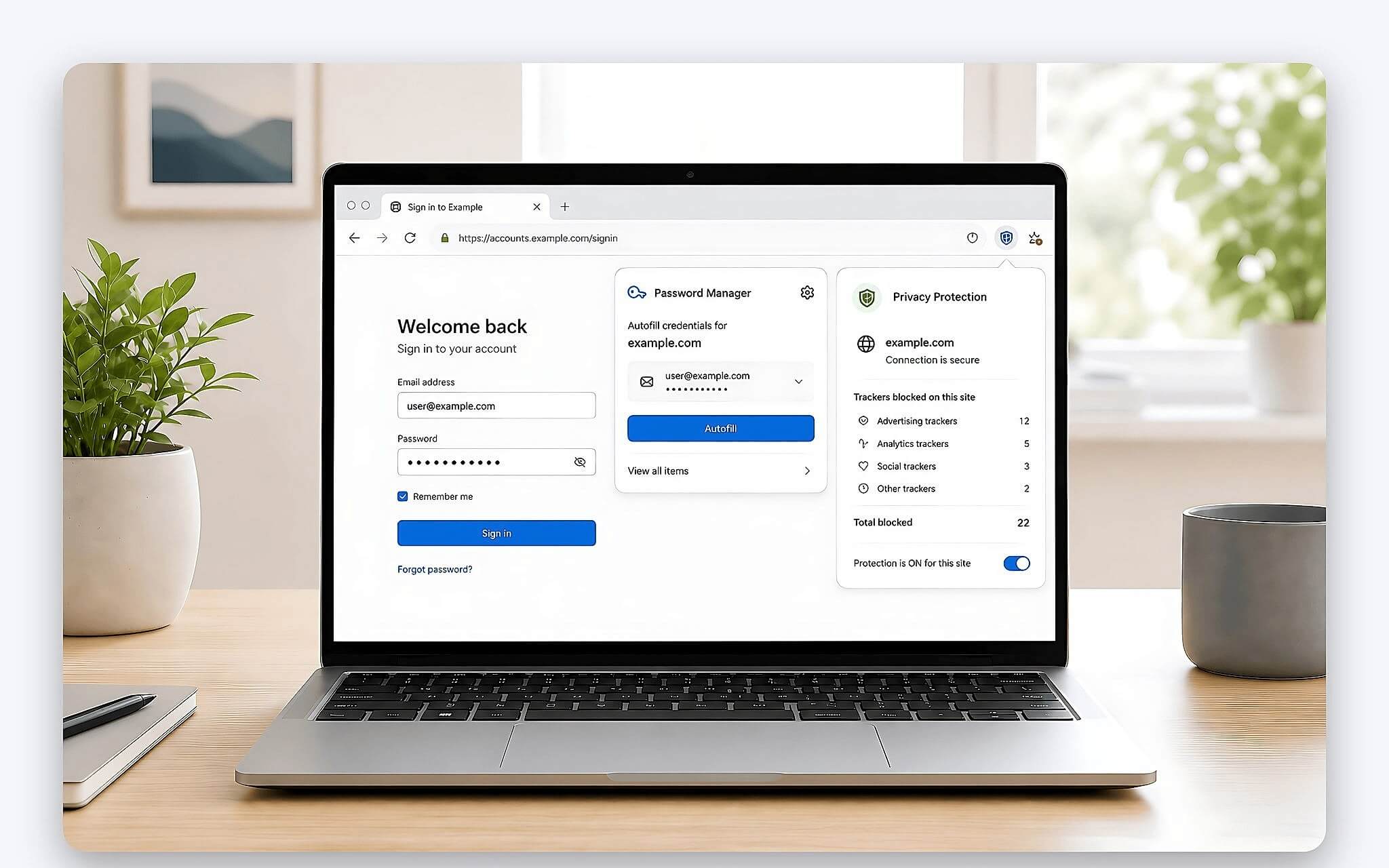
To protect your personal accounts in a risky online environment, you should not store login credentials directly in your web browser. The Bitwarden password manager uses AES-256 end-to-end encryption, letting you generate complex random strings and autofill forms securely on both your laptop and smartphone. It is completely free for personal use and lowers the risk of data leaks if your browser suffers a security problem.
For taking notes and capturing screenshots at work, ShareX offers far more customization than the default tool. You can set up hotkeys to capture a selected region, capture an entire long web page by scrolling, or record a GIF tutorial of your actions in just a few seconds. In addition, pairing it with Notion for task management and document storage keeps your digital workspace neat and well organized.
Document Readers and Ad-Free Multimedia Utilities
In study and office work, reading PDF documents is a constant daily need. SumatraPDF has a compact install size, uses very little RAM, and opens large files almost instantly. If your work requires digital signatures, direct editing, or in-depth comments, Foxit Reader is a full-featured alternative that is still considerably lighter than other heavyweight software suites.
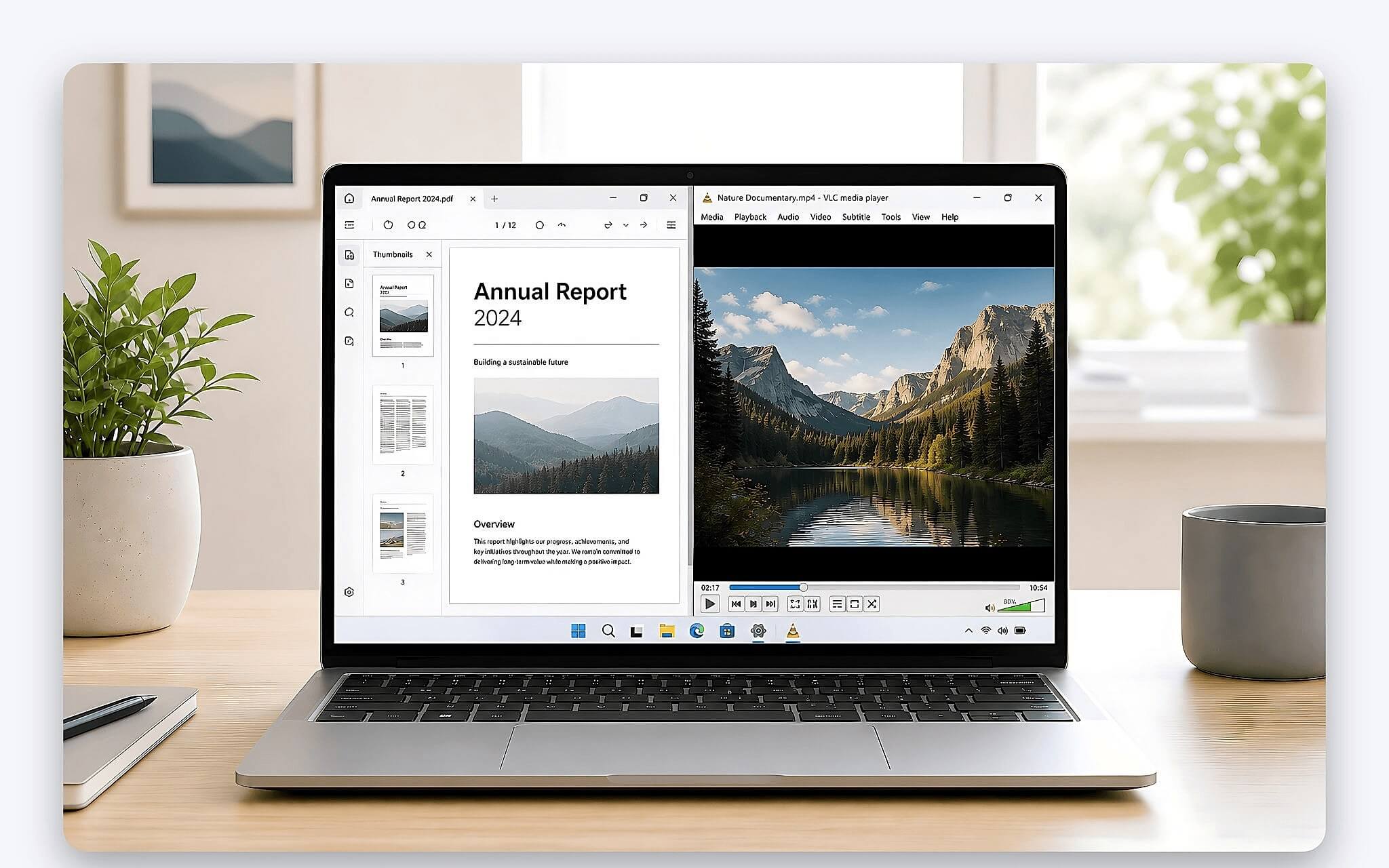
For entertainment and presenting content, VLC Media Player is regarded as a dependable solution for watching video in any format. This open-source player has all the modern codecs built in, including HEVC, AV1, MP4, and MKV, so it can open any video directly without installing separate codec packs. The software runs smoothly, never forces ads on you, and works well on both x86 machines and the newer ARM-based processors.
Beyond local software, you should think carefully about getting an editing suite that matches your real needs. You can use a licensed Microsoft 365 plan to take advantage of 1 TB of OneDrive cloud storage along with AI-assisted features. You can also learn more about the integrated Copilot plan to pick the licensing option that best fits your budget, or use LibreOffice if you only need basic document processing.
The Process That Shows What to Check When You Buy a New Laptop
Before you finish installing software, you should run an overall hardware check to make sure the machine has no factory defects. Look closely at the exterior of the chassis, the hinges, and the physical ports, and type on the whole keyboard to get a feel for the key travel. Check the display carefully against solid backgrounds such as black, white, and blue to spot dead pixels or backlight bleed beyond the acceptable level early on.
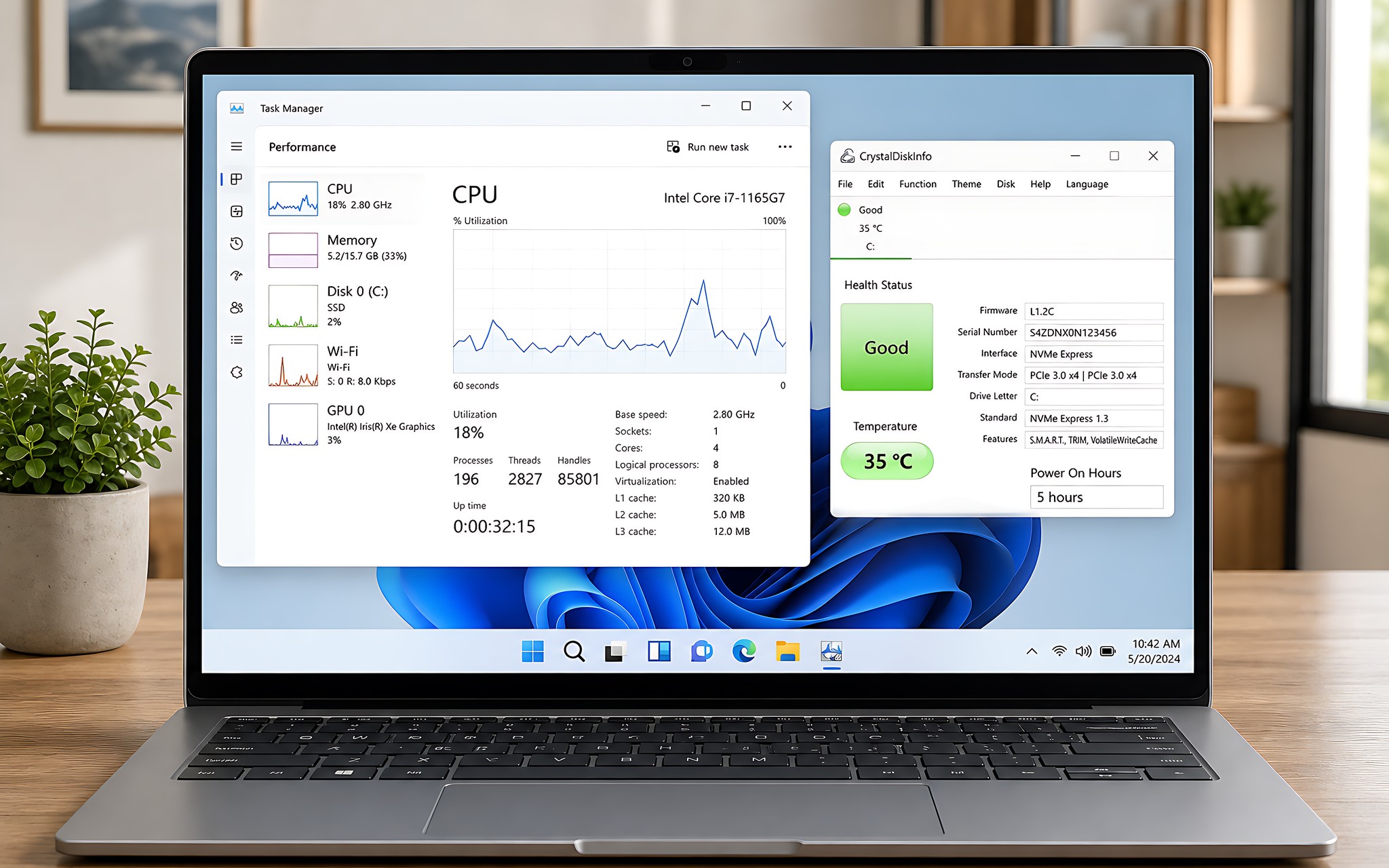
The next step is checking the hardware specs in Task Manager and in dedicated tools such as CrystalDiskInfo or HWMonitor. These tools let you see the actual power-on hours of the SSD, component temperatures under heavy load, and the initial battery charge cycle count. Whether you are buying a budget new laptop or a premium model, confirming that the component specs match the advertised configuration is a core right of the buyer.
For customers who have a relative bringing a laptop back from overseas, or who are wondering about buying a new laptop in Japan, note the particulars of the Japanese JIS keyboard layout. This layout has a shorter spacebar and special characters arranged differently from the international US standard commonly used in Vietnam. Checking the global warranty coverage and the compatibility of the charger is also key to using the machine with peace of mind for a long time.
Criteria for Choosing a Trustworthy Place to Buy a New Laptop in Ho Chi Minh City
A reputable retailer should be transparent about the condition of the product and the listed price, and should provide proper, valid invoices and paperwork. When researching where to shop, favor stores with technically knowledgeable staff who are ready to help you inspect the machine thoroughly before you take it home. A clear warranty policy and flexible returns and exchanges when hardware faults arise are important criteria for protecting your interests.
Hung Phat maintains strict inspection standards for every product it brings in, from thin and light office machines to professional mobile workstations. When you buy a machine at the store, technicians help you install a licensed operating system and set up the essential software, completely free of charge. The store is committed to fair prices, quality machines, and staying with you throughout the device's service life.
If you are looking for a computer for work or study, contact Hung Phat directly for accurate configuration advice. You can visit the store in Ho Chi Minh City to try machines in person or get quick online advice. The advisory team is always ready to help you find a machine you like at a reasonable cost.
Frequently Asked Questions (FAQ)
When buying a new laptop, does it come with a licensed copy of Windows?
Most genuine laptops sold in the Vietnamese market today come with a digital Windows license (Windows 11 Home or Pro) built in. This license key is written directly into the device's motherboard, so the machine activates itself again whenever you reinstall the operating system. When you buy at a reputable store, a technician will help you check the activation status under Activation Settings so you can use the machine with complete peace of mind.
Do students and office workers who buy a new laptop need to buy Office?
Whether to buy Microsoft Office depends directly on the nature of your work and your need to exchange data. If you only need simple word processing, the online Google Docs or the completely free, open-source LibreOffice suite is enough. However, if you regularly work with complex Excel spreadsheets and professional PowerPoint presentations and need 1 TB of cloud storage, a licensed Microsoft 365 plan offers the best syncing and security.
How do you find the cheapest place to buy a new laptop while still ensuring quality?
When shopping for a computer, don't look only at the lowest advertised price and overlook the condition of the goods and the after-sales policy. Many sellers list a very low price but then add fees for installation or accessories, or shorten the hardware warranty. Choose sellers that publish all-inclusive prices, guarantee new, factory-sealed units, and offer a transparent 12-24 month warranty to protect your finances.
What should you prepare, and where should you buy a new laptop to get good support?
Before you buy, define your main use and your real budget so you can pick the right processor and the RAM capacity you need. Look for stores with a real hands-on space that lets you inspect the machine carefully and that commit to long-term software support. Hung Phat is a reliable destination in Ho Chi Minh City, where you get dedicated advice, lifetime technical support, and a range of practical perks with your purchase.