

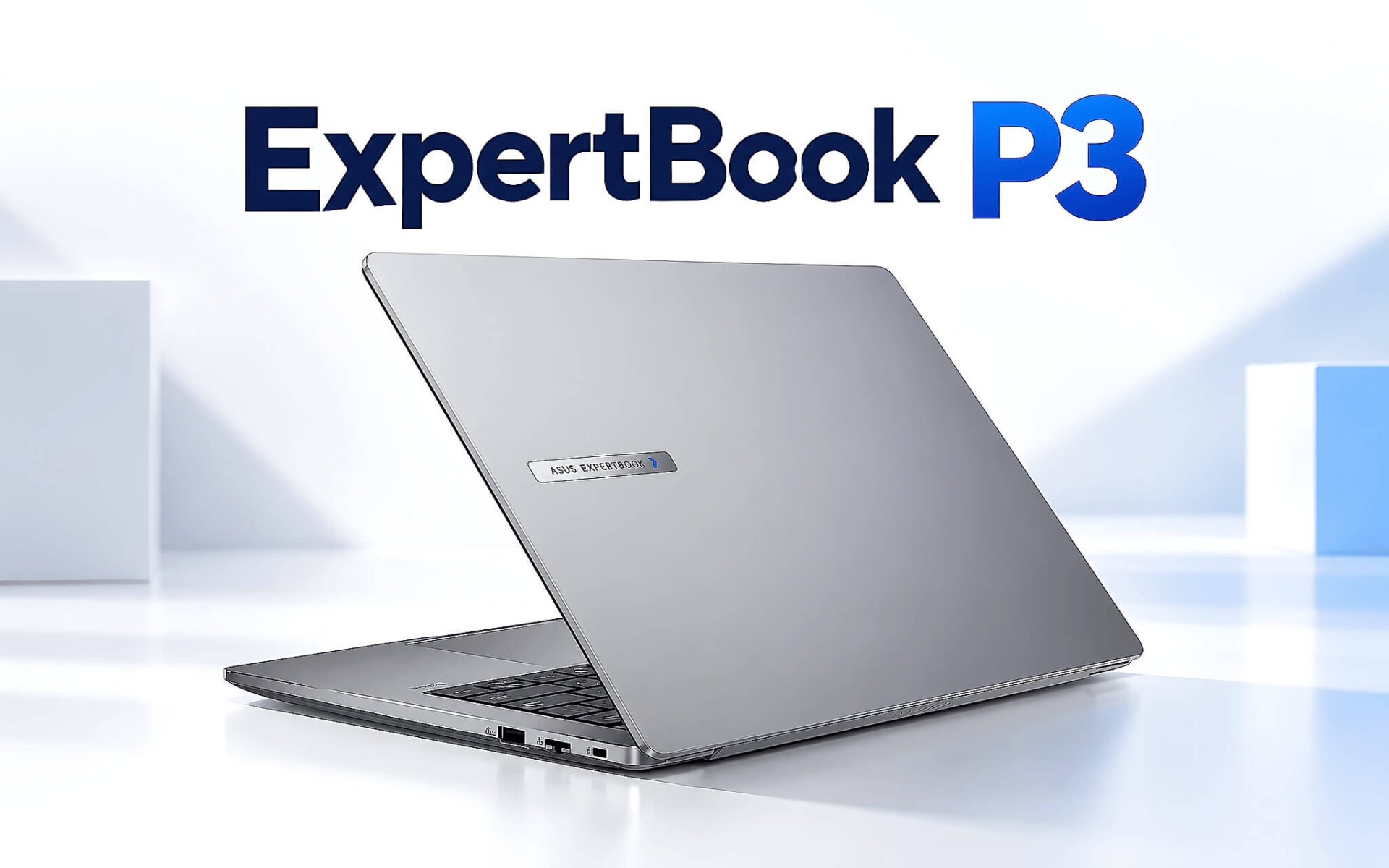
Asus ExpertBook P3 là dòng laptop doanh nhân ASUS ra mắt năm 2024, dùng Intel Core i5-13420H hoặc Core i7-13620H thuộc kiến trúc Raptor Lake-H, đi kèm RAM DDR5 16GB, SSD 512GB và màn hình WQXGA 2560 x 1600. Kho hiện có hai phiên bản là ExpertBook P3405 màn hình 14 inch và ExpertBook P3605 màn hình 16 inch, mỗi bản gồm hai cấu hình i5 và i7. Bài viết đối chiếu thông số chính hãng, điểm benchmark Notebookcheck và giá niêm yết để bạn đặt đúng kỳ vọng trước khi xuống tiền.
Asus ExpertBook P3 là laptop doanh nhân dùng chip Intel thế hệ 13
Asus ExpertBook P3 thuộc nhánh ExpertBook mà ASUS định vị cho doanh nghiệp và người làm việc chuyên nghiệp, ưu tiên độ bền, bảo mật và khả năng nâng cấp hơn là thiết kế thời trang. Dòng này có hai kích thước: ExpertBook P3405 màn hình 14 inch nặng từ 1,36kg và ExpertBook P3605 màn hình 16 inch nặng từ 1,75kg theo bảng thông số của ASUS. Hai bản dùng chung bộ xử lý, bộ nhớ, cổng kết nối và pin, khác biệt chủ yếu nằm ở kích thước màn hình, trọng lượng và giá bán.
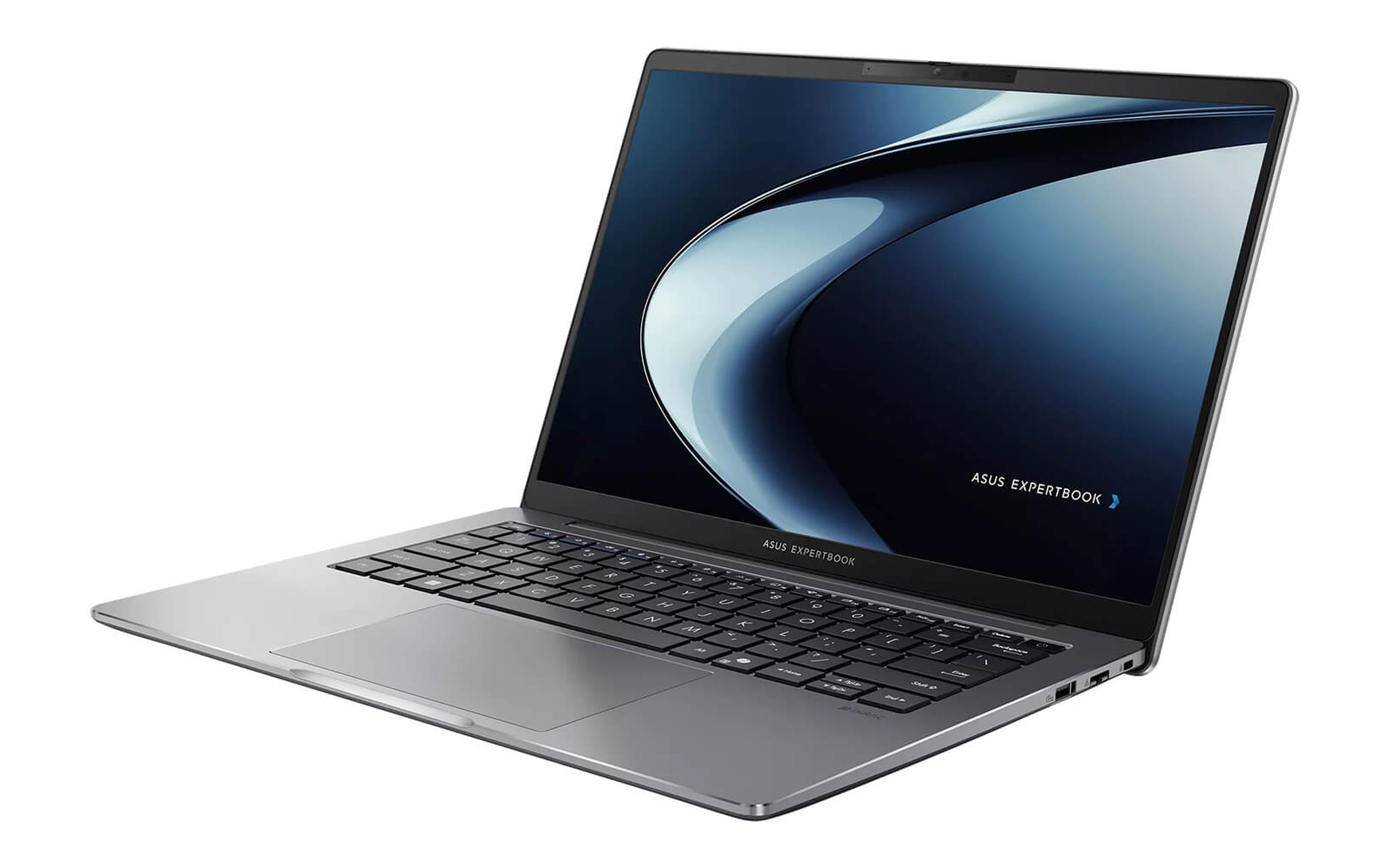
Tại thời điểm cập nhật bài viết (29/09/2026), cả bốn biến thể Asus ExpertBook P3 trong kho đều còn hàng, tình trạng New 100% Full Box. Bản 14 inch có giá 20.490.000 đồng cho Core i5-13420H và 23.490.000 đồng cho Core i7-13620H. Bản 16 inch có giá 20.790.000 đồng cho Core i5 và 24.990.000 đồng cho Core i7. Mọi biến thể đều dùng RAM 16GB, SSD 512GB, đồ họa Intel UHD Graphics và màn hình WQXGA, nên mức chênh lệch giá chỉ phản ánh bộ xử lý và kích thước màn hình.
Điểm cần nói thẳng: Core i5-13420H và Core i7-13620H thuộc thế hệ Raptor Lake-H mà Intel giới thiệu đầu năm 2023, không tích hợp NPU. Asus ExpertBook P3 vẫn chạy Copilot trên Windows 11 qua điện toán đám mây, nhưng không đạt chuẩn Copilot+ PC và không xử lý cục bộ các tính năng AI yêu cầu NPU. Trang thông số ASUS có liệt kê ứng dụng AI ExpertMeet kèm điều kiện thiết bị từ 12GB RAM trở lên, cấu hình 16GB đáp ứng yêu cầu này. Nếu ưu tiên của bạn là AI chạy offline, dòng Core Ultra có NPU sẽ hợp lý hơn.
Core i5-13420H và Core i7-13620H khác nhau ra sao khi làm việc
Theo bảng thông số của ASUS, Core i5-13420H có 8 nhân, 12 luồng, bộ nhớ đệm 12MB và xung nhịp tối đa 4,6GHz. Core i7-13620H có 10 nhân, 16 luồng, bộ nhớ đệm 24MB và xung nhịp tối đa 4,9GHz. Cả hai thuộc dòng H với TDP 45W theo dữ liệu Notebookcheck, tức nhóm chip ưu tiên hiệu năng thay vì tiết kiệm điện như dòng U. Bản i7 có 6 nhân hiệu năng cao so với 4 nhân của bản i5, đây là nguyên nhân chính tạo khoảng cách ở tác vụ đa luồng.
| Bộ xử lý | Nhân / luồng | Cinebench R23 đơn / đa | Geekbench 6 đơn / đa | TDP |
|---|---|---|---|---|
| Core i5-13420H | 8 / 12 | 1.689 / 11.084 | 2.254 / 8.444 | 45W |
| Core i7-13620H | 10 / 16 | 1.833 / 15.176 | 2.568 / 11.723 | 45W |
| Mức chênh của i7 | +2 nhân / +4 luồng | khoảng +9% / +37% | khoảng +14% / +39% | như nhau |
Theo số liệu Notebookcheck trong bảng, bản i7 cao hơn khoảng 37% ở Cinebench R23 đa nhân và khoảng 39% ở Geekbench 6 đa nhân. Ở đơn nhân, khoảng cách chỉ còn khoảng 9% với Cinebench R23 và 14% với Geekbench 6. Nghĩa là các thao tác văn phòng như mở tài liệu, duyệt web hay xử lý bảng tính vừa phải gần như không tạo khác biệt cảm nhận được. Chênh lệch bộc lộ rõ khi bạn biên dịch dự án phần mềm lớn, xuất video hoặc chạy nhiều máy ảo cùng lúc.
Cả hai cấu hình dùng Intel UHD Graphics và không có GPU rời, nên Asus ExpertBook P3 phù hợp đồ họa 2D, trình chiếu và xuất hình ra màn hình ngoài, còn dựng 3D hay game nặng nằm ngoài khả năng. Chip dòng H tiêu thụ điện nhiều hơn chip dòng U khi tải cao, và bài Chip H hay U mới quyết định máy nóng hay pin lâu, không phải Core i5 hay i7 giải thích vì sao hậu tố H hay U ảnh hưởng thời lượng pin nhiều hơn việc chọn i5 hay i7.
Màn hình WQXGA 400 nits và pin 63Wh trên hai bản đang bán
Cả bốn biến thể trong kho đều dùng màn hình WQXGA 2560 x 1600 tỷ lệ 16:10. Bảng thông số ASUS ghi tấm nền này đạt độ sáng 400 nits, độ phủ màu 100% sRGB và có lớp chống chói, cao hơn hẳn tùy chọn WUXGA 1920 x 1200 chỉ 300 nits và 45% NTSC. Trang sản phẩm tại cửa hàng ghi thêm tấm nền IPS với tần số quét 144Hz, trong khi bảng thông số toàn cầu của ASUS không liệt kê tần số quét, vì vậy bạn nên kiểm lại trong cài đặt hiển thị khi nhận laptop.
| Thông số | ExpertBook P3405 | ExpertBook P3605 | Nguồn |
|---|---|---|---|
| Màn hình | 14 inch WQXGA 16:10, 400 nits, 100% sRGB | 16 inch WQXGA 16:10, 400 nits, 100% sRGB | ASUS |
| Trọng lượng | từ 1,36kg | từ 1,75kg | ASUS |
| Kích thước | 31,51 x 22,68 x 1,79 đến 1,80 cm | 35,84 x 25,39 x 1,79 đến 1,80 cm | ASUS |
| Pin bản đang bán | 63Wh Li-ion | 63Wh Li-ion | Trang sản phẩm |
| Sạc | USB Type-C 65W | USB Type-C 65W | ASUS |
| Giá i5 / i7 | 20.490.000 / 23.490.000 đồng | 20.790.000 / 24.990.000 đồng | Kho 29/09/2026 |
Về pin, ASUS công bố hai tùy chọn 63Wh và 50Wh cho Asus ExpertBook P3 ở cả hai kích thước, đi cùng bộ sạc USB Type-C 65W. Bảng thông số trên trang sản phẩm của hai bản đang bán ghi pin 63Wh Lithium-Ion, tức tùy chọn dung lượng lớn hơn. ASUS không công bố số giờ sử dụng cho cấu hình WQXGA kết hợp chip dòng H, nên bài viết không đưa ra con số thời lượng cụ thể. Với màn hình độ phân giải cao và CPU 45W, bạn nên tính phương án mang theo bộ sạc nếu làm việc cường độ cao cả ngày.
Bộ sạc chuẩn USB Type-C mang lại lợi thế thực dụng, vì bạn có thể dùng chung với điện thoại, máy tính bảng hoặc sạc dự phòng hỗ trợ Power Delivery. Khi làm việc xa ổ điện, giảm độ sáng màn hình, bật chế độ tiết kiệm pin của Windows và đóng ứng dụng chạy nền là ba cách kéo dài thời lượng hiệu quả nhất. ASUS có liệt kê tính năng Battery health charging trong bộ phần mềm đi kèm để giới hạn mức sạc, giúp hạn chế suy giảm tuổi thọ pin khi laptop thường xuyên cắm điện tại bàn.
Cổng kết nối, RAM hai khe và độ bền MIL-STD 810H
Theo bảng thông số kỹ thuật chính thức của ASUS cho bản 14 inch, Asus ExpertBook P3 có 2 cổng USB 3.2 Gen 2 Type-C hỗ trợ xuất hình và sạc Power Delivery, 2 cổng USB 3.2 Gen 1 Type-A, 1 cổng HDMI 2.1 TMDS, 1 cổng mạng RJ45 Gigabit và 1 jack âm thanh 3.5mm. Bản 16 inch có danh sách cổng giống hệt. Một số mô tả sản phẩm gọi cổng Type-C là Thunderbolt 4, nhưng ASUS chỉ ghi USB 3.2 Gen 2, nên bạn không nên kỳ vọng băng thông 40Gbps hay khả năng gắn eGPU.
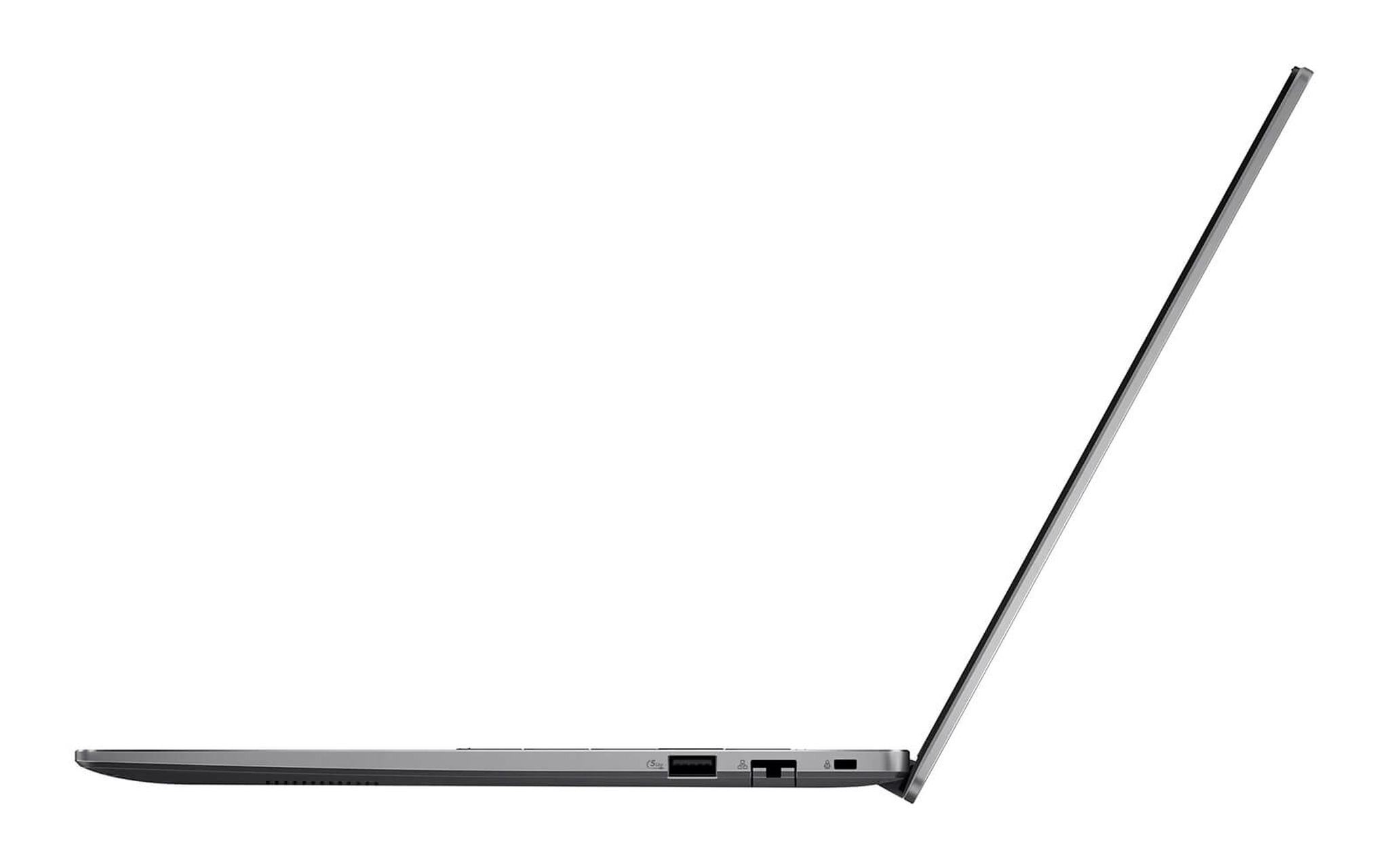
Khả năng nâng cấp là ưu thế rõ của Asus ExpertBook P3. ExpertBook P3405 và ExpertBook P3605 cùng có 2 khe DDR5 SO-DIMM hỗ trợ tối đa 64GB, kèm 2 khe SSD M.2 gồm 1 khe 2280 và 1 khe 2230, đều chuẩn PCIe 4.0 x4. Trang sản phẩm ghi cấu hình 16GB là DDR5 4800MHz nhưng không nêu lắp 1 thanh 16GB hay 2 thanh 8GB. Nếu định nâng lên 32GB, bạn nên hỏi rõ bố trí thanh RAM trước khi mua để biết cần thêm 1 thanh hay thay cả cặp.
Về độ bền, ASUS công bố ExpertBook P3405 đạt chuẩn MIL-STD 810H với 24 quy trình thử nghiệm, còn trang ExpertBook P3605 chỉ ghi đạt chuẩn MIL-STD 810H mà không nêu số quy trình. Bàn phím Asus ExpertBook P3 có đèn nền, hành trình phím 1,5mm và khả năng kháng tràn chất lỏng. Nhóm bảo mật gồm chip TPM 2.0, chuẩn Microsoft Secured-core PC, cảm biến vân tay, khe khóa Kensington Nano và webcam 1080p có hồng ngoại cho Windows Hello hoặc có nắp che riêng tư tùy phiên bản.
ExpertBook P3405 14 inch hợp với người thường xuyên di chuyển
ExpertBook P3405 là phương án hợp lý khi bạn mang laptop theo mỗi ngày, đi công tác hoặc họp ở nhiều địa điểm. Trọng lượng từ 1,36kg và kích thước 31,51 x 22,68 cm giúp laptop vừa ngăn chống sốc của phần lớn balo 14 inch. Màn hình 14 inch WQXGA vẫn đủ độ nét để chia đôi cửa sổ tài liệu và trình duyệt, dù không gian cho bảng tính nhiều cột hẹp hơn bản 16 inch.
| Cấu hình ExpertBook P3405 | Giá niêm yết | Nhu cầu phù hợp |
|---|---|---|
| Core i5-13420H / 16GB / 512GB SSD / Intel UHD Graphics / WQXGA | 20.490.000 đồng | Văn phòng, kế toán, quản lý dự án, lập trình web |
| Core i7-13620H / 16GB / 512GB SSD / Intel UHD Graphics / WQXGA | 23.490.000 đồng | Biên dịch dự án lớn, xử lý dữ liệu nhiều luồng, máy ảo |
Với phần lớn nhân viên văn phòng, kế toán hay quản lý dự án, bản Core i5-13420H giá 20.490.000 đồng là mức cân bằng nhất, vì chênh lệch hiệu năng đơn nhân so với i7 chỉ khoảng 9%. Trang Asus ExpertBook P3 P3405 14 inch (2024) niêm yết giá và tình trạng còn hàng của cả bản i5 lẫn i7, giúp bạn so hai cấu hình 14 inch này ngay trên một trang trước khi đặt mua.
Bản Core i7-13620H giá 23.490.000 đồng, cao hơn 3.000.000 đồng, đáng cân nhắc khi công việc hằng ngày gồm biên dịch dự án phần mềm lớn, xử lý dữ liệu nhiều luồng hoặc chạy máy ảo. Mức tăng khoảng 37% điểm đa nhân Cinebench R23 giúp rút ngắn thời gian chờ ở nhóm tác vụ này. Nếu công việc chủ yếu là email, họp trực tuyến và soạn thảo, khoản chênh lệch nên dành để nâng RAM lên 32GB, hiệu quả sẽ rõ hơn đổi sang i7.
ExpertBook P3605 16 inch hợp với bàn làm việc cố định
ExpertBook P3605 phù hợp khi laptop chủ yếu đặt trên bàn làm việc, thay cho một bộ PC văn phòng nhưng vẫn cần mang đi họp khi cần. Màn hình 16 inch độ phân giải 2560 x 1600 cho diện tích hiển thị lớn hơn rõ rệt, thuận tiện khi mở bảng tính nhiều cột, bản vẽ 2D hoặc hai cửa sổ song song. Đổi lại, trọng lượng từ 1,75kg theo ASUS (phần mô tả trên trang sản phẩm ghi 1,74kg) và kích thước 35,84 x 25,39 cm khiến việc mang theo hằng ngày kém thoải mái hơn bản 14 inch.
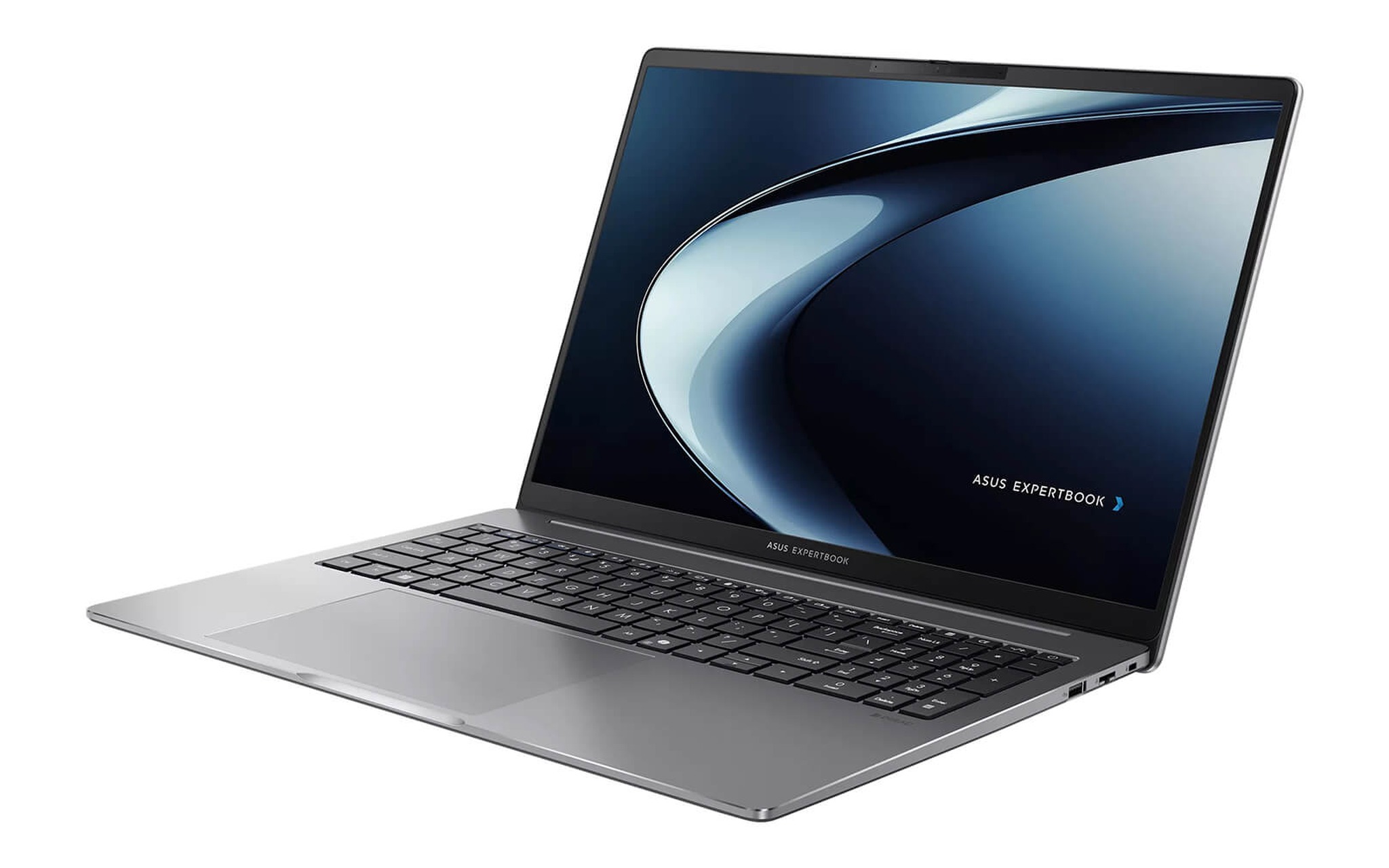
Bản Core i5-13420H của dòng 16 inch có giá 20.790.000 đồng, chỉ cao hơn bản 14 inch cùng chip 300.000 đồng, nên nếu bạn ít di chuyển thì đây là khoản chi thêm rất nhỏ cho màn hình lớn hơn. Trang Asus ExpertBook P3 P3605 16 inch (2024) cập nhật giá và tình trạng còn hàng của hai biến thể 16 inch, giúp bạn đối chiếu nhanh bản i5 với bản i7 trước khi quyết định.
Bản Core i7-13620H của ExpertBook P3605 có giá 24.990.000 đồng, cao hơn bản i5 tới 4.200.000 đồng, biên độ chênh lớn hơn dòng 14 inch. Khoản chi này chỉ hợp lý khi bạn cần hiệu năng đa nhân thường xuyên và định dùng laptop nhiều năm. Cả hai dòng tại Hưng Phát đều là hàng New 100% Full Box, bảo hành chính hãng 24 tháng theo niêm yết trên trang sản phẩm. Nếu bạn cần GPU rời cho đồ họa 3D hoặc chip có NPU cho AI cục bộ, Asus ExpertBook P3 không phải lựa chọn đúng.
Câu hỏi thường gặp về Asus ExpertBook P3
Dòng ExpertBook P3 có NPU để chạy tính năng AI cục bộ không?
Không. Core i5-13420H và Core i7-13620H thuộc thế hệ Raptor Lake-H, không tích hợp NPU, nên Asus ExpertBook P3 không đạt chuẩn Copilot+ PC. Copilot bản thông thường chạy qua điện toán đám mây vẫn hoạt động, và ASUS liệt kê ứng dụng AI ExpertMeet cho thiết bị từ 12GB RAM trở lên. Tác vụ AI cần xử lý offline bằng NPU thì bạn nên chọn laptop dùng Core Ultra.
Ngân sách khoảng 21 triệu đồng nên chọn bản 14 inch hay 16 inch?
Hai bản Core i5 chỉ chênh 300.000 đồng: ExpertBook P3405 giá 20.490.000 đồng, ExpertBook P3605 giá 20.790.000 đồng. Nếu bạn mang laptop theo hằng ngày, bản 14 inch nặng từ 1,36kg thuận tiện hơn. Nếu laptop chủ yếu đặt tại bàn và bạn thường mở bảng tính lớn, bản 16 inch cho không gian hiển thị rộng hơn với mức chi thêm không đáng kể.
Laptop hỗ trợ nâng cấp RAM và SSD tới mức nào?
Theo bảng thông số ASUS, cả hai kích thước có 2 khe DDR5 SO-DIMM hỗ trợ tối đa 64GB và 2 khe SSD M.2 chuẩn PCIe 4.0 x4, gồm 1 khe 2280 và 1 khe 2230. Cấu hình trong kho dùng RAM 16GB và SSD 512GB, nên bạn có thể lắp thêm SSD thứ hai hoặc nâng RAM khi dữ liệu công việc tăng lên.
Cổng USB-C trên dòng laptop này có phải Thunderbolt 4 không?
Bảng thông số ASUS ghi 2 cổng USB 3.2 Gen 2 Type-C hỗ trợ xuất hình và sạc Power Delivery, không ghi Thunderbolt 4. Bạn vẫn xuất hình ra màn hình ngoài và sạc bằng bộ sạc 65W qua cổng này, nhưng không nên kỳ vọng băng thông 40Gbps hoặc khả năng kết nối GPU rời gắn ngoài như laptop có Thunderbolt.











