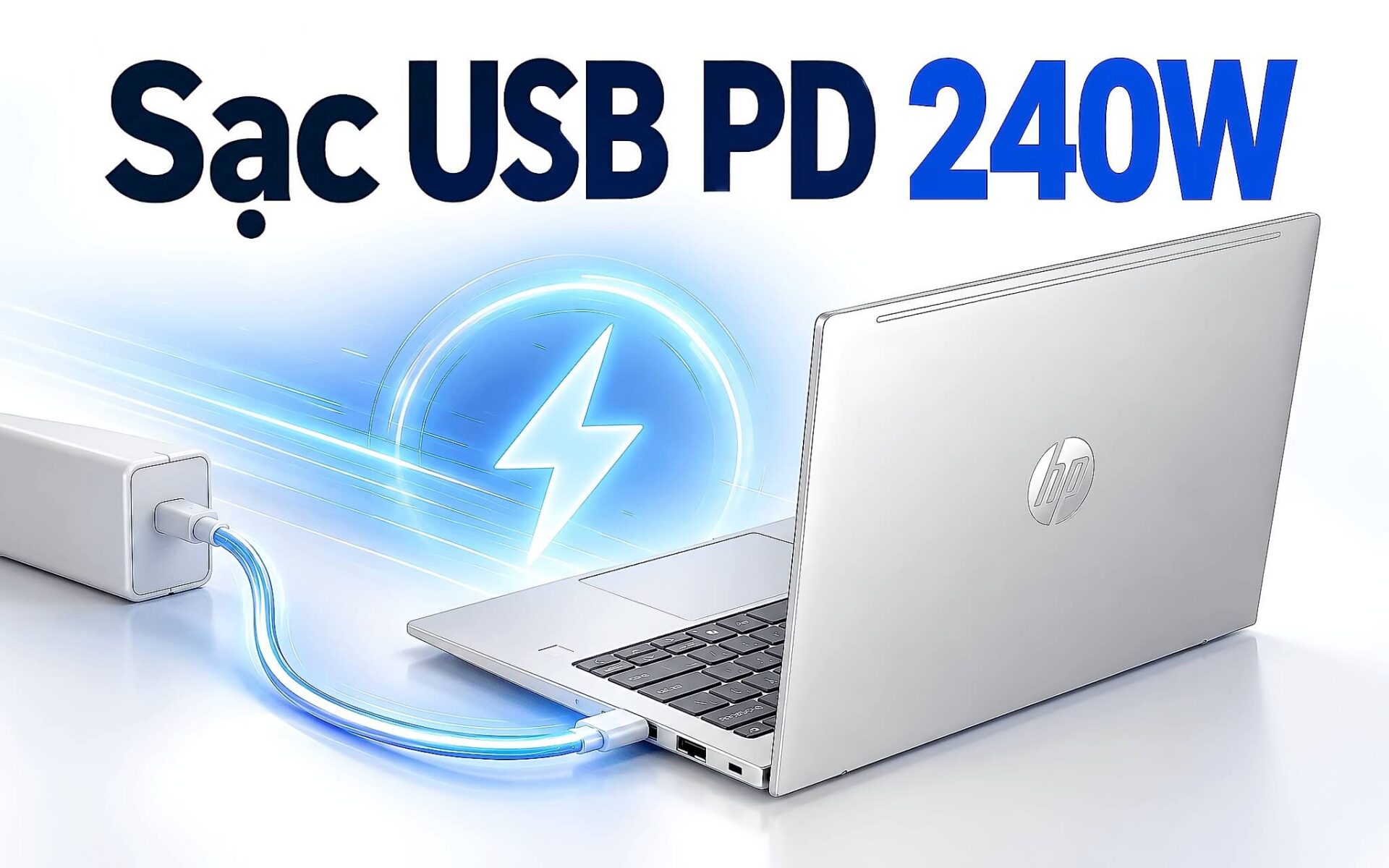
Từ phiên bản 3.1 công bố ngày 26/5/2021, chuẩn USB PD nâng mức cấp điện qua cổng USB-C từ 100W lên 240W nhờ ba bậc điện áp mới là 28V, 36V và 48V. Con số này không tự động áp dụng cho mọi laptop. Laptop chỉ nhận công suất cao khi củ sạc, sợi cáp và mạch nguồn bên trong cùng hỗ trợ một bậc. Bài viết giải thích cơ chế thương lượng điện áp, điều kiện để bật chế độ sạc EPR, vai trò của cáp 240W và những giới hạn bạn cần biết trước khi mua phụ kiện sạc cho laptop.
Cách laptop và củ sạc thương lượng điện áp qua USB PD
Khi vừa cắm cáp, cổng USB-C chỉ cấp mức mặc định 5V. Laptop và củ sạc sau đó trao đổi các bản tin số qua dây CC (Configuration Channel) nằm trong cáp. Củ sạc gửi danh sách năng lực nguồn (Source_Capabilities), liệt kê từng mức điện áp kèm dòng tối đa có thể cấp. Laptop chọn một mức phù hợp rồi gửi yêu cầu (Request). Củ sạc chấp nhận (Accept), chuyển sang điện áp mới và báo sẵn sàng (PS_RDY). Chuỗi trao đổi ngắn này là bản chất của giao thức USB PD.
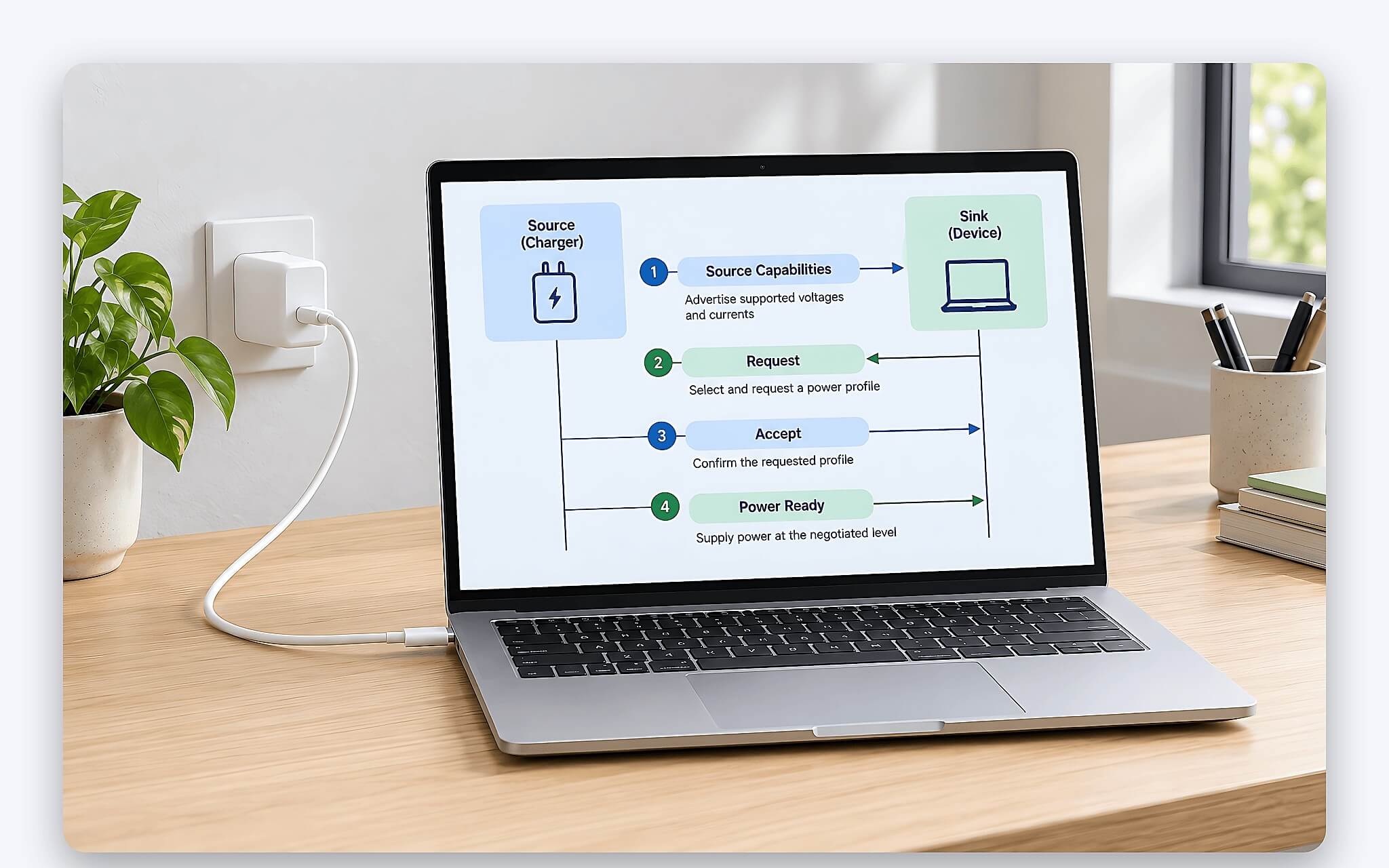
Nguyên lý này giải thích vì sao một củ sạc công suất lớn vẫn an toàn với laptop đời cũ. Trong USB PD, bên cấp điện chỉ công bố khả năng của nó, còn bên nhận điện mới là bên quyết định mức điện áp và dòng cần lấy. Laptop thiết kế cho 65W sẽ yêu cầu đúng ngưỡng đó dù củ sạc ghi 140W. Ngược lại, laptop cần 140W gặp củ sạc 65W sẽ phải chấp nhận mức thấp hơn, sạc chậm hơn hoặc hiện thông báo nguồn yếu tùy cách hãng thiết kế phần mềm quản lý điện năng.
Phiên bản 3.1 chia không gian công suất thành hai dải. Dải tiêu chuẩn SPR (Standard Power Range) giữ nguyên giới hạn 100W như các đời trước. Dải mở rộng EPR (Extended Power Range) là phần mới, cho phép đẩy công suất tới 240W. Một laptop muốn sạc EPR luôn phải hoàn tất thỏa thuận SPR trước, sau đó mới xin chuyển sang dải cao hơn. Trang thông tin chính thức về USB Charger (USB Power Delivery) của USB-IF xác nhận mức 240W đi qua cáp và đầu nối USB-C đầy đủ tính năng.
Bốn mức điện áp SPR và ba mức EPR trong PD 3.1
Dải SPR có bốn bậc điện áp cố định là 5V, 9V, 15V và 20V. Ba bậc đầu thường đi với dòng 3A, tương ứng 15W, 27W và 45W. Bậc 20V là nơi laptop lấy phần lớn công suất, đạt 60W với cáp thường và 100W khi cáp có chip nhận dạng e-marker cho phép dòng 5A. Bảng thông số củ sạc 100W đi kèm Dell Pro Max 16 Premium MA16250 liệt kê đúng bốn bậc này: 5V/3A, 9V/3A, 15V/3A và 20V/5A.
| Bậc điện áp | Dải | Dòng tối đa | Công suất tối đa (W) |
|---|---|---|---|
| 5V | SPR | 3A | 15 |
| 9V | SPR | 3A | 27 |
| 15V | SPR | 3A | 45 |
| 20V | SPR | 5A (cáp có e-marker) | 100 |
| 28V | EPR | 5A | 140 |
| 36V | EPR | 5A | 180 |
| 48V | EPR | 5A | 240 |
Bản cập nhật USB PD 3.1 thêm ba bậc cố định 28V, 36V và 48V, lần lượt mở ngưỡng 140W, 180W và 240W. Cả ba bậc đều giữ dòng tối đa 5A, nghĩa là công suất tăng nhờ nâng điện áp chứ không nhờ tăng dòng. Cách làm này giữ tiết diện dây trong cáp ở mức hợp lý, vì phần năng lượng hao phí thành nhiệt trên dây dẫn tăng theo bình phương dòng điện. Điện áp cao hơn đổi lại đòi hỏi linh kiện trong cáp 240W chịu áp tốt hơn.
Từ bảng trên, bạn có thể suy ra giới hạn của từng củ sạc. Củ sạc tối đa 140W không đủ công suất cho bậc 180W hay 240W, nên laptop cần nhiều hơn chỉ nhận phần củ sạc có thể cấp. Củ sạc 240W công bố đủ cả ba bậc mới, nhưng laptop vẫn chỉ xin đúng mức mạch nguồn của nó chịu được. Khi đọc nhãn củ sạc USB PD, bạn nên tìm dòng in rõ điện áp và dòng của từng bậc thay vì chỉ nhìn con số tổng công suất ở mặt trước.
Dải điện áp điều chỉnh AVS giúp gì cho laptop công suất cao
Ngoài các bậc cố định, phiên bản 3.1 bổ sung chế độ AVS (Adjustable Voltage Supply). Theo thông báo của USB Promoter Group ngày 26/5/2021, AVS cho phép thiết bị nhận điện xin mức điện áp bất kỳ trong khoảng từ 15V tới điện áp cố định cao nhất mà củ sạc hỗ trợ, tức 28V, 36V hoặc 48V. Bước điều chỉnh là 100mV, nên laptop có thể chọn mức rất sát với nhu cầu thực tế của mạch sạc pin thay vì nhảy cóc giữa các bậc cố định.
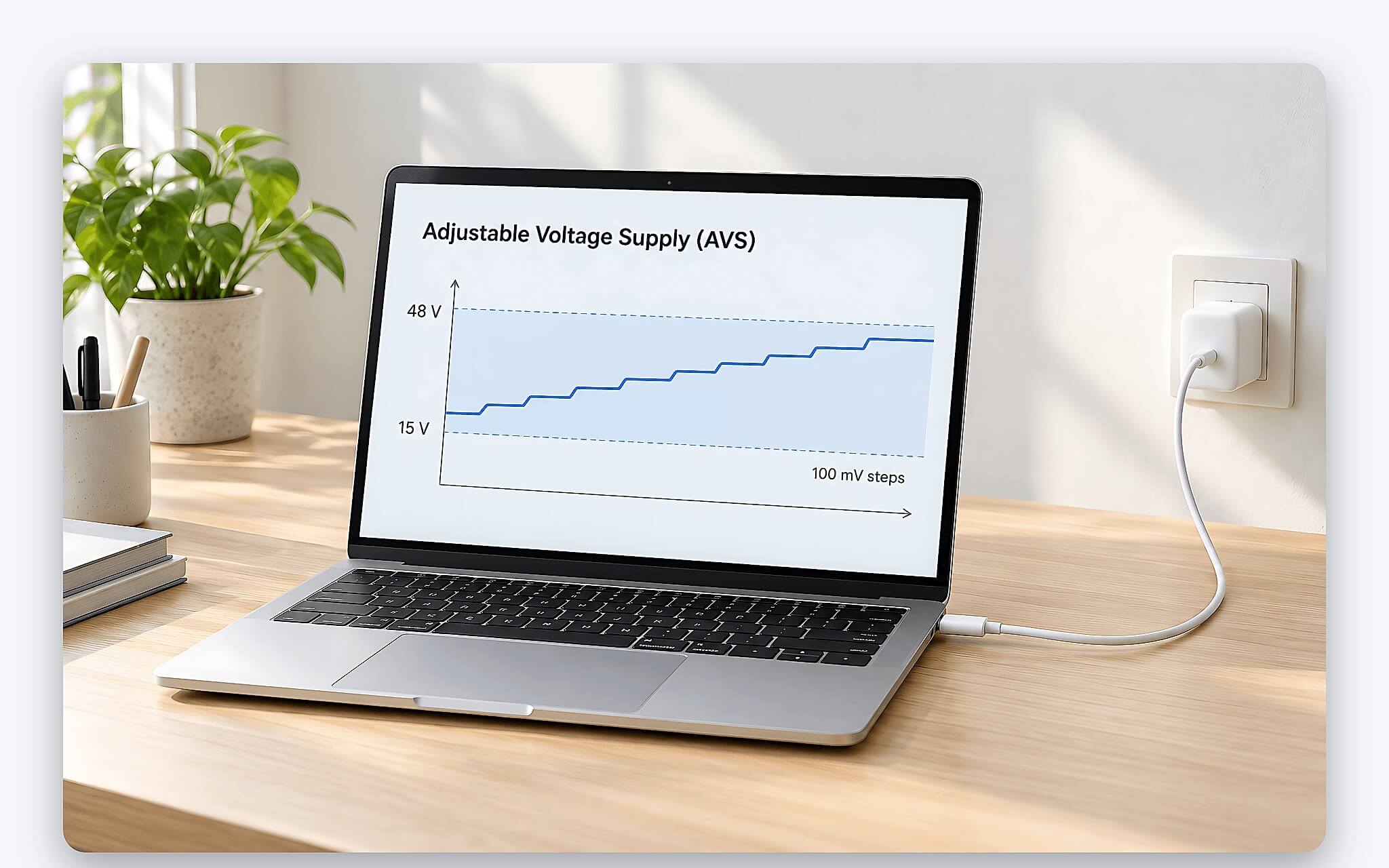
Lợi ích nằm ở hiệu suất chuyển đổi. Bên trong laptop, mạch sạc phải hạ hoặc nâng điện áp đầu vào về mức phù hợp với khối pin và các đường cấp điện cho bộ xử lý. Khoảng chênh giữa điện áp vào và điện áp cần dùng càng nhỏ, phần năng lượng biến thành nhiệt càng ít. Tài liệu kỹ thuật của Texas Instruments mô tả AVS giúp tinh chỉnh điện áp trong khoảng 15V tới 48V để cải thiện hiệu năng và hiệu quả nhiệt của thiết bị.
AVS khác chế độ PPS quen thuộc trên điện thoại ở hai điểm. PPS điều chỉnh với bước 20mV và có giới hạn dòng, còn AVS dùng bước 100mV và không hỗ trợ giới hạn dòng, theo phân tích của Granite River Labs. Vì vậy bạn không nên coi AVS và PPS là một tính năng dù cả hai đều cho phép đổi điện áp linh hoạt. Việc một laptop hỗ trợ sạc EPR có tận dụng AVS hay chỉ dùng bậc cố định chỉ xác minh được qua tài liệu kỹ thuật của hãng.
Chế độ sạc EPR chỉ bật khi cáp xác nhận chịu được 50V
Với điện áp lên tới 48V, chuẩn mới đặt điều kiện khắt khe cho cáp. Đặc tả USB Type-C bản 2.1 yêu cầu mọi cáp EPR phải có e-marker chứa thông tin EPR, hoạt động được ở mức báo cáo 50V và 5A, đồng thời in biểu tượng nhận diện riêng do USB-IF quy định. Các linh kiện nằm trên đường VBUS của cáp được khuyến nghị chịu tối thiểu 63V. Đây là lý do một sợi cáp 240W không thể thay bằng cáp sạc điện thoại thông thường dù cùng đầu USB-C.
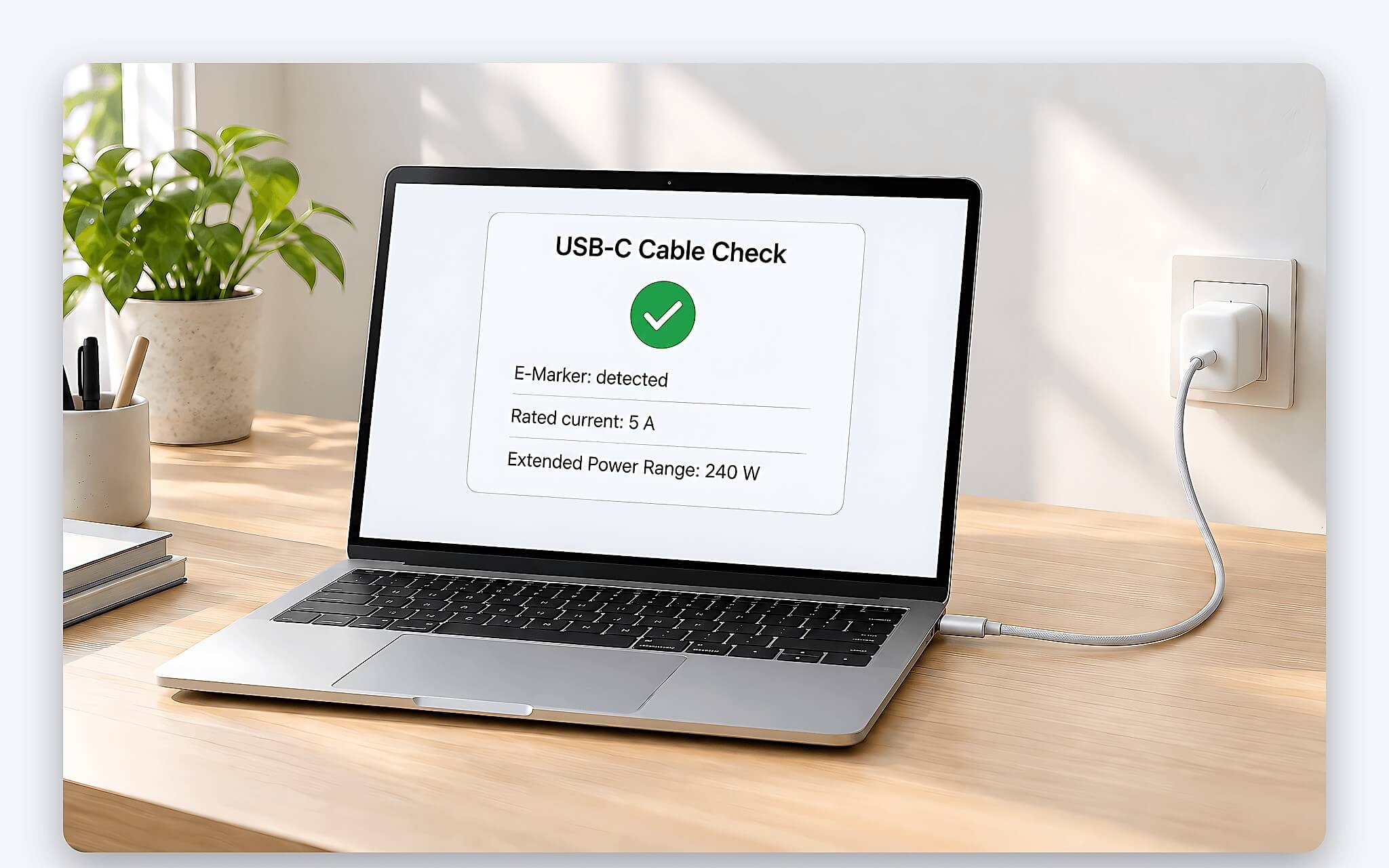
Quy trình chuyển sang EPR diễn ra theo trình tự chặt chẽ. Laptop gửi bản tin EPR_Mode với lệnh Enter, củ sạc xác nhận, rồi tự hỏi danh tính cáp qua lệnh Discover Identity. Chỉ khi e-marker báo cáp hỗ trợ EPR, củ sạc mới gửi Enter Succeeded và công bố các bậc từ 28V trở lên. Nếu cáp chỉ là loại 100W, quy trình dừng lại và laptop tiếp tục sạc ở dải SPR. Muốn tránh tình huống này, bạn nên mua cáp 240W cùng lúc với củ sạc.
Sau khi bật chế độ sạc EPR, laptop phải gửi bản tin EPR_KeepAlive theo chu kỳ để báo kết nối vẫn ổn định. Theo tài liệu của Plugable, nếu củ sạc không nhận được bản tin này trong khoảng 1 giây, nó sẽ khởi động lại kết nối và quay về SPR ở mức 5V. Cơ chế này giảm rủi ro khi cáp bị lỏng hoặc rút giữa chừng ở điện áp cao. Thông báo của USB Promoter Group cũng nhấn mạnh yêu cầu an toàn cho sản phẩm 100W tới 240W chặt chẽ hơn nhóm công suất thấp.
Những dòng laptop đang nhận sạc USB-C vượt mức 100W
Muốn biết laptop có hỗ trợ sạc EPR hay không, bạn cần đọc mục nguồn trong tài liệu kỹ thuật của hãng. Lenovo ThinkPad P1 Gen 8 (2025) là ví dụ rõ ràng: tài liệu PSREF ghi củ sạc đi kèm là loại 140W USB-C GaN hỗ trợ PD 3.1, các cổng Thunderbolt nhận đầu vào 140W. Mức 140W nằm đúng bậc 28V, nên laptop chỉ nhận đủ công suất khi đi cùng cáp 240W. Cáp 100W cũ vẫn sạc được nhưng dừng ở ngưỡng SPR.
| Laptop | Củ sạc theo tài liệu hãng | Đầu vào USB-C | Bậc điện áp cao nhất |
|---|---|---|---|
| Lenovo ThinkPad P1 Gen 8 (2025) | 140W USB-C GaN, hỗ trợ PD 3.1 | 140W | 28V (EPR) |
| Dell Pro Max 16 Premium MA16250 (2025) | 100W hoặc 165W USB-C | 165W | 28V/5,893A |
| Dell XPS 16 9640 (2024) | 130W USB-C | 130W | 20V/6,5A |
| Lenovo ThinkPad P1 Gen 7 (2024) | 135W hoặc 170W chân slim tip | 135W | Không ghi trong PSREF |
| Lenovo Legion 7 16IAX10 (2025) | 245W chân slim tip | 95W tới 100W | 20V (SPR) |
Dell Pro Max 16 Premium MA16250 (2025) có hai lựa chọn củ sạc USB-C. Bản 100W chỉ đi kèm cấu hình đồ họa tích hợp, còn bản 165W liệt kê thêm bậc 28V với dòng 5,893A bên cạnh bậc 20V với dòng 6,5A. Hai mức dòng này cao hơn mức 5A của chuẩn, vì vậy một củ sạc USB PD bên thứ ba tuân thủ đặc tả ở bậc 28V chỉ đạt tối đa 140W. Bạn nên giữ củ sạc đi kèm nếu cần công suất đầy đủ cho GPU rời.
Dell XPS 16 9640 (2024) cho thấy con số trên 100W chưa chắc là sạc EPR. Củ sạc 130W USB-C của laptop này chỉ có các bậc 5V, 9V, 15V và 20V, trong đó bậc 20V cấp tới 6,5A. Bảng thông số của Dell không có bậc 28V nào. Nếu bạn đang cân nhắc mẫu này cho công việc đồ họa, bài Dell XPS 16 9640 vs ThinkPad P14s Gen 6: RTX rời hay pin trâu cho workstation? phân tích kỹ hơn quan hệ giữa GPU rời và thời lượng pin.
Vì sao laptop gaming mạnh vẫn giữ củ sạc chân tròn
Mức 240W nghe lớn nhưng vẫn thấp hơn nhu cầu của nhiều laptop gaming cao cấp. Lenovo Legion 7 16IAX10 (2025) đi kèm củ sạc chân slim tip 245W, trong khi hai cổng USB-C chỉ nhận USB PD ở mức 95W tới 100W. PSREF của Lenovo ghi thêm laptop hỗ trợ giao thức riêng 140W qua USB-C nhưng phải dùng củ sạc Lenovo chuyên biệt. Nghĩa là một củ sạc EPR chuẩn cắm vào chiếc Legion này vẫn chỉ cấp khoảng 100W.
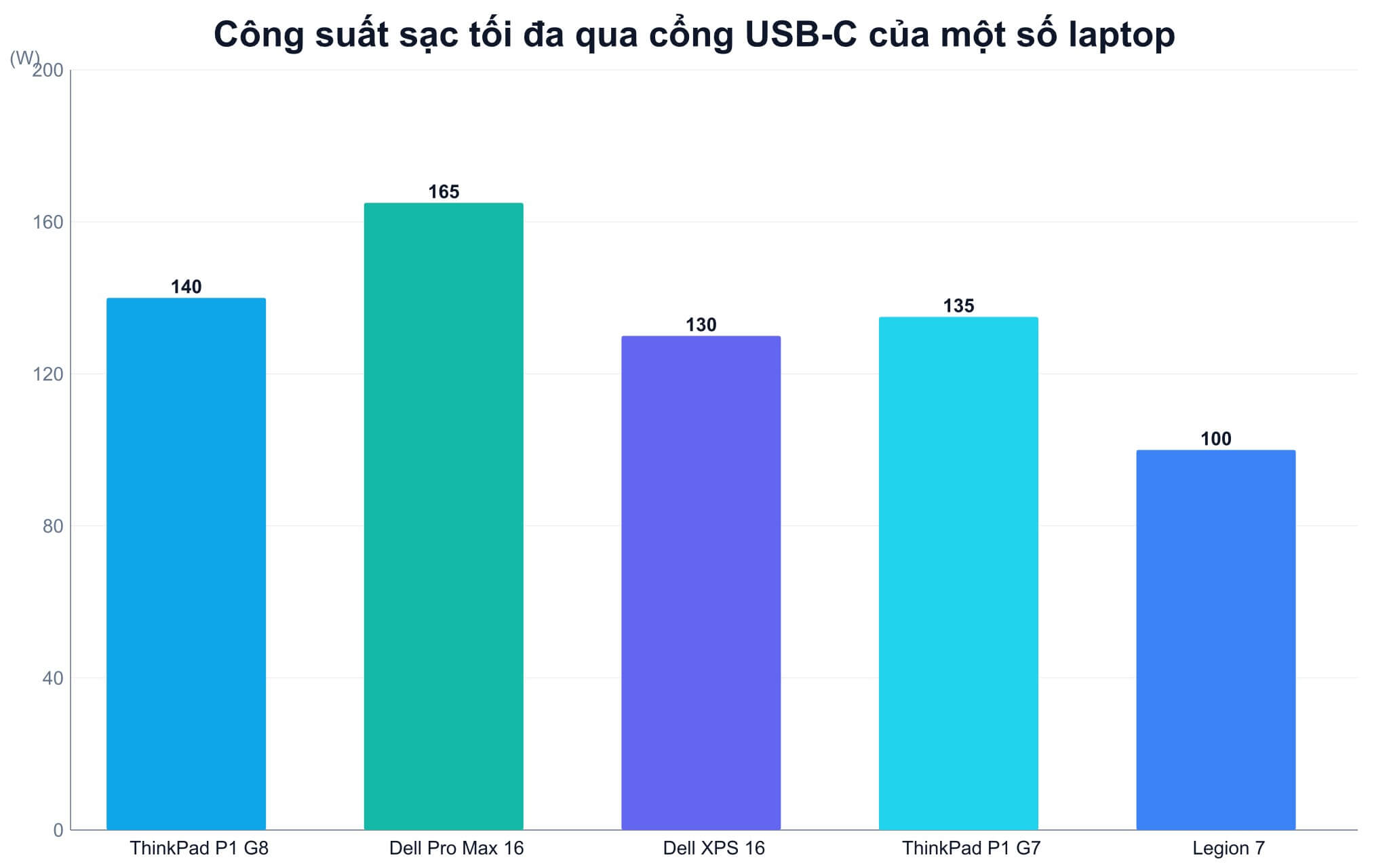
Khi nguồn USB PD yếu hơn định mức, laptop vẫn hoạt động nhưng phải tự cân đối công suất. PSREF của ThinkPad P1 Gen 7 (2024) ghi các cổng Thunderbolt và USB-C nhận đầu vào 135W, tốc độ sạc và hiệu năng hệ thống có thể suy giảm nếu dùng bộ sạc công suất thấp hơn, đồng thời khuyến nghị củ sạc trên 65W. Với Dell Pro Max 16 Premium, củ sạc dưới 100W sẽ kích hoạt cảnh báo về adapter công suất thấp và tốc độ sạc chậm hơn.
Phương án hợp lý là giữ củ sạc chính hãng ở bàn làm việc và mang theo củ USB PD nhỏ gọn hơn khi di chuyển, chấp nhận sạc chậm trong lúc xử lý tác vụ nhẹ. Nếu bạn đang chọn máy trạm cho phần mềm thiết kế, bài Laptop cho kỹ sư CAD và mô phỏng - 5 máy trạm còn hàng đáng mua giúp chốt cấu hình trước, sau đó mới tính tới phụ kiện sạc. Sạc dự phòng chỉ cấp mức cao khi thông số cổng ra ghi rõ bậc 28V trở lên.
Câu hỏi thường gặp (FAQ)
Cáp 100W cũ cắm vào củ sạc 240W thì laptop nhận bao nhiêu?
Cáp 100W không có thông tin EPR trong e-marker nên củ sạc sẽ không chuyển sang sạc EPR. Laptop vẫn nhận tối đa 100W ở bậc 20V/5A, đủ cho các laptop có củ sạc gốc từ 100W trở xuống. Muốn lấy 140W trở lên, bạn cần thay bằng cáp 240W đạt chứng nhận.
Laptop 65W cắm củ sạc 240W có an toàn không?
Có. Theo cơ chế USB PD, laptop chỉ yêu cầu mức điện áp và dòng mà mạch nguồn của nó chấp nhận, củ sạc không tự đẩy điện áp cao. Bậc 28V tới 48V chỉ xuất hiện khi laptop chủ động xin vào EPR và cáp 240W xác nhận đủ chuẩn.
Logo 240W trên vỏ cáp có ý nghĩa gì?
Tháng 9/2021, USB-IF giới thiệu bộ logo chứng nhận công suất cho cáp USB-C với hai mức 60W và 240W. Logo cáp 240W cho biết sản phẩm đã qua kiểm định của USB-IF theo đặc tả USB PD 3.1. Bạn nên ưu tiên cáp in logo này thay vì chỉ dựa vào dòng chữ quảng cáo trên bao bì.
Sạc dự phòng hỗ trợ USB PD có nạp được laptop 140W không?
Chỉ khi cổng ra của sạc dự phòng hỗ trợ sạc EPR ở bậc 28V và bạn dùng cáp 240W. Nếu cổng ra chỉ ghi tối đa 20V, laptop sẽ nhận không quá 100W và có thể sạc chậm khi chạy tác vụ nặng.