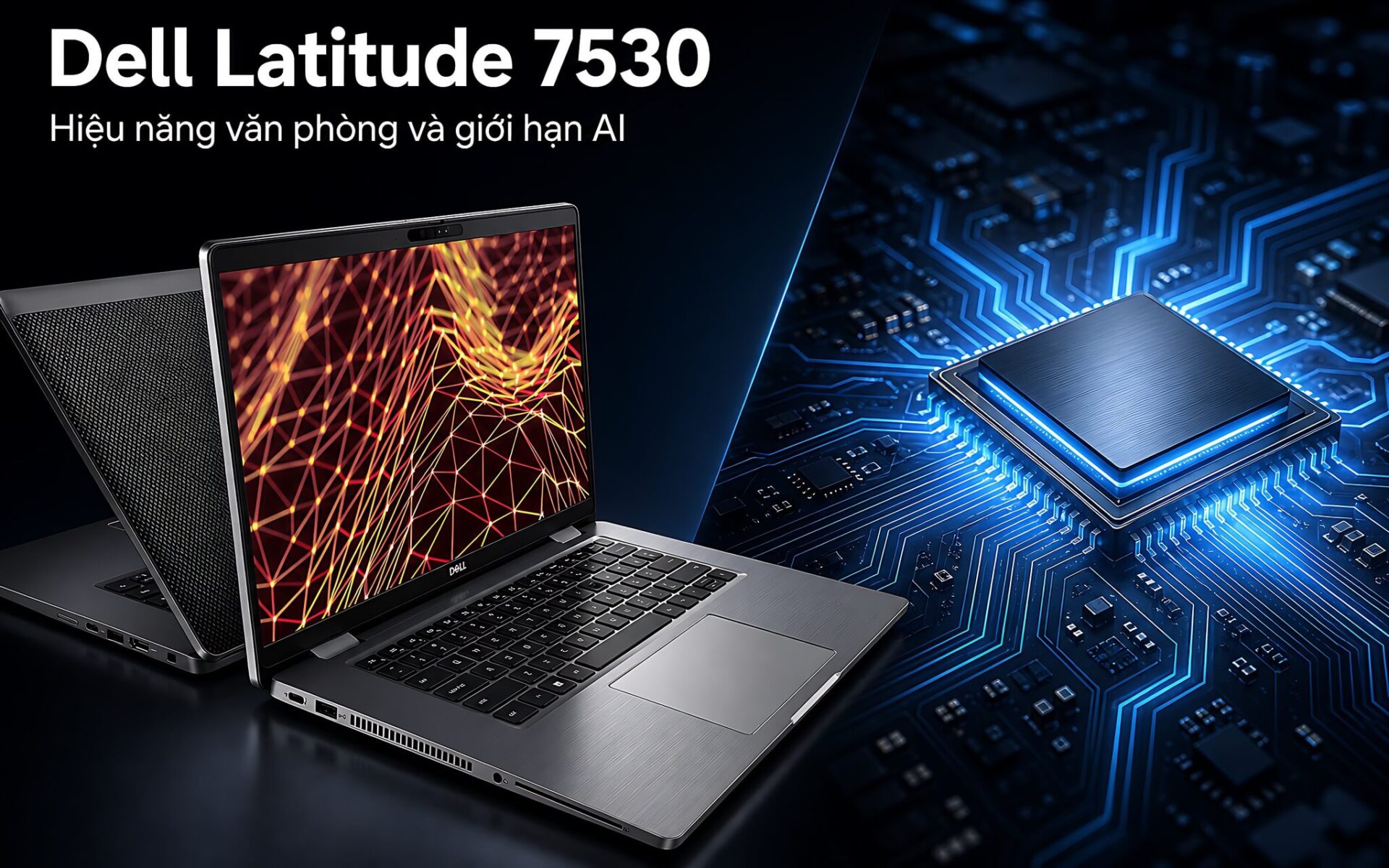
Dell Latitude 7530 with the i7 1265U is on sale brand new in the box at 13,500,000 VND, and that same money would barely get you near a Core Ultra 7 258V machine built on the Lunar Lake platform. The two processors come from generations far apart, and they differ in core count, performance per watt, and the presence of an NPU. Below, the actual configuration of this laptop is set next to public benchmark data so you can see exactly where the trade-off lies.
What the Dell Latitude 7530 on sale actually includes
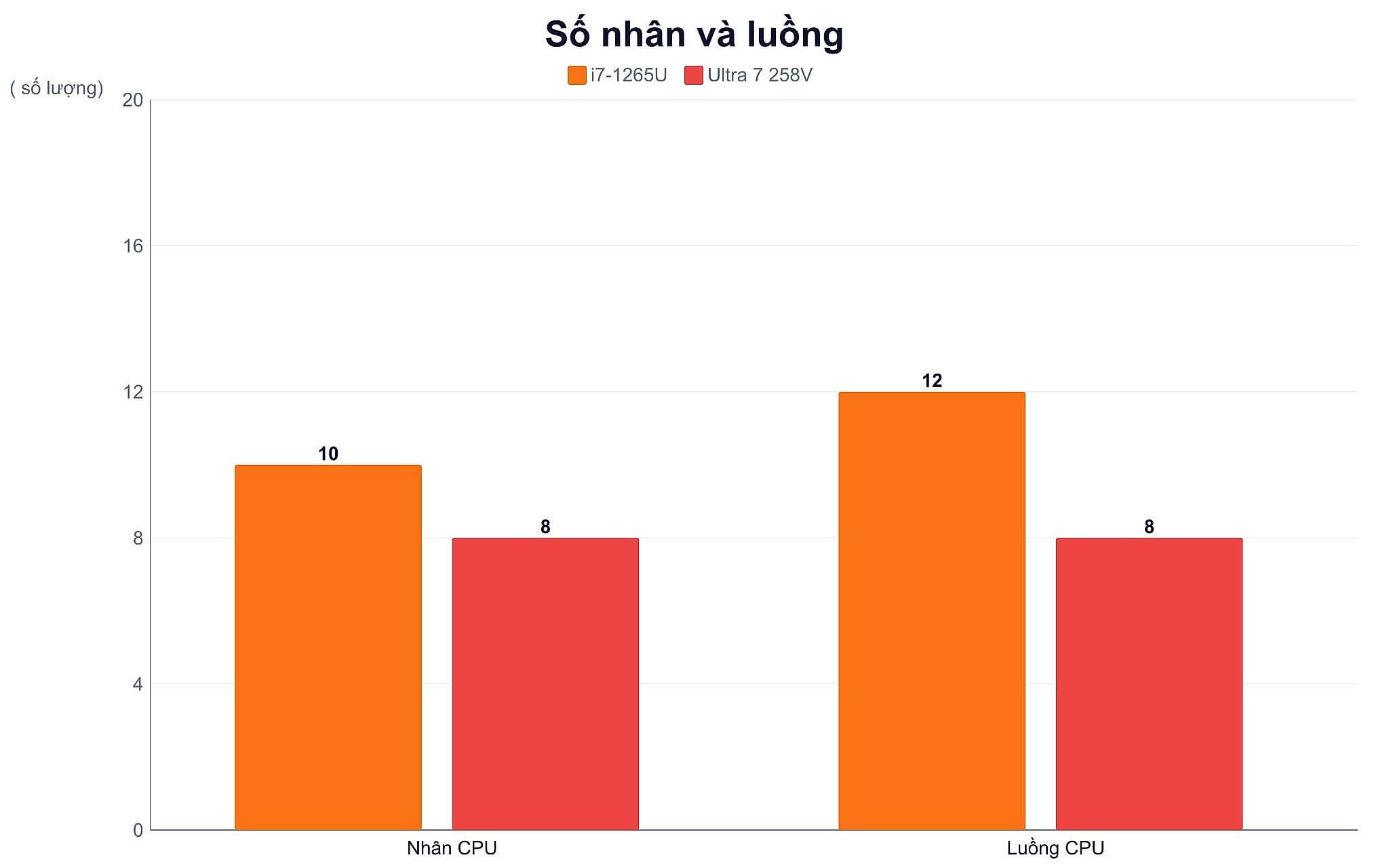
The Core i7 1265U is built on the Alder Lake-U architecture and manufactured on the Intel 7 process. The Intel Core i7-1265U spec page lists 10 cores, made up of 2 performance cores and 8 efficiency cores, for a total of 12 threads, a maximum clock of 4.8 GHz, 12MB of cache, a 15W base power, and vPro certification for business environments.
| Spec | Core i7 1265U | Core Ultra 7 258V |
|---|---|---|
| Architecture | Alder Lake-U | Lunar Lake |
| Cores and threads | 10 cores, 12 threads | 8 cores, 8 threads |
| Max clock | 4.8 GHz | 4.8 GHz |
| Base power | 15W | 17W |
| PassMark CPU Mark | 13,054 points | 18,880 points |
| PassMark single-thread | 3,107 points | 4,016 points |
| NPU | No dedicated NPU | 47 TOPS |
| Integrated graphics | Intel Iris Xe | Intel Arc Graphics 140V |
The unit sold at Hung Phat comes with 32GB of DDR4 3200MHz RAM, a 256GB PCIe M.2 SSD, and a 15.6-inch IPS FHD anti-glare display rated at 400 nits with no touch support. It is in New 100% Full Box condition with a 12-month warranty. Full listing details are on the Dell Latitude 7530 (2022) page, priced at 13,500,000 VND against a struck-through 14,900,000 VND.
32GB of RAM is a rare advantage in this segment, with room for dozens of browser tabs plus a lightweight virtual machine. The 256GB SSD, on the other hand, will fill up fast if you keep a photo library, meeting recordings, or design projects on the machine. The M.2 slot lets you swap in a larger drive later, so build that cost into your budget from the start.
The performance gap between the i7 1265U and the Core Ultra 7 258V
Measured with the same PassMark benchmark, the i7 1265U scores 13,054 multi-thread and 3,107 single-thread, while the Core Ultra 7 258V profile lists 18,880 multi-thread and 4,016 single-thread. The gap favors Lunar Lake even though that chip has only 8 cores, because each of its cores is far stronger and none of the load has to be shared with a cluster of efficiency cores the way it is on Alder Lake.
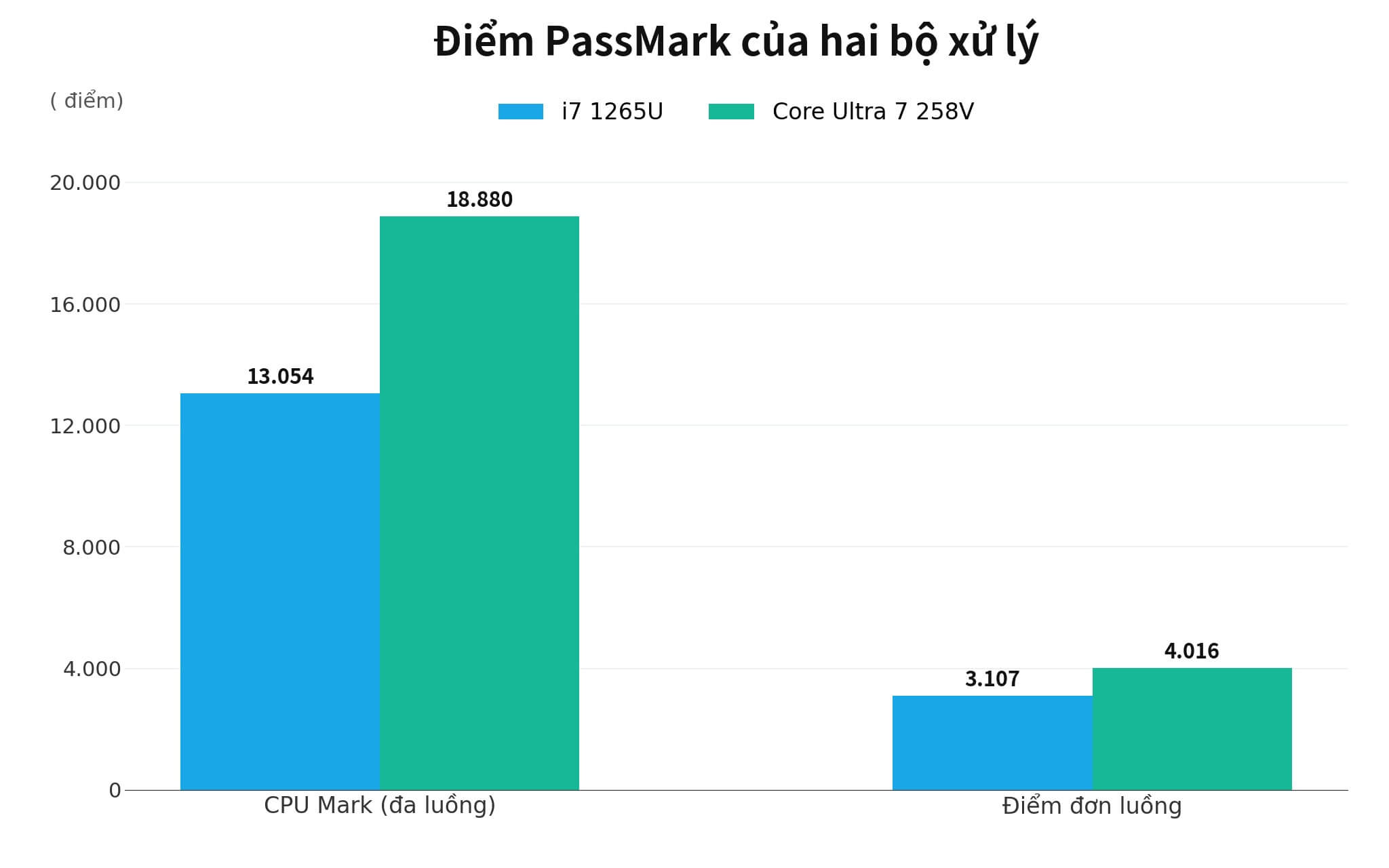
How do those numbers read in real work? With Word, Excel, multi-tab browsing, accounting software, and online meetings, the gap nearly disappears, since light tasks rarely push a processor to full power. The 4.8 GHz clock and 32GB of RAM let the Dell Latitude 7530 open apps, recalculate spreadsheets, and export reports quickly.
The gap shows up under sustained workloads: compressing large folders, compiling source code, rendering video, or running several virtual machines in parallel. Here the Lunar Lake chip cuts waiting time noticeably and stays cooler, though you pay for it with a newer-generation laptop that costs many times more.
The 15.6-inch display and 58Wh battery over a long workday
The 15.6-inch IPS FHD panel gives you comfortable room for long spreadsheets, two windows side by side, or technical drawings. The anti-glare coating and 400-nit brightness keep text readable when you sit next to a window, something many 250-nit office laptops can't manage. On the other hand, the screen has no touch support, so if you are used to taking notes with a pen, consider another option.
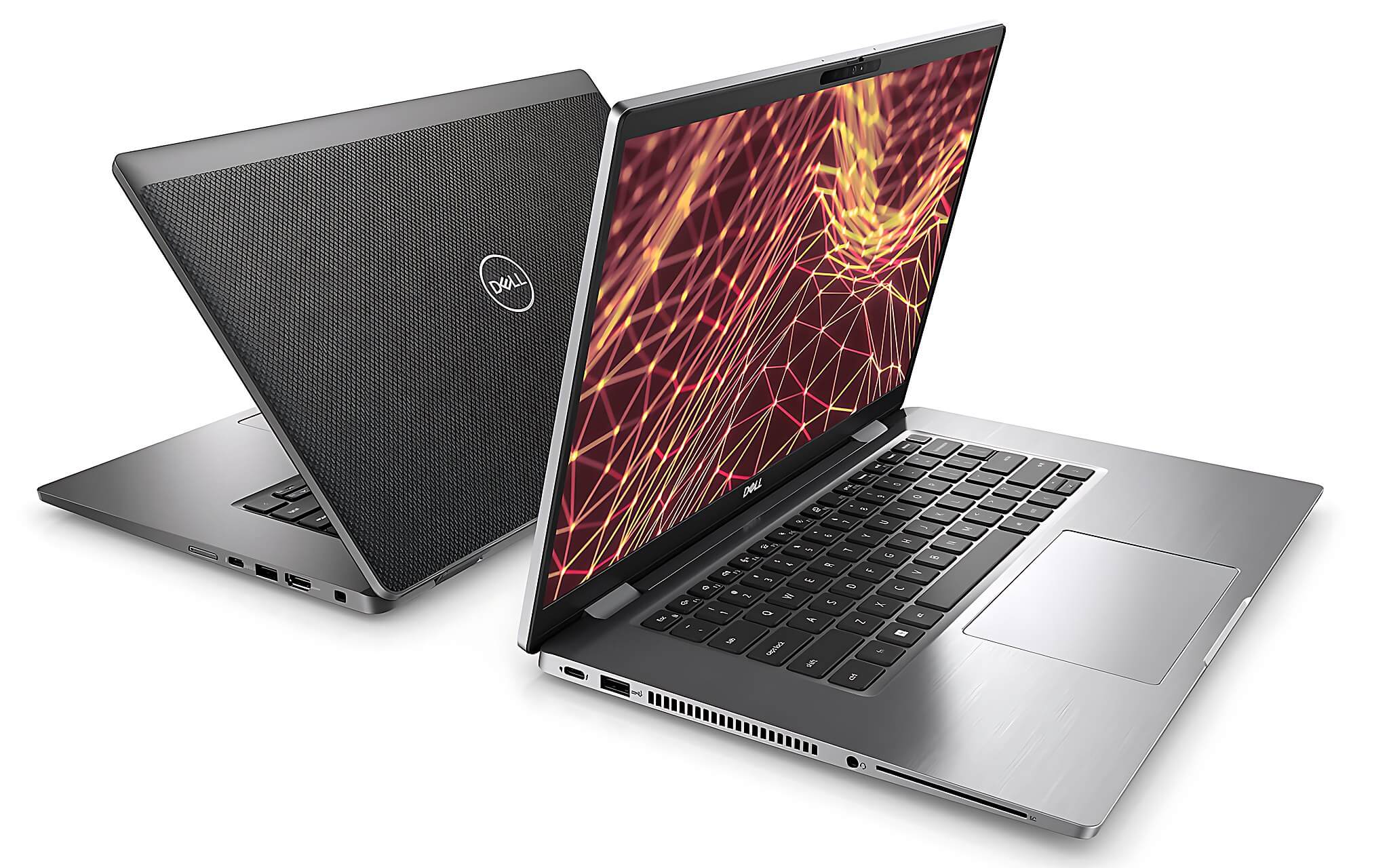
The 58Wh battery gives fairly generous runtime. LaptopMedia's test of the Latitude 15 7530 with the Core i5-1245U recorded 10 hours 36 minutes of web browsing and 6 hours 51 minutes of video playback under its standard settings. The i7 version draws a little more power, so real-world figures will be somewhat lower, but a full office workday is still within reach.
As for weight, the carbon body weighs 1.54 kg and the aluminum body 1.76 kg, with a thickness of around 17.5 mm. Portability is decent for a 15.6-inch laptop, though it is still heavier than 14-inch ultrabooks. If you need an even larger screen for visual work, the Dell Precision 7780 article goes into the trade-off between screen size and battery life.
What the Dell Latitude 7530 misses without an NPU
This is the clearest dividing line. The Core Ultra 7 258V carries a 47 TOPS NPU, above the 40 TOPS threshold Microsoft sets for the Copilot+ PC standard. The Dell Latitude 7530 stops at an architecture without a dedicated AI processing block, so every inference task falls back on the CPU or the Iris Xe graphics cores.
The consequences show up in features that run locally: background blur and noise suppression during meetings, on-device captions, and semantic search through a photo library. They still run on an Alder Lake chip, but they drain the battery and make the fan spin up, because the CPU has to carry work meant for an NPU.
By contrast, browser-based AI tools barely care whether your machine has an NPU, since the heavy lifting happens on a server. For anyone who truly needs local inference for large models, even an NPU is not enough, and that approach is analyzed in the Dell Precision 7680 article, which takes the discrete graphics card route.
Who the Dell Latitude 7530 i5 1245U is for
Many customers look for the i5-1245U version to save money while keeping the same 15.6-inch business chassis. This version also has 10 cores and 12 threads, differing only in clock speed and cache size. Hung Phat's current catalog confirms only the i7 version with 32GB of RAM, so contact the store for confirmation if you want the i5 version.
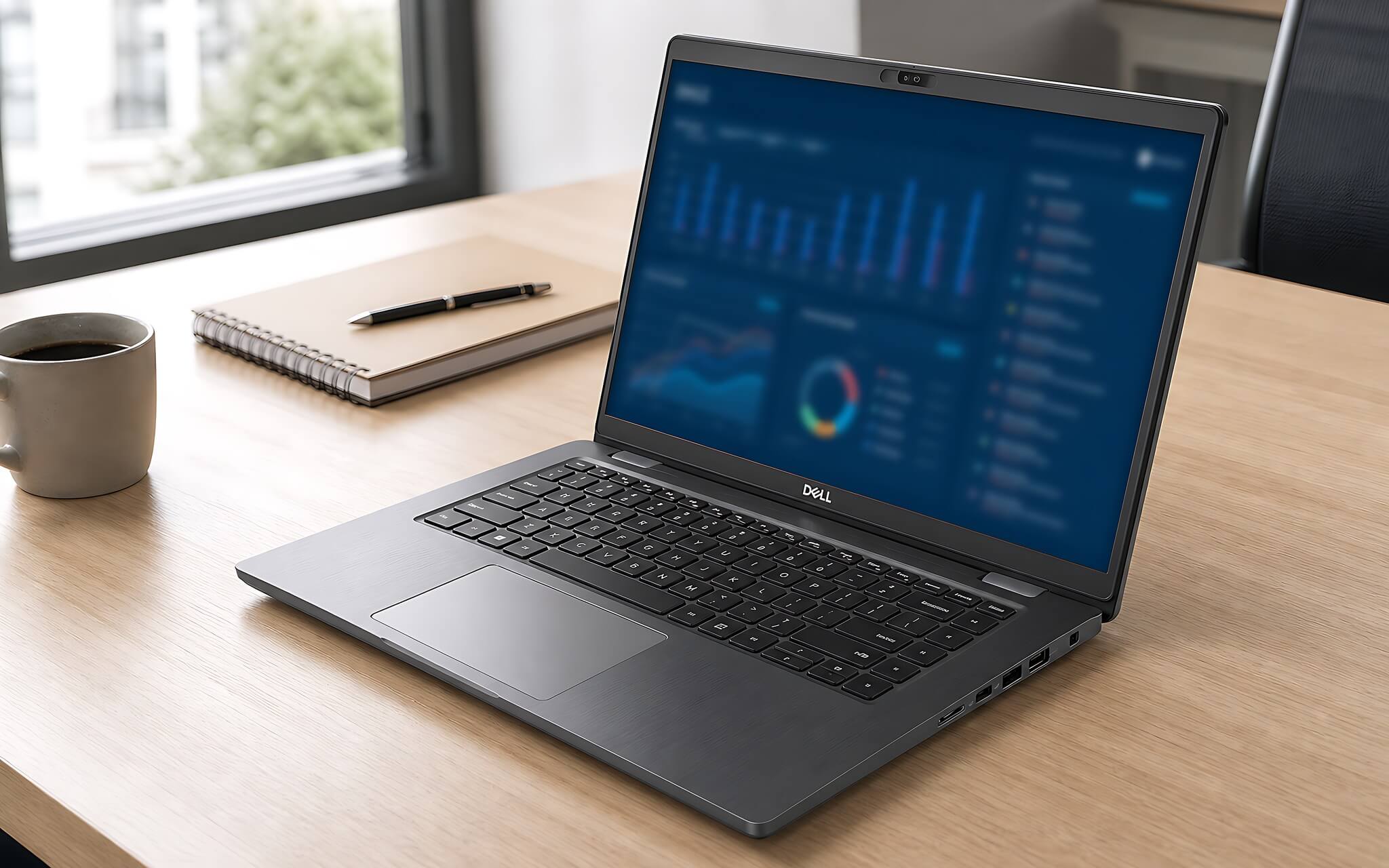
In terms of how you work, the i5 version comfortably handles document editing, mid-sized spreadsheets, management software, and online classes. The i7 version is the better pick when you run virtual machines, work with spreadsheets of hundreds of thousands of rows, or want to keep the laptop for several more years without upgrading. What deserves more thought is the RAM and SSD capacity that come with it, because those two shape the daily experience more than the i5 or i7 label does.
Buy now or wait for a new chip platform
The Dell Latitude 7530 is a good fit if you need a business laptop with a large screen, 32GB of RAM, a full keyboard and a complete set of ports, on a budget around 13.5 million VND. A PassMark score of 13,054 is more than enough for accounting, administration, system management, and basic photo editing. The machine also keeps Thunderbolt 4, Wi-Fi 6E, and the vPro security suite, features rarely seen on mainstream laptops at the same price.
The alternative is to save up for a Lunar Lake machine. You get better performance per watt, far stronger Arc Graphics 140V graphics, and a 47 TOPS NPU that opens the door to Copilot+ features. The price is a substantial difference in cost, while most office work doesn't use all of that capability.
Before you commit, check the hinges, keyboard, battery charge cycles, and warranty paperwork of the exact unit you will receive. For a brand-new boxed unit, ask to have the seal opened on the spot and run a few heavy tasks for about ten minutes. The advisory team will lay out the strengths and limits of each batch so you can decide on facts rather than gut feeling.
Frequently asked questions (FAQ)
Is the Dell Latitude 7530 i7 fast enough for Excel and multitasking?
The i7 1265U scores 13,054 in PassMark multi-thread and 3,107 in single-thread, enough for large spreadsheets, many browser tabs, and meeting software running at the same time. The 32GB of RAM is what keeps the machine smooth when you have dozens of windows open. For extremely large datasets or long renders, the Core Ultra 7 258V is faster thanks to its 18,880 multi-thread score.
Where should I get Dell Latitude 7530 drivers?
You should download drivers matched to your exact Service Tag from Dell's official support site. The ones to prioritize are chipset, graphics, audio, Thunderbolt, and network devices. After installing Windows, open Device Manager to check for any devices still missing drivers.
Is the Dell Latitude 7530 detachable a version with a removable keyboard?
No. The configuration on sale is a traditional clamshell 15.6-inch laptop with a fixed screen and no touch support. The detachable-keyboard version belongs to the Latitude Detachable line, which is much smaller. Anyone who needs to take notes with a pen should look at 2-in-1 machines instead.
Does the i5 1245U version have longer battery life than the i7 1265U version?
LaptopMedia measured the Core i5-1245U version at 10 hours 36 minutes of web browsing and 6 hours 51 minutes of video playback with the 58Wh battery. The i7 version uses the same battery but runs at a higher clock, so it usually falls a little short, though the difference has not been measured separately for publication. Screen brightness and the number of background apps affect battery life more than the difference between the two processors.