
n8n lets you link multiple applications into an automated sequence - such as receiving an email, having AI summarize it, and sending out a report - without having to write all the code from scratch. That sequence is called a workflow, and each individual step within it is a node. This article explains how n8n works, its licensing model, and the differences between the self-hosted edition and the Cloud plans. It also covers AI blocks, laptop hardware requirements, and key security risks to consider before you start automating your processes.
How n8n Runs a Workflow from Triggers to Nodes
At its core, n8n is a low-code automation platform where you assemble functional blocks on a visual workspace called a canvas. According to the official glossary, a node is an individual building block that makes up a workflow. Some nodes initiate a flow, others fetch, send, or transform data, branch logic, or connect to external services. A workflow is a collection of nodes working together to automate a process, executing step-by-step and capable of branching, merging, or looping.
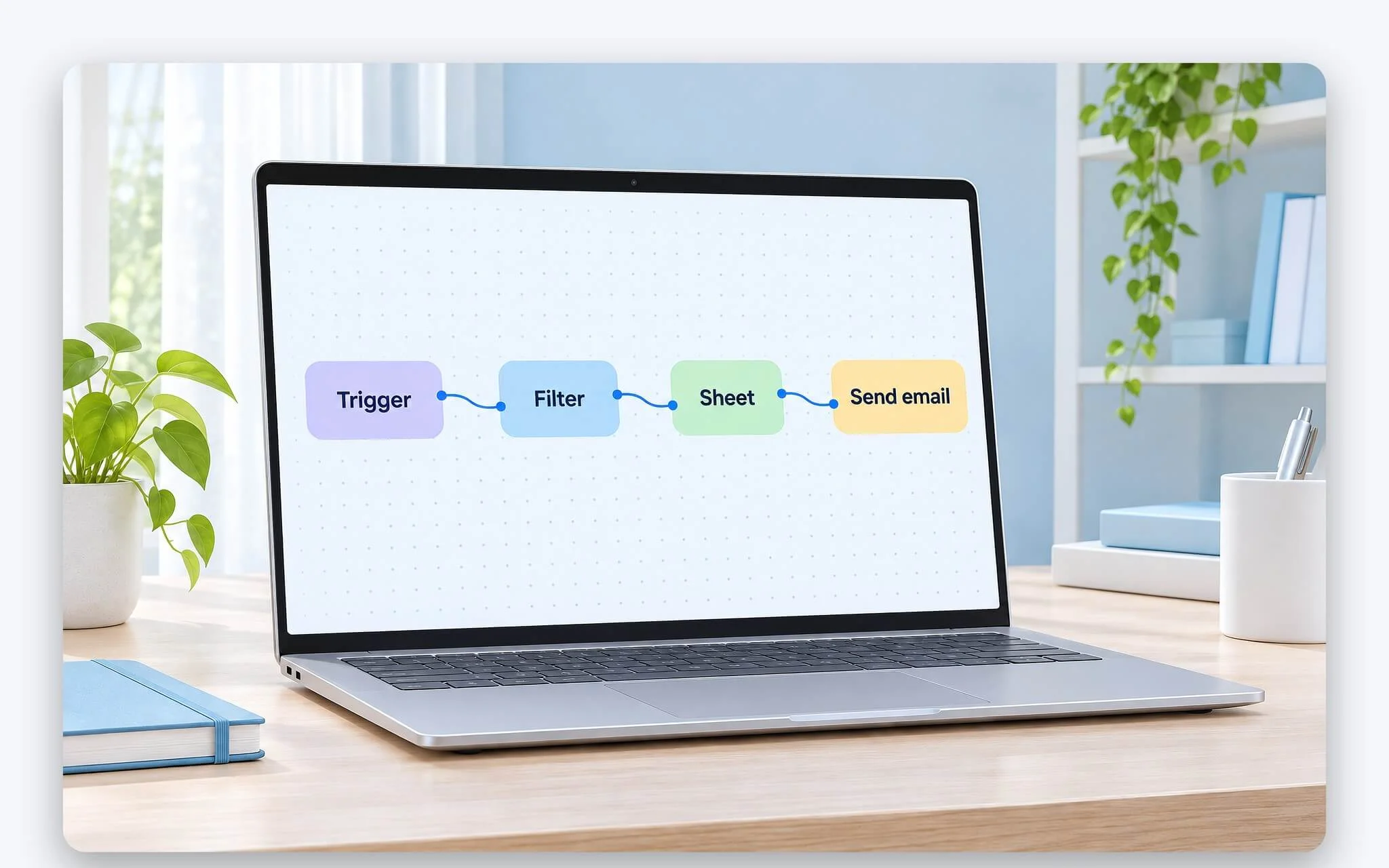
Every live workflow requires at least one trigger node, which determines when the flow begins. A trigger can be a timer set via Schedule Trigger, an incoming HTTP request sent to a Webhook, or an app event such as a new email arriving. When you add a node, the interface divides operations into two categories. Triggers start the workflow based on events, while Actions perform specific tasks such as writing a row to a spreadsheet, calling an API, or sending a message. Service login credentials are saved separately so that multiple nodes can reuse them.
Each complete run of a workflow is called an execution, which occurs in one of two modes. Manual mode runs when you click the test button during building and testing. Production mode runs when you publish a workflow version so triggers can activate it automatically. According to the AI Starter Kit documentation, the self-hosted version of n8n includes over 400 integrations alongside advanced AI components. As a result, the automation platform can connect Gmail, Google Sheets, Slack, or internal APIs within the same flow without requiring you to build custom connectors.
The Fair-Code License and Differences Between Community and Cloud
Most of the n8n codebase is released under the Sustainable Use License, a fair-code license created by the company in 2022. It permits users to run, modify, create derivative works from, and redistribute the software for free, subject to three limitations. The software may only be used for internal business purposes, non-commercial use, or personal projects. Any redistribution to others must be free of charge, non-commercial, and retain the original copyright notices. The company does not label the product open source, as the Open Source Initiative (OSI) definition does not allow restrictions on use cases.
| Criteria | Self-Hosted Community Edition | Cloud Plans |
|---|---|---|
| Installation | Manual setup via Docker, npm, or on your server | No installation needed |
| Infrastructure and maintenance | Managed by you | Hosted, updated, and scaled by the vendor |
| Cost | Free, near-complete feature set | Free trial available, then paid subscription |
| Level of control | Full control over environment and configuration | Limited to available built-in options |
| Technical requirements | Requires server and container administration skills | Not required |
These restrictions directly shape how businesses deploy the tool. A company using n8n to automate internal operations, such as processing orders or synchronizing accounting data, stays fully within the permitted scope. However, if you provide the tool to external clients so they can connect their accounts and build workflows, you must enter into a separate commercial agreement. Prior to March 17, 2022, the project was licensed under Apache 2.0 with the Commons Clause. The updated license removed restrictions on consulting services, allowing you to build and deliver workflows for paying clients.
The Community edition runs without a license key and includes nearly every core capability, omitting only enterprise-oriented features such as SSO, multiple environments, external secrets managers, Git-based version control, and workflow sharing among team members. Registering your email unlocks a free key that adds folders, in-editor debugging, and custom execution data; see the self-hosted edition comparison page. The vendor recommends that only users with systems administration experience self-host the automation platform, as misconfigurations can easily lead to data loss and security vulnerabilities.
Paid Pricing Plans Based on Monthly Workflow Executions
The n8n pricing sheet notes that every plan includes unlimited user accounts, unlimited workflows, and full access to integrations. Pricing is based solely on the number of monthly executions. An execution is one complete run of a workflow, regardless of whether that flow contains three steps or thirty. This model differs from tools that charge on a per-task basis, making long, multi-step automation costs much easier to predict.
| Plan | Monthly Price (Billed Annually) | Monthly Executions | Deployment |
|---|---|---|---|
| Starter | €20 | 2,500 | Cloud-hosted |
| Pro | €50 | 10,000 | Cloud-hosted |
| Business | €667 | 40,000 | Self-hosted only |
| Enterprise | Contact sales | Custom / By agreement | Cloud-hosted or self-hosted |
A crucial detail is that only production runs count against your quota, even on paid self-hosted plans. Manual test runs triggered while building workflows are never counted. A Schedule Trigger uses one execution each time it fires, a polling trigger only counts when it detects new data, and a Webhook counts every incoming request, including empty ones. According to examples provided by the vendor, a daily scheduled workflow generates 30 to 31 executions per month, while a schedule running every 5 minutes generates roughly 8,600 to 8,900 executions.
Between the platform's two Cloud tiers, the primary difference lies in execution capacity. Starter supports 5 concurrent executions with a 5-minute timeout per run, whereas Pro handles up to 50 concurrent executions with a 40-minute timeout per run. Annual billing offers roughly a 17% discount compared to paying monthly. The free trial requires no credit card and includes 1,000 executions, 5 concurrent runs, and a 180-second execution limit. Companies with fewer than 20 employees can apply for the Startup program, which provides a 50% discount on the Business tier for smaller-scale workflow automation.
AI Agent, Chain, and Vector Store Nodes Bring AI Models into Workflows
The AI capabilities in n8n are built on the JavaScript version of the LangChain framework, connecting multiple model providers like OpenAI, Anthropic, and Google within the same workflow. AI nodes take the form of cluster nodes, consisting of a root node that defines the primary function and attached sub-nodes that extend its capabilities. The AI Agent node serves as the root node to which you attach chat model, memory, and tool sub-nodes. The agent uses a large language model to understand requests and independently decide which tools to call, such as looking up a data table or triggering another workflow to automate multi-step processes.
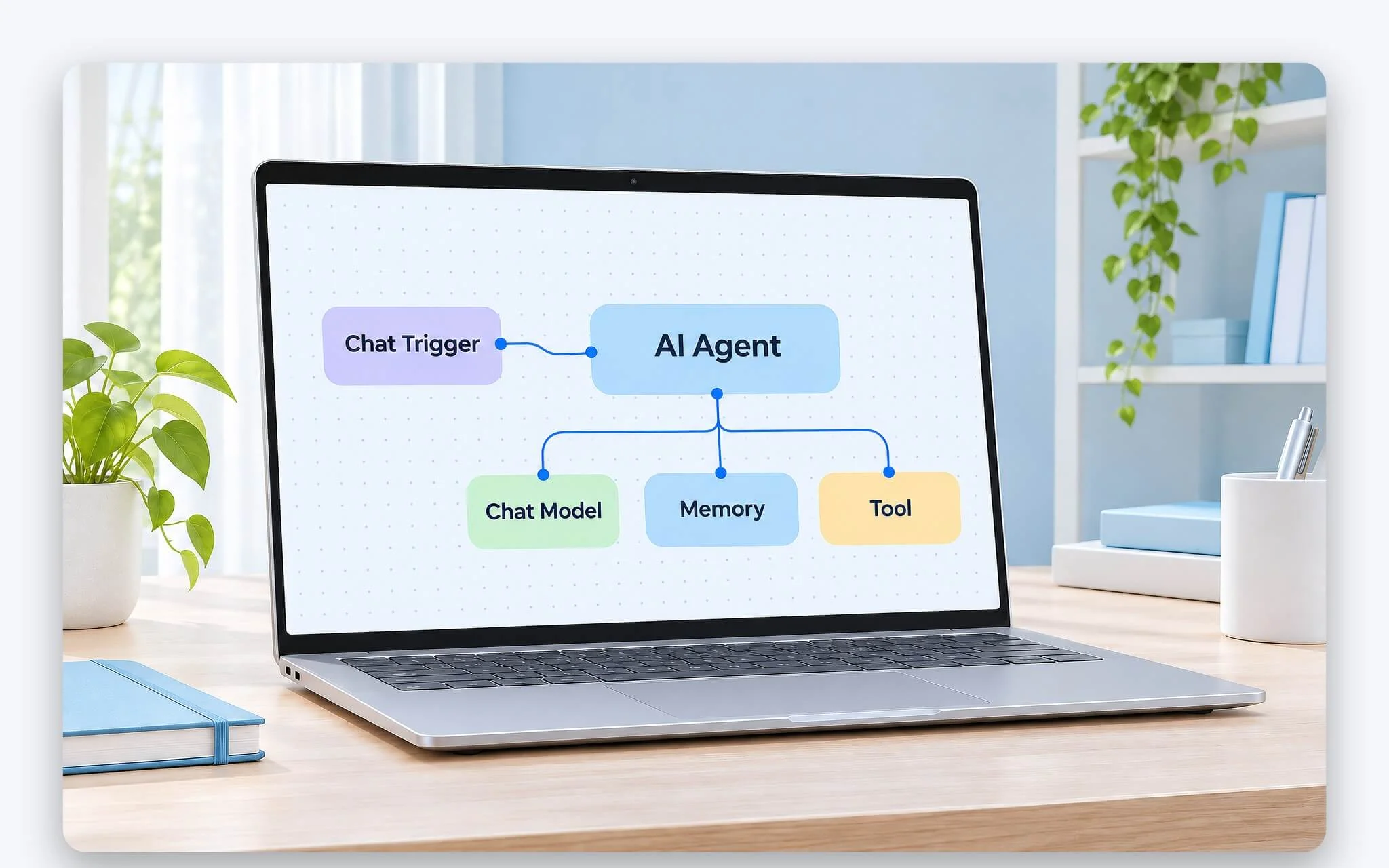
Chains differ from agents in that they call models in a fixed sequence without deciding the next step on their own. The Basic LLM Chain or Summarization Chain suits routine, repetitive tasks such as text summarization. Documentation notes that chains do not support memory; memory sub-nodes like Simple Memory or Postgres Chat Memory can only attach to an AI Agent. Consequently, chatbots that need to recall previous questions must use an agent. n8n also functions as both an MCP client and an MCP server, allowing external AI assistants to invoke workflows as tools to automate processes.
Vector stores such as Pinecone, Qdrant, or Simple Vector Store save text as embeddings so the agent can retrieve relevant document excerpts before answering, a technique known as RAG. If you want to keep your data directly on your laptop, you can use the Ollama Chat Model sub-node to call models running locally via Ollama. The company also provides the Self-hosted AI Starter Kit, a Docker Compose template bundling the self-hosted version of n8n with Ollama, Qdrant, and PostgreSQL. This kit is intended for testing and requires security hardening before real-world production use.
What a Laptop Needs to Run the Self-Hosted Version Locally
n8n recommends Docker for most self-hosting needs because it provides an isolated environment, avoids operating system conflicts, and simplifies database management. Installing via npm requires Node.js 20.19 to 24.x and is deprecated starting with version 3.0, making Docker the long-term solution. Once launched, the interface opens on port 5678 in your browser. By default, this automation platform stores workflows, credentials, and execution history in SQLite, while production environments should use PostgreSQL. On Windows, Docker Desktop has specific requirements, as shown in the table below.
| Item | Published Requirements | Source |
|---|---|---|
| Operating system | Windows 11 64-bit Enterprise, Pro, or Education 23H2 (build 22631) or later; Windows 10 22H2 (build 19045) | Docker |
| WSL | Version 2.1.5 or later, with WSL 2 enabled | Docker |
| Processor | 64-bit with SLAT support | Docker |
| System RAM | 8 GB | Docker |
| Hardware virtualization | Enabled in BIOS or UEFI | Docker |
| Node.js (if installed via npm) | 20.19 to 24.x | npm installation documentation |
The 8 GB RAM figure is the hardware threshold published by Docker for running WSL 2 on Windows. In terms of licensing, Docker Desktop requires a paid plan for commercial use in businesses with more than 250 employees or annual revenue exceeding 10 million USD, as detailed on the Docker Desktop for Windows system requirements page.
RAM capacity significantly affects stability. Documentation from n8n states that the platform places no limit on the amount of data each node processes, meaning out-of-memory errors occur when an execution requires more RAM than what is available. Large JSON payloads, file attachments, Code nodes, and multiple concurrent workflows all drive up memory consumption. The company suggests batching data, such as processing 200 rows per run instead of 10,000. Why RAM matters so much for containers is covered in the article Choosing a Laptop That Runs Docker Smoothly: RAM Is the Lifesaver, Not the CPU.
Security Risks of Exposing Webhooks to the Internet and How to Mitigate Them
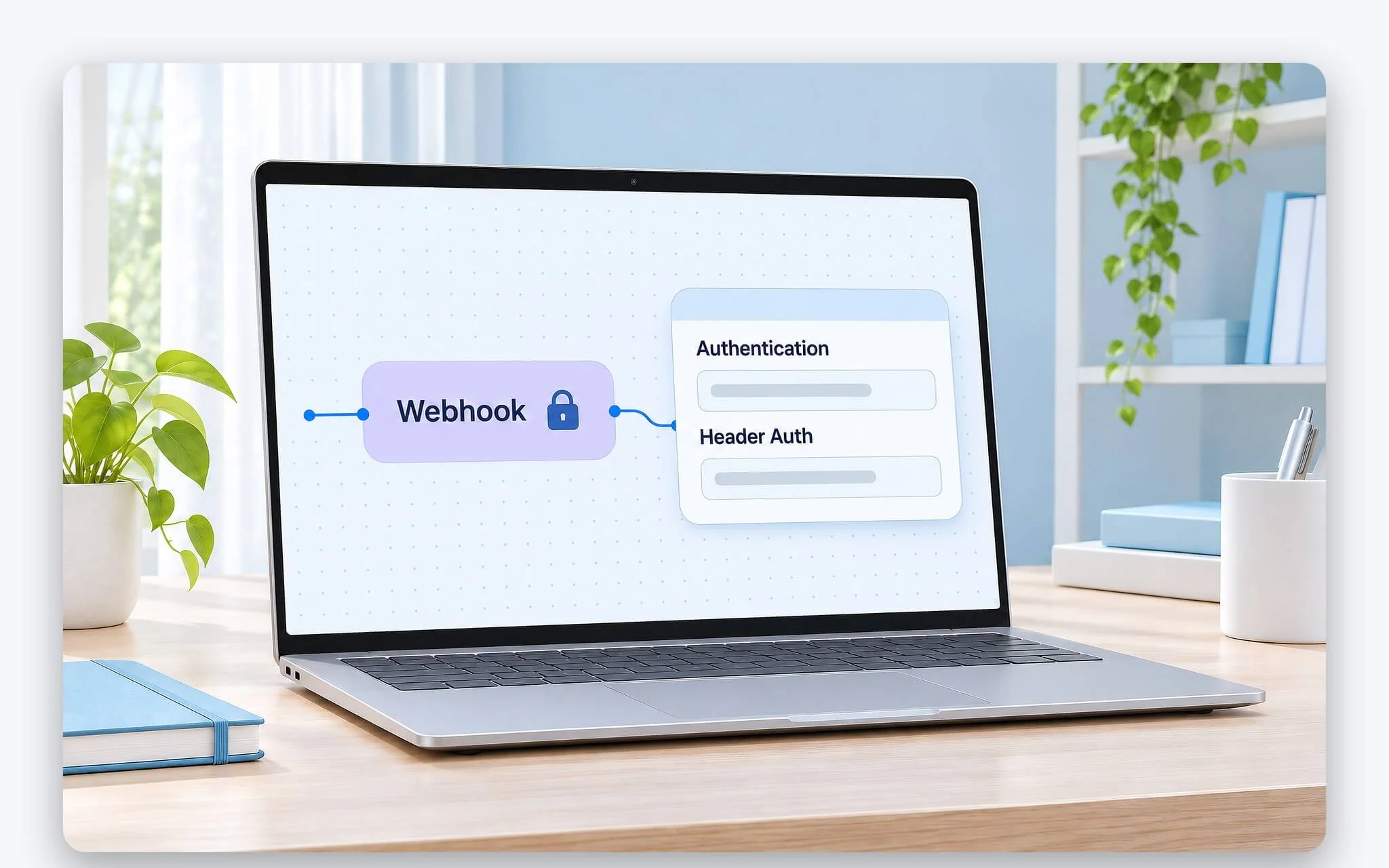
When automating workflows between applications, the Webhook node acts as a trigger that receives data whenever an event occurs, offering separate URLs for testing and production. The production URL is registered only when you publish the workflow. The maximum payload size per request is 16 MB, which can be adjusted in the self-hosted version using environment variables. Webhooks support Basic auth, Header auth, JWT auth, OAuth2 via local accounts, or None. Leaving it as None allows anyone with the URL to trigger the workflow, and on paid plans, each incoming request counts against your execution quota.
For services like GitHub to call webhooks, the n8n instance running on the laptop must be accessible from the internet. Built-in tunneling via cloudflared is supported, but documentation clearly states that it is intended only for local development and is not secure for production. For real-world deployments, the company requires that you avoid exposing the process directly to the internet and instead place a reverse proxy or load balancer in front of it. You also need to provision a TLS certificate for the domain and declare the number of proxy hops so the automation platform can correctly resolve forwarded addresses.
The data folder holds the credential encryption key, so it must be mapped to a persistent storage volume and backed up regularly. The self-hosted version of this automation platform includes built-in security audit tools, sensitive node blocking, public API disabling, SSRF protection, and encryption key rotation. Certain features, such as SSO or hiding execution data, are restricted to paid tiers. For workflows that automate processes involving customer data, prioritizing webhook authentication and scoping credential permissions from the start is essential.
Frequently Asked Questions
Can the free Community edition be used for internal business operations? Yes, as long as n8n is used for internal business purposes under the Sustainable Use License. Providing the tool to clients so they can build workflows themselves requires a separate commercial agreement.
Can Docker Desktop run if virtualization is not enabled on the laptop? No. Docker requires hardware virtualization to be enabled in the BIOS or UEFI to run WSL 2. Enabling virtualization is detailed in the article Guide to Enabling BIOS Virtualization and Installing Hyper-V on Windows 11 Home with DISM Commands.
Can AI models be run directly on a laptop instead of calling an API? Yes, via the Ollama Chat Model sub-node connected to a locally running Ollama instance. The Self-hosted AI Starter Kit bundles Ollama, Qdrant, and PostgreSQL for testing AI-powered workflow automation, though the company notes that this kit is not yet optimized for production.
Does running multiple test executions count against the execution limit? No. Only production executions initiated by triggers, schedules, or polling are counted, while manual test runs, sub-workflows, and error handling workflows are exempt.
Where is workflow data stored when self-hosting with Docker? By default, the self-hosted version uses an SQLite database located within the container's data volume. Production environments should switch to PostgreSQL while still retaining this volume because it holds encryption keys and logs, according to documentation from this automation platform.