

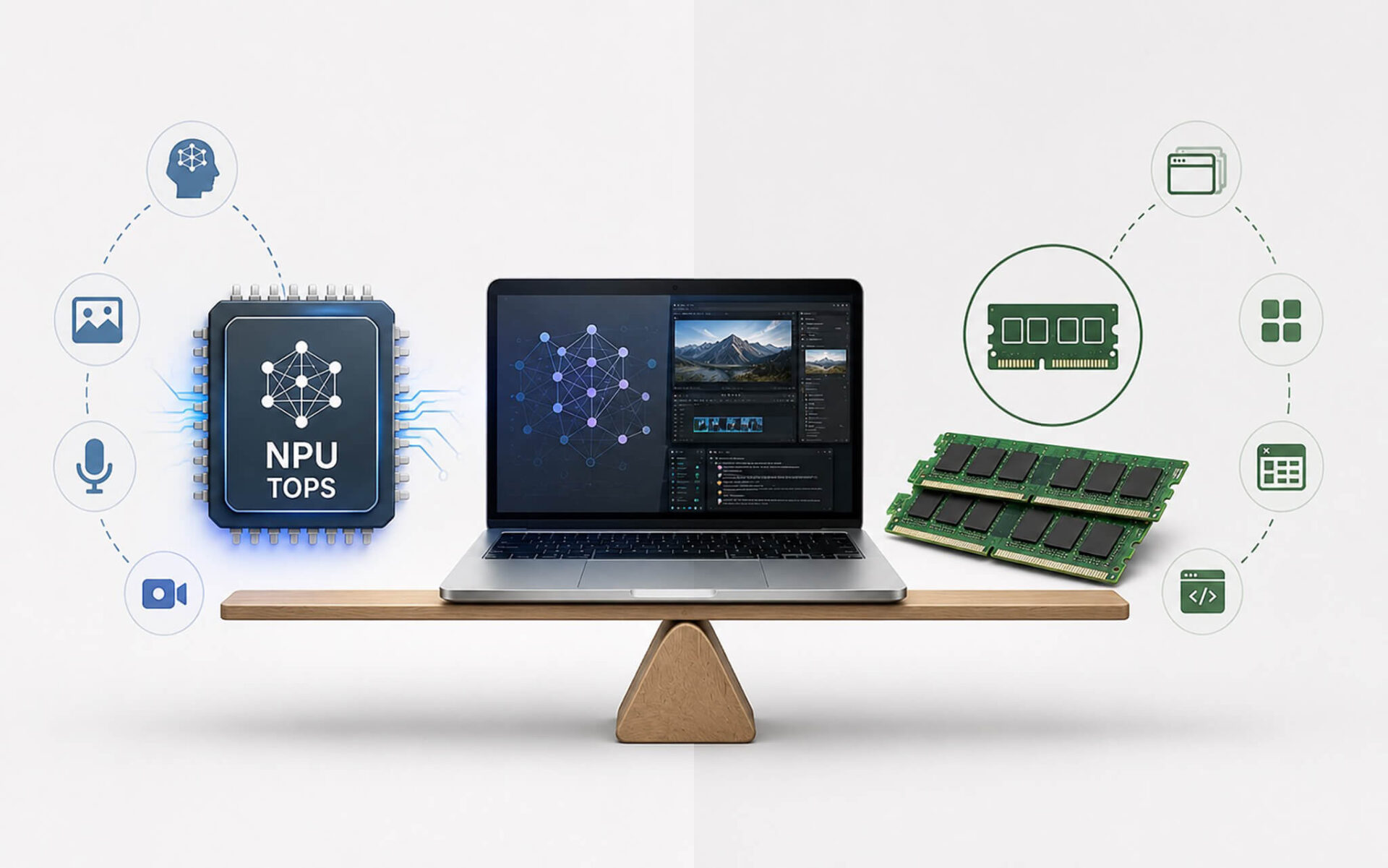
An NPU of 45 TOPS helps AI run smoothly without an internet connection, while 32GB of RAM determines whether your laptop will lag after 3 years of use; these two specifications impact your daily experience in completely different ways. Many customers ask Hung Phat, "How many NPU TOPS are enough, and is 32GB of RAM with a Gen5 SSD necessary?" The answer depends entirely on what you do with your machine. 2026 laptops are cramming all three into a single chassis, but not all of them are equally worth prioritizing.
NPU 45 TOPS and AI PC: Is it actually important or just marketing?
NPU stands for Neural Processing Unit. It sounds complex, but think of it simply like this: the CPU handles general tasks, the GPU handles graphics, and the NPU has only one job-running local AI tasks directly on your machine without needing to send data to the cloud. The NPU TOPS metric measures the processing power of this unit; TOPS stands for Trillions of Operations Per Second. A figure of 40 TOPS or higher is the threshold set by Microsoft for the Copilot+ PC standard, meaning the device is considered a "true AI PC."
| NPU Generation | Representative Chips | Real-world Difference |
|---|---|---|
| Under 10 TOPS | Intel Core Ultra 100 (Meteor Lake) | AI camera, light tasks; does not meet Copilot+ standards |
| 40-55 TOPS | Snapdragon X Elite, Intel Lunar Lake, Ryzen AI 300 | Meets AI PC standards, smooth local AI, more power-efficient than CPU/GPU |
| AI GPU (High TOPS) | RTX 50-series, AMD RDNA 4 | Powerful for heavy AI like rendering or 4K upscaling, but consumes more power and runs hotter than NPU |
To use an analogy: the NPU is like a dedicated AI hotline staff member inside your laptop. When you have a Zoom meeting and need background noise cancellation, automatic captioning, or use the Recall feature to find previously viewed content, that staff member handles it immediately without needing to call the main switchboard (the cloud). The result is faster response times and less battery consumption because the CPU or GPU doesn't have to be pulled in to do extra work. Before the Meteor Lake generation (Intel Core Ultra 100), most laptop chips had no dedicated NPU, with NPU TOPS scores under 10-enough for AI camera features but not reaching the 40 TOPS Copilot+ threshold.
Notable 2026 generations include Snapdragon X Elite, Intel Lunar Lake, and AMD Ryzen AI; all three architectures meet or exceed the 40 TOPS threshold, with the Ryzen AI 9 HX 370 on the ASUS Zenbook S 16 reaching approximately 50 TOPS. However, Hung Phat must be blunt about one point: a high NPU TOPS score does not increase gaming FPS, does not make video rendering faster, and does not replace an RTX GPU for heavy AI tasks. In other words, an impressive TOPS number does not turn an ultrabook into a workstation. If your workflow doesn't use Copilot, doesn't require automatic captions, and you don't care about Windows Recall, a 45 TOPS NPU is almost invisible in your daily experience.
Three actual laptop lines that Hung Phat often recommends when customers ask about NPUs are the ASUS Zenbook S 16 (Ryzen AI 9 HX 370, around 40-55 million VND), Surface Laptop 7 (Snapdragon X Elite, around 35-55 million VND), and Lenovo Yoga Slim 7x (Snapdragon X Elite, around 35-45 million VND). These are machines that meet the 2026 AI PC standard while offering significantly better battery life than previous generations, thanks to the NPU handling light tasks instead of the CPU. If you work online frequently, attend many meetings, and need all-day battery life, this is truly beneficial.
32GB RAM and NPU TOPS: Which one determines long-term performance?
RAM is temporary memory where the operating system, browsers, creative apps, and virtual environments coexist. 16GB was a decent standard for 2023-2024, but the landscape is different in 2026. Chrome with 20 tabs consumes about 4-5GB, Teams takes another 1-2GB, Photoshop opening large files needs another 4-6GB, and when you add the operating system and the integrated NPU sharing unified memory, 16GB starts to feel cramped. The system will use the SSD as virtual memory (swap), and this is when you will clearly feel the lag.
| RAM Capacity | Best For | Real-world Limits |
|---|---|---|
| 16GB | Office, studying, light coding | Easily fills up when running Chrome with many tabs + AI apps + Photoshop simultaneously |
| 32GB | Creative work, coding, heavy multitasking, 4-5 years of use | The recommended threshold for 2026; less SSD swapping, less lag over time |
| 64GB+ | Heavy video editing, AI datasets, large CAD, multiple virtual machines | Mobile workstation; high cost, usually worse battery life |
When advising customers choosing between a 16GB SSD Gen5 machine and a 32GB SSD Gen4 machine at the same price, Hung Phat often asks one question: "Do you often open many things at once?" If yes, 32GB DDR5 or LPDDR5X is the more practical answer. This is the point most easily misunderstood from spec sheets. Theoretically, Gen5 SSD read/write speeds reach about 15.75GB/s-twice as fast as Gen4-which is impressive on paper, but in typical office and creative workflows, you will find it hard to notice the difference. SSD swapping due to insufficient RAM is the real cause of lag and shortens the lifespan of your drive over time.
A point that must be stated clearly: many 2026 ultrabooks use RAM soldered directly to the motherboard, meaning it cannot be upgraded after purchase. LPDDR5X is high-speed, but you only get one chance to choose correctly from the start. Dell XPS 14 and XPS 16 (32GB versions) range from approximately 45-80 million VND, Lenovo ThinkPad T14s (32GB version) around 30-50 million VND, and ASUS Zenbook and ROG (32GB versions) around 30-70 million VND depending on the configuration. If you plan to use your machine for 4-5 years and frequently run Photoshop, Premiere, IDEs, or virtual machines, 32GB is a higher priority than a Gen5 SSD within the same budget. See our article comparing Core Ultra 9 285HX and Ryzen AI 9 HX 375 to understand which chip utilizes 32GB of RAM more effectively.
Is a Gen5 SSD truly necessary, and what should you prioritize when buying a 2026 laptop in Ho Chi Minh City?
PCIe Gen5 NVMe SSDs have a theoretical bandwidth of about 15.75GB/s, twice as fast as PCIe Gen4. It sounds very attractive, but what is the reality? For daily tasks like opening apps, browsing the web, quick photo editing, or typing documents, a Gen4 SSD with speeds of 6-7GB/s has long ceased to be a bottleneck. A Gen5 SSD is an upgrade that only shines clearly when you are continuously copying large files, working with massive datasets, or exporting 4K RAW video. Compared to chasing high NPU TOPS or Gen5 SSDs, this is why Hung Phat often says: if you have to choose between upgrading RAM or upgrading the SSD, prioritize 32GB of RAM first.
Looking at all three factors, an NPU TOPS score of 45 or higher is what helps a machine "live long" within the expanding Windows AI ecosystem, making it suitable for those who work online heavily, need long battery life, and want to use local AI features without relying on the internet. 32GB of RAM is what determines whether the machine will lag after 3 years; it cannot be ignored if the RAM is soldered and you perform heavy multitasking. A Gen5 SSD is an extra bonus if your budget allows, not something you should sacrifice RAM or NPU to obtain. Customers visiting Hung Phat in Ho Chi Minh City who ask this question usually receive this advice: balance all three based on your actual needs; don't be misled by spec sheet numbers. If you are undecided between premium thin-and-light models, refer to our article on 2026 business laptops for people on the move to make a better choice.
Frequently Asked Questions (FAQ)
What are the common RAM and NPU configurations for mid-range 2026 laptops?
Most mid-range 2026 laptops (around 20-35 million VND) use 16GB LPDDR5X RAM and PCIe Gen4 SSDs, with NPU TOPS typically reaching 10-20, which does not meet the 40 TOPS Copilot+ standard. To get a 40+ TOPS NPU, you usually need to step up to the 30-45 million VND range with chips like Ryzen AI 300 or Snapdragon X. 32GB RAM is appearing more frequently in the mid-range in 2026, but it is still often an additional paid upgrade from the base model.
Can RAM and SSD be upgraded on 2026 laptops?
It depends entirely on the specific model. Thin and light ultrabooks like the Zenbook S 16, Surface Laptop 7, and Yoga Slim 7x all use soldered LPDDR5X RAM, which cannot be upgraded after purchase. SSDs on many machines are still in the M.2 2280 format and can be replaced, but some machines like the Surface Laptop 7 also have soldered SSDs. Newer ThinkPad T14 generations are more user-friendly regarding opening the chassis and upgrading the SSD. Hung Phat recommends choosing the correct amount of RAM from the start, especially if the RAM is soldered; don't regret not spending an extra 3-5 million VND to upgrade to 32GB, as there will be no way to fix it later.
How much RAM is enough to use well for the next 3-5 years?
For pure office and study workflows, 16GB will still be fine until around 2027-2028. However, if you use local AI, run creative apps like Photoshop or Premiere, code with heavy IDEs, or run virtual machines, 32GB is the comfortable threshold to use for 4-5 years without worrying about SSD swapping. With an NPU of 40+ TOPS, chips often use unified memory shared with the integrated GPU, making 32GB even more logical. 64GB is only necessary if you are constantly editing 4K video, running large AI datasets, or need multiple virtual machines running simultaneously.
How much do laptops with sufficient NPU, 32GB RAM, and Gen5 SSD cost?
Machines that combine all three typically fall in the 40-80 million VND range. The ASUS Zenbook S 16 (Ryzen AI 9 HX 370, 32GB, Gen4/Gen5 SSD depending on version) is around 40-55 million VND. Dell XPS 14 and XPS 16 (32GB versions) are around 45-80 million VND. The Lenovo ThinkPad T14s (32GB version) is around 30-50 million VND with an NPU around 40 TOPS. If your budget is under 35 million VND, you will usually have to compromise on one of the three, and according to Hung Phat, sacrificing the Gen5 SSD is the most reasonable choice among those three options.











