

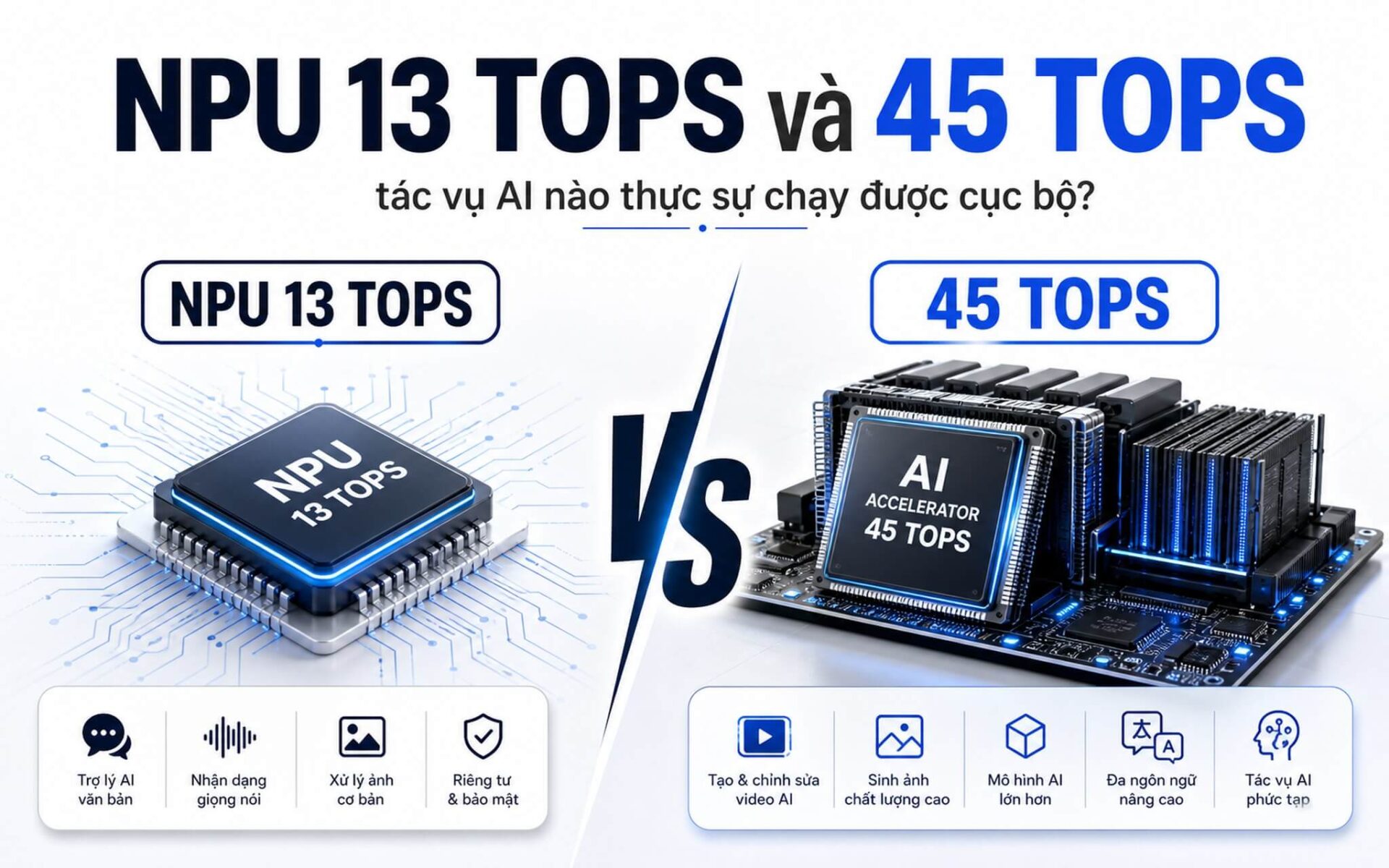
Under the same "AI laptop" label, a 13 TOPS NPU and a 45 TOPS NPU create two completely different experiences-not in terms of overall speed, but in terms of which AI tasks can run locally and efficiently to save battery. A laptop NPU is designed to handle AI commands separately without involving the CPU or GPU, helping the machine stay cooler and preserve battery life during online meetings or automatic note-taking. The 40 TOPS threshold set by Microsoft for the Copilot+ PC standard is why manufacturers are putting this number on every advertisement, yet few explain what you actually gain from it.
What are laptop NPU and the TOPS metric when talking about AI PCs?
Neural Processing Unit, abbreviated as NPU, is a specialized processing unit integrated directly into the laptop chip, separate from the CPU and GPU. In the context of laptop NPU, its task is very specific: running the repetitive matrix calculations characteristic of AI and machine learning models. A CPU can do this, but it must use many general-purpose cores, consuming significant power and generating heat. An NPU performs that exact task at a much lower power level.
| Chip Generation | NPU TOPS | Real-world AI Features | Copilot+ PC |
|---|---|---|---|
| Intel Core Ultra Series 1 / Meteor Lake | ~11-13 TOPS | Mic noise cancellation, webcam background blur, eye contact | No |
| AMD Ryzen 8040 / Hawk Point | 16 TOPS | Light background AI, basic Studio Effects | No |
| Qualcomm Snapdragon X Elite / X Plus | 45 TOPS | Live Captions, offline image generation, AI summarization | Yes |
| Intel Core Ultra Series 2 / Lunar Lake | ~47-48 TOPS | Advanced Studio Effects, full offline AI | Yes |
| AMD Ryzen AI 300 / Strix Point | ~50 TOPS | Full Copilot+ features, multi-tasking AI | Yes |
| NVIDIA RTX (Tensor Cores) | Much higher (AI TFLOPS) | Stable Diffusion, large LLMs, heavy AI rendering | Depends on configuration |
TOPS is a unit used to measure NPU throughput, standing for Tera Operations Per Second, meaning trillions of operations per second, typically measured at INT8 precision. This number indicates how many AI operations an NPU can process in one second, similar to how MHz or GHz describes CPU clock speed. The key difference: TOPS only reflects local AI inference capability and is not related to Cinebench, Geekbench, or gaming performance.
The most common misconception Hung Phat sees from customers is equating high TOPS with a "faster overall" machine. With a laptop NPU, high TOPS doesn't necessarily mean faster video rendering than an older Core i7, because rendering depends on multi-core CPUs and GPUs, not the NPU. High TOPS simply means specific AI tasks run smoother, consume less battery, and meet the requirements to activate Copilot+ features.
Where is the difference between 13 TOPS and 45 TOPS in real-world experience?
Intel Core Ultra Series 1 (Meteor Lake) has an NPU of about 11-13 TOPS, while AMD Ryzen 8040 (Hawk Point) reaches 16 TOPS. At this level, a laptop NPU is sufficient for mic noise cancellation, webcam background blur, and eye contact tracking during meetings. This is light background AI-useful, but not something you will feel significantly every day. More importantly: this threshold does not meet Microsoft's Copilot+ PC standard, so many advanced Windows AI features will not be activated.
Qualcomm Snapdragon X Elite reaches exactly 45 TOPS, Intel Core Ultra Series 2 (Lunar Lake) is around 47-48 TOPS, and AMD Ryzen AI 300 (Strix Point) is approximately 50 TOPS. This group exceeds the 40 TOPS threshold required by Microsoft for Copilot+ PC. Machines meeting this standard unlock real-time multilingual Live Captions, advanced Studio Effects, local AI image generation with Cocreator, and offline content summarization-all running on the NPU without consuming CPU or GPU resources or requiring the cloud.
A downside to mention: even with the same 45 TOPS figure, real-world efficiency still depends on drivers, whether the AI framework supports that specific chip, RAM bandwidth, and RAM capacity. A 45 TOPS machine with 16 GB of low-bandwidth RAM may run AI models slower than a 48 TOPS machine with 32 GB of LPDDR5X. TOPS is a necessary condition, but not a sufficient one.
What about AI GPU? NVIDIA RTX cards use Tensor Cores with AI capabilities many times higher than an NPU, making them suitable for Stable Diffusion, large LLMs running offline, and heavy AI rendering. However, a discrete GPU consumes more power, generates more heat, and is not optimized for continuous background AI tasks. AI NPUs and AI GPUs solve two different problems; they are not direct competitors.
Should you choose a 45 TOPS NPU laptop instead of 13 TOPS?
The answer depends on your primary use case. Hung Phat categorizes users into three practical groups: office workers/heavy meeting users, content creators, and those working with AI or LLMs.

If you attend Zoom or Teams meetings for 4-6 hours a day, use automatic note-taking, Windows Recall, and Live Captions, a 45 TOPS NPU laptop is worth the investment. Since the machine runs these features on the NPU instead of the CPU, battery life is significantly better during long workdays. The Dell XPS 13 9345 Snapdragon X Elite version (45 TOPS NPU) is a prime example for this group, priced around 30-45 million VND. The Lenovo Yoga Slim 7i Aura Edition Core Ultra 200V version (approx. 47 TOPS NPU) also falls in the 35-50 million VND range with highly rated battery life.
For content creators needing AI assistance for photo editing or light video editing, the ASUS Zenbook S 16 Ryzen AI 9 HX 370 version (50 TOPS NPU, Cinebench R23 multi-core 21,761, Geekbench 6 multi-core 14,996) can handle both background AI and heavy CPU tasks, priced around 40-55 million VND. If you run Stable Diffusion or large LLMs offline, 45 TOPS NPU is still not enough; you will need an NVIDIA RTX GPU, which is a completely different requirement. You can refer to our guide on choosing between 45 NPU TOPS or 32GB RAM for your laptop to prioritize your budget correctly.
If you are currently using an Intel Core Ultra Series 1 or Ryzen 8040, your machine can still handle AI for light tasks and is not immediately "obsolete." However, if Microsoft expands Copilot+ features requiring 40+ TOPS in the future, machines below that threshold will not be able to update. This is a risk to consider if you plan to keep your laptop for 3-5 years. For those weighing between the two chip platforms, our comparison of Core Ultra 5 226V and Ryzen AI 5 340 will show the practical differences within the same price segment.
In summary: A 13 TOPS NPU is suitable for casual users who don't care about Copilot+ and want to save costs. A 45 TOPS NPU or higher is for those who need full Windows AI features, high-intensity online meetings, or want a longer software lifecycle. An NVIDIA RTX GPU is the choice when running heavy AI like Stable Diffusion or fine-tuning models locally.
Two notable series in the 45-50 TOPS group are the Lenovo Yoga Slim 7i Aura Edition and the ASUS Zenbook S 16, with prices varying by stock. To find out which models are currently available and get the latest pricing, please contact Hung Phat for a quote. If you need a configuration for technical work, check out our laptop suggestions for developers running Docker for a practical perspective.
Frequently Asked Questions (FAQ)
How is 45 TOPS different from the first generation 13 TOPS chips?
First-generation chips like Intel Meteor Lake only reach 11-13 TOPS, which is enough for noise cancellation and webcam background blur but does not meet Microsoft's 40+ TOPS Copilot+ PC standard. New generations like Snapdragon X Elite (45 TOPS), Lunar Lake (47-48 TOPS), and Ryzen AI 300 (50 TOPS) unlock real-time Live Captions, offline AI image generation, Windows Recall, and local content summarization-all running on the NPU without heavy CPU or battery consumption. The difference is not in overall speed, but in which AI features you can exploit from Windows 11 and NPU-supported applications.
Will a 13 TOPS NPU laptop become obsolete quickly?
It won't become obsolete immediately, but there is a long-term software risk. Currently, the machine can still handle all standard office, multimedia, and light AI tasks normally. The issue is that Microsoft is gradually expanding Copilot+ features; future features requiring 40+ TOPS will not be installable on machines below that threshold. If you plan to use the laptop for 2-3 years, the impact is minimal; if you plan to use it for 4-5 years and want full Windows AI updates, investing in 40+ TOPS is worth it from the start.
How much extra should I pay to upgrade from 13 TOPS to 45 TOPS?
The actual price difference is about 5-15 million VND depending on the segment. Core Ultra Series 1 or Ryzen 8040 (13-16 TOPS) machines typically cost around 20-30 million VND for standard office configurations. Snapdragon X Elite or Ryzen AI 300 machines reaching 45-50 TOPS start from around 30 million VND and go up to 55 million VND for full configurations. For that difference, you gain significantly better battery life during background AI tasks and full Copilot+ PC features, making it a reasonable investment if you use the machine for 3 years or more.
How do RAM and bandwidth affect real-world laptop NPU performance?
RAM plays a role just as important as TOPS when running local AI models. A laptop NPU must load the entire model weights into the RAM before inference, so low RAM bandwidth creates a bottleneck even if the NPU has high TOPS. A 32 GB LPDDR5X system with ~120 GB/s bandwidth will run a 7B LLM much smoother than a 16 GB LPDDR4X system with ~60 GB/s bandwidth, even if both have 45 TOPS. If you prioritize local AI, LPDDR5X and a minimum of 16 GB (ideally 32 GB) are two factors that must be checked alongside TOPS.











