
A prompt like "sunset scene" usually produces a bland video, because the tool doesn't know the subject, the motion, or the camera angle you want. When you write a more specific AI video prompt, the model has enough information to recreate what appears in the frame and how the camera moves. The four core components are subject, motion, camera angle, and atmosphere, and how you combine them determines the level of detail in the video far more than the length of the prompt does.
What an AI video prompt is and how it differs from a simple one
An AI video prompt is a description of a shot that tells a video generator what to put in the frame. A bare-bones prompt like "a dog" gives only the name of the subject and leaves out the breed, setting, action, intensity of motion, and direction of movement. The model has to guess those details, so the rendered result often drifts from what you originally intended.
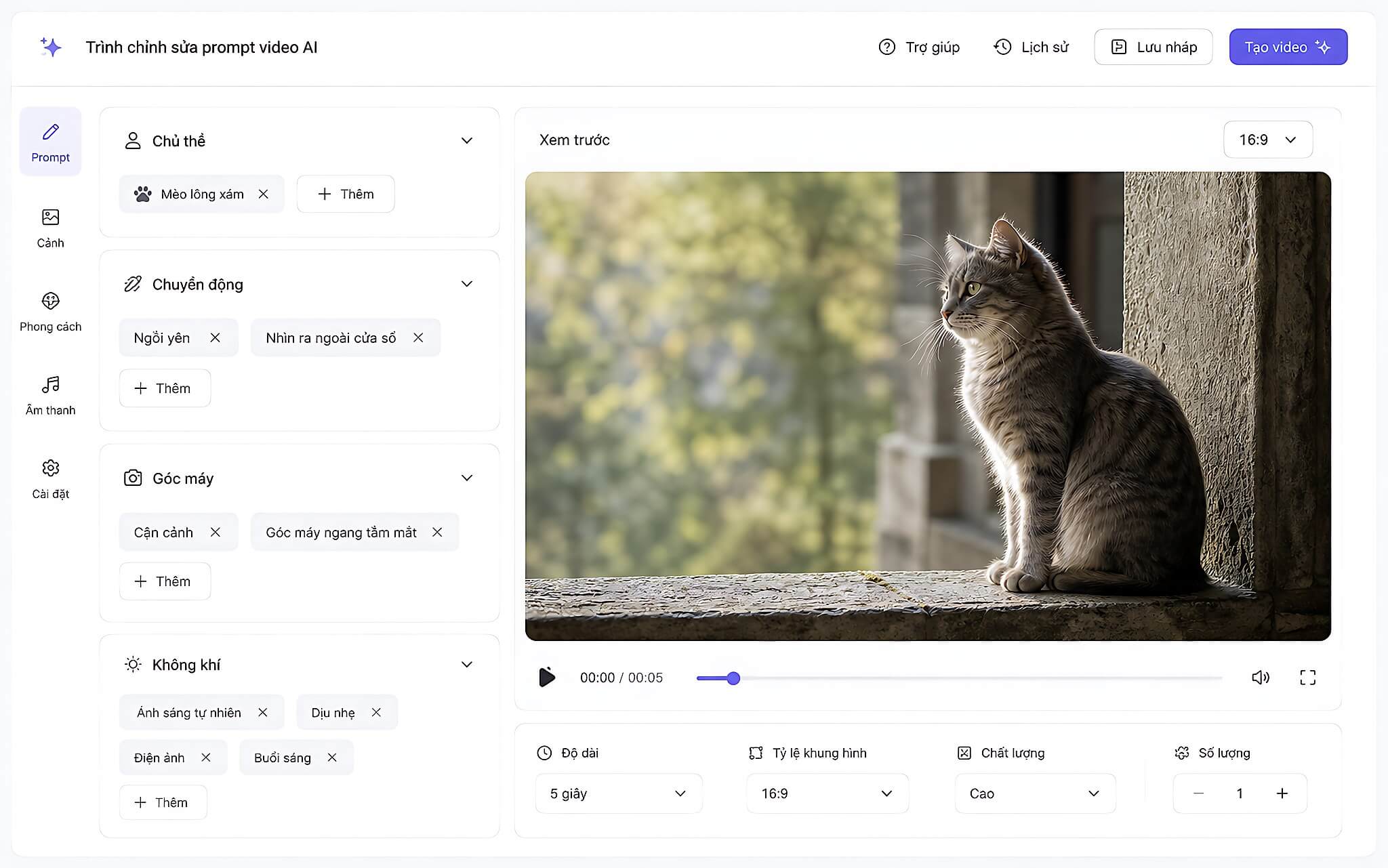
The difference between a bad prompt and a good one lies not in word count but in specificity. Instead of "a cat," you could describe an orange tabby cat with green eyes sitting on a wide stone windowsill. Those details give the shot a clear subject and help the model keep the same character from frame to frame. The same principle applies to how you define details when writing an image prompt.
A complete prompt needs to tell the tool four things: the subject in the scene, the motion taking place, the camera angle used to film it, and the atmosphere of the setting. The more clearly each part is defined, the more closely the result matches what you pictured, rather than leaving the model to fill in the gaps itself.
The four components that determine video quality
The subject is the first part to spell out. You should state the type of object or character, its color, size, texture, and any identifying features. For example, "an orange tabby cat with emerald green eyes" gives far more information than "a cat." The setting should also appear if it affects the scene, such as a stone windowsill or the garden behind it, so the model has enough to recreate the space.
Motion describes what is moving, how fast, and in which direction. Tools generally handle a single clear action well, or at most one to two movements in the same scene. For the cat, the prompt might read: "the cat blinks slowly, then turns its head to look outside, its tail swaying gently." If you cram too many actions into one scene, the model struggles to keep the motion coherent and the result tends to fall apart.
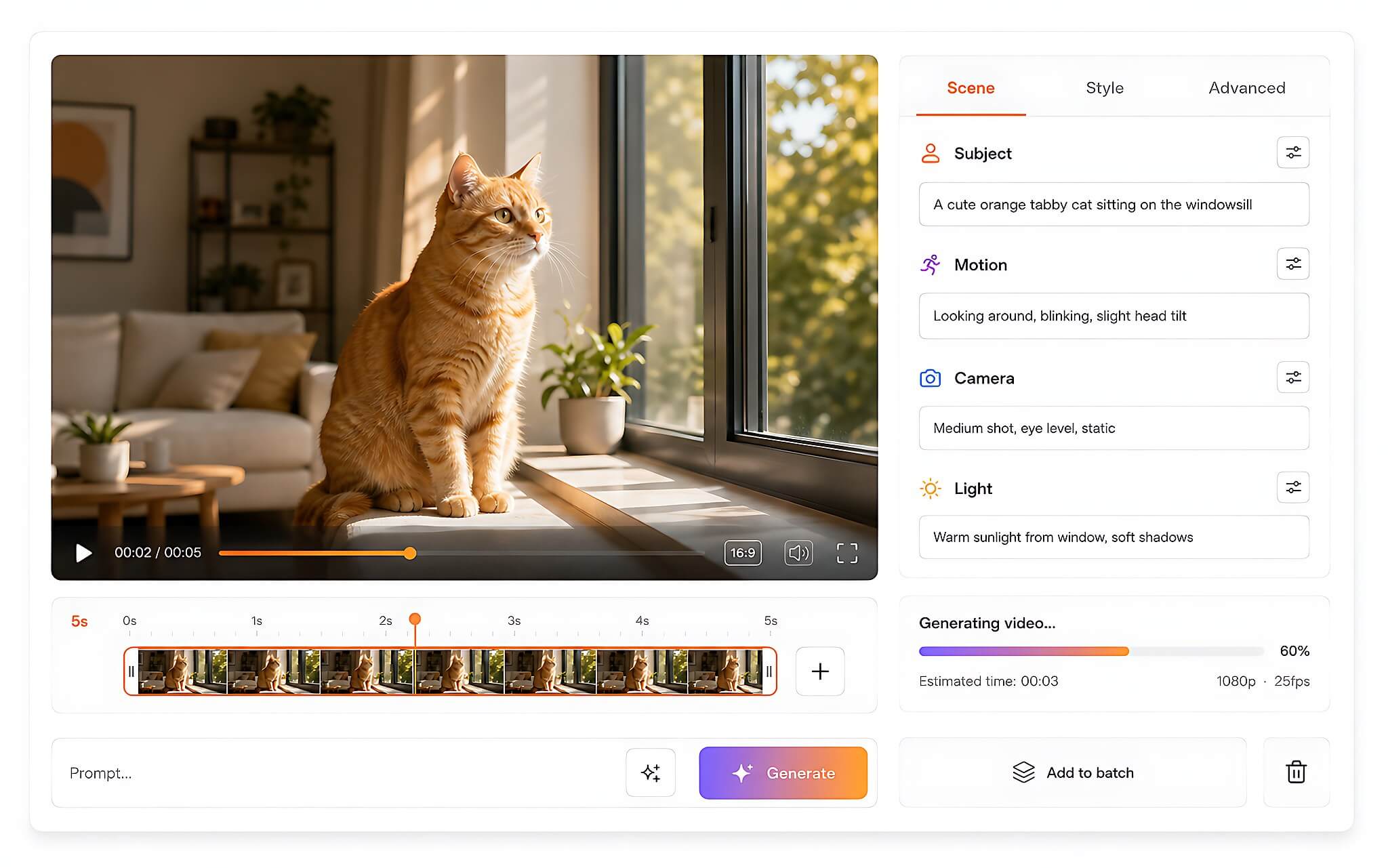
Camera angle tells the tool the shot type, the camera position, and how the camera moves. You can choose a close-up, medium shot, or wide shot, then pair it with an eye-level, low, or high angle. A "pan" is the camera rotating in place, while "tracking the subject" is the camera moving alongside it; the two produce very different camera movement, so you need to use the right term to keep the model from confusing them.
Atmosphere covers the lighting, the background, and the overall feel of the video. Descriptions such as warm afternoon sunlight, a blurred background, the green tones of a garden, or a peaceful setting are much more specific than generic words. Terms like golden hour, blue hour, softbox lighting, or neon lighting also help you pin down the intensity and tone of the light so the model recreates the right mood for the scene.
How to write and test a real video prompt
Start with a rough idea and break it into four parts, rather than writing one long passage right away. Define the subject first, pick one or two fitting motions, then describe the camera angle and atmosphere. Working step by step lets you confirm whether the scene has all the information it needs, and helps you refine the prompt before you feed it into the tool.
A compact workflow has six steps. First, write a short description of the scene, such as "a ceramic mug of steaming coffee." Next, flesh out the subject with the type of object, color, size, texture, and identifying features. For the third step, choose one or two motions and state clearly what moves, along with its speed and direction.
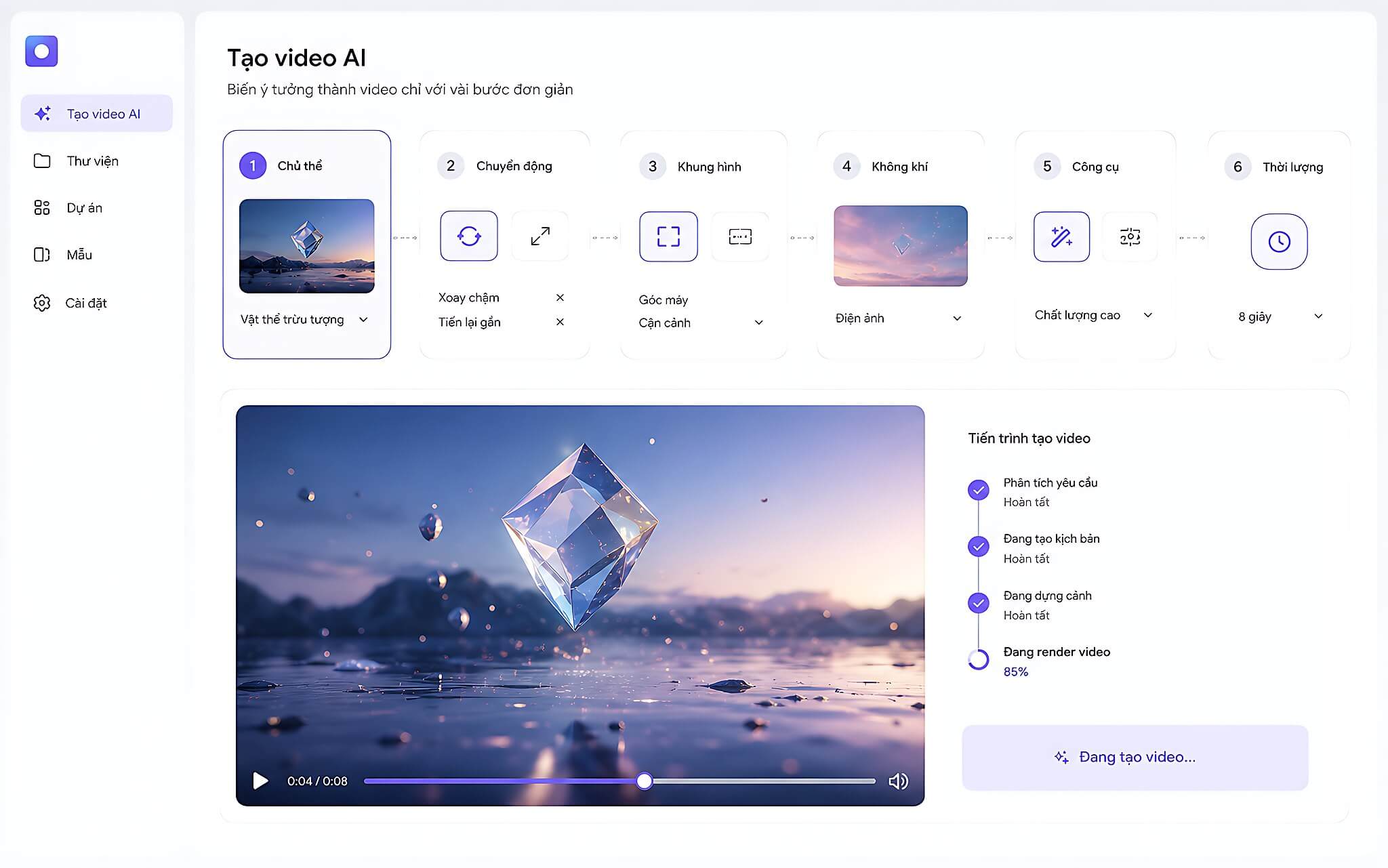
The remaining three steps focus on the camera and lighting. Choose a shot type such as wide, medium, or close-up, then specify whether the camera is static, panning, pushing in, or tracking sideways, along with an eye-level, low, or high angle. Finally, describe the lighting, background, and feel with concrete details such as golden hour, neon lighting, dreamy, or warm, and combine the four parts into a complete prompt.
Once you have the full version, write a shorter condensed version for comparison, then generate a video from both. Comparing them helps you verify which details actually improve the scene and which only make the prompt longer without changing the rendered result. Many text-to-video tools, such as Google Veo, accept scene descriptions written this way.
For the cat example, a complete prompt might read: "An orange tabby cat with emerald green eyes sits on a wide stone windowsill. The cat blinks slowly, then turns its head to look outside. Medium close-up at the cat's eye level, with the camera slowly pushing in. Warm afternoon sunlight streams through the window, and the blurred background reveals the green tones of a garden, a peaceful setting." Starting from a generic line like "sunset scene," applying the four parts turns the idea into a scene that can actually be shot.
Limitations to keep in mind when writing AI video prompts
A long prompt doesn't necessarily produce a good video. If a prompt only adds words without adding specific information, the result can still be mediocre or odd. Prioritize details that bear directly on the scene instead of stretching out the description. The four groups of information need to be kept distinct so the model doesn't confuse the subject with the motion or the setting, which keeps the prompt coherent.
Tools generally handle one action well, or one to two movements. When a scene has three or more actions, the result tends to break down noticeably. So cut the number of actions and describe the speed and direction of movement clearly. The camera also needs a simple instruction such as pushing in or panning, rather than a mix of many movement types that the model struggles to deliver.
Cinematic terms help direct the composition and movement of the virtual camera, but you need to use them correctly. A pan is the camera rotating in place, while tracking the subject means the camera actually moves alongside it. Mixing up the two can make the video drift from the scene you want, so getting the terminology right from the start of the prompt is the key point.
Who should use this and how to apply it in Vietnam
This approach suits people who are making videos with AI tools and want tighter control over the shot. Beginners can start with familiar ideas such as a cat by a window, a coffee mug, or a person walking, then use the four-element framework to turn each idea into a prompt they can copy and gradually refine. This approach takes some of the guesswork out of writing prompts and gives you a clear direction from the start.
Many video tools available today, such as Kling, Runway, Luma, Pika, or Veo, accept scene-description prompts, but each has its own level of Vietnamese support, maximum clip length, and terms of use. So check those conditions in the tool you choose before you begin, rather than assuming every platform works the same way.
A full prompt can replace an overly short description when you need to control the subject, action, camera angle, and feel of the scene, while the condensed version remains useful for comparing results. Comparing the two versions helps you see which details are improving or derailing the video, rather than relying only on prompt length when writing an AI video prompt.