A deck with plenty of slides can still be hard to follow if it lacks structure and a clear message. For office workers, building the outline, tightening the content and preparing for Q&A usually takes the most time. The presentation slide prompt set below breaks the job into steps, from defining the audience to checking the argument and the data. How well it works depends on how much information you provide: the topic, the goal, the number of slides and the traits of your listeners.
Which Parts of a Presentation the Fifteen Claude Prompts Cover
The original article introduces fifteen Claude prompts for professionals who need to build slides. The prompts focus on the stages that tend to eat up time: structuring the deck, ordering the flow of content, rewriting on-slide text, choosing how to present data and anticipating questions from the audience. Splitting the work this way lets you refine each step instead of handling the whole deck at once.

The goal of the prompt set is to help you pin down what the presentation should achieve, what the audience needs to understand and which slides truly serve that goal. This approach is very different from handing all your content to an AI and waiting for a finished deck, because you have to supply the context and verify each suggestion. To understand prompt writing more deeply, see the four-step process for writing prompts for Claude.
Prompt Groups That Build Coherent Slide Content
The first group helps you outline the deck slide by slide. You enter the type of presentation, the audience, the goal and the number of slides. The prompt also asks you to flag slides that don't move the audience closer to the goal, and to arrange the deck by situation, problem or level of complexity before getting to the solution. That way the layout is tightened right from the sketch stage.

Another group focuses on headlines and text. The prompt asks you to turn descriptive headlines into complete statements that say what the audience should believe or realize after each slide. You then check whether the headlines alone, read in order, form a coherent story. This check is close to the editing workflow in the file-handling workflow of Claude Cowork.
The remaining prompts condense the whole deck into a single summary slide, verify whether the data is strong enough to support the conclusion, and suggest ways to show it with a chart, diagram, image or comparison. The rebuttal prep asks you to identify the three concerns most likely to come up, write evidence-backed answers and decide whether to address each one on the slide or save it for Q&A.
How to Use the Prompts to Build a Complete Slide Deck
Start with the outline prompt before asking for detailed content. Each prompt in the original article has fields to fill in, such as the topic, the audience, the type of presentation or an existing outline. The more specific you are, the more closely the results match the planned presentation and the easier they are to reuse in later steps.
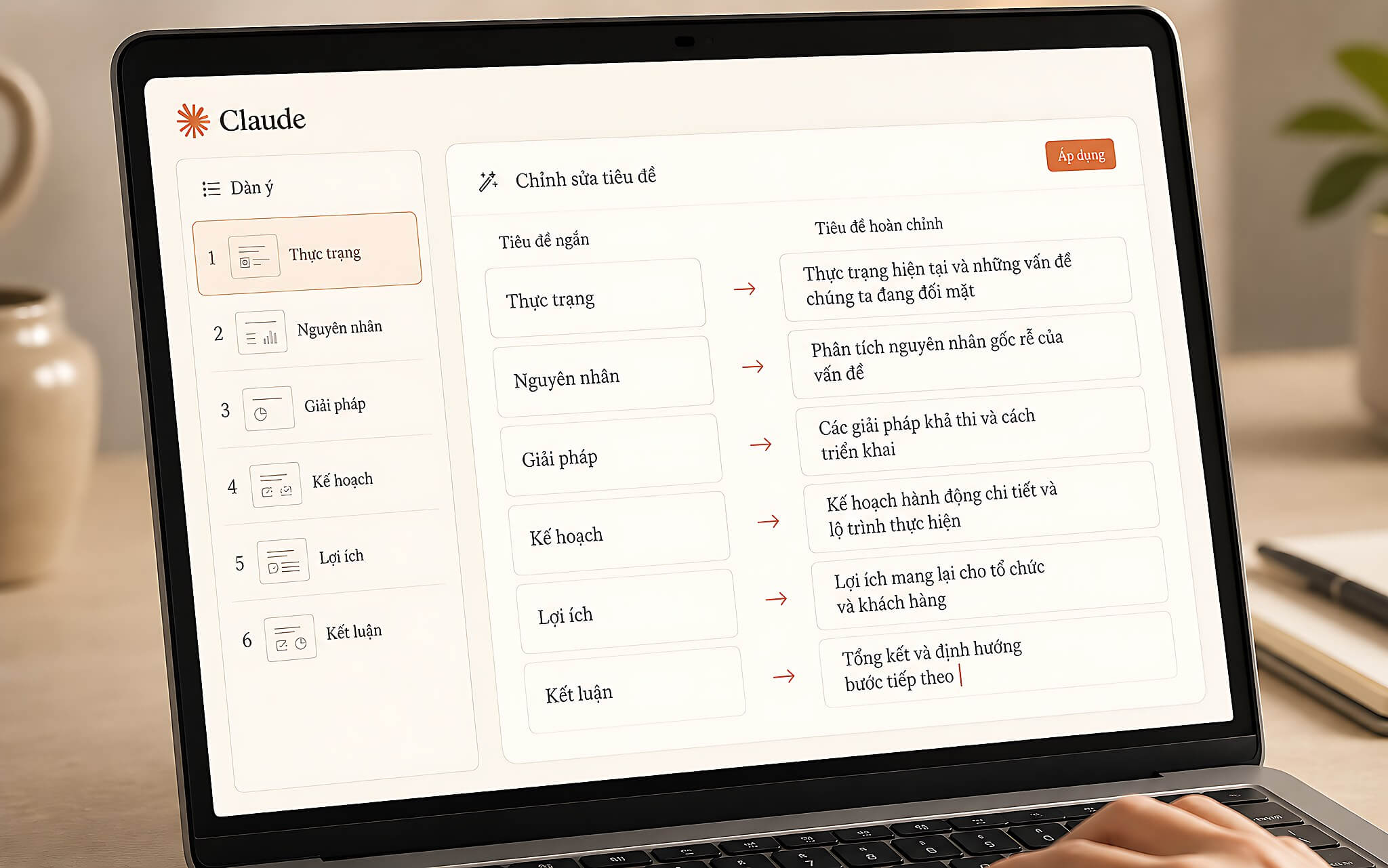
A sensible order is to begin with the audience and the goal. You specify the type of presentation, the topic and the number of slides, then describe the listeners' role, what they already know and the decisions they have made before. The outline prompt then arranges the content by situation, problem or level of complexity before getting to the solution. Another prompt flags slides that don't move the audience toward the goal and says plainly what to cut, so the layout is tightened from the start.
In the editing group, you paste in draft content so the tool can condense it into short text and point out which parts belong on other slides. The headline prompt turns each descriptive line into a complete statement, and you then read them straight through to confirm the story is logical. For data and charts, a prompt checks how strong the evidence is before suggesting how to present it. The rebuttal section identifies three concerns and prepares evidence-backed answers for a slide or for Q&A. Keep the revised outline on hand so later prompts stay tied to the same goal.
What to Check Carefully Before Putting Content on Slides
AI can suggest structure, wording and ways to present material, but a prompt is no substitute for the source data. If a chart doesn't fully support a conclusion, keep that caveat instead of asking the AI to write a stronger conclusion. The original article also wants prompts to say plainly what should be cut, rather than offering vague advice of little use.

The text on a slide should serve the headline and one main point. The draft-content prompt asks you to remove extra information and to point out which parts fit better on other slides. When you use the objection-prediction prompt, each answer should also acknowledge the concern first and then give the evidence that explains it, which helps the presentation keep its credibility.
You also need to separate what belongs on the slide from what is only for the spoken delivery. A long answer for the Q&A doesn't have to go on the screen in full. The prompts only help you organize options; the presenter still has to verify accuracy and whether the material meets the audience's needs.
Who Should Use Them and How to Apply Them in Vietnamese Workplaces
The prompt set suits office workers who regularly write reports, proposals or presentations for stakeholders. People new to building slides can use it to start from the goal and the audience, instead of opening the software and writing each slide by gut feeling. Those who already have a draft can also use the condensing prompts, the headline check and the cut-finding prompt.
The prompt templates in the original article are written in Vietnamese and use fields familiar from office work. You need to prepare the topic, data, outline, and a list of stakeholders along with what they care about. The original article mentions the QuanTriMang Pro Membership plan but gives no price, infrastructure requirement or specific device configuration, so you don't need to worry about cost when trying it out.
In a Vietnamese workplace, the stakeholder prep can be used to ask each person about their concerns ahead of time. This helps surface objections before the meeting and prepare suitable content for the slides or the Q&A. The prompts can take over part of the work of organizing ideas, condensing text and preparing questions, but the final decision still rests with the person giving the presentation.