
Choosing a laptop for high school students as early as 10th grade is an investment in three years of online learning, presentations, computer science studies, and graduation exam prep. This article follows the daily rhythm of a high schooler: the specs required for school software, how a laptop must withstand the bumps and drops of a backpack, how parents can manage screen time using Microsoft Family Safety, and finally, a selection of four 2025 and 2026 models starting from 17.99 million VND.
What high schoolers need in a laptop for online learning and exam prep
A high school student's day typically consists of three main blocks: in-class learning, after-school tutoring or evening online sessions, and self-study using practice exams and lecture videos. A laptop for a 10th grader therefore needs a webcam, microphone, and speakers clear enough for classes on Microsoft Teams, Google Meet, or Zoom, while simultaneously running a browser, PDF exam files, and note-taking apps. This workload is light on processing power but lasts for many hours, so high school laptops need to prioritize stability over peak performance.
The display is the component students look at longest during the day. A 14-inch laptop for high schoolers is convenient for carrying around, while 15.6 or 16-inch screens help split the screen between lecture videos and study materials when working at home. A 16:10 aspect ratio with 1920 x 1200 resolution displays a few more lines of text compared to a standard 16:9 frame, which is useful when reading long multiple-choice questions. A brightness of about 300 to 400 nits helps make reading clearer when sitting near a classroom window.
Preparing for graduation exams requires storing many documents: past exams, downloaded lecture videos, and online class recordings. A 512GB SSD provides safe capacity for three years, while 16GB of RAM helps manage multiple browser tabs and video calls running at once. If your budget only allows for 8GB of RAM, prioritize a 10th-grade laptop with an available RAM slot for an upgrade in 11th grade, rather than a model with soldered memory. This is the configuration threshold to maintain when choosing high school laptops at any price point.
Required specs for high school learning software
Most software students use in high school has low system requirements. According to Microsoft's System requirements for Microsoft 365 for home use, the Word, Excel, and PowerPoint suite on Windows only requires a 2-core 1.6 GHz processor, 4GB of RAM, and 4GB of free space. Microsoft Teams for online learning requires 4GB of RAM and 3GB of space according to Microsoft Learn, while Windows 11 requires a minimum of 4GB of RAM, 64GB of storage, and a TPM 2.0 chip.
| Software | School use case | Minimum processor | Minimum RAM | Free space |
|---|---|---|---|---|
| Windows 11 | Laptop operating system | 2-core, 1 GHz, 64-bit | 4GB | 64GB |
| Microsoft 365 (Word, Excel, PowerPoint) | Writing, presentations, spreadsheets | 2-core, 1.6 GHz | 4GB | 4GB |
| Microsoft Teams | Online classes | 2-core, 1.1 GHz | 4GB | 3GB |
When studying online, high school laptops often need to run Teams or Zoom alongside a browser for documents, teacher PowerPoint files, and note-taking apps; combined, 8GB of RAM starts to fall short, while 16GB provides plenty of breathing room. The 10th-grade computer science curriculum under the 2018 general education program includes Python programming, but exercises at this level are light, and modern mainstream chips handle them easily.
Some specializations lead to heavier software: students choosing a computer science track might install Visual Studio Code, while those interested in design might use Canva or perform short video editing for group projects. GeoGebra for math runs in the browser. For these needs, a 10th-grade laptop with a 2025 or 2026 Intel Core or AMD Ryzen chip and 16GB of RAM is sufficient. High school laptops do not need discrete graphics, which would significantly increase weight and reduce battery life.
Chassis Built to Survive Three Years in a Backpack
Laptops for high school students face higher risks than office laptops: they are squeezed between textbooks and water bottles in a backpack or placed on cramped desks. An aluminum lid helps prevent the screen from bending, while a sturdy hinge reduces loosening after thousands of open-and-close cycles. Weight also indirectly impacts durability, as a lighter bag makes daily carrying easier. How to calculate battery life and weight for a full school day is analyzed in the article Long-lasting laptops for a full day of school and work - Choose by Wh, chip, and weight.
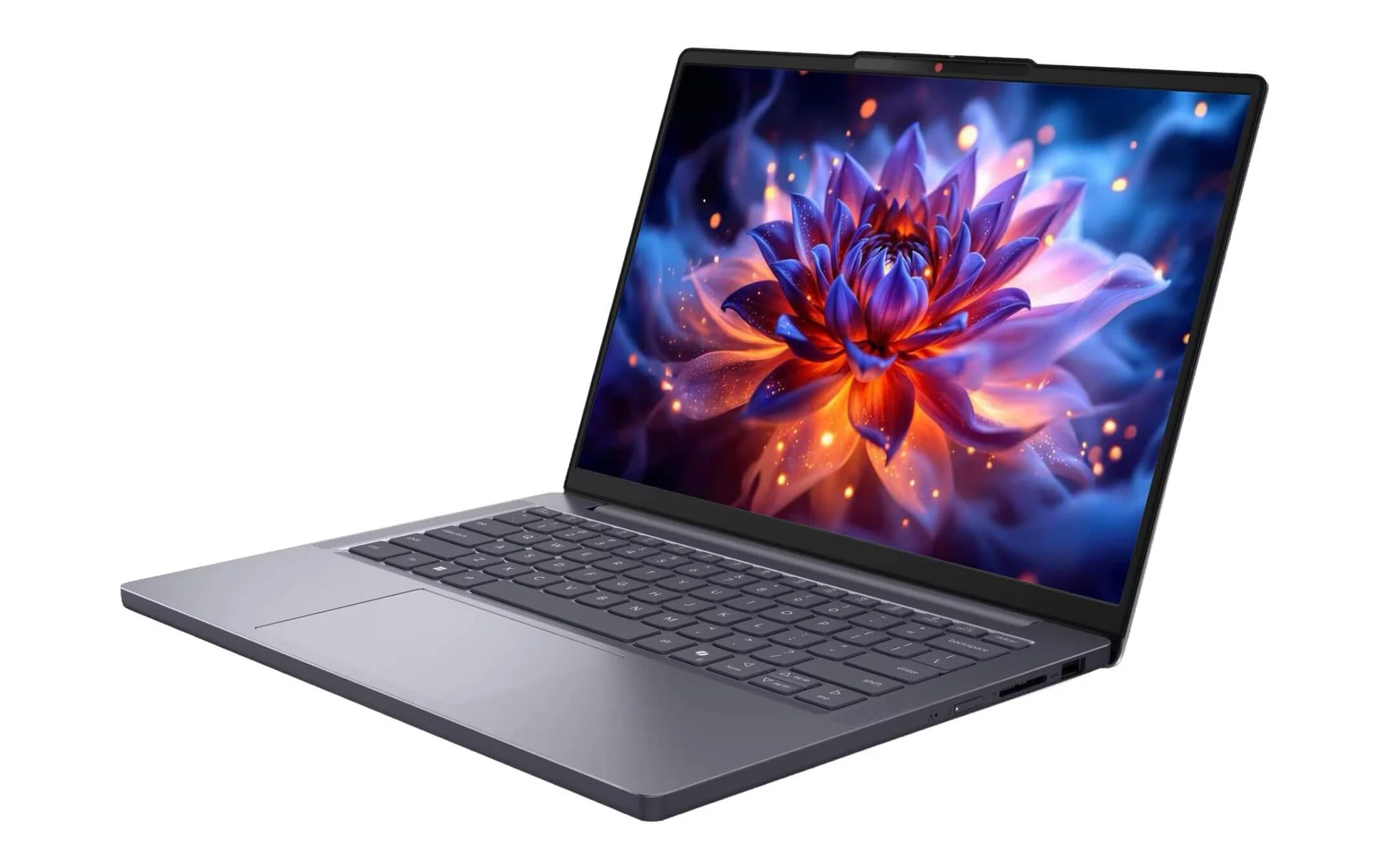
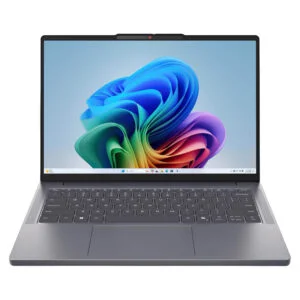
Lenovo IdeaPad Slim 3 14 inch (2026) is a laptop for high school students who must carry their device to school every day, thanks to its 1.39 kg weight and having passed 21 MIL-STD-810H durability tests according to Lenovo's PSREF. The configuration includes an Intel Core 5 320 6-core processor, 16GB RAM, 512GB SSD, and a 14-inch 1920 x 1200 display with 400 nits of brightness, priced at 23.69 million VND including Windows 11. It features a 50Wh or 60Wh battery depending on the version, with a 15-minute charge providing about 2 hours of use. The laptop has one SODIMM RAM slot supporting up to 32GB and comes with a 24-month Lenovo Vietnam genuine warranty.
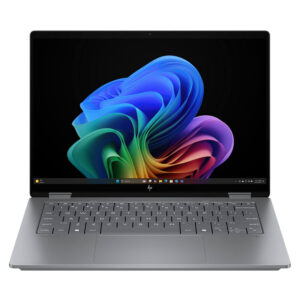
HP OmniBook X Flip Next Gen AI 14 (2025) suits students who prefer taking notes and presenting directly on the screen, as the hinge allows for 4 positions: laptop, tent, tablet, and flip. According to HP, the 14-inch 1920 x 1200 touchscreen is covered with Corning Gorilla Glass 3, has 400 nits of brightness, weighs about 1.4 kg, and uses a 59Wh battery. The Ryzen AI 5 340 version with 16GB RAM and 512GB SSD is priced at 22.5 million VND and includes a 12-month warranty. The LPDDR5x RAM is soldered to the motherboard, so when choosing a laptop for 10th-grade students, the 16GB capacity will remain fixed for all three years.
Managing Screen Time with Microsoft Family Safety
Many parents worry that a high school student's laptop will turn into a tool for gaming and social media scrolling. Windows includes a built-in solution called Microsoft Family Safety: parents create a family group using a Microsoft account, add their child's account, and then set limits via the family management site or mobile app. According to Microsoft's support page Set screen time limits across devices, limits apply to Windows devices, Xbox, and Android phones connected to the family group.
| Feature | Setup Method | Tips for High School Students |
|---|---|---|
| Usage time limits | Select specific days, set time slots and total hours, and copy settings for the whole week | Open the laptop during evening self-study slots, with more flexibility on weekends |
| App and game limits | Select individual apps, set daily hour limits, and define allowed time slots | Limit games while leaving Teams, Word, and PowerPoint unrestricted |
| Website blocking | Block relevant sites in the app settings, as time limits do not apply to websites | Block gaming websites during school hours |
The advantage of this method is that you can limit specific apps instead of locking the entire laptop. Parents can allow Teams, Word, and browsers to function during tutoring sessions, while only allowing games for 1 hour on Saturday nights. Schedules can be set individually for each day of the week to match tutoring or changing schedules. When a student enters exam season, parents can loosen or tighten limits directly from their phones, so the high school student's laptop remains useful for studying without being completely locked down.
For Family Safety to be effective, students need to sign into Windows using a separate Microsoft account within the family group, while parents should hold the administrator rights. When handing over a laptop to a 10th-grade student, set these rules from day one, as imposing limits after habits have already formed often leads to arguments.
Four High School Laptops Grouped by Learning Style
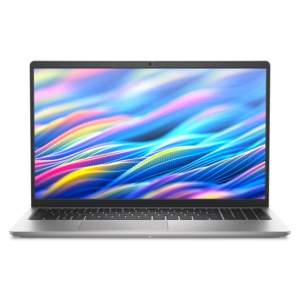
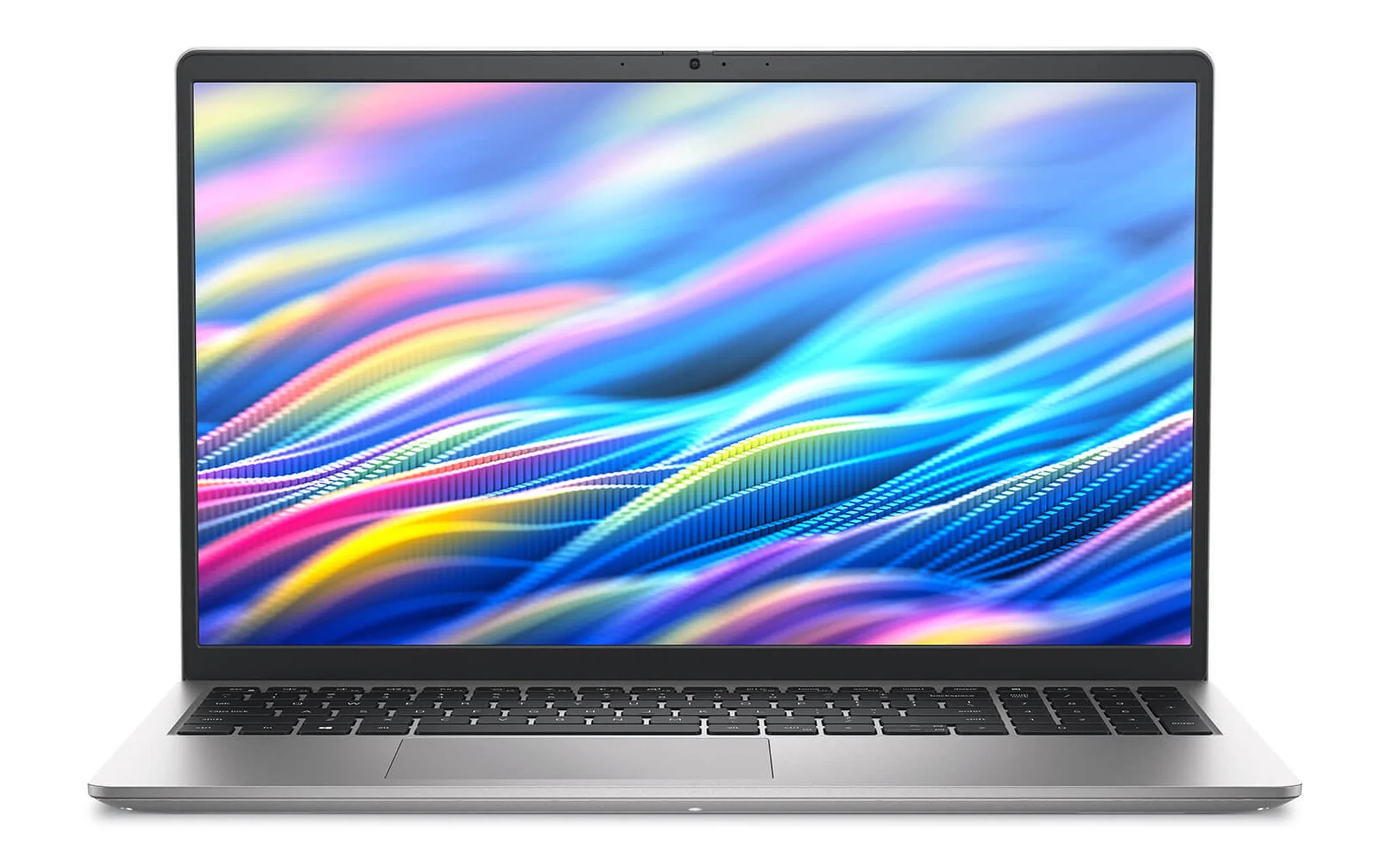
The DELL 15 DC15250 (2025) is the lowest-priced high school laptop in this group: the 10-core Core i5-1334U configuration with 8GB of RAM, a 512GB SSD, and a 15.6-inch Full HD 120Hz display starts at 17.99 million VND, while the 16GB version is priced at 23.59 million VND. According to LaptopMedia's teardown, the laptop features two SODIMM RAM slots, so families can purchase the 8GB model and add another stick when their child enters 11th grade. Dell lists a starting weight of 1.62 kg, and the laptop comes with a 12-month warranty.
| Laptop Model | Specs | Display | Starting Weight (kg) | Starting Price |
|---|---|---|---|---|
| DELL 15 DC15250 (2025) | Core i5-1334U, 8GB, SSD 512GB | 15.6-inch Full HD 120Hz | 1.62 | 17.99 million VND |
| HP OmniBook X Flip Next Gen AI 14 (2025) | Ryzen AI 5 340, 16GB, SSD 512GB | 14-inch 1920 x 1200 touchscreen | 1.40 | 22.5 million VND |
| Lenovo IdeaPad Slim 3 14 inch (2026) | Core 5 320, 16GB, SSD 512GB | 14-inch 1920 x 1200 | 1.39 | 23.69 million VND |
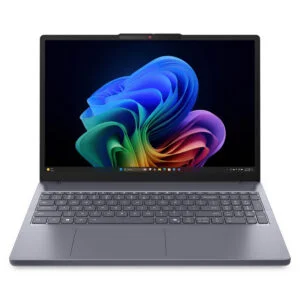
| Lenovo IdeaPad Slim 3 16 inch (2026) | Core 5 320, 16GB, SSD 512GB | 16-inch 1920 x 1200 | 1.68 | 23.69 million VND |
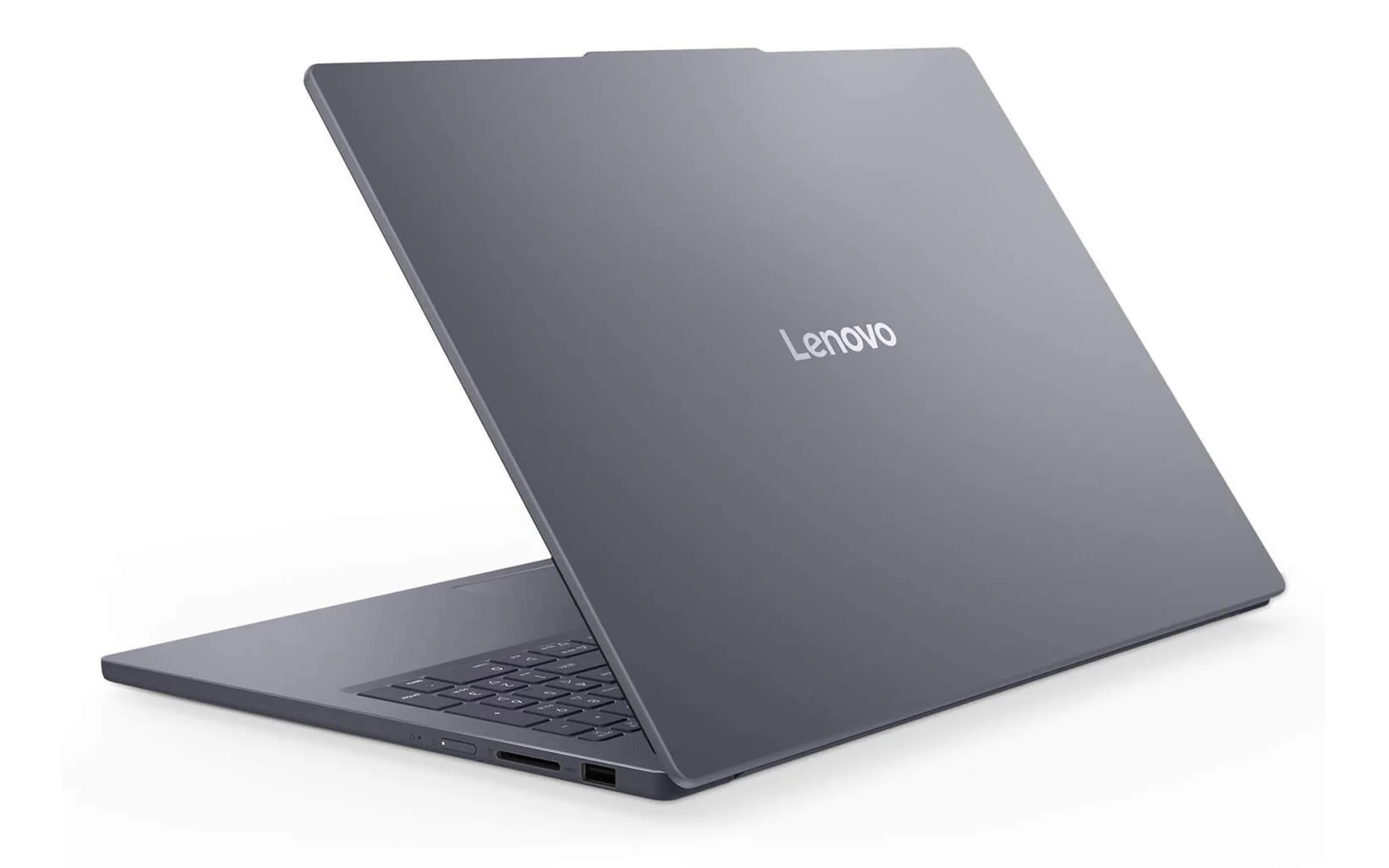
The Lenovo IdeaPad Slim 3 16 inch (2026) caters to students who need a large display to watch lectures and take notes simultaneously. It features a 16-inch 1920 x 1200 display with 400 nits of brightness and a keyboard with a dedicated numeric keypad that makes spreadsheet data entry convenient. Configured with a Core 5 320 processor, 16GB of RAM, a 512GB SSD, and Windows 11, it is priced at 23.69 million VND with a starting weight of 1.68 kg according to PSREF. Ideal as a laptop for 10th graders studying primarily at home, it still passes 21 MIL-STD-810H test procedures and carries a 24-month warranty, just like the 14-inch version.
Here is a quick selection guide: students with long commutes should opt for the 14-inch Slim 3; those who prefer taking notes via touch are well suited to the OmniBook X Flip; families prioritizing a lower upfront cost can choose the Dell 15 and upgrade the RAM later; and students who study mostly at home should go with the 16-inch Slim 3. All four are high school laptops capable of handling the entire high school curriculum. If your budget stretches closer to 25 million VND, the article Laptops Around 25 Million VND: Choosing Between Office, Touchscreen, or Gaming Across 5 Models compares 5 additional options based on office productivity, touchscreen, and gaming needs.
Inspecting the Laptop Upon Delivery Before the First Class
When receiving a laptop for a high school student, inspect the chassis and hinges first: open and close the display a few times, ensuring the lid is not misaligned and the corners have no dents. These areas endure the most stress when the laptop is inside a backpack, and catching assembly defects early makes returns or exchanges much easier. The screen should be tested against solid white and solid black backgrounds to check for dead pixels or backlight bleed along the edges.
Software preparations before the first online class should include updating Windows, activating the included genuine Office license if applicable, installing Teams or Zoom as required by the school, and testing the webcam and microphone with a quick test call. A high school laptop that is cleanly set up from the start encounters fewer minor glitches during online exams, while 10th graders using a laptop for the first time will also get up to speed much faster.
To keep a laptop running reliably across all three years, use a dedicated protective sleeve, never pack a water bottle in the same compartment, and always use the included power adapter. Important coursework should be backed up concurrently to OneDrive or Google Drive, as an SSD can fail unexpectedly right in the middle of exam season when time to diagnose and recover data is severely limited. For families purchasing a high school laptop, the cost of protective accessories is negligible compared to the risk of losing schoolwork right before graduation exams.
Frequently Asked Questions (FAQ)
Should 10th graders choose 8GB or 16GB of RAM for their laptop?
16GB of RAM is better suited for all three school years, as online classes often require running Teams, a web browser, and PowerPoint simultaneously. If your budget only allows for 8GB, choose a model with an available RAM slot like the DELL 15 DC15250 so you can add more memory in 11th grade. This approach ensures the high school laptop keeps pace with academic demands all the way through 12th grade.
Do high school students need a touchscreen laptop?
It is not mandatory. A touchscreen is handy for students who frequently take handwritten notes or give presentations, such as on the HP OmniBook X Flip with its 4 usage modes. For students primarily typing documents and building spreadsheets, a standard non-touch high school laptop with a quality keyboard is plenty.
Can parents set screen time limits on the laptop from their phone?
Yes. Microsoft Family Safety allows you to schedule usage hours, set daily screen time caps, and limit individual apps and games right from a smartphone app. The high school student's laptop simply needs to be logged in with the child's Microsoft account linked to the family group.
What is a reasonable price range for a high school laptop?
Around 18 to 24 million VND is sufficient for the high school curriculum. The four models featured in this guide range from 17.99 million VND for the DELL 15 DC15250 to 23.69 million VND for the Lenovo IdeaPad Slim 3; all come equipped with a 512GB SSD and make solid choices for incoming 10th graders.