

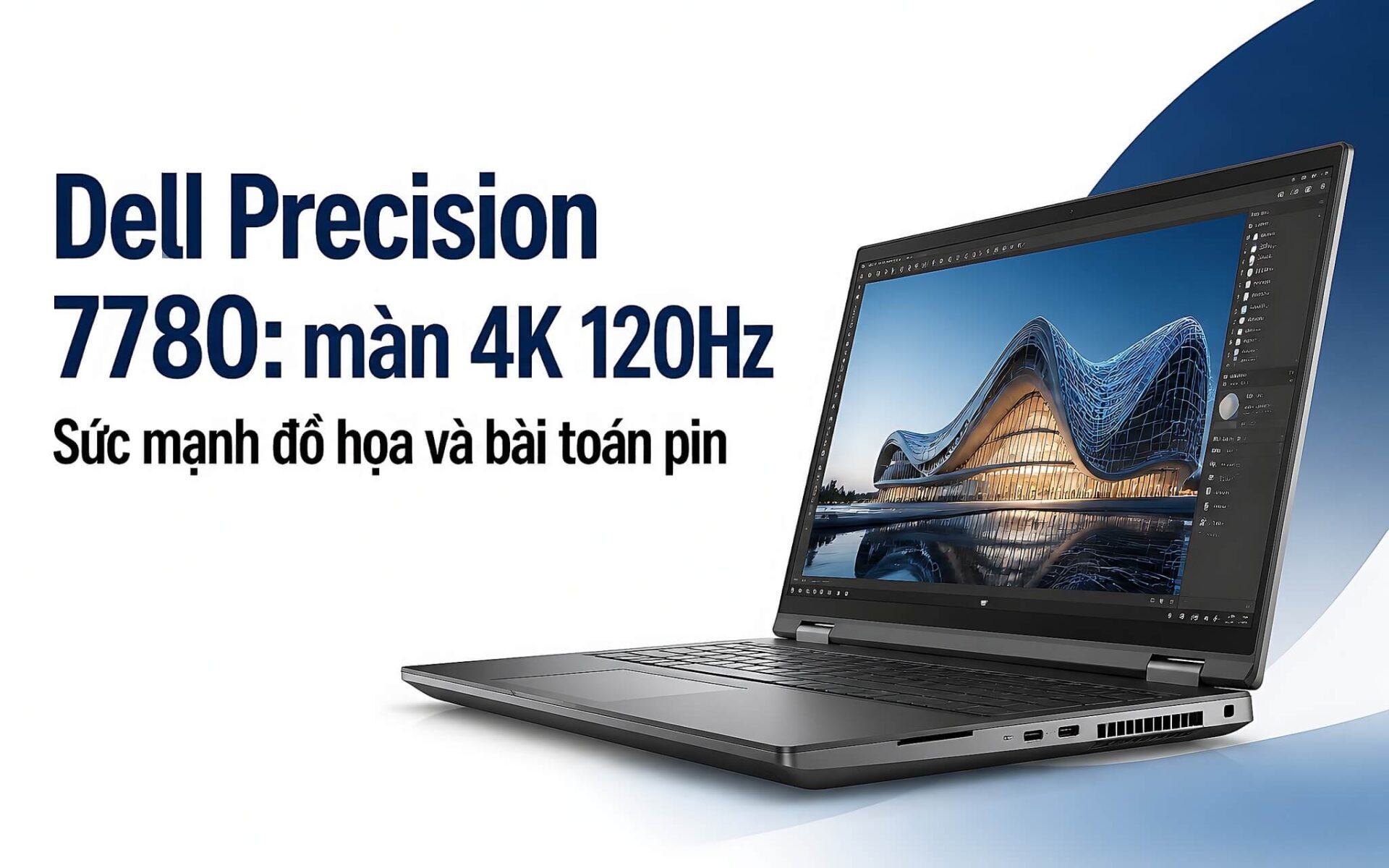
The Dell Precision 7780 17.3-inch mobile workstation offers 4K UHD 120Hz display options paired with NVIDIA RTX Ada graphics cards, ranging from the RTX A1000 6GB to the RTX 5000 Ada 16GB. The more powerful the configuration and the sharper the screen, the more pressure is placed on the 93 Wh battery. If you are considering investing in a workstation for 3D modeling, rendering, or AI computing, Hung Phat provides a detailed analysis of the real-world performance and power consumption of this machine below.
Overview of Dell Precision 7780 configuration and 4K 120Hz display
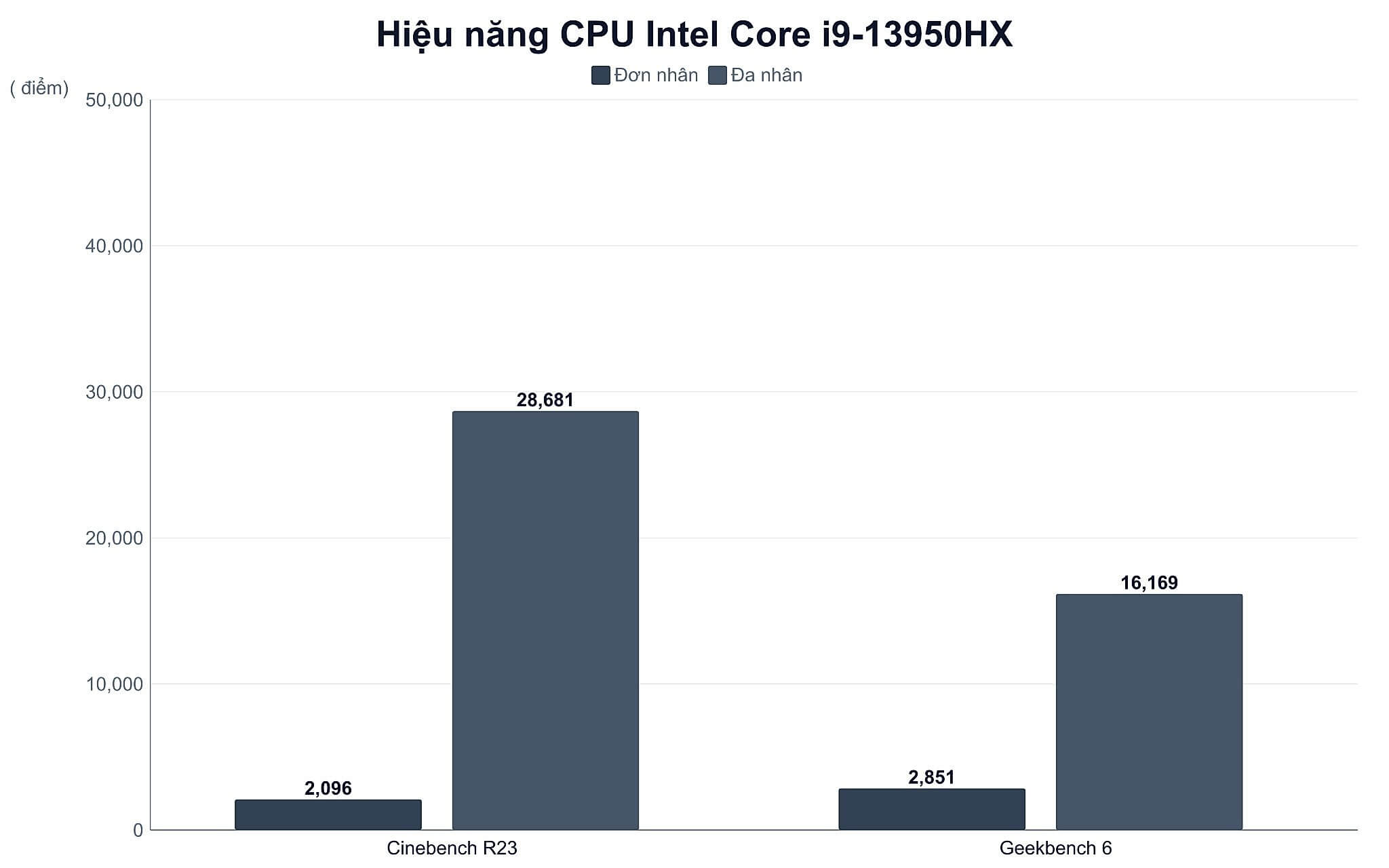
This 17.3-inch mobile workstation segment represents the high end of hardware power built on the Intel Raptor Lake-HX platform. The Intel Core i9-13950HX processor features 24 cores and 32 threads, with a base power of 55W and a maximum clock speed of 5.5GHz. Through real-world testing, this chip recorded 2,096 single-core and 28,681 multi-core points on Cinebench R23, while achieving 2,851 single-core and 16,169 multi-core points on Geekbench 6.
Regarding the display, the machine has two panel options. The standard version uses a 17.3-inch FHD (1920x1080) 60Hz screen with 500 nits brightness and 99% DCI-P3 color gamut coverage. The high-end version upgrades to 4K UHD (3840x2160) resolution at 120Hz, maintaining 500 nits and 99% DCI-P3 for film editing and design work requiring color accuracy. This 4K 120Hz panel creates a significant difference in experience but also leads to higher power consumption.
RTX A1000 and RTX 3500 Ada: Starting points for technical graphics
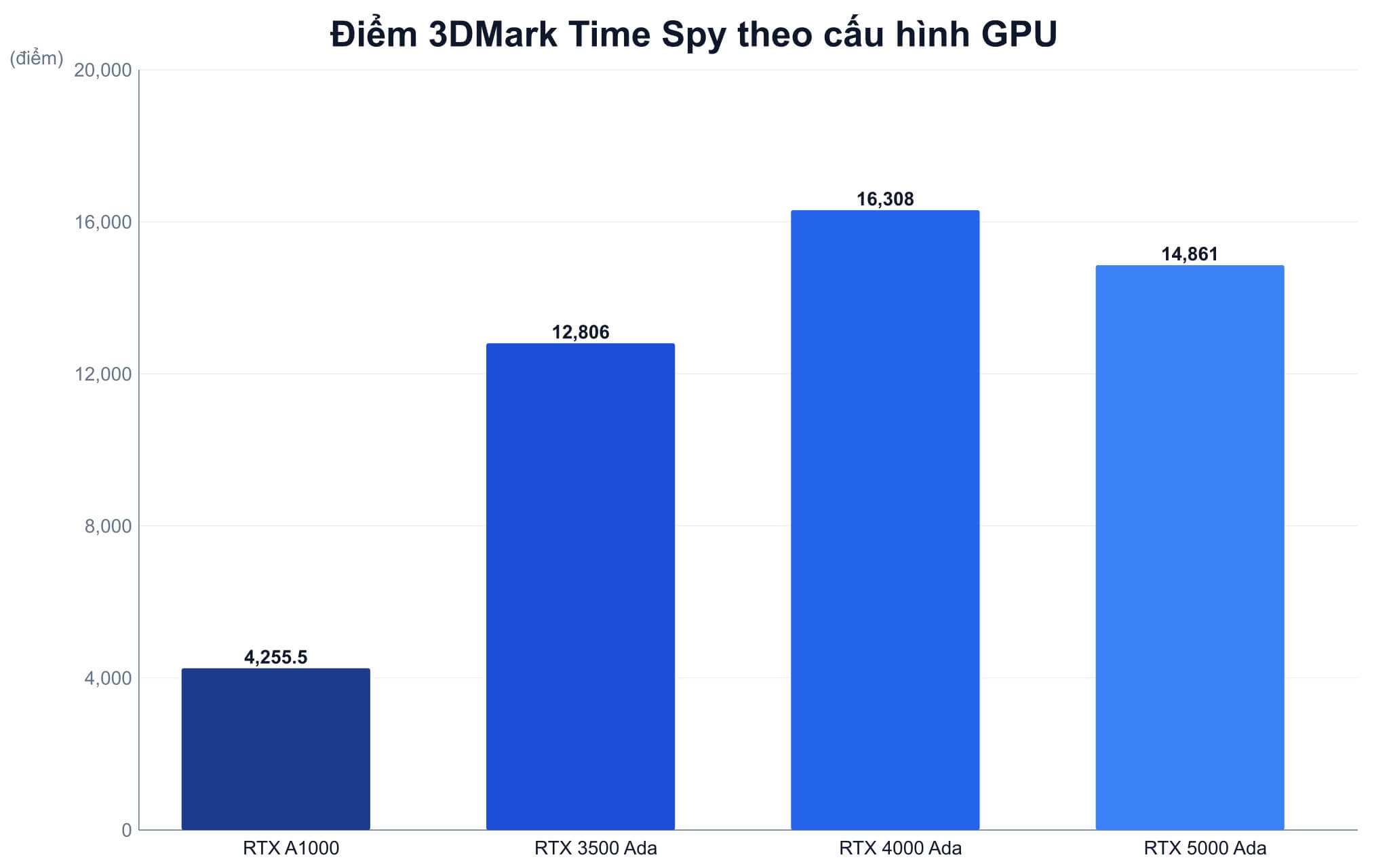
The entry-level version is equipped with the RTX A1000 6GB based on the Ampere architecture with 2,048 CUDA cores, achieving approximately 4,255 points in 3DMark Time Spy. This level of power is suitable for viewing blueprints, 2D CAD drafting, and simple 3D models in AutoCAD or Revit. As workloads increase, the RTX 3500 Ada 12GB is a logical upgrade thanks to its 5,120 CUDA cores, 432 GB/s bandwidth, and 12GB VRAM, delivering a Time Spy score of around 12,806. The table below summarizes the available variants for easy comparison.
| Variant | CPU / RAM / SSD | GPU | Display | Reference Price |
|---|---|---|---|---|
| Entry-level | i9-13950HX / 64GB / 512GB | RTX A1000 6GB | FHD 60Hz | 39.99 million |
| Mid-range | i9-13950HX / 64GB / 1TB | RTX 3500 Ada 12GB | FHD 60Hz | 54 million |
| High Performance | i9-13950HX / 64GB / 1TB | RTX 4000 Ada 12GB | FHD 60Hz | 69 million |
| Top-tier (4K) | i7-13850HX / 128GB / 2TB | RTX 5000 Ada 16GB | 4K UHD 120Hz | 79 million |
In this configuration group, many users hesitate between a 17.3-inch workstation and a more compact 15.6-inch model. If your work focuses on CAD and basic technical graphics, you may want to consider the Dell Precision 3581 for comparison before deciding to jump straight to the 17.3-inch segment.
RTX 4000 Ada: The performance leap for Dell Precision 7780 graphics
The RTX 4000 Ada 12GB is the link that creates a massive difference in raw graphics performance. This card features 7,424 CUDA cores, 432 GB/s bandwidth, 538 TOPS AI capability, and achieves approximately 16,308 in 3DMark Time Spy, the highest in the machine's GPU lineup. With 12GB of VRAM, this configuration smoothly handles high-density polygon scenes, accelerates rendering in Chaos V-Ray or Blender, and shortens AI-based image denoising times.
This is also a balanced choice between cost and power for most design engineers. If you want to learn about another mobile workstation in the same line for local AI tasks, the article on Dell Precision 7680 analyzes this application more deeply in a 16-inch screen size.
RTX 5000 Ada and 4K 120Hz: The pinnacle of workstation configurations
The top-tier version priced at 79 million combines an i7-13850HX, 128GB RAM, 2TB drive with the RTX 5000 Ada 16GB and a 4K 120Hz panel. The RTX 5000 Ada card has 9,728 CUDA cores, 576 GB/s bandwidth, and 16GB VRAM, with an AI computing capacity of 682 TOPS. A Time Spy score of approximately 14,861 shows raw graphics power comparable to the RTX 4000 Ada, but the real advantage lies in the 16GB VRAM capacity and the ability to load large AI models or massive 3D scenes without memory overflow.
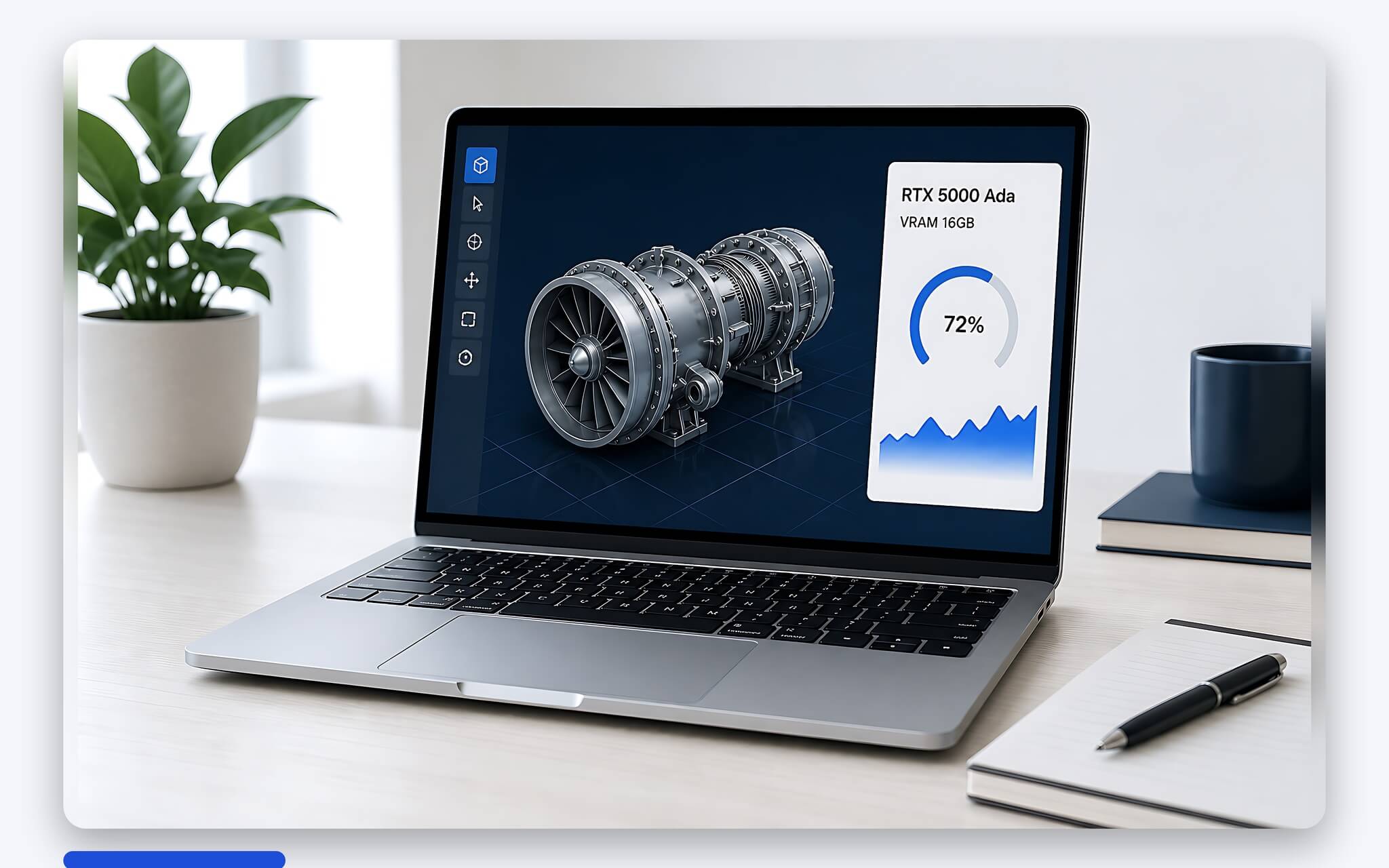
The difference also comes from stability. The professional NVIDIA Ada Lovelace architecture comes with ISV certifications, ensuring optimal compatibility with Siemens NX, CATIA, or SolidWorks. Combined with the 4K 120Hz 500 nits screen covering 99% DCI-P3, this configuration allows specialists to perform color-accurate modeling while experiencing motion twice as smooth as the traditional 60Hz standard.
The energy equation: 4K 120Hz vs. Battery Life
This is a point you need to consider carefully. The 93 Wh battery, when tasked with driving a 4K 120Hz panel along with a high-performance configuration, only lasts a few hours for office tasks and light web browsing. When activating maximum GPU power for video rendering or running AI models, the battery life drops significantly. Therefore, plugging in the high-capacity charger is almost mandatory to maintain stable performance during long working sessions.
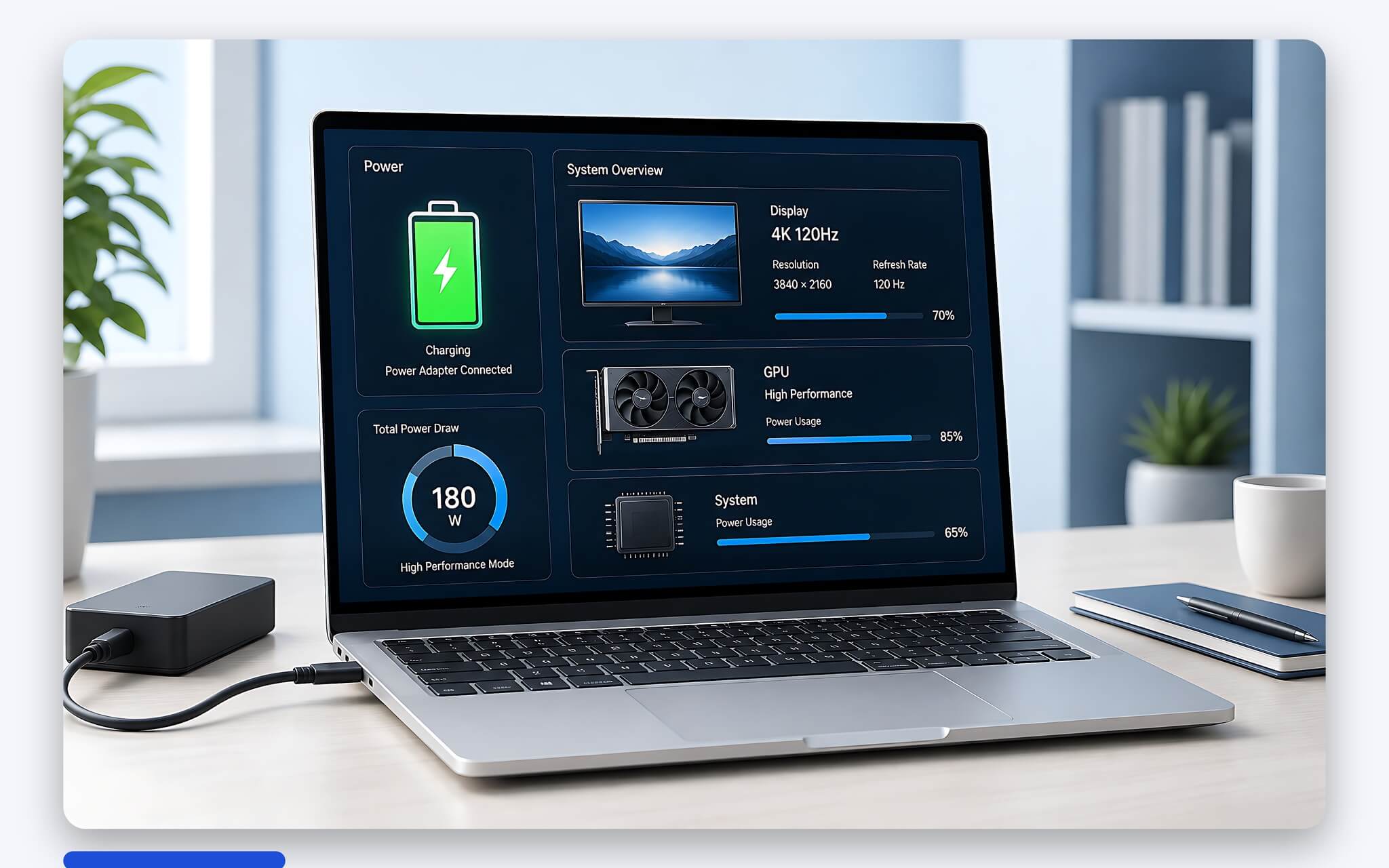
A vapor chamber cooling system combined with dual fans helps the machine maintain clock speeds when the GPU pushes power up to a TGP of 175W, limiting performance throttling due to overheating. In exchange for that power, the 17.3-inch size, weight of approximately 3.05 kg, and a heavy power adapter are barriers if you travel frequently. Regarding expandability, the machine supports up to 128GB of DDR5 RAM via the CAMM or SODIMM standard and features 4 M.2 PCIe Gen4 slots for large storage needs.
Reputable address for mobile workstation consultation in HCMC
If you are looking for a place to directly experience high-configuration mobile workstations in HCMC, Hung Phat is a destination worth considering. The store distributes genuine imported machines with clear conditions and full hardware inspection certifications. Prices for the 7780 series range from approximately 40 to 79 million depending on the screen and graphics card options. You can view details for each variant at the Dell Precision 7780 genuine page to compare configurations.
A consulting team knowledgeable in specialized graphics software will help you match the configuration to your actual needs rather than just chasing excessive specs. You will also receive attentive warranty service, on-site technical support, and periodic cleaning and thermal paste replacement services throughout the usage period.
Frequently Asked Questions (FAQ)
Is the RTX A1000 6GB enough for basic technical graphics?
The RTX A1000 6GB card handles viewing blueprints, 2D CAD drafting, and simple 3D models in AutoCAD or Revit well. However, when moving to heavy 3D scenes, V-Ray rendering, or large BIM models, the 6GB VRAM capacity can easily become a limitation. In those cases, you should upgrade to the RTX 3500 Ada 12GB or RTX 4000 Ada 12GB for more CUDA cores and graphics memory.
How long does the 93 Wh battery last on a 4K 120Hz screen?
The 93 Wh battery on the 4K 120Hz version only lasts a few hours for office tasks and web browsing at medium brightness. When running video rendering or maximum GPU computing, the usage time decreases very rapidly. Due to the high-performance hardware characteristics, you should keep the charger plugged in continuously during graphics working sessions to maintain maximum power.
What are the RAM and SSD upgrade capabilities on the Dell Precision 7780?
This machine series supports flexible hardware expansion with 4 M.2 PCIe Gen4 SSD slots for large storage needs. Regarding memory, the machine supports up to 128GB of DDR5 RAM through the new CAMM standard or traditional SODIMM slots. This allows you to confidently expand your configuration to serve large projects for many years to come.
Should I choose the RTX 4000 Ada or RTX 5000 Ada for graphics work?
If you prioritize raw graphics performance and reasonable cost, the RTX 4000 Ada 12GB is a worthy consideration with a Time Spy score of approximately 16,308. Conversely, when the work focuses on AI models, large-capacity 3D scenes, or demanding ISV software like CATIA and Siemens NX, the RTX 5000 Ada 16GB is more suitable due to its 16GB VRAM, 682 TOPS AI capability, and high stability.











