

When a 4K project stutters or the playhead lags during scrubbing in Premiere Pro or DaVinci Resolve, the issue usually stems from a hardware mismatch with your footage codec rather than user error. This guide breaks down four core criteria when choosing a video editing laptop: dedicated hardware decoding for 10-bit 4:2:2 codecs, GPU VRAM capacity, 32GB of RAM, and fast SSD cache storage. Simply put, 4:2:2 recording preserves twice as much color information as the 4:2:0 standard on smartphones, producing richer images that demand significantly more processing power during playback. At the end of the guide, we look at five RTX 50-series models priced between 46 and 92.9 million VND.
Three Demanding Stages for a Video Editing Laptop on a 4K Timeline
A 4K project stresses a laptop across three distinct phases. The first is decoding - decompressing raw H.264 or HEVC files into individual frames for playback on the 4K timeline. The second is processing effects, color grading, noise reduction, and stabilization, which primarily run on the GPU's CUDA cores. The third is exporting, handled by the NVENC encoder on NVIDIA cards or Quick Sync on Intel processors. Because each phase relies on a different component, a video editing laptop that excels in one area can still hit a bottleneck in another.
Decoding bottlenecks are particularly frustrating because they directly impact how responsive timeline scrubbing feels. If the graphics processor lacks hardware decoding support for your specific file format, the software offloads all decompression work to the CPU, sending fans spinning at full speed while frames continue to drop. Adobe's technical specifications for Premiere Pro 26.0 recommend an 11th Gen Intel CPU or newer with Quick Sync, at least 32GB of RAM for 4K video, and a GPU with 8GB of memory. This serves as a practical baseline when selecting a laptop for long-form Premiere projects.
Exporting is far less taxing thanks to dedicated hardware encoders. According to an April 2025 NVIDIA blog post, the GeForce RTX 50 series features the 9th-generation NVENC encoder and 6th-generation NVDEC decoder, improving HEVC compression efficiency by 8% based on the BD-BR metric during Premiere Pro exports. For creators, this efficiency gain yields smaller file sizes at the same visual quality. When evaluating a GPU for Premiere or Resolve, hardware decoding support and VRAM should take priority, with raw export speed coming second.
10-Bit Camera Codecs and Hardware Decoding Capabilities
Many modern mirrorless and cinema cameras offer 10-bit 4:2:2 H.264 or HEVC recording modes to retain color depth for post-production grading. Smartphones, by contrast, typically shoot 4:2:0 HEVC, a format almost every modern GPU decodes without issue. The bottleneck comes with 4:2:2 files, as several older GPU architectures lack dedicated decoding hardware for this chroma subsampling standard. The table below compiles data from two Puget Systems benchmark evaluations for Premiere Pro and DaVinci Resolve Studio, with identical results across both editing suites.
| File Format | RTX 40 Laptop | RTX 50 Laptop | Quick Sync Core Ultra 200 | AMD Ryzen 7000/9000 iGPU |
|---|---|---|---|---|
| H.264 10-bit 4:2:0 | No | Yes | No | No |
| H.264 10-bit 4:2:2 | No | Yes | No | No |
| HEVC 10-bit 4:2:0 | Yes | Yes | Yes | Yes |
| HEVC 10-bit 4:2:2 | No | Yes | Yes | No |
As the benchmark data demonstrates, among the tested NVIDIA lineups, only the GeForce RTX 50 series provides hardware decoding for both 10-bit 4:2:2 H.264 and HEVC across both applications. In Premiere Pro, Puget notes that this support was added in version 25.3. While previous-generation RTX 40 mobile GPUs handle 4:2:0 HEVC smartphone footage smoothly, they lack hardware support for 4:2:2. Consequently, if your camera shoots in 4:2:2, an RTX 50 video editing laptop delivers smooth 4K timeline playback without requiring pre-rendered proxies.
Intel processors can also handle part of this workload. Quick Sync on the Core Ultra 200 series decodes 10-bit 4:2:2 HEVC in both applications, though it does not support 10-bit H.264. Meanwhile, the integrated graphics on AMD Ryzen 7000 and 9000 chips tested by Puget fail to decode 4:2:2 files altogether. In DaVinci Resolve, Puget points out that H.264 and HEVC hardware decoding is reserved for the paid Studio version; free version users will see substantially heavier CPU loads when playing back the same media.
VRAM and RTX 50 GPU Performance for Timeline Effects
When a 4K timeline stacks multiple effect layers, complex node-based color grades, or noise reduction, the GPU loads active frames into VRAM for processing. When VRAM fills up, the application must swap data back and forth with system RAM, degrading playback performance noticeably. The product documentation for Blackmagic Design's DaVinci Resolve Studio 21.0.4, updated August 4, 2026, lists a baseline minimum of a 4GB VRAM GPU, while recommending at least 12GB of VRAM alongside 32GB of RAM for background rendering, and at least 16GB of VRAM for advanced AI tools.
| Laptop GPU | CUDA Cores | VRAM (GB) | Memory Bandwidth (GB/s) | 3DMark Time Spy (Score) |
|---|---|---|---|---|
| RTX 5060 Laptop | 3,328 | 8 | 448 | 11,755 |
| RTX 5070 Laptop | 4,608 | 8 | 448 | 13,536 |
| RTX 5070 Ti Laptop | 5,888 | 12 | 672 | 16,740 |
| RTX 5080 Laptop | 8,192 | 16 | 896 | 21,625 |
The table above outlines technical specifications alongside Notebookcheck benchmark averages for each mobile GPU. The RTX 5060 and RTX 5070 share 8GB of VRAM and 448 GB/s of memory bandwidth, with the primary performance gap coming down to CUDA core count: 3,328 versus 4,608. Stepping up to the RTX 5070 Ti brings 12GB of VRAM, reaching Resolve's background rendering threshold, while the 16GB RTX 5080 meets the demands of its advanced AI toolkit. For Premiere laptops, 8GB matches Adobe's official recommendation and handles 4K timelines with several effect layers and standard color grading comfortably.
While two laptops may share the same GPU name, manufacturers configure Total Graphics Power (TGP) differently, creating wide variations in sustained clock speeds and real-world performance. For example, the RTX 5060 runs at up to 115W in the Asus TUF Gaming F16 and tops out at 100W in the Zephyrus G14, whereas the RTX 5070 in the Dell 16 Premium is restricted to 55W. Because the 3DMark scores in the table reflect GPUs running at higher power limits, evaluating video editing laptops requires checking the manufacturer's TGP rating rather than relying on GPU branding alone.
32GB of RAM and an Open SSD Slot for Cache and Long-Project Proxies
RAM holds your software, project data, preview files, and graphic layers while editing. Adobe recommends 16GB for HD video and 32GB or more for 4K, while Blackmagic suggests 16GB for DaVinci Resolve and 32GB when using Fusion. Without enough RAM, Windows pages data to the SSD, causing the 4K timeline to stutter with every cut. That makes 32GB a sensible baseline for a 4K video editing laptop, even if you only produce short vlogs.
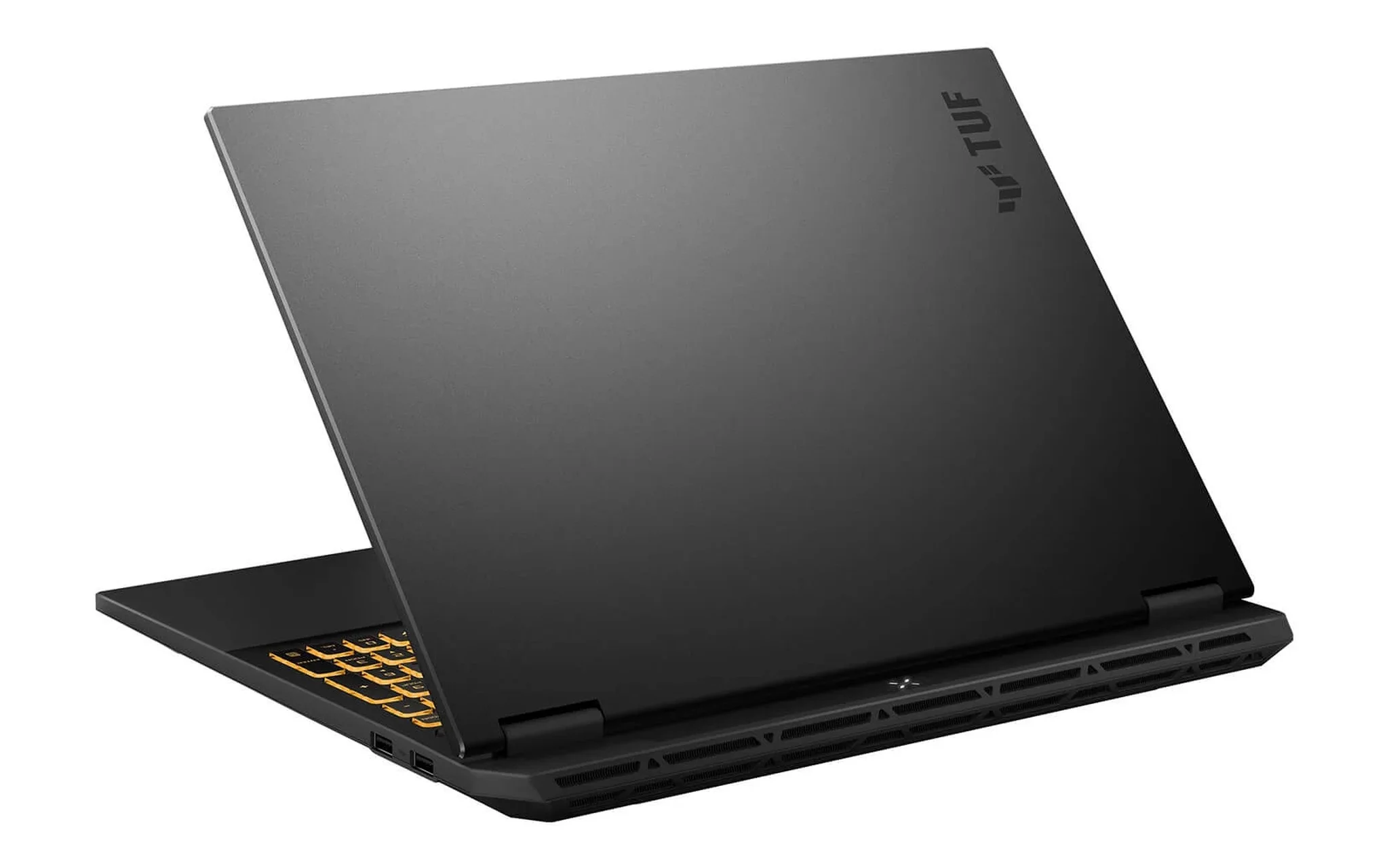
The type of RAM dictates the future upgrade potential of a video editing laptop. The Asus TUF Gaming F16 (2025) and Lenovo Legion 5 15IAX11 use two DDR5 SO-DIMM slots. According to Asus, the TUF F16 can be upgraded up to 64GB, while the Lenovo PSREF notes that the Legion 5 supports a maximum of 32GB with the memory modules the company currently provides. Both the Zephyrus G14 and G16, as well as the Dell 16 Premium, use soldered LPDDR5X memory: it offers high speeds but cannot be upgraded later, meaning you must buy all the capacity you will need upfront.
The SSD houses your cache and proxy files. Adobe recommends a fast internal SSD for software and cache, plus a separate high-speed drive for media. On a laptop, a clean solution is installing a second SSD into an open M.2 slot; for instance, the Legion 5 15IAX11 provides one PCIe 5.0 x4 slot and one PCIe 4.0 x4 slot. When working with demanding footage, generating proxies according to the guide in Blackmagic Proxy Generator: How to Create Smooth Proxies for a 4K Editing Timeline significantly eases the workload on a laptop running Premiere or Resolve.
Three RTX 5060 Video Editing Laptops from 46 to 72.9 Million VND
The Asus TUF Gaming F16 (FX608LM) (2025) starts at 46 million VND for a configuration with a Core Ultra 9 275HX, 32GB of RAM, a 1TB SSD, and an RTX 5060 8GB. Notebookcheck recorded a Geekbench 6 multi-core score of 19,464 for this 24-core chip, which features Quick Sync for decoding HEVC 4:2:2, alongside the NVDEC on an RTX 5060 running at up to 115W. Its 2.5K 165Hz display covers 100% sRGB, which is adequate for YouTube and TikTok content. This is a capable Premiere laptop at an accessible price point; weighing 2.2 kg and lacking an SD card reader, it suits a fixed editing desk better than mobile use.
| Laptop Model | CPU | GPU (Max TGP) | RAM | Display | Starting Price |
|---|---|---|---|---|---|
| Asus TUF Gaming F16 FX608LM (2025) | Core Ultra 9 275HX | RTX 5060 8GB (115W) | 32GB DDR5, 2 slots | 16-inch 2.5K 165Hz, 100% sRGB | 46 million VND |
| Lenovo Legion 5 15IAX11 (2026) | Core Ultra 7 251HX | RTX 5060 8GB (115W) | 24GB DDR5, 2 slots | 15.3-inch OLED 165Hz, 100% DCI-P3 | 63.9 million VND |
| Asus ROG Zephyrus G14 GA403 (2026) | Ryzen AI 9 465 | RTX 5060 8GB (100W) | 32GB soldered LPDDR5X | 14-inch OLED 3K 120Hz | 72.9 million VND |
| DELL 16 Premium DA16250 (2025) | Core Ultra 7 255H | RTX 5070 8GB (55W) | 32GB soldered LPDDR5X | 16.3-inch 4K touchscreen OLED | 89 million VND |
| Asus ROG Zephyrus G16 GU606 (2026) | Core Ultra 9 386H | RTX 5070 Ti 12GB (140W) | 32GB soldered LPDDR5X | 16-inch OLED 2.5K 240Hz | 92.9 million VND |
The Lenovo Legion 5 15IAX11 (2026) starts at 63.9 million VND with a Core Ultra 7 251HX, 24GB of RAM, a 512GB SSD, and an RTX 5060 8GB running at 115W. A key asset of this video editing laptop is its 15.3-inch 2560 x 1600 OLED panel, which covers 100% DCI-P3, reaches 500 nits in SDR mode, and comes factory-calibrated by X-Rite according to the Lenovo PSREF. While 24GB is lower than the 32GB Adobe recommends for 4K, two SO-DIMM slots allow upgrading to 32GB, alongside an open M.2 slot for an additional cache drive.
The Asus ROG Zephyrus G14 GA403 (2026) starts at 72.9 million VND with a Ryzen AI 9 465, 32GB of LPDDR5X-7500 RAM, a 512GB SSD, and an RTX 5060 capped at 100W. Weighing 1.5 kg, the laptop features a 14-inch 3K 120Hz OLED screen with Pantone Validated certification, a 40Gbps USB4 port, and a UHS-II microSD card slot for quickly offloading camera footage. Puget has not confirmed 4:2:2 decoding on AMD integrated graphics, so the G14 relies on the RTX 5060 for this task. The G14's main advantage is portability, making it ideal for field editors who need a Premiere laptop that slips easily into a backpack.
Two Models for Multi-Layer 4K Timelines and In-Depth Color Grading
The RTX 5070 configuration of the DELL 16 Premium DA16250 (2025) starts at 89 million VND, featuring a Core Ultra 7 255H, 32GB of RAM, a 1TB SSD, and a 16.3-inch 4K touchscreen OLED display. According to Dell's spec sheet, this panel refreshes from 48 to 120Hz at 400 nits of brightness, while the laptop includes three Thunderbolt 4 ports supporting DisplayPort 2.1, a UHS-II microSD slot, and a 99.5Wh battery. On this Premiere laptop, the 4K panel allows viewing footage pixel-for-pixel; in exchange, the RTX 5070 runs at only 55W, a hardware ceiling that makes heavy effects processing slower than on gaming models.
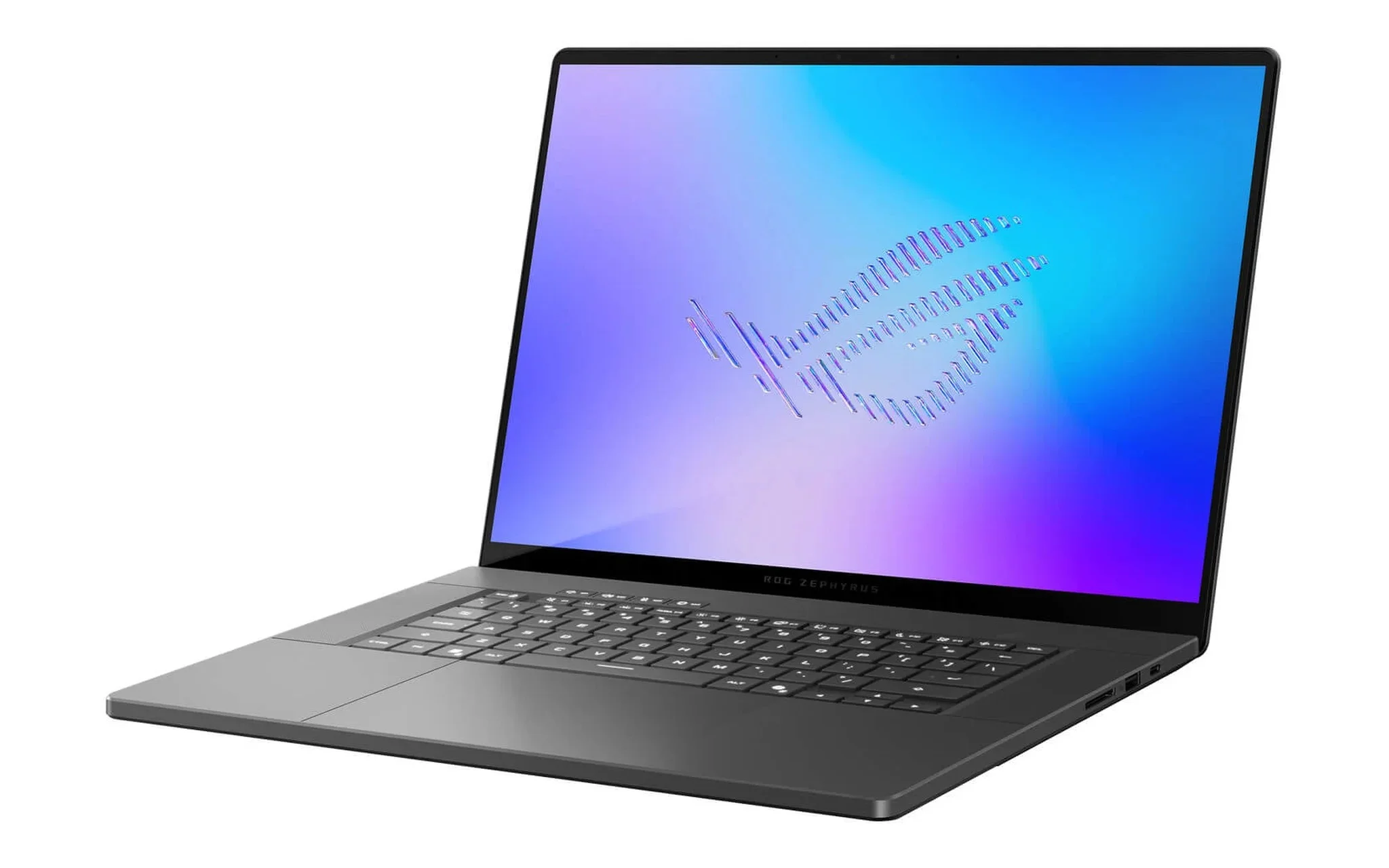
The Asus ROG Zephyrus G16 GU606 (2026) starts at 92.9 million VND for a Core Ultra 9 386H, 32GB of LPDDR5X-8533 RAM, a 1TB SSD, and an RTX 5070 Ti 12GB running at up to 140W in Manual mode. This video editing laptop combines 12GB of VRAM with 32GB of RAM, meeting the exact threshold for background rendering in DaVinci Resolve 21. Weighing 1.95 kg, it provides Thunderbolt 4, a full-size UHS-II SD card slot, and two M.2 slots. The RTX 5080 16GB version, priced from 116.9 million VND, is suitable if you rely heavily on AI tools in Resolve, where Blackmagic requires at least 16GB of VRAM.
Factory calibration only reflects a panel's state when leaving the assembly line, so if you grade footage for clients, verify it regularly using a colorimeter according to the steps in Calibrating Laptop Displays: A Color Calibration Workflow for Graphics Work. When choosing between these options, the TUF F16 or Legion 5 is sufficient for editing vlogs and short films on a 4K timeline with a few layers. If you shoot 4:2:2 and move around often, choose the G14; if you need a 4K screen, opt for the Dell 16 Premium. For complex multi-node color grading and regular Fusion use, the Zephyrus G16 is a video editing laptop well worth considering.
Frequently Asked Questions
Can previous-generation RTX 40 cards still be used for 4K editing? Yes, if your footage is HEVC 4:2:0 from phones or mainstream cameras, since the RTX 40 hardware-decodes this format. With H.264 or HEVC 10-bit 4:2:2 files, the RTX 40 lacks dedicated decoding circuitry, making a 4K timeline prone to stuttering; you will need to create proxies or switch to a video editing laptop powered by an RTX 50 GPU.
Should you choose 64GB of RAM for video editing? For most video editing laptops, 32GB satisfies Adobe's recommendation for 4K and Blackmagic's stated requirement when using Fusion. 64GB is beneficial when running After Effects and Photoshop concurrently, or editing long 6K and 8K projects. On the TUF F16, you can upgrade later via the SO-DIMM slots, whereas Premiere laptops with soldered RAM like the Zephyrus G16 require choosing the 64GB configuration right at purchase if needed.
Is a 100% sRGB display sufficient for making YouTube videos? It is enough for most online video content, as web SDR video uses the Rec.709 color space, which shares the same three primary color coordinates with sRGB. The DCI-P3 gamut is necessary when producing HDR content or theatrical releases. Wide-gamut screens such as the OLED panels on the Legion 5 or Zephyrus must still be set to the proper color profile to reproduce colors accurately when editing sRGB content.