

A PDF file that only needs a name correction, a signature, or a few pages split might immediately make many people think of Adobe Acrobat. In reality, Windows and macOS laptops currently have many legitimate PDF editing options that are watermark-free and do not require cracks. Choosing the right tool helps save costs, limits the uploading of sensitive files to servers, and avoids installing redundant software. This article focuses on three worthwhile free software programs: PDFgear, PDF24 Creator, and Canva, alongside built-in operating system tools like Edge and Preview.
Why the demand for free PDF editing is increasing
Practical needs usually fall into three groups: adding notes, filling out forms, or signing; directly editing original text, images, and links; and merging, splitting, rotating, arranging, or extracting pages. These three tasks are distinctly different. Microsoft Edge is built into Windows, allowing you to read, highlight, add notes, fill out basic forms, and sign with handwriting, but it cannot change the original text; the free version of Foxit Reader is also primarily focused on reading and annotating. When you only need to read and edit basic content, you should choose a tool based on the specific task.
| Software Name | Usage Type | Best Alternative For | Main Limitation |
|---|---|---|---|
| PDFgear | Free, no premium package | Adobe Acrobat when needing to edit text, images, links, and sign documents | Web version cannot edit original text; AI may require a server |
| PDF24 Creator | Free, available for business | OCR, conversion, compression, and page organization | Desktop version only available for Windows 10 and Windows 11 |
| Preview | Integrated in macOS | Filling forms, adding text and signatures | Not a full original text editor |
| Adobe Acrobat | Paid for the full editing suite | In-depth document workflows | Cost may be unsuitable if only signing or editing a few lines |
Adobe Acrobat still holds an advantage when businesses require in-depth document workflows and stable editing capabilities. A downside is that many office employees only utilize a small fraction of its features but still have to maintain a paid subscription. Installing cracked versions also creates risks of malware, data theft, and Windows update errors. Hung Phat recommends accurately identifying your reading and editing tasks before purchasing a license.
If you only need to sign documents, edit a few lines, or merge files, free tools are quite sufficient. For contracts containing personal information, you should prioritize applications that run locally on your laptop. You should also download software from official websites and check your laptop's configuration before installing additional system utilities. This method is safer than using installation files shared on forums.
PDFgear supports effective free PDF reading and editing
PDFgear has versions for Windows 10, Windows 11, and macOS, while also providing a web version and mobile app. On Windows, the minimum configuration is a 1 GHz processor and 512 MB RAM, with a recommended 1 GB RAM, which suits most office laptops. You do not need a discrete graphics card just to read and edit standard documents.
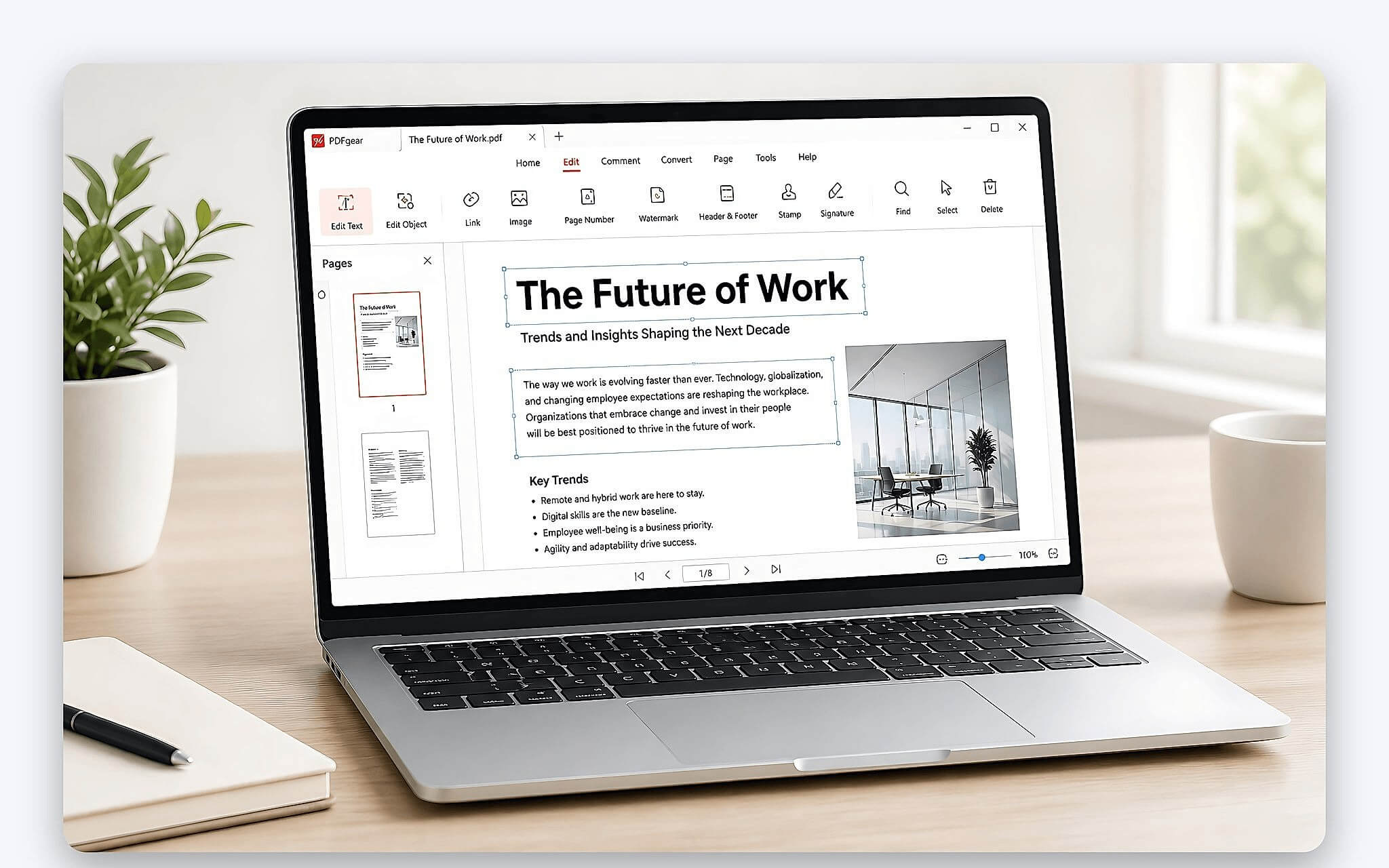
The desktop version allows you to directly edit text, images, links, and objects within the file. The tool also supports OCR for over 30 languages, conversion to Word, Excel, PowerPoint, merging or splitting pages, signing documents, and setting passwords. The developer states the software is free, requires no registration, has no watermarks, and has no premium packages. This is a practical option when you frequently read and edit original content.
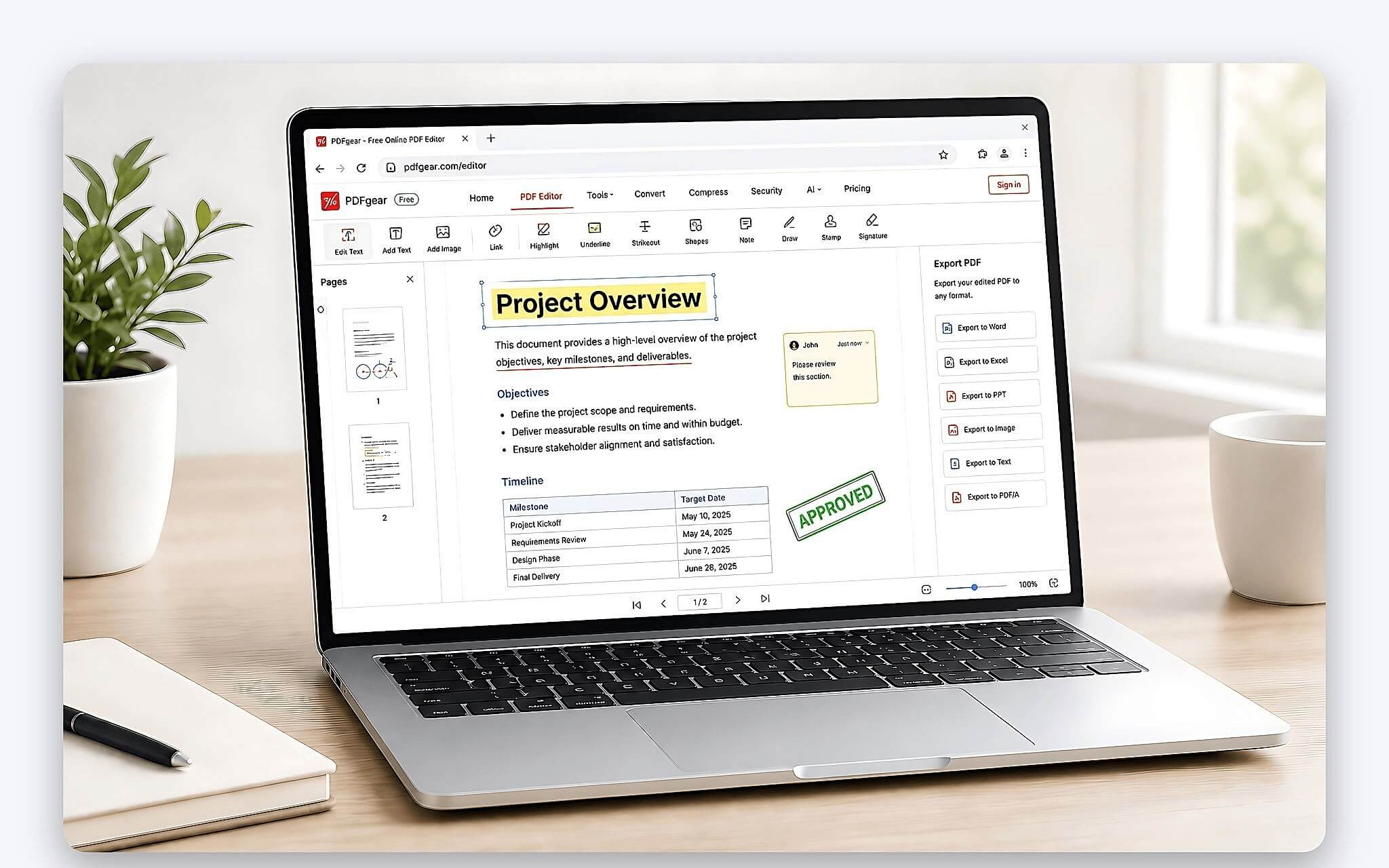
The limitation lies in the difference between the desktop and web versions. The web version primarily adds text, annotations, signatures, and forms, but cannot replace original text like the installed version. Local tools keep files on your laptop, but PDFgear's AI chatbot assistant may send PDF content and prompts to cloud servers for processing. For confidential contracts, you should avoid inputting content into AI unless approved by your data management unit.
Windows users should choose PDF24h or PDF24 Creator
Search terms containing "24h" can easily lead you to mistake it for PDF24 Creator. This is an application specifically for Windows 10 and Windows 11, with no desktop version for macOS or Linux. The integrated reader works offline. All files in the Creator version are processed on your machine, making it suitable for internal documents that require limited uploading to online services.
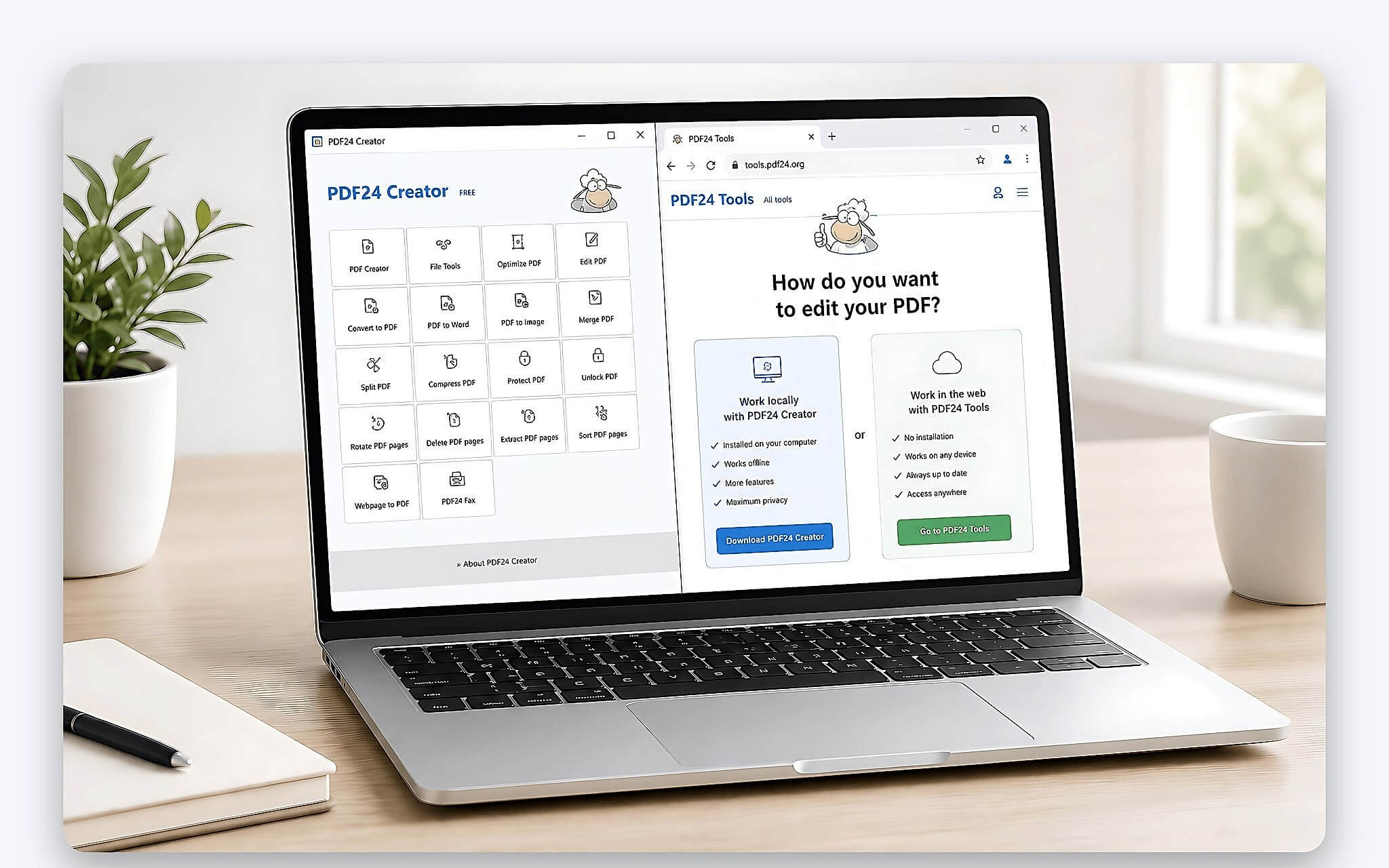
PDF24 Creator is powerful for merging, splitting, rotating, deleting, extracting, and arranging large numbers of pages. The software also features OCR, compression, conversion, protection, and PDF stamping. The developer allows free, unlimited use, which is available for businesses. However, this tool is not optimized for directly editing entire blocks of original text like in Word. PDF24 recommends converting documents to Word when many content changes are needed.
Options should be categorized by operating system and task type. Hung Phat does not classify Edge or Foxit Reader in the full editing group; Edge can read, annotate, and sign with handwriting but cannot replace original text. PDFgear and PDF24 Creator have not announced themselves as open-source, so they should only be referred to as free software.
When are free online PDF editing services suitable
Online tools are suitable when you are using a borrowed computer, do not have permission to install applications, or only need to sign a short file. The web version of PDFgear supports adding text, annotations, signatures, and forms. You simply open a browser, complete the task, and download the file. This method is fast, but the ability to replace original text is limited compared to the desktop version. When you need to read and edit short documents, this is a convenient choice.
For personnel files, contracts, statements, or documents containing identity information, local processing is still safer. On a new laptop, you should enable BitLocker to encrypt your drive in case the machine is lost. You should also read the storage policy before uploading files to a server. "Secure connection" does not necessarily mean data is not temporarily stored. If the processing mechanism is unclear, use PDF24 Creator offline on Windows or Preview on macOS for signing and annotation needs.
Upload speed also affects the experience when files have many pages or large scanned images. Online OCR and conversion may require waiting for the server, while the desktop version depends on your laptop's configuration. Do not confuse page extraction with image extraction. If your goal is to process images before exporting them into a document, the article comparing Photoshop and Lightroom will be more relevant to your graphic workflow.
When is editing PDF on Canva suitable for your documents
Canva is often considered when documents focus on visual presentation, layout, or media content. Before putting important files into the platform, you should create a copy and check if fonts, spacing, and object positions are preserved. Documents with complex layouts can easily experience discrepancies after being imported and exported. Canva is not designed to read and edit the original text of a PDF file, so you should not perform operations on your only copy.
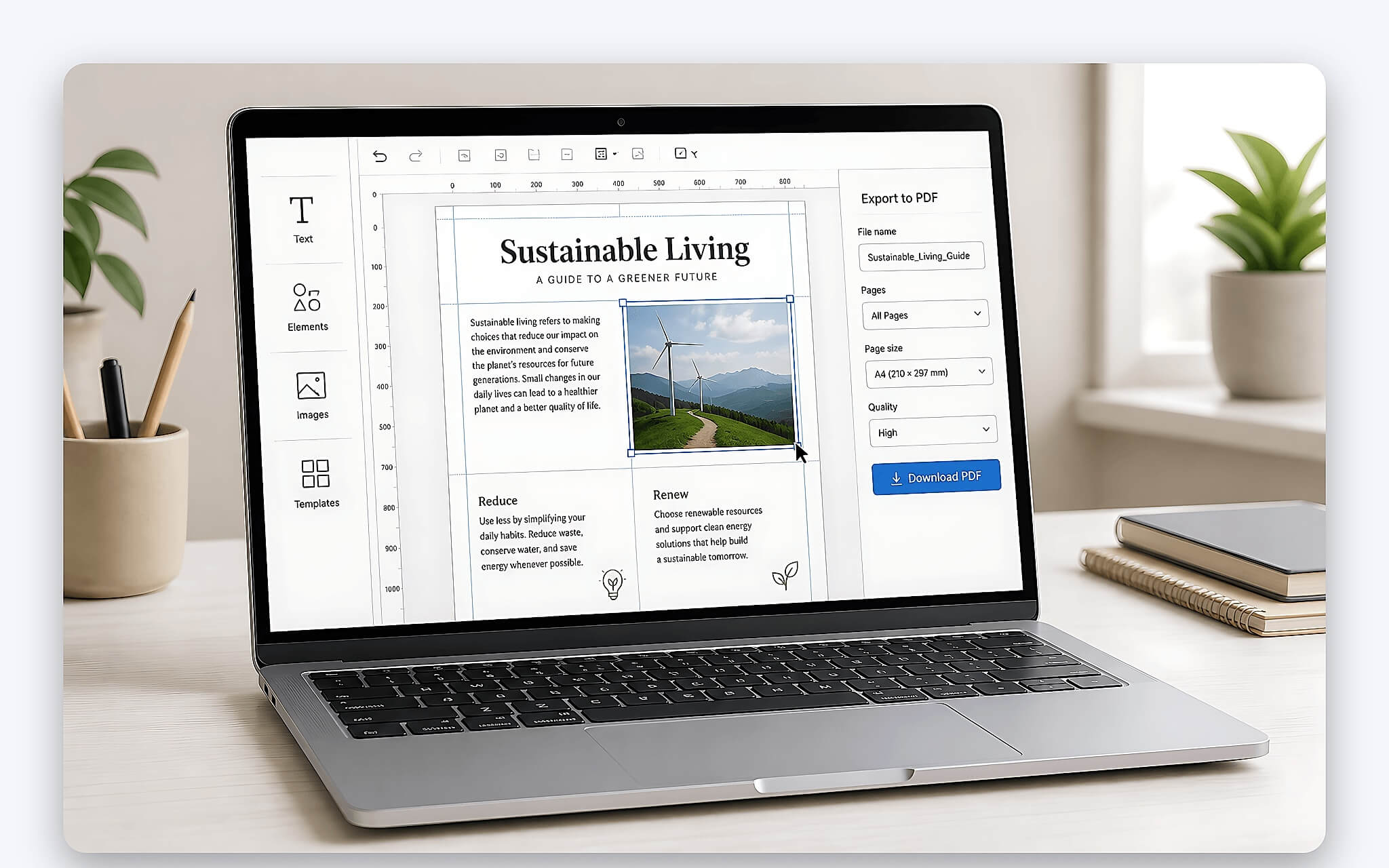
If you only need to fix a typo in a contract, the PDFgear desktop version has a more streamlined process because it supports replacing original text. If you need to arrange dozens of scanned pages, PDF24 Creator is more reasonable thanks to its page organization and OCR toolset. Canva should be viewed as a document design option. The ability to edit individual objects should be tested with a sample file before applying it to official records.
You also need to distinguish between original text-based PDF files and files created from scanned images. Image files usually require OCR before the content can be edited. PDFgear's OCR for over 30 languages is a viable option, but the results still need to be reviewed for proper names, contract numbers, and symbols. For new machines, you should install legitimate reading and editing software for your new laptop instead of installing many redundant utilities.
When iLovePDF editing cannot yet replace Adobe Acrobat
Web services are convenient for short tasks, but they should not be assumed to replace the entire Adobe Acrobat workflow. Before using iLovePDF or similar services, you need to check three factors: is the document secure, does the original text need direct replacement, and must the layout be absolutely preserved? If any of these three factors has high requirements, a desktop application will be easier to control.
Adobe Acrobat is suitable when a business already has established approval workflows, forms, or centralized licenses. PDFgear is suitable for Windows and macOS users who need to read and edit text frequently but are not ready to pay. PDF24 Creator is suitable for Windows users who prioritize offline OCR, conversion, and bulk page organization. Mac users who only need to sign, fill forms, and annotate can start with Preview.
No free option is inherently equivalent to all the functions of the paid Acrobat version. You should test with a copy file before processing original records. If you have just prepared a new laptop, you can contact Hung Phat for advice on legitimate reading and editing tools based on your needs. There is no need to buy a license immediately if your work only involves signing, annotating, or merging pages.
Frequently Asked Questions (FAQ)
Smallpdf PDF editing is suitable for which needs?
You should prioritize web tools for reading and editing when only processing short documents and cannot install applications on your laptop. For files containing personal data, contracts, or statements, you need to check the storage policy before uploading. If you want to process locally, PDF24 Creator on Windows 10 or Windows 11 is a clearer option.
Does converting PDF to Excel preserve the data?
PDFgear supports converting documents to Excel, but the results also depend on the table structure and the quality of the original file. Scanned documents need OCR first, and then you must check the numbers, columns, and rows. For financial tables, you should cross-check each important value before using the converted file.
Is PDF Canvas editing the same as operating on Canva?
The two names are easily confused during searches, so you need to check the correct service address before uploading documents. If the goal is to design layouts, images, or media documents, Canva is the platform often mentioned. If the goal is to read and edit original text, PDFgear desktop has a clearer utility.
Should I use web or apps for PDF editing on iPhone?
PDFgear has web and mobile versions, which are suitable when you need to sign, add text, or quickly process documents when you are away from your laptop. For long files or those requiring many original content changes, the small screen will make operations slow and layout review difficult. You should complete in-depth reading and editing tasks on Windows or macOS, then use your phone to check and send the file.











