News

Chọn Laptop Amd Theo Nhu Cầu - Đọc Tên Chip Ryzen Trước Khi Mua Máy
Laptops

Choosing an AMD Laptop: A Guide to Ryzen Processors Before You Buy When shopping for a laptop, the processor is the heart of the machine. For many users, the AMD Ryzen lineup offers a compelling alternative to Intel, often providing superior multi-core performance and integrated graphics efficiency. However, navigating the complex web of model numbers and suffixes can be daunting. To ensure you get the right machine for your specific needs, it is essential to understand how to read AMD Ryzen chip nomenclature before you make your purchase. ### Understanding the Ryzen Naming Convention AMD uses a standardized naming system that tells you exactly where a processor sits in the performance hierarchy. A typical Ryzen processor name consists of several key components: **1. The Brand (Ryzen)** This identifies the processor family. **2. The Generation (e.g., 5, 6, 7, or 8)** The first digit following "Ryzen" indicates the generation. Generally, a higher number represents a newer architecture with improved efficiency and features. For example, a Ryzen 7 7000 series chip is more recent than a Ryzen 7 5000 series chip. **3. The Segment (e.g., 3, 5, 7, or 9)** The second digit tells you the performance tier: * **Ryzen 3:** Entry-level, ideal for basic tasks like web browsing, streaming, and office work. * **Ryzen 5:** Mid-range, the "sweet spot" for students and general productivity. * **Ryzen 7:** High-performance, designed for heavy multitasking, photo editing, and gaming. * **Ryzen 9:** Enthusiast-grade, built for professional video editing, 3D rendering, and extreme gaming. **4. The Model Number (The remaining digits)** The final digits differentiate specific models within the same tier and generation. ### Decoding the Suffixes: The Most Important Part While the numbers tell you the tier, the letter at the end of the model name is perhaps the most critical piece of information for laptop buyers. This suffix indicates the processor's power consumption and intended use case. **U-Series (Ultra-Low Power)** Designed for thin-and-light ultrabooks. These chips prioritize battery life and portability over raw power. They are perfect for students or office professionals who need a machine that lasts all day during commutes and meetings. **HS/PS Series (High Performance / Slim)** These are high-performance chips optimized for thinner, more powerful laptops. They offer a balance between high-speed processing and thermal management, making them ideal for creative professionals and casual gamers who want a portable yet capable machine. **H/HX Series (High Performance / Extreme Performance)** These are the heavy hitters. Found in thick, powerful gaming laptops and mobile workstations, these chips prioritize maximum performance above all else. They consume more power and generate more heat, but they provide the muscle needed for intensive AAA gaming and professional-grade rendering. ### Matching the Chip to Your Needs To make an informed decision, you must align the processor's capabilities with your daily workflow: * **For Basic Productivity (Browsing, Word, Excel, Netflix):** A **Ryzen 3 or Ryzen 5 (U-series)** is more than sufficient. You will benefit most from a long-lasting battery and a lightweight design. * **For Multitasking and Content Creation (Large spreadsheets, Photoshop, light video editing):** Look for a **Ryzen 5 or Ryzen 7 (HS or U-series)**. This provides the extra cores needed to handle multiple demanding applications simultaneously without sacrificing too much portability. * **For Gaming and Professional Workloads (AAA Gaming, 4K Video Editing, 3D Modeling):** You should prioritize a **Ryzen 7 or Ryzen 9 (H or HX-series)**. These processors are designed to handle sustained, high-intensity workloads that would throttle a lower-power chip. By understanding these naming conventions, you can move past the marketing hype and select a laptop that matches your actual requirements, ensuring you don't overpay for power you won't use-or underpower yourself on a task that requires it.

26/09/2026 · 11 min
Browse by topic
Độ Chính Xác Màu Trên Laptop - Từ Srgb Dci-P3 Đến Chỉ Số Delta-E
Laptops · 18/09/2026 · 13 min read

Color Accuracy on Laptops: From sRGB and DCI-P3 to Delta E When shopping for a laptop, many users focus on resolution or refresh rates. However, for creative professionals, designers, and photographers, color accuracy is the most critical metric. But what do these technical terms actually mean, and why should they matter to you? ### Understanding Color Gamuts: sRGB and DCI-P3 To understand color accuracy, you first need to understand "color gamut"—the range of colors a screen is capable of displaying. Think of a gamut as a palette of available colors; the larger the palette, the more vibrant and realistic the images appear. **sRGB (Standard Red Green Blue)** sRGB is the industry standard for the web. Most content you consume daily—YouTube videos, social media posts, and standard web graphics—is designed within the sRGB color space. If a laptop covers 100% of the sRGB spectrum, it means it can accurately reproduce the colors intended for standard digital content. For general users and web designers, sRGB coverage is the baseline requirement. **DCI-P3** DCI-P3 is a wider color gamut used primarily in the digital cinema industry. It offers a significantly larger range of colors, particularly in the greens and reds, compared to sRGB. Laptops with high DCI-P3 coverage are designed for video editors, filmmakers, and high-end content creators who need to see colors that are more vivid and lifelike than what standard web content requires. ### Measuring Precision: The Delta E (ΔE) Metric While color gamuts tell you how *much* color a screen can show, Delta E (ΔE) tells you how *accurately* it shows them. In color science, Delta E measures the difference between a target color (the actual color in an image) and the color displayed on the screen. * **ΔE < 1:** The difference is imperceptible to the human eye. This is the gold standard for professional color grading. * **ΔE < 2:** The difference is virtually unnoticeable to most users. This is considered excellent for professional photo editing and design work. * **ΔE < 3:** The difference is visible only to trained professionals using specialized equipment. * **ΔE > 3:** The color shift becomes noticeable to the average user, meaning the screen is not considered color-accurate. ### Summary: Which Matters Most? Choosing the right laptop depends on your specific workflow: * **For General Use & Office Work:** A screen that covers the sRGB spectrum is sufficient. * **For Content Creation & Video Editing:** Look for high DCI-P3 coverage to ensure you are working with a wide, cinematic color range. * **For Professional Color Grading:** High color gamut coverage is not enough; you must also look for a low Delta E (ideally < 2) to ensure the colors you see on screen are the true colors of your work.

Many people shopping for creative work laptops focus on color gamut percentages to feel secure, but a panel covering 100% sRGB can…

Ram Hàn Onboard Trên Bo Mạch So Với Ram Sodimm Gắn Khe Nâng Cấp
Laptops · 14/09/2026 · 12 min read

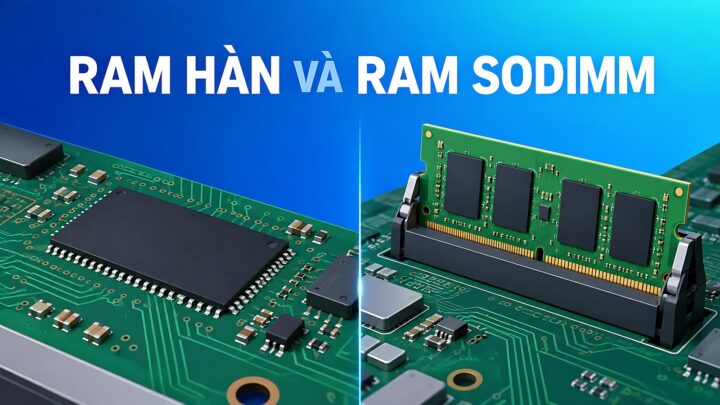
**Onboard RAM vs. SODIMM Upgradability: How to Accurately Calculate Your Needs** When shopping for a new laptop, one of the most critical technical decisions involves the memory architecture: should you opt for soldered (onboard) RAM or a system with SODIMM slots for future upgrades? Choosing incorrectly can lead to a device that is either unnecessarily expensive or prematurely obsolete. To make an informed decision, you must understand the trade-offs of each configuration and how to accurately project your future computing requirements. ### Understanding the Architectures **Onboard (Soldered) RAM** In many modern, ultra-thin laptops (such as many Ultrabooks and MacBook models), the RAM chips are soldered directly onto the motherboard. * **The Pros:** This design allows for thinner, lighter chassis and more efficient power consumption. It also typically offers faster data transfer speeds due to the direct connection to the processor. * **The Cons:** There is zero flexibility. Once you purchase the laptop, the amount of RAM is fixed for the life of the device. If you realize a year later that you need more memory, you cannot upgrade it; you would have to replace the entire machine. **SODIMM (Upgradable) RAM** Traditional laptops often use Small Outline Dual In-line Memory Modules (SODIMM). These are physical sticks that plug into slots on the motherboard. * **The Pros:** This provides maximum longevity and flexibility. If your workflow becomes more demanding, you can simply buy a new module and install it yourself (or have a technician do it) for a relatively low cost. * **The Cons:** These slots take up physical space, which is why laptops with upgradable RAM are often slightly thicker or heavier. Additionally, having empty slots or multiple modules can sometimes lead to slightly higher power consumption compared to optimized soldered layouts. ### How to Accurately Calculate Your Requirements To avoid the "buyer's remorse" of insufficient memory or the "wasteful spending" of over-provisioning, follow these guidelines based on your intended use case: **1. Basic Productivity and Web Browsing (8GB RAM)** If your primary tasks involve checking emails, streaming video (Netflix/YouTube), and using web browsers with a moderate number of tabs open, 8GB is the baseline. However, for modern operating systems and heavy web usage, 8GB is increasingly considered the absolute minimum. **2. Multitasking and Office Work (16GB RAM)** For professionals who keep dozens of Chrome tabs open, run multiple Microsoft Office applications simultaneously, and participate in frequent video conferences (Zoom/Teams), 16GB is the "sweet spot." This amount provides enough headroom to prevent the system from slowing down when switching between heavy applications. **3. Creative Work and Heavy Multitasking (32GB+ RAM)** If your workflow involves professional video editing (4K/8K), large-scale graphic design (Adobe Creative Cloud), running virtual machines, or heavy software development, you should aim for 32GB or more. These tasks consume massive amounts of memory to store active data for quick access. **4. Gaming (16GB to 32GB RAM)** While many modern games are optimized to run on 16GB, many high-end, AAA titles are increasingly demanding more memory to handle complex textures and open-world environments. For a future-proof gaming setup, 16GB is the standard, but 32GB is becoming the preferred choice for enthusiasts. ### The Golden Rule of Purchasing If you are choosing between a laptop with **8GB of soldered RAM** and a laptop with **8GB of RAM that is upgradable**, always choose the **upgradable** option. It is much cheaper to add more RAM later than it is to buy a whole new laptop because your current one can no longer handle your workload. Conversely, if you are buying a premium, ultra-portable laptop where weight is the priority, ensure you buy the maximum amount of RAM you think you will ever need, because you won't be able to change it later.

Are you planning to buy a laptop in 2026 and find yourself torn between a sleek, lightweight model with onboard soldered RAM…

Chọn Laptop 20 Triệu Cho Công Việc Hàng Ngày Với Intel Core 5 Và 16Gb Ram
Laptops · 12/09/2026 · 11 min read

Choosing a 20-Million VND Laptop for Daily Productivity: Intel Core i5 and 16GB RAM When shopping for a laptop in the 20-million VND price range, finding the right balance between performance and longevity is key for daily professional tasks. For users looking to ensure a smooth, lag-free experience, two specifications have become the modern gold standard: an Intel Core i5 processor and 16GB of RAM. In this guide, we explore why this specific configuration is the "sweet spot" for productivity and what you can expect from a machine in this category. ### The Power of the Intel Core i5 The Intel Core i5 serves as the versatile workhorse of the modern computing world. While i3 processors are suitable for basic web browsing and i7/i9 chips are designed for heavy-duty video editing or gaming, the i5 sits in the perfect middle ground. For daily work-which typically involves multitasking between dozens of Chrome tabs, large Excel spreadsheets, video conferencing via Zoom or Teams, and various office applications-the i5 provides enough multi-core performance to handle these simultaneous demands without breaking a sweat. It offers a level of responsiveness that ensures your workflow remains fluid, even as software updates become more resource-intensive over the years. ### Why 16GB of RAM is Non-Negotiable If the processor is the brain of the laptop, RAM is its short-term memory. In the current software landscape, 8GB of RAM is increasingly becoming the bare minimum, often struggling to keep up with modern operating systems and heavy multitasking. By opting for 16GB of RAM, you are essentially future-proofing your investment. This extra capacity allows your laptop to: * **Handle heavy multitasking:** Switch between intensive applications instantly without the system slowing down. * **Manage high-memory web browsing:** Run numerous browser tabs and extensions simultaneously without the dreaded "out of memory" lag. * **Support professional software:** Run specialized tools for data analysis, light graphic design, or heavy communication suites more efficiently. ### Finding the Right Balance When browsing the market for a laptop in the 20-million VND range, it is important to look beyond just the CPU and RAM. To get the most out of your Core i5 and 16GB RAM configuration, consider these additional factors: * **Storage:** Aim for an SSD (Solid State Drive) rather than an HDD. An NVMe SSD will significantly decrease boot times and application loading speeds. * **Display Quality:** Since much of your work involves staring at a screen, prioritize an IPS panel with good color accuracy and brightness. * **Build Quality and Portability:** Depending on whether you work from a desk or on the go, consider the weight and the chassis material of the laptop. ### Conclusion A laptop equipped with an Intel Core i5 and 16GB of RAM is a highly strategic purchase for anyone looking to invest 20 million VND into a reliable daily driver. This combination provides the necessary power to handle today's multitasking demands while offering enough headroom to remain relevant and efficient for years to come.

A 20 million VND budget goes much further this year than you might think. A 20 million VND laptop equipped with an…

Laptop Cho Nhiếp Ảnh Gia Nên Chọn Màn Hình Chuẩn Màu Hay Dung Lượng Ram?
Laptops · 04/09/2026 · 10 min read

**Photographer's Dilemma: Should You Prioritize Color Accuracy or RAM Capacity?** When investing in a laptop for photography, professionals often find themselves at a crossroads: should they prioritize a color-accurate display or higher RAM capacity? Both components are critical to a seamless workflow, but they serve very different roles in the creative process. **The Case for Color Accuracy** For photographers, the monitor is the primary window into their work. A screen with high color accuracy-characterized by wide color gamuts like sRGB, Adobe RGB, or DCI-P3, and high coverage percentages-is essential for ensuring that what you see on your screen matches the final print or digital output. If a laptop lacks color precision, you risk making critical adjustments to exposure, saturation, and white balance based on inaccurate visual data. This can lead to "color shifts" where a photo looks perfect on your laptop but appears dull or incorrectly tinted when viewed on other devices or printed. For those specializing in high-end retouching, color grading, or commercial photography, a high-quality, color-calibrated panel is often non-negotiable. **The Case for RAM Capacity** While the screen dictates how you *see* your work, RAM dictates how you *work*. RAM (Random Access Memory) acts as the laptop's short-term memory, allowing the system to handle multiple high-resolution files and complex software simultaneously. Modern photo editing involves more than just viewing images; it involves heavy lifting. Running Adobe Lightroom alongside Photoshop, while perhaps having a web browser with dozens of tabs open for reference, requires significant memory. Low RAM can lead to "bottlenecks," where the system slows down, lags during brush strokes, or even crashes when attempting to process large RAW files or complex layers. Increasing RAM capacity allows for a smoother, more responsive experience, especially when multitasking or working with massive file sizes. **The Verdict: Which Should You Choose?** The answer depends on your specific workflow and current hardware limitations. If you are currently working on a laptop with a decent processor but find that the system stutters, freezes, or slows down whenever you apply a filter or switch between apps, your priority should be **RAM**. A more powerful engine is useless if the system cannot handle the workload. However, if your laptop runs smoothly and handles large files without issue, but you find that your printed photos don't match your screen, your priority must be **Color Accuracy**. No amount of processing power can fix a fundamental flaw in visual representation. Ultimately, the ideal setup for a photographer is a balance of both: a high-resolution, color-accurate display to ensure visual integrity, paired with sufficient RAM to maintain a fluid, professional workflow.

Whether you are processing RAW files, color grading in Lightroom, retouching in Photoshop, or simply need a reliable display, photographers must balance…

Intel Core Ultra 7 265U Hay 258V Đáng Mua Hơn Cho Nhu Cầu Thực Tế?
Laptops · 02/09/2026 · 8 min read

**Intel Core Ultra 7 265U vs. 258V: Which is the Better Choice for Real-World Use?** When choosing between the Intel Core Ultra 7 265U and the Core Ultra 7 258V, the "better" option depends entirely on how you actually use your laptop. While both belong to Intel's latest architectural generations, they are designed for fundamentally different types of users. **The Core Ultra 7 265U: The Productivity Workhorse** The Core Ultra 7 265U is built for the traditional professional. It is designed for users who need a reliable machine for multitasking, heavy office applications, and demanding workflows. The primary advantage of the 265U lies in its versatility and traditional architecture. It is optimized for stability in multitasking environments-think having dozens of browser tabs open alongside heavy Excel spreadsheets, specialized enterprise software, and various background applications. If your daily routine involves heavy data processing or a wide variety of productivity tools, the 265U is engineered to handle those fluctuating workloads efficiently. **The Core Ultra 7 258V: The Efficiency and AI Specialist** The Core Ultra 7 258V, part of the "Lunar Lake" family, represents a shift in Intel's philosophy. This chip is not just about raw processing power; it is about extreme efficiency and integrated AI capabilities. The 258V is the superior choice for users who prioritize mobility and battery life. It is designed to provide a seamless, "always-on" experience, making it ideal for students or travelers who spend long hours away from a power outlet. Furthermore, the 258V features a significantly more powerful NPU (Neural Processing Unit), making it the better option for users looking to leverage AI-driven features-such as advanced background blur in video calls, local AI image generation, or AI-enhanced creative tools-without draining the battery. **The Verdict: Which Should You Buy?** The decision comes down to your specific priorities: * **Choose the Intel Core Ultra 7 265U if:** You are a professional who needs a high-performance multitasking machine for heavy office work, data management, and diverse software applications where consistent, high-level processing is the priority. * **Choose the Intel Core Ultra 7 258V if:** You prioritize ultra-long battery life, portability, and the latest AI-driven technologies. It is the ideal choice for mobile users who want a smart, efficient device that can keep up with modern, AI-integrated workflows on the go.

Intel Core Ultra 7 265U and 258V are both designed for thin and light business laptops, but they take very different approaches…